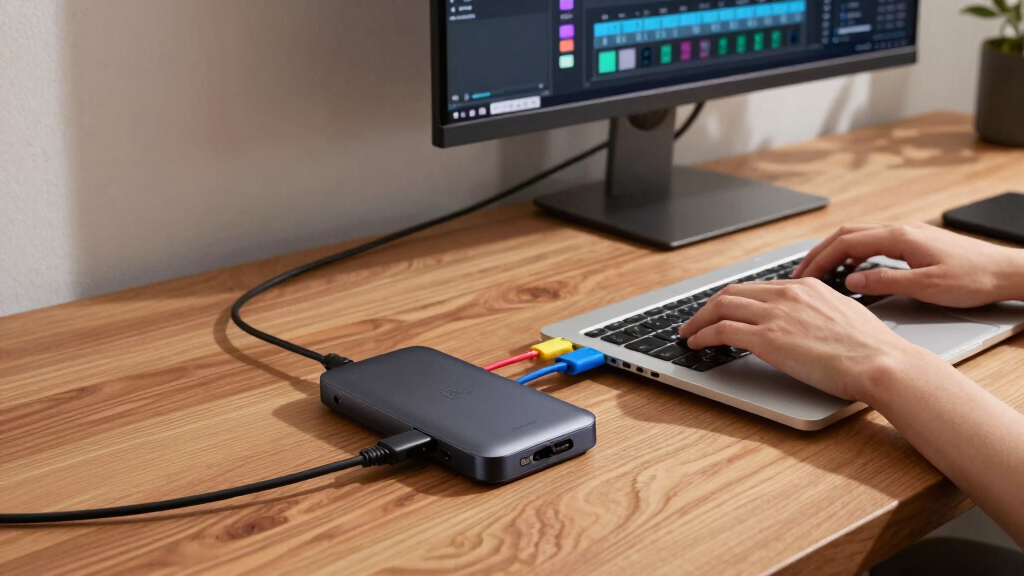

Finding the best Thunderbolt hub for creators involves balancing speed, connectivity options, and power delivery. The Belkin Connect Thunderbolt 4 Dock stands out for its all-in-one versatility and reliable performance, making it ideal for most professional setups. For those needing extreme bandwidth and multiple 8K displays, the OWC Thunderbolt 5 Hub offers impressive support with a silent, fanless design. Meanwhile, the Ugreen Maxidok Thunderbolt 5 Hub provides a high port count and fast data transfer at a more accessible price point. Each option presents different tradeoffs—mainly between price, port variety, and speed. Continue reading for a detailed breakdown to find the best fit for your creative needs.
Key Takeaways
- Top-performing hubs like the Belkin Connect excel in all-in-one functionality and reliability, suitable for professional creators.
- Higher bandwidth options such as Thunderbolt 5 provide support for multiple 8K displays and fast data transfer, but come at a premium price.
- Port variety and compatibility are key: some hubs focus on a few core ports, others offer extensive options for versatile workflows.
- Power delivery (PD) is critical; hubs with higher wattage support charging demanding devices without additional adapters.
- Design considerations like fanless operation and size influence usability in different creative environments.


More Details on Our Top Picks
Belkin Connect Thunderbolt 4 Docking Station, 5-in-1 USB-C Multiport Core Hub w/ 96W Power Delivery for Mac, Windows, Single 8K or Dual 4K Display, Thunderbolt 4 Cable & Power Supply Included
This Belkin Thunderbolt 4 dock stands out for its compact design paired with a robust 96W power delivery, making it ideal for creators who need a sleek workspace without sacrificing performance. Unlike the OWC Thunderbolt 5 Hub, it offers dual-monitor support up to 4K at 60Hz or an 8K display at 30Hz, but it doesn’t support triple 8K or Thunderbolt 5 speeds. Its broad compatibility with Thunderbolt 3/4 and USB4 devices ensures seamless integration, and the build quality with recycled content adds to its appeal. However, it lacks the extensive port variety of the UGREEN Maxidok or Plugable TBT4‑UD5, which may limit expandability for power users. The tradeoff is a focus on dual-display and high reliability in a compact form. Perfect for professionals needing reliable dual monitor setups on Mac or Windows.
Specs: Compatibility: Thunderbolt 4, USB4; Ports: 3x Thunderbolt 4, 1x USB-A; Power: 96W PD; Supports: Dual 4K@60Hz or 8K@30Hz; Dimensions: 5.3″L x 2.9″W x 0.7″H; Weight: 2 pounds- Reliable dual monitor support up to 4K or 8K
- High power delivery for charging
- Certified overcurrent protection
- Made with recycled content
- Limited to two external displays, not triple 8K
- No Thunderbolt 5 or multi‑daisy chaining
Verdict: This dock is best suited for creators who prioritize dependable dual-display setups with a sleek, eco-conscious design.
Pros:- High reliability with certified Thunderbolt 4 support
- Strong 96W power delivery for charging laptops
- Compact and eco-friendly recycled housing
- Supports dual 4K displays at 60Hz or 8K at 30Hz
Cons:- Limited to dual external displays, not triple 8K
- No Thunderbolt 5 or daisy-chaining capabilities
- Fewer ports compared to larger hubs like UGREEN Revodok
Best for: Mac and Windows professionals who need a compact, reliable dual-monitor Thunderbolt 4 dock with high charging power.
Not ideal for: Power users requiring triple 8K displays or Thunderbolt 5 speeds, or those needing extensive port options beyond dual display support.
- Compatibility:Thunderbolt 4, USB4
- Ports:3x Thunderbolt 4, 1x USB-A
- Power Delivery:96W
- Display Support:Dual 4K@60Hz or 8K@30Hz
- Dimensions:5.3″L x 2.9″W x 0.7″H
- Weight:2 pounds
Bottom line: Ideal for creators needing a dependable dual-monitor Thunderbolt 4 dock with excellent build quality and eco-conscious features.
OWC Thunderbolt 5 Hub – 5-Port Expansion for Mac & PC | 80Gb/s Bandwidth | 140W Charging | Triple 8K Display Support | Fanless Silent Design | TB5/TB4/TB3/USB4 Compatible
This OWC Thunderbolt 5 Hub makes a clear statement for power users with its 80Gb/s bandwidth, triple 8K display support, and 140W charging. Compared to the Belkin Thunderbolt 4 station, it offers significantly higher data throughput and support for three daisy-chained 8K displays, ideal for demanding visual workflows. Its fanless design ensures silent operation, and the build quality with aluminum guarantees durability. The extensive port array includes multiple Thunderbolt 5 ports, USB-A, Ethernet, SD, and audio, making it a versatile hub for any creator’s studio. The main tradeoff is the higher price and bulk compared to more compact docks, which might be too large for portable use. This dock suits high-end content creators or professionals who need maximum performance and display capability.
Specs: Compatibility: Thunderbolt 5, USB4; Ports: 3x Thunderbolt 5, USB-A, Ethernet, SD; Power: 140W; Display: Triple 8K or dual 6K; Dimensions: 7″L x 3.1″W x 0.9″H; Weight: 382 grams- Triple 8K display support for demanding workflows
- Exceptional 80Gb/s data bandwidth
- Powerful 140W charging
- Fanless silent operation and durable aluminum build
- Bulkier and more expensive than Thunderbolt 4 docks
- Less portable due to size
- Requires Thunderbolt 5 port on host device
Verdict: This premium hub is best for creators who need maximum display support, blazing fast data transfers, and robust power, accepting size and cost tradeoffs.
Pros:- Supports three 8K displays simultaneously
- Blazing 80Gb/s bandwidth for demanding data tasks
- Powerful 140W charging for large laptops
- Fanless and highly durable aluminum chassis
Cons:- Large size and weight reduce portability
- Higher cost compared to Thunderbolt 4 options
- Requires Thunderbolt 5 port on host
Best for: High-end content creators and professionals needing triple 8K support and maximum bandwidth.
Not ideal for: Casual users or creators with limited space or budget, or those not equipped with Thunderbolt 5 ports.
- Compatibility:Thunderbolt 5, USB4
- Ports:3x Thunderbolt 5, USB-A, Ethernet, SD
- Bandwidth:80Gbps
- Power:140W
- Display Support:Triple 8K or dual 6K
- Dimensions:7″ x 3.1″ x 0.9″
Bottom line: Best suited for creators who need top-tier performance, ultra-high resolution support, and extensive connectivity in a stationary setup.
Anker USB C Hub for MacBook, 7-in-2 with 4K@60Hz HDMI, Compatible with Thunderbolt 4, 1 Type C and 2 USB A Data Ports for MacBookPro 13 Inch, MacBookAir M1 / M2, and More
This Anker 7-in-2 hub offers a compact, budget-friendly solution for creators who need essential connectivity. Unlike the Belkin or Plugable docks, it focuses on core ports: HDMI 4K@60Hz, two USB-A ports, and a high-wattage charging port supporting up to 100W. For users who primarily need to connect a single external monitor and peripherals without the need for multi‑display support, this hub is a perfect fit. Its plug-and-play operation and slim profile make it ideal for on-the-go creators or those with limited desk space. The main tradeoff is it doesn’t support multiple monitors or Thunderbolt 5 speeds, which limits its use for high-end visual workflows. This makes it a great choice for casual or mobile creators with basic needs.
Specs: Compatibility: Thunderbolt 4, USB-C; Ports: HDMI 4K@60Hz, 2x USB-A, 1x USB-C; Power: 100W PD; Dimensions: Very compact; Weight: Light and portable- Affordable, compact, and portable
- Supports 4K@60Hz HDMI output
- High 100W power delivery for charging
- Driverless, plug-and-play operation
- No multi-monitor or Thunderbolt 5 support
- Limited port selection for advanced users
- Fewer ports compared to larger docks
Verdict: This hub is perfect for creators who want a simple, reliable, and portable solution for single-monitor setups and basic peripherals.
Pros:- Highly portable and space-saving design
- Supports 4K@60Hz HDMI output
- Powerful 100W charging capability
- Plug-and-play with no drivers needed
Cons:- Limited to single external monitor support
- No Thunderbolt 5 or multi‑display support
- Fewer ports for advanced workflows
Best for: Mobile creators and casual users needing a compact hub with high-quality HDMI output and fast charging.
Not ideal for: Power users or professionals requiring multiple monitors or Thunderbolt 5 speeds and extensive port options.
- Compatibility:Thunderbolt 4, USB-C
- Ports:HDMI 4K@60Hz, 2x USB-A, 1x USB-C
- Power Delivery:100W
- Size:Very compact
- Weight:Light
- Display Support:Single 4K@60Hz
Bottom line: Best for creators seeking a lightweight, reliable hub for basic connectivity and high-wattage charging on the go.
Plugable Thunderbolt 4 Dock with 100W Charging, Thunderbolt Certified, Laptop Docking Station Dual Monitor Single 8K or Dual 4K HDMI for Windows and Mac, 4X USB, Gigabit Ethernet (TBT4-UD5)
This Plugable Thunderbolt 4 Dock offers an excellent balance of performance, ports, and price for creators who need dual monitor support and reliable performance. It supports dual 4K@60Hz or an 8K single display, similar to the Belkin but with more USB ports and Ethernet, making it more versatile. Unlike the Belkin, it provides four USB-A ports, which is helpful for peripherals, and includes gigabit Ethernet, making it suitable for creators working in connected environments. Its build quality is solid, and it delivers 100W charging, but it doesn’t support triple 8K displays or Thunderbolt 5 speeds. The main tradeoff is it may lack some advanced features for heavy multi‑display workflows. It’s ideal for creators who want a reliable, feature-rich Thunderbolt dock without the premium price of Thunderbolt 5.
Specs: Compatibility: Thunderbolt 4, USB4; Ports: 4x USB-A, 1x Thunderbolt 4, Ethernet, HDMI; Power: 100W; Display: Dual 4K@60Hz or 8K single; Dimensions: Compact; Weight: Moderate- Supports dual 4K displays or 8K single display
- Multiple USB-A ports plus Ethernet
- Reliable 100W charging
- Thunderbolt 4 certified for high performance
- No Thunderbolt 5 or triple 8K support
- Limited to dual external displays
- Fewer ports than higher-end hubs
Verdict: This dock strikes a great balance for creators who need dual 4K displays and multiple peripherals at a reasonable price.
Pros:- Supports dual 4K or single 8K display output
- Additional USB-A ports and Ethernet for connectivity
- Certified Thunderbolt 4 performance with 100W charging
- Compact and reliable design
Cons:- No support for triple 8K displays
- Limited to dual external monitors
- Less future-proof than Thunderbolt 5 docks
Best for: Creators seeking a versatile, reliable Thunderbolt 4 dock with dual monitor support and multiple USB ports.
Not ideal for: High-end professionals requiring triple 8K support or Thunderbolt 5 speeds, or those needing extensive port arrays.
- Compatibility:Thunderbolt 4, USB4
- Ports:4x USB-A, Thunderbolt 4, Ethernet, HDMI
- Power:100W
- Display Support:Dual 4K@60Hz or single 8K
- Size:Compact
- Weight:Moderate
Bottom line: A solid mid-range dock for creators who want dual 4K displays, multiple peripherals, and good performance without the premium of Thunderbolt 5.
Anker USB C Hub for MacBook, 7-in-2 with 4K@60Hz HDMI, Compatible with Thunderbolt 4, 1 Type C and 2 USB A Data Ports for MacBookPro 13 Inch, MacBookAir M1 / M2, and More
This Anker 7-in-2 hub provides a straightforward, budget-conscious solution for creators who need essential ports in a compact form. Unlike the larger, multi‑display hubs, it offers a single HDMI output supporting 4K@60Hz, two USB-A ports, and a USB-C charging port, making it ideal for basic external monitor and peripheral connectivity. Its simplicity and plug-and-play nature make it perfect for users on the move or with limited desk space. However, it doesn’t support multiple displays or Thunderbolt 5, limiting its use for high-end visual workflows. The main tradeoff is fewer ports and capabilities, but it compensates with affordability and portability. It’s ideal for casual or mobile creators with minimal needs.
Specs: Compatibility: Thunderbolt 4, USB-C; Ports: HDMI 4K@60Hz, 2x USB-A, 1x USB-C; Power: 100W PD; Dimensions: Very compact; Weight: Light- Affordable and portable
- Supports 4K@60Hz HDMI
- High wattage charging up to 100W
- Easy plug-and-play operation
- No multi‑monitor or Thunderbolt 5 support
- Limited port options for advanced workflows
- Not suitable for demanding visual setups
Verdict: Best for casual creators and on-the-go users needing a reliable, simple hub with high-power charging and basic display output.
Pros:- Compact, lightweight, portable design
- Supports 4K@60Hz HDMI output
- High 100W charging for MacBooks
- Plug-and-play without drivers
Cons:- Limited to single external display support
- No multi‑display or Thunderbolt 5 support
- Fewer ports for complex workflows
Best for: Mobile creators or casual users who need a compact hub for single monitor and peripheral connectivity.
Not ideal for: Professional creators or those requiring multiple displays, Thunderbolt 5, or extensive port options.
- Compatibility:Thunderbolt 4, USB-C
- Ports:HDMI 4K@60Hz, 2x USB-A, 1x USB-C
- Power Delivery:100W
- Size:Very compact
- Weight:Light
- Display Support:Single 4K@60Hz
Bottom line: Best suited for creators needing a simple, portable hub for basic monitor and peripheral needs on the move.
Plugable 5-in-1 Thunderbolt 4 Hub, Single 8K or Dual 4K Display, 4K HDMI Adapter Included, Thunderbolt 4/3, USB4, USB-C Expansion for Modern Mac and Windows Systems, Driverless
This Pick stands out for its certified Intel EVO compatibility and versatile port selection, making it ideal for creators who need reliable high-resolution display support. Compared to the UGREEN Maxidok, it offers a more streamlined setup with driverless operation and a dedicated 2-year warranty, though it involves a larger footprint and a dedicated power supply. Its port array includes three Thunderbolt 4 ports, a USB-A port, and HDMI adapters that can handle dual 4K displays or an 8K single, translating to seamless multi-monitor workflows. The inclusion of a high-quality Thunderbolt 4 cable and the ability to daisy-chain high-speed SSDs make it a top choice for professional content creators. The main tradeoff is size and power dependency, which may be less ideal for ultra-portable setups.
Pros:- Certified Intel EVO for maximum compatibility and reliability
- Supports up to two 4K displays or one 8K display at 60Hz
- Three Thunderbolt 4 ports enable daisy chaining and high-speed data transfer
- Includes a premium Thunderbolt 4 cable and a 2-year warranty
Cons:- Relatively large and requires a dedicated power supply
- No pass-through charging for laptops at full 100W, limited to 15W power delivery
- Not recommended for ultra-portable or minimalist setups due to size
Best for: Creators who want a dependable, high-performance dock with multiple Thunderbolt ports and high-res display support.
Not ideal for: Travelers needing a compact, lightweight solution or those with limited desk space, due to its size and power brick.
- Total Thunderbolt Ports:3
- Display Support:2x 4K@60Hz or 1x 8K
- Data Transfer Rate:40Gbps
- Power Delivery:15W
- Size:8.35″ L x 5.59″ W x 2.17″ H
- Weight:0.87 kg
Bottom line: Ideal for creators seeking a robust, multi-port Thunderbolt hub with excellent display and data support, willing to accommodate size and power needs.
Anker USB C Hub, 7in1 Multi-Port USBC Hub with 4K HDMI, 85W PD, USB-C and 2 USB-A 5Gbps Data Ports, microSD and SD Card Reader, for MacBook Air, MacBook Pro, XPS, and More (Charger not Included)
This pick makes the most sense for creators who want a versatile, affordable multiport hub with decent display support. Unlike the Plugable Thunderbolt dock, it does not include Thunderbolt-specific ports but offers a solid mix of HDMI, SD card reader, and multiple USB-A and USB-C ports, all powered through a single USB-C connection. The 85W Power Delivery allows for pass-through charging, suitable for most laptops, while its compact size and simple plug-and-play setup appeal to beginners or those with limited desk space. The main drawback is the lack of Thunderbolt 4 support, which limits maximum data transfer speeds and display options compared to higher-end hubs, but it still covers most creator needs at a lower price point.
Pros:- Affordable price point with solid build quality
- Supports 4K HDMI at 60Hz for high-quality video output
- Includes SD and microSD card readers for quick media transfer
- Supports 85W pass-through charging for most laptops
Cons:- Limited to USB-C and USB-A ports, no Thunderbolt 4 support
- No dual 4K display support, only single 4K at 60Hz
- Lacks the high data transfer rates of Thunderbolt 4 hubs
Best for: Beginners or budget-conscious creators seeking a reliable multi-port hub for basic editing, streaming, and display needs.
Not ideal for: High-end professional creators requiring Thunderbolt 4 speeds or multiple high-resolution displays simultaneously.
- Total USB Ports:4
- Display Support:4K@60Hz via HDMI
- Power Delivery:85W
- Card Readers:SD & microSD
- Size:8.27″ L x 2.13″ W x 0.59″ H
- Weight:0.22 lbs
Bottom line: Best suited for entry-level creators seeking a simple, affordable multiport hub for everyday tasks and moderate display needs.
UGREEN Thunderbolt 4 Dock 8-in-1 40Gbps TB4 Hub 3 x TB 4 Dual 4K@60Hz or Single 8K Display, 85W Charging, Gigabit Ethernet, 3 x USB A 3.2. Revodok Max 208 for Mac M1/M2/M3/M4 Pro/Max
This model stands out for its 8-in-1 port array, including three Thunderbolt 4 ports, high-speed USB-A, gigabit Ethernet, and 85W charging, making it a strong choice for power users and Mac users. Compared to the Plugable 5-in-1, it offers more ports and better charging capabilities, supporting dual 4K@60Hz displays or a single 8K, which is ideal for demanding creative workflows. Its compatibility with M1, M2, and M3 Macs, along with Windows, broadens its appeal. The main drawback is that it lacks a dedicated power supply, relying on the host laptop’s power, which may limit performance under heavy loads. Its size and port density make it more suitable for desktop setups than portable use.
Pros:- Supports dual 4K@60Hz or single 8K display output
- Includes three Thunderbolt 4 ports for daisy chaining and fast data transfer
- Supports 85W charging, suitable for most MacBooks
- Gigabit Ethernet and multiple USB-A ports for extensive connectivity
Cons:- No dedicated power supply, relies on host for power
- Larger footprint, less portable
- Limited to 85W power delivery, not full 100W for some laptops
Best for: Power users and Mac creators who need multiple Thunderbolt ports and high-resolution display support.
Not ideal for: Travelers or those seeking a compact hub, due to its larger size and dependency on host power.
- Total Thunderbolt Ports:3
- Display Support:Dual 4K@60Hz or 8K single
- Data Transfer Rate:40Gbps
- Power Delivery:85W
- Size:Approx. 9.5″ L x 9.5″ W x 2.5″ H
- Weight:approx. 1.4 kg
Bottom line: Perfect for power users and Mac creators needing multiple Thunderbolt ports and high-res display options, with a focus on desktop reliability.
Plugable USB C Hub Multiport Adapter: 9-in-1 with 140W PD Charging, 4K 60Hz HDMI, 10Gbps Data Transfer, Gigabit Ethernet, SD for USBC, USB4, Thunderbolt MacBook, Windows, Chromebook (USBC-9IN1E)
This pick makes a compelling case for creators who need extensive connectivity, including 4K HDMI at 60Hz, multiple high-speed USB ports, gigabit Ethernet, and powerful 140W pass-through charging. Unlike the Plugable Thunderbolt 4 Hub, this model supports a broader array of ports, making it highly versatile for demanding workflows. The 10Gbps data transfer speeds and 140W charging make it suitable for high-performance laptops and multiple peripherals. The main tradeoff is slightly larger size and reliance on host power for full operation, but the broad compatibility across Mac, Windows, and Chromebook systems makes it an excellent all-around choice for professionals and power users alike.
Pros:- Supports 4K@60Hz HDMI output
- 140W pass-through charging for high-power laptops
- 10Gbps data transfer across multiple USB ports
- Broad compatibility including Mac, Windows, and Chromebook
Cons:- Larger footprint, less portable
- Requires a compatible high-wattage charger for full charging support
- More complex setup for some users
Best for: Power users and creators needing extensive port options and high data throughput in a single device.
Not ideal for: Travelers seeking a compact, lightweight hub or users with limited desk space.
- Total Ports:9
- Display Support:4K@60Hz
- Data Transfer Rate:10Gbps
- Power Delivery:140W
- Size:Approx. 9.45″ L x 3.14″ W x 0.79″ H
- Compatibility:MacBook, Windows, Chromebook
Bottom line: Best suited for professionals who need maximum port density, high-speed data, and robust power delivery in a single hub.
Anker USB C Hub with Ethernet, 8-in-1 Multiport Ethernet Adapter with 4K 60Hz HDMI Port, 85W Power Delivery, 10Gbps USB C and 2 A Data Ports, microSD SD Card Reader, for MacBook Pro/XPS/iPad and More
This hub is well-suited for creators needing reliable high-speed data, 4K HDMI, and Ethernet connectivity in a compact form factor. Its support for 4K@60Hz makes it ideal for presentations and media playback, while the 85W Power Delivery provides sufficient charging for most laptops. Compared with the UGREEN Revodok, it offers a more traditional multiport experience with a dedicated Ethernet port and multiple USB-A and C ports, but lacks the multiple Thunderbolt ports for daisy chaining or extremely high-speed data tasks. Its size and port variety make it a practical workspace upgrade for professionals who value stable wired network and multi-device connectivity.
Pros:- Supports 4K@60Hz HDMI output
- Includes gigabit Ethernet for reliable wired networking
- Supports 85W Power Delivery for charging
- Multiple USB-A and USB-C ports for broad device compatibility
Cons:- Limited to a single HDMI port, no dual display support
- No Thunderbolt ports, limiting high-speed data or daisy chaining
- Lacks some advanced features of higher-end docks
Best for: Content creators and remote workers who require stable Ethernet and versatile port options in a space-efficient hub.
Not ideal for: High-end professional workflows needing dual high-resolution displays or Thunderbolt daisy-chaining.
- Total USB Ports:8
- Display Support:4K@60Hz
- Ethernet:Gigabit
- Power Delivery:85W
- Size:Compact, suitable for desk
- Compatibility:MacBook, Windows, iPad
Bottom line: Best for users who need a reliable, versatile multiport hub with Ethernet for stable wired connections and media output.
OWC Thunderbolt Hub Docking Station, Grey/Black, Thunderbolt 4, USB-A
This OWC Thunderbolt Hub stands out for its impressive combination of performance and versatility, making it an excellent choice for creators needing reliable high-speed connections. It transforms a single Thunderbolt 4 port into five, including USB-A ports, which makes it a strong competitor to larger docks like the Belkin Thunderbolt 4 Dock. Unlike some bulkier options, this hub’s compact aluminum design keeps clutter to a minimum, ideal for small workspaces. Its 40Gbps data transfer rate and stable connectivity support multiple 4K displays and large data transfers without lag, crucial for editing or rendering tasks. Setup is straightforward—just plug and play—making it accessible for all levels. However, its limited port selection might be restrictive for those requiring more diverse connections or additional USB-C ports. Overall, this hub makes the most sense for creators who prioritize performance, reliability, and a sleek design in a compact form.
Pros:- Compact, lightweight aluminum build for portability and durability
- Supports high-speed data transfer up to 40Gbps
- Plug-and-play setup with broad compatibility across Mac and Windows
Cons:- Limited number of ports may restrict more complex device setups
- No additional USB-C or Ethernet ports, which some professionals may need
Best for: Creators who need a dependable, high-speed hub with minimal desk clutter and are working mainly with Thunderbolt 4/3 and USB-A devices.
Not ideal for: Users needing a large array of ports or extensive power delivery for charging multiple devices simultaneously, as this hub emphasizes high performance over expandability.
- Hardware Interface:Thunderbolt 4
- Additional Features:USB-A ports
- Total USB Ports:4
- Data Transfer Rate:40 Gb/s
- Compatible Devices:Desktops, Laptops, Tablets
- Color:Grey/Black
- Enclosure Material:Aluminum
- Dimensions:2.95″L x 9.25″W x 5.71″H
- Weight:0.96 kg
Bottom line: This hub is best suited for creators who value high-speed, reliable connections in a sleek, space-saving package.

How We Picked
I evaluated these Thunderbolt hubs based on performance benchmarks, build quality, and feature sets that matter most to creators. Key criteria included data transfer speeds, video output capabilities, power delivery wattage, port variety, and compatibility across Mac and Windows systems. I also considered user experience factors like ease of setup, size, and noise levels. The ranking reflects a combination of overall versatility, value for money, and suitability for demanding creative workflows, ensuring each pick fills a distinct niche.Factors to Consider When Choosing Best Thunderbolt Hub For Creators
Choosing the best Thunderbolt hub for creators involves understanding how different features align with your workflow. While high data transfer speeds and multiple display support are essential, other factors like power delivery and port flexibility can significantly influence usability. Making the right choice requires balancing these elements against your budget and setup requirements. Here are some key considerations to keep in mind:Performance and Speed
Data transfer rates and display support are foundational for creative professionals. Thunderbolt 4 and Thunderbolt 5 offer up to 40Gbps and 80Gbps respectively, enabling fast file transfers and seamless high-resolution video output. Select a hub that matches your workflow demands—those working with large media files or multiple 8K displays need top-tier speeds. However, higher performance options often come at a higher cost, so evaluate whether your projects justify the investment.
Port Selection and Compatibility
Not all hubs are created equal in port variety. Creators often need multiple USB-A and USB-C ports, SD card readers, Ethernet, and HDMI outputs. Consider your current gear—if you rely heavily on SD cards or Ethernet, prioritize hubs that include these. Compatibility is also crucial; ensure the hub supports your device’s Thunderbolt version and operating system to avoid setup issues or limited functionality.
Power Delivery
Power delivery (PD) determines how effectively your hub can recharge your laptop and peripherals. For busy creators, a hub with at least 85W to 100W PD supports charging MacBooks, Windows laptops, and multiple accessories simultaneously. Cheaper hubs with lower wattage may require additional chargers, adding clutter and inconvenience. Always match your device’s power needs with the hub’s PD capacity to keep your workspace tidy and efficient.
Build Quality and Design
Durability and size matter, especially if you are a mobile creator. A sturdy, well-built hub with a compact form factor minimizes desk clutter and travel bulk. Features like fanless operation reduce noise, making hubs more suitable for quiet environments or recording setups. Additionally, pay attention to cable quality and port placement to ensure long-term reliability and ease of access.
Price and Value
While premium hubs offer advanced features, they come with a higher price tag. Conversely, budget options may lack key ports or performance levels. Determine your core needs—if you require multiple 8K outputs and high-speed data transfer, investing in a top-tier hub can save you time and frustration. For lighter workflows, more affordable models can deliver adequate performance without overspending.
Frequently Asked Questions
Can I connect multiple 8K displays through a Thunderbolt hub?
Yes, many high-end Thunderbolt hubs support dual 8K display output, especially those with Thunderbolt 4 or 5 technology. However, check the specifications to confirm the maximum number of displays supported and ensure your device’s graphics capabilities align. Keep in mind that connecting multiple high-resolution displays requires a hub with sufficient bandwidth and video output ports. Properly matching your setup avoids performance bottlenecks and ensures smooth visuals.
Will a Thunderbolt hub charge my laptop while in use?
Most modern Thunderbolt hubs with high wattage Power Delivery support charging your laptop while connected. Look for hubs that specify at least 85W to 100W PD if you want to charge a MacBook Pro or similar high-power device. Cheaper or lower-wattage hubs might only provide minimal power, requiring you to keep your laptop plugged into its charger separately. Confirm the hub’s PD rating matches your device’s charging requirements for uninterrupted workflow.
Are Thunderbolt hubs compatible with Windows and Mac devices?
Yes, the majority of Thunderbolt hubs are designed for cross-platform compatibility, supporting both Windows and Mac systems. However, it’s important to verify compatibility with your specific device and Thunderbolt version. Some hubs may have features or ports optimized for one OS, so check manufacturer specifications. Regular firmware updates and driver support can also enhance stability across different systems, making universal compatibility more reliable.
Is it worth paying extra for Thunderbolt 5 hubs?
Investing in Thunderbolt 5 hubs makes sense if your workflow demands ultra-fast data transfer, multiple 8K displays, or future-proofing your setup. The increased bandwidth and port support can significantly enhance productivity for demanding tasks like video editing or large data transfers. However, for lighter or less intensive use, Thunderbolt 4 hubs often provide ample performance at a lower cost. Balance your current needs with potential future requirements before choosing a premium option.
What common mistakes should I avoid when choosing a Thunderbolt hub?
One common mistake is prioritizing ports over performance; ensure the hub’s bandwidth and video support meet your needs rather than just counting ports. Another is overlooking compatibility—double-check that the hub supports your device’s Thunderbolt version and OS. Additionally, avoid hubs with insufficient power delivery if you plan to charge your laptop. Lastly, consider physical size and build quality to prevent frustration during setup or travel, as cheaper, poorly made hubs may fail prematurely.