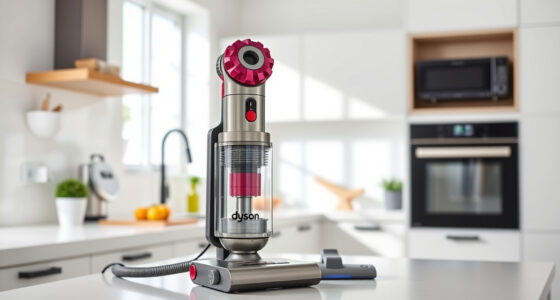
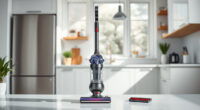
Unboxing a new Dyson V15 Detect™ Origin Cordless Vacuum is exciting, but proper setup ensures you get the best cleaning experience. This guide provides clear, practical steps to assemble, charge, and prepare your vacuum for deep-cleaning tasks around your home. Whether you’re a first-time Dyson user or upgrading from an older model, these instructions will help you get started safely and quickly.

From attaching the cleaner heads to installing filters, each step is designed to maximize your vacuum’s performance. Plus, you’ll find helpful tips and warnings to avoid common pitfalls, ensuring your Dyson operates smoothly for years to come.

Key Takeaways

Easy assembly processStep-by-step instructions for attaching cleaner heads and accessories.
Optimal charging tipsEnsure your vacuum is fully charged before first use for maximum runtime.
Filter maintenance importanceRegularly cleaning and replacing filters maintains suction and performance.
Safe handling adviceHandle battery and electrical components with care to prevent damage or injury.
Accessory utilizationUsing compatible attachments enhances cleaning in hard-to-reach areas.
Dyson V15 Detect™ Origin Cordless Vacuum

Dyson V15 Detect™ Origin Cordless Vacuum

Powerful and intelligent for whole-home deep cleaning. Reveals invisible dust.

As an affiliate, we earn on qualifying purchases.

Unboxing and Assembling Your Dyson V15 Detect™

  1. Carefully remove the vacuum and all accessories from the packaging, checking for any protective films or packaging materials.
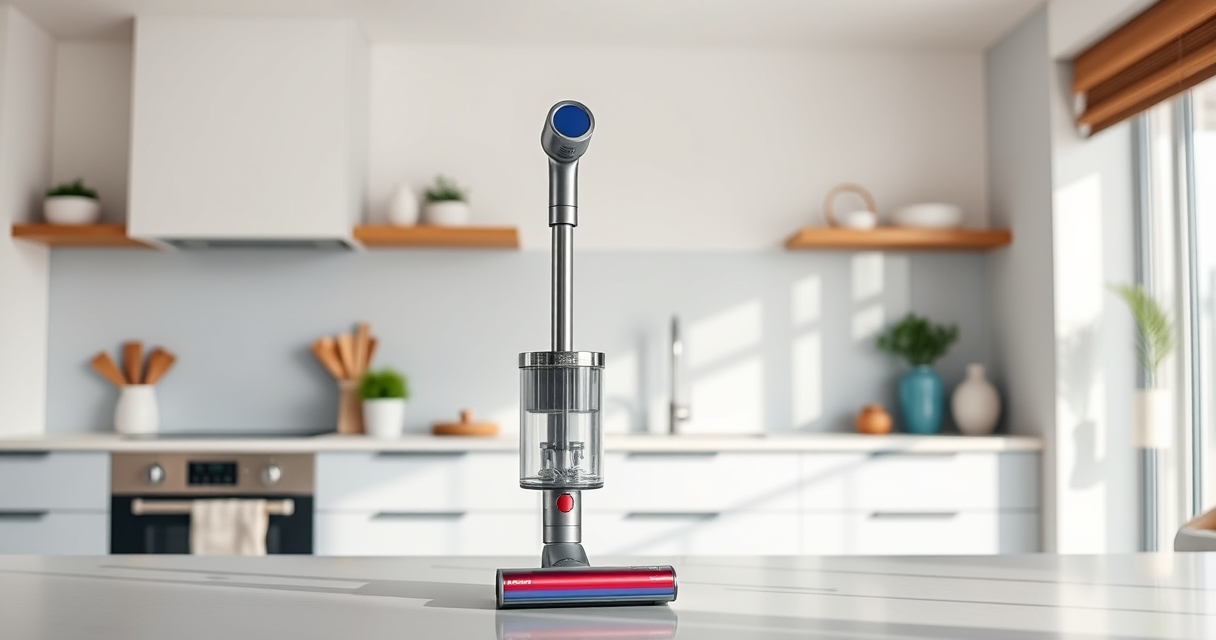
  2. Attach the main cleaner head: align the cleaner head with the extension tube, then push firmly until you hear a click. Ensure it is securely connected.
  3. Connect the extension tube to the handheld unit by aligning the connection points and pressing until it clicks into place.
  4. If you plan to use the crevice tool or other accessories, attach them to the handheld or extension tube as needed, following the same locking mechanism.
  5. Inspect the vacuum for any packaging tags or protective covers on the filters and remove them before first use.
LANMU Crevice Tool Vacuum Attachments Compatible with Dyson V15 V12 V11 V10 V9 V8 V7 Gen5 Outsize Vacuum Cleaner, Narrow Nozzel Replacement Parts for Hard-to-Reach Space

LANMU Crevice Tool Vacuum Attachments Compatible with Dyson V15 V12 V11 V10 V9 V8 V7 Gen5 Outsize Vacuum Cleaner, Narrow Nozzel Replacement Parts for Hard-to-Reach Space

Wide Compatibility: This crevice tool attachment is compatible with V15 V12 V11 V10 V9 V8 V7 Gen5 G5...

As an affiliate, we earn on qualifying purchases.

Charging Your Dyson V15 Detect™ Correctly

  • Locate the charging dock or cable included in your package. Plug it into a standard outlet, ensuring it is in a dry, accessible location.
  • Attach the vacuum to the charging dock or connect the charging cable directly to the vacuum’s charging port.
  • Allow the vacuum to charge fully before first use—this typically takes about 3.5 hours. The LCD screen will display the charging status.
  • During charging, avoid moving or disconnecting the vacuum unnecessarily. Once fully charged, the battery indicator on the LCD will show maximum capacity.
  • For optimal battery health, store the vacuum in a cool, dry place when not in use.

Installing and Maintaining Filters

Your Dyson V15 Detect™ features advanced filters that need regular maintenance for peak performance. To install the filters:

  • Locate the filter compartment on the cyclone unit. It’s typically at the top or side of the cyclone assembly.
  • Remove the existing filters (if replacing) by twisting or pulling gently, following the specific instructions in your user manual.
  • Insert the new filter(s), ensuring they are aligned correctly and securely seated.

It’s recommended to wash the filters monthly with cold water, allowing them to air dry completely before re-installation. This helps maintain high suction power and prolongs filter lifespan. Replace filters every 2-3 months or as needed based on usage.

Using Accessories and Optimizing Performance

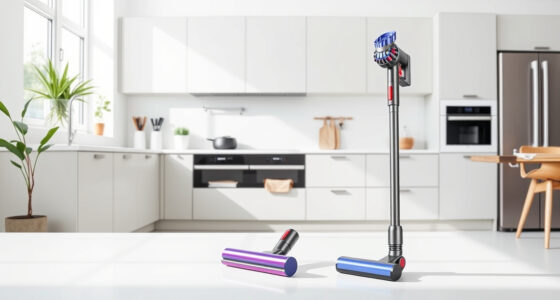
Dyson offers various attachments to enhance cleaning in different scenarios. The crevice tool (such as the LANMU Crevice Tool) is excellent for tight corners, upholstery, and vehicle interiors.

Attach accessories by clicking them securely onto the extension tube or handheld unit. Make sure the connection is firm to prevent detachment during use.

Adjust power modes via the LCD screen based on your cleaning needs—use Max mode for stubborn dirt and Eco mode for longer battery life. The LCD display also shows real-time particle count, remaining run time, and maintenance alerts, helping you use your vacuum efficiently.

Troubleshooting Common Setup Issues

  • Vacuum not turning on: Ensure the battery is fully charged and the power trigger is pressed firmly. Check for any obstructions or loose connections.
  • Poor suction: Clean or replace filters, and ensure all connections are secure. Confirm filters are dry and properly installed.
  • LCD screen not functioning: Restart the vacuum by turning it off and on. Check for firmware updates if applicable.
  • Accessories not fitting properly: Verify compatibility and ensure attachments are clicked into place correctly.

If issues persist, consult the user manual or contact Dyson support for assistance.

The Products in This Guide

AWARD WINNER
Dyson V15 Detect™ Origin Cordless Vacuum

Dyson V15 Detect™ Origin Cordless Vacuum

  • Weight: 6.8 lbs
  • Charge Indicator: LCD screen
  • Filter Type: Advanced HEPA filters
TOP ACCESSORY
LANMU Crevice Tool Vacuum Attachments Compatible

LANMU Crevice Tool Vacuum Attachments Compatible

  • Length: 12 inches
  • Material: Plastic
  • Compatibility: Wide range of Dyson cordless vacuums

Dyson V15 Detect™ Origin Cordless Vacuum

Dyson V15 Detect™ Origin Cordless Vacuum
OUR VERDICT
Powerful, intelligent, and easy to set up—perfect for deep cleaning
VIEW LATEST PRICE

The Dyson V15 Detect™ Origin offers impressive cleaning power with intelligent features like particle detection and a LCD screen. Its straightforward assembly and maintenance make it an excellent choice for home users seeking deep, hassle-free cleaning.

Pros:

  • Powerful suction and deep cleaning
  • Long battery life (60 minutes)
  • Intelligent debris detection
  • Easy to assemble and maintain

Cons:

  • Higher price point
  • Requires regular filter maintenance

Best for: Homeowners needing versatile, deep-cleaning cordless vacuuming

Not ideal for: Users looking for a budget-friendly option or lightweight portability

Battery Runtime:
Up to 60 minutes
Power:
100% more than previous models
Cleaning Heads:
2 advanced heads including Fluffy Optic
Display:
LCD showing particles, modes, and alerts
Weight:
Lightweight design for easy maneuvering
Charging Time:
Approximately 3.5 hours

Bottom line: A top-tier cordless vacuum that combines power, intelligence, and convenience for deep cleaning.

LANMU Crevice Tool Vacuum Attachments Compatible

LANMU Crevice Tool Vacuum Attachments Compatible
OUR VERDICT
Enhance your cleaning with versatile crevice tool attachments
VIEW LATEST PRICE

The LANMU Crevice Tool Vacuum Attachments are compatible with multiple Dyson models, including the V15. They are slim, flexible, and perfect for reaching into tight spaces in your home or car.

Pros:

  • Narrow, flexible nozzle
  • Compatible with many Dyson models
  • Easy to attach and use
  • Great for corners and upholstery

Cons:

  • May not fit older non-Dyson models
  • Limited to crevice and narrow cleaning tasks

Best for: Cleaning tight spaces, corners, and vehicle interiors

Not ideal for: Heavy-duty cleaning of large areas or carpets

Compatibility:
Dyson V15, V12, V11, V10, V8, V7, and Outsize
Design:
Slim, flexible, narrow nozzle
Application:
Hard-to-reach spots, upholstery, car seats
Material:
Durable plastic construction
Size:
Compact for easy storage
Weight:
Lightweight

Bottom line: A practical attachment for reaching into tight spots and enhancing your Dyson’s versatility.

Frequently Asked Questions

How do I know when my filters need replacing?

Check the filters regularly; if you notice a loss in suction or increased dust in the air, it’s time to replace or clean them. Replacing filters every 2-3 months maintains optimal performance.

Can I wash the filters?

Yes, most Dyson filters can be washed with cold water. Allow them to air dry completely before reinstalling to prevent damage.

How do I reset the LCD after maintenance?

Turn off the vacuum, then turn it back on or follow the prompts on the LCD screen. Refer to your manual for model-specific reset procedures.

What accessories are compatible with the V15 Detect™?

All Dyson-compatible accessories, like crevice tools and soft rollers, are designed to snap onto the vacuum’s connection points. Always confirm compatibility before purchasing.

What should I do if my vacuum is not charging?

Ensure the charging dock or cable is properly connected, the outlet is functional, and the vacuum is correctly placed on the dock. If issues persist, contact Dyson support.

Get Ready for Effortless Cleaning with Your New Dyson V15

Setting up your Dyson V15 Detect™ Origin Cordless Vacuum is a straightforward process that, when done correctly, ensures you enjoy powerful and intelligent cleaning right from the start. Proper assembly, charging, and filter maintenance are key to maximizing performance and longevity. With the tips and steps provided, you’ll be ready to tackle dirt, dust, and debris across your entire home or vehicle efficiently and safely.

Enjoy a cleaner, healthier environment with your new Dyson, knowing it’s set up for optimal operation from day one.

Affiliate disclosure: As an Amazon Associate we earn from qualifying purchases. Prices and availability are accurate as of the time of publishing.