
The best home tech deals make everyday routines easier without saddling you with devices that do not fit your home. I’d put the Amazon Echo Dot Max first for its room-filling sound, while the TP-Link Tapo Matter Smart Plug Mini stands out for compact, flexible outlet control and the Amazon Echo Show 15 for a large smart display with Fire TV. The main tradeoffs are simple: bigger screens and stronger sound take more space, while low-cost smart plugs and bulbs can require more attention to compatibility and setup. Thermostats can offer more meaningful household control, but only if they suit your heating and cooling system. Read on for the full breakdown, comparison criteria, and advice on matching each pick to your needs.

Get home appliances delivered free with Prime
- Fast, free delivery on millions of items
- Prime Video, Amazon Music and more included
- Member-only deals all year
Complete the kit


Key Takeaways
- The Echo Dot Max is the sound-first pick: it leads this group when room-filling audio matters more than a compact clock or screen.
- Matter support separates the more flexible plugs: the TP-Link Tapo and Linkind Matter models are better candidates for mixed smart-home platforms than a plug tied mainly to Alexa or Google Home.
- Smart displays serve different spaces: the Echo Show 5 suits a bedside table, the Show 11 offers a middle ground, and the Show 15 is built for a larger shared area.
- Thermostat fit matters more than brand preference: compare the Amazon and Google Nest models against your HVAC wiring and control needs before choosing either.
- Small devices can solve narrow problems: the Addtam extender adds outlets, USB ports, and a night light, while the Echo Spot prioritizes a bedside clock over a room-wide display.
| Amazon Echo Dot Max (newest model), Alexa speaker with room-filling sound and nearly 3x bass, Graphite |  | Best for Room-Filling Alexa Audio | Dimensions: 4.27 × 4.27 × 3.9 inches | Weight: 17.82 oz | Audio bandwidth: 53 Hz–16 kHz | VIEW LATEST PRICE | See Our Full Breakdown |
| Addtam Surge Protector, 5 Outlet Extender with Night Light and 4 USB Ports |  | Best Outlet Upgrade for Bedside Charging | AC outlets: 5 | USB ports: 4, including USB-C | Maximum current: 15 A | VIEW LATEST PRICE | See Our Full Breakdown |
| GHome Smart Plug, WiFi Smart Outlet Compatible with Alexa and Google Home | 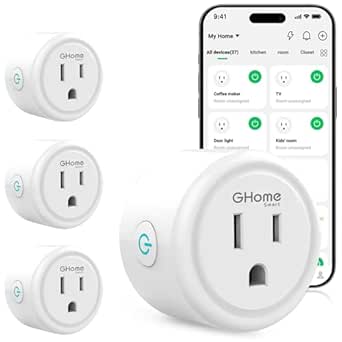 | Best Value Smart Plug for Everyday Automation | Unit count: 4 | Connectivity: Wi-Fi, 2.4 GHz only | Control methods: App, remote, touch, voice | VIEW LATEST PRICE | See Our Full Breakdown |
| Amazon Smart Thermostat |  | Best Smart Thermostat for Alexa Households | Dimensions: 3.56 × 3.56 × 0.84 inches | Weight: 3.86 oz | HVAC compatibility: Most 24V systems | VIEW LATEST PRICE | See Our Full Breakdown |
| Amazon Echo Show 5 (newest model), Smart display, Designed for Alexa+, Cloud Blue |  | Best Compact Smart Display | Display: 5.5 inches | Camera: 2 MP | Audio: Deeper bass and clearer vocals | VIEW LATEST PRICE | See Our Full Breakdown |
| Amazon Echo Show 11 (2025 model), 11-inch Full-HD touchscreen with spatial audio, Alexa+ |  | Best Smart Display for Everyday Home Control | Display: 11-inch Full-HD touchscreen, 1920 x 1200 | Dimensions: 10 x 5 x 7.2 inches | Weight: 45.92 oz | VIEW LATEST PRICE | See Our Full Breakdown |
| Mini Projector with WiFi 6 and Bluetooth 5.4, Built-in Apps, 1080P/4K Support |  | Best Compact Projector for Dark Rooms | Native resolution: 1280 x 720 | Maximum supported resolution: 1920 x 1080 | Brightness: 200 lumens | VIEW LATEST PRICE | See Our Full Breakdown |
| Amazon Echo Show 15 (newest model), Full HD 15.6-inch Smart Display with Alexa and Fire TV |  | Best Large Display for Kitchen Organization | Display: 15.6 inches, 1920 x 1080 | Dimensions: 16.1 x 10.1 x 1.4 inches | Weight: 4.96 lb | VIEW LATEST PRICE | See Our Full Breakdown |
| Linkind Smart Light Bulbs with Alexa & Google Home Compatibility | 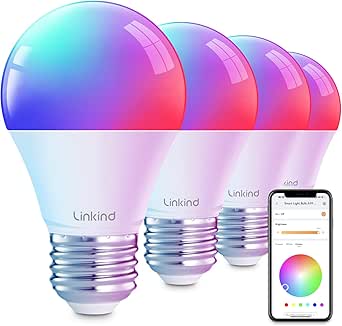 | Best Smart Lighting Starter | Bulb type: A19 LED | Base: E26 | Brightness: 800 lumens | VIEW LATEST PRICE | See Our Full Breakdown |
| TP-Link Tapo Matter Supported Smart Plug Mini, 15A/1800W, Compact, White (3-Pack) |  | Best Multi-Platform Smart Plug Pack | Pack size: 3 smart plugs | Operating voltage: 120 volts | Connectivity: Bluetooth, Matter, and Wi-Fi | VIEW LATEST PRICE | See Our Full Breakdown |
| Linkind Matter Smart Plug, Works with Apple Home, Alexa, Siri, Google Home | 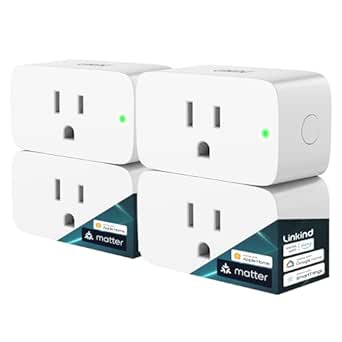 | Best for Cross-Platform Smart Homes | Plug type: Type A | Connection: Plug-in | Amperage: 15A | VIEW LATEST PRICE | See Our Full Breakdown |
| Google Nest Thermostat – Smart Thermostat for Home – Programmable Wi-Fi – Charcoal | 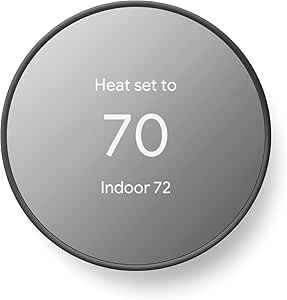 | Best for Energy-Conscious Scheduling | Product type: Programmable Wi-Fi thermostat | Temperature control: Heating and cooling | Connectivity: Wi-Fi and Bluetooth | VIEW LATEST PRICE | See Our Full Breakdown |
| Govee Smart Plug, WiFi Outlet Compatible with Alexa & Google Assistant, 4 Pack |  | Best Value Multi-Pack | Pack size: 4 smart plugs | Voltage: 120V | Amperage: 11A | VIEW LATEST PRICE | See Our Full Breakdown |
| Amazon Echo Dot (5th Gen) – Smart Speaker with Alexa, Deep Sea Blue |  | Best Compact Alexa Speaker | Driver: 1.6-inch full-range | Audio bandwidth: 62Hz–19kHz | Dimensions: 3.9 × 3.9 × 3.5 inches | VIEW LATEST PRICE | See Our Full Breakdown |
| Amazon Echo Spot (newest model), Smart Alarm Clock with Alexa, Glacier White |  | Best Smart Alarm Clock | Display: 2.83-inch touchscreen, 240 × 320px | Speaker: 1.73-inch full-range | Dimensions: 4.5 × 4.1 × 4.4 inches | VIEW LATEST PRICE | See Our Full Breakdown |
| home tech deal | Dimensions | Weight |
|---|---|---|
| Amazon Echo Dot Max | 4.27 × 4.27 × 3.9 inches | 17.82 oz |
| Addtam Surge Protector | 5.4 × 3.4 inches | 8 oz |
| GHome Smart Plug | 2.1 × 2.1 × 1.1 inches | — |
| Amazon Smart Thermostat | 3.56 × 3.56 × 0.84 inches | 3.86 oz |
| Amazon Echo Show 5 | — | — |
| Amazon Echo Show 11 | 10 x 5 x 7.2 inches | 45.92 oz |
| Mini Projector with WiFi 6 and | — | 0.85 lb |
| Amazon Echo Show 15 | 16.1 x 10.1 x 1.4 inches | 4.96 lb |
| Linkind Smart Light Bulbs with | — | — |
| TP-Link Tapo Matter Supported | — | — |
| Linkind Matter Smart Plug | — | — |
| Google Nest Thermostat | — | — |
| Govee Smart Plug | — | — |
| Amazon Echo Dot | 3.9 × 3.9 × 3.5 inches | 10.7oz |
| Amazon Echo Spot | 4.5 × 4.1 × 4.4 inches | 14.3oz |
More Details on Our Top Picks
Amazon Echo Dot Max (newest model), Alexa speaker with room-filling sound and nearly 3x bass, Graphite
For a living room or medium-sized shared space, the Echo Dot Max brings more substantial sound than a compact smart speaker, with a dedicated woofer and adaptive playback that can better suit changing listening conditions. Its built-in Zigbee, Matter, and Thread hub also gives it a wider smart-home role than the Echo Show 5, which adds a screen and camera instead of prioritizing speaker output. The Max can extend an eero mesh network, but that feature depends on having a compatible eero router, so it is not a universal Wi-Fi upgrade. Buyers should also expect some setup and account linking for advanced features. I’d choose this when sound and smart-home connectivity matter more than a display; skip it if you mainly need a bedside screen or have no use for its hub features.
Pros:- Dedicated woofer and tweeter support richer, room-filling playback than a compact display speaker.
- Built-in Zigbee, Matter, and Thread hub can reduce the need for separate smart-home bridges.
- eero Built-in adds mesh extension capability for compatible eero networks.
- Can pair with other Echo devices and Fire TV for a more connected audio setup.
Cons:- Wi-Fi extension requires a compatible eero router.
- Advanced features may require app setup and linking accounts.
- It has no display or camera for visual tasks and video calls.
Best for: Alexa households that want fuller music and audio in a medium-sized room, plus built-in support for multiple smart-home standards.
Not ideal for: Shoppers who want a screen for video calls or recipes, or anyone expecting the Wi-Fi extender feature to work without a compatible eero router.
- Dimensions:4.27 × 4.27 × 3.9 inches
- Weight:17.82 oz
- Audio bandwidth:53 Hz–16 kHz
- Drivers:0.8-inch tweeter and 2.5-inch woofer
- Connectivity:Wi-Fi 6E, Bluetooth Low Energy 5.3
- Smart-home hub:Zigbee, Matter, Thread
- Additional connectivity:eero Built-in; Amazon Sidewalk
- Processor:AZ3 with AI Accelerator
Our verdict“Choose the Echo Dot Max for stronger room audio and broad smart-home support, but pick the Echo Show 5 if a compact screen matters more.”
Addtam Surge Protector, 5 Outlet Extender with Night Light and 4 USB Ports
The Addtam is a practical pick when one wall outlet needs to serve several small devices: it combines five AC outlets, four USB ports, and a dusk-to-dawn night light in a compact plug-in unit. That makes it more useful for a bedside or desk setup than a GHome Smart Plug, which automates a single connected device rather than expanding charging capacity. The tradeoff is that this is a power accessory, not a smart-home controller: it won’t schedule lamps or respond to voice commands. Its night light may also fail to switch on in very low-light conditions, and the product is listed for indoor use only. I’d pick it for charging phones and accessories from one outlet, but not as a replacement for a smart plug or a larger surge-protection setup.
Pros:- Five AC outlets and four USB ports expand charging options from one wall outlet.
- Includes a USB-C port for compatible devices.
- Dusk-to-dawn night light adds low-level illumination without a separate lamp.
- Listed surge protection rating is 1050 joules.
Cons:- Does not offer app control, voice control, or scheduling like the GHome Smart Plug.
- Night light may not activate reliably in very low-light conditions.
- Indoor use only, and certain outlet types may require modifying the plastic prong.
Best for: People who need to charge several phones and USB devices beside a bed or at a home-office desk without adding a separate night light.
Not ideal for: Buyers seeking voice-controlled power scheduling, outdoor use, or a smart plug that automates an appliance.
- AC outlets:5
- USB ports:4, including USB-C
- Maximum current:15 A
- Voltage:125 V
- Surge protection:1050 joules
- Dimensions:5.4 × 3.4 inches
- Weight:8 oz
- Plug type:Type B, three-pin North American
Our verdict“Choose the Addtam for concentrated bedside or desk charging, but pick the GHome Smart Plug if your priority is remote control and automation.”
GHome Smart Plug, WiFi Smart Outlet Compatible with Alexa and Google Home
The GHome four-pack makes everyday automation approachable: connect lamps, fans, or humidifiers, then control them by app, voice, or schedule. Its group control and sharing are useful when several household members manage the same devices, while the Amazon Smart Thermostat is a better fit for whole-home heating and cooling rather than individual appliances. Compared with the listed TP-Link Tapo Matter plug, this GHome model relies on 2.4 GHz Wi-Fi and app setup instead of Matter support, so buyers choosing around smart-home standards may prefer the Tapo option. The plugs are rated for up to 1200 watts, which rules out many high-draw appliances. I’d use them for ordinary lamps and small devices, not heaters or other demanding equipment.
Pros:- Four plugs let buyers automate several devices at once.
- Supports app, voice, remote, and scheduled control.
- Group control and sharing help coordinate devices across a household.
- Works with Alexa and Google Assistant after app setup.
Cons:- Requires a 2.4 GHz Wi-Fi network and does not support 5 GHz.
- App setup is required before connecting with Alexa or Google Home.
- The 1200-watt limit is unsuitable for many high-power appliances.
Best for: Alexa or Google Home users who want to automate several lamps or small household devices and are comfortable setting them up through an app.
Not ideal for: Households that need Matter compatibility, have only a 5 GHz Wi-Fi network, or want to automate high-wattage appliances.
- Unit count:4
- Connectivity:Wi-Fi, 2.4 GHz only
- Control methods:App, remote, touch, voice
- Voice assistants:Alexa and Google Assistant
- Maximum wattage:1200 W
- Operating voltage:120 V
- Dimensions:2.1 × 2.1 × 1.1 inches
- Model:WP3
Our verdict“Choose this GHome pack for routine control of lamps and small devices, but pick the Matter-supported TP-Link Tapo plug if Matter compatibility is a priority.”
Amazon Smart Thermostat
The Amazon Smart Thermostat is the lineup’s focused choice for automating heating and cooling: it supports routines, scheduling, presence-based adjustments, and remote control through Alexa and Ring apps. Its ENERGY STAR certification and energy dashboard make it more directly relevant to household climate management than the GHome Smart Plug, which controls individual connected devices. The convenience depends on HVAC compatibility, though: this model supports most 24V systems and requires a C-wire or a separately sold power adapter. It also connects only to 2.4 GHz Wi-Fi and has no built-in microphone, so voice commands depend on another Alexa device. I’d shortlist it for an Alexa-centered home with compatible wiring; buyers comparing thermostats should also weigh the listed Google Nest Thermostat if they prefer that ecosystem.
Pros:- ENERGY STAR certified, with scheduling and automatic adjustments tied to routines and presence.
- Guided setup in the Alexa app supports do-it-yourself installation.
- Alexa and Ring apps allow remote temperature control.
- Includes humidity sensing, vacation mode, emergency heat, and an energy dashboard.
Cons:- Requires a C-wire or a separately sold power adapter.
- Works only with 2.4 GHz Wi-Fi.
- No built-in microphone, so voice control requires a separate compatible device.
Best for: Homeowners with a compatible 24V HVAC system and C-wire who want Alexa-based schedules, remote adjustments, and energy tracking.
Not ideal for: Renters or households with incompatible HVAC wiring, no C-wire or adapter, or a preference for a thermostat with direct voice input.
- Dimensions:3.56 × 3.56 × 0.84 inches
- Weight:3.86 oz
- HVAC compatibility:Most 24V systems
- Wiring requirement:C-wire required; power adapter sold separately
- Wi-Fi:2.4 GHz, 802.11 b/g/n
- Certifications:ENERGY STAR, ECOLOGO Gold
- Control:Three on-device touch buttons
- App control:Alexa and Ring apps
- Features:Humidity sensing, scheduling, emergency heat, vacation mode, energy dashboard
Our verdict“Choose the Amazon Smart Thermostat for Alexa-led climate scheduling if your HVAC system and wiring are compatible; otherwise, check compatibility before choosing it over the Google Nest Thermostat.”
Amazon Echo Show 5 (newest model), Smart display, Designed for Alexa+, Cloud Blue
The Echo Show 5 suits a nightstand or small counter where a glanceable display matters more than a large viewing area. Its 5.5-inch screen can show weather, news, photos, and compatible camera feeds, while the built-in camera supports video calls. Compared with the Echo Dot Max, it trades room-filling audio and a built-in smart-home hub for visual information and calling; compared with the larger Echo Show models in this roundup, it takes up less space but gives up screen area. The 2 MP camera and small display limit detailed video viewing, so it is better for quick checks than extended entertainment. I’d choose it for a compact Alexa station, provided the household’s smart devices work with Alexa and its small screen fits the intended tasks.
Pros:- Compact screen provides glanceable information without the footprint of larger Echo Show models.
- Supports video calls, smart-home controls, and viewing compatible security cameras.
- Camera shutter and microphone/camera off button add physical privacy controls.
- Uses recycled materials and recyclable packaging.
Cons:- The 5.5-inch display is restrictive for extended video viewing.
- The 2 MP camera is limited for detailed video calls.
- Full smart-home usefulness depends on having compatible devices.
Best for: People who want a compact bedside or kitchen display for quick weather checks, smart-home controls, photos, and occasional video calls.
Not ideal for: Buyers who want a large screen for movies or detailed camera views, or those who prioritize stronger audio and a built-in smart-home hub.
- Display:5.5 inches
- Camera:2 MP
- Audio:Deeper bass and clearer vocals
- Color:Cloud Blue
- Privacy features:Microphone/camera off button and built-in camera shutter
- Ring video privacy:End-to-end encrypted Ring video
- Materials:Recycled polyester yarn and recycled aluminum
- Packaging:Recyclable
Our verdict“Choose the Echo Show 5 for a small Alexa screen and video-call station, but pick the Echo Dot Max for fuller room audio or a built-in smart-home hub.”
Amazon Echo Show 11 (2025 model), 11-inch Full-HD touchscreen with spatial audio, Alexa+
The Echo Show 11 balances a useful screen size with smart-home control, making it a better fit for a counter or desk than the much larger Echo Show 15. Its 11-inch Full-HD display gives video calls, recipes, and device controls room to breathe without taking over a wall. The built-in Zigbee, Matter, and Thread hub can simplify control of compatible devices, while presence sensing supports more personalized routines. Compared with the Echo Show 5, this model gives you more space for viewing and interaction, but also needs a larger spot and a stronger budget. Spatial audio and a 13 MP camera add appeal for calls and media, though a small smart speaker may suit buyers who mainly want voice control. It depends on stable Wi-Fi for its connected features.
Pros:- 11-inch Full-HD touchscreen provides a spacious interface for calls, recipes, and controls
- Zigbee, Matter, and Thread support brings several smart-home protocols into one hub
- 13 MP camera with auto framing is suited to video calls
- Spatial audio and a woofer offer fuller sound than a screen-focused compact device
Cons:- Its larger footprint can be awkward on crowded counters or small desks
- A stable Wi-Fi connection is needed for connected features and streaming
- Costs more to justify if the screen and hub features will go unused
Best for: Households that want a countertop display for smart-home controls, video calls, and everyday viewing without mounting a large screen.
Not ideal for: People with limited counter space or buyers who mainly need an Alexa speaker and do not need a touchscreen.
- Display:11-inch Full-HD touchscreen, 1920 x 1200
- Dimensions:10 x 5 x 7.2 inches
- Weight:45.92 oz
- Camera:13 MP with auto framing
- Audio:One 2.8-inch woofer and two full-range drivers
- Wi-Fi:Wi-Fi 6E
- Smart-home hub:Zigbee, Matter, and Thread
- Sensors:Ambient temperature, ambient light, presence detection, and camera
Our verdict“Choose the Echo Show 11 if you want a substantial but not wall-sized smart display with built-in smart-home control.”
Mini Projector with WiFi 6 and Bluetooth 5.4, Built-in Apps, 1080P/4K Support
This portable mini projector is the lineup’s choice for occasional big-screen viewing in a bedroom, dorm, or small den. At 0.85 lb, it is easier to move and store than a fixed display, and autofocus plus automatic keystone correction can cut down on manual setup. Built-in Wi-Fi, Bluetooth, and a media player also mean fewer extra devices than a projector that relies on a streaming stick. The tradeoff is image quality: its native resolution is only 1280 x 720, despite support for higher-resolution input, and 200 lumens makes a darkened room the sensible setting. Unlike the Echo Show 15, it can project a much larger image, but it does not provide a bright, always-ready screen for daytime household use.
Pros:- Lightweight portable design is easy to move between rooms
- Autofocus and automatic keystone correction reduce setup adjustments
- Built-in Wi-Fi, Bluetooth, and media player support standalone use
- Can project an image up to 86 inches
Cons:- Native resolution is 1280 x 720 rather than Full HD
- 200-lumen brightness is poorly suited to well-lit rooms
- Short maximum throw distance limits placement flexibility for larger images
Best for: Dorm residents and bedroom viewers who want a portable projector for films in a dim room and are comfortable with HD-ready native resolution.
Not ideal for: Buyers who watch in bright rooms, need sharp native Full HD, or want a screen that works well for everyday daytime viewing.
- Native resolution:1280 x 720
- Maximum supported resolution:1920 x 1080
- Brightness:200 lumens
- Weight:0.85 lb
- Maximum image size:86 inches
- Maximum throw distance:3.5 meters
- Connectivity:HDMI, USB, Wi-Fi, and Bluetooth
- Setup features:Autofocus and automatic keystone correction
Our verdict“Pick this projector for portable movie viewing in a dark, compact room, not as a replacement for a bright everyday display.”
Amazon Echo Show 15 (newest model), Full HD 15.6-inch Smart Display with Alexa and Fire TV
The Echo Show 15 is the most screen-forward smart display here, built for shared household information rather than discreet placement. Its 15.6-inch Full-HD screen gives calendars, widgets, and video more room than the Echo Show 11, while Fire TV adds a practical entertainment role when the kitchen or family area is quiet. A centered 13 MP camera with a shutter supports video calls, and Zigbee, Matter, and Thread compatibility helps it serve as a smart-home control point. The cost of that larger canvas is physical: at nearly five pounds and over 16 inches wide, it calls for a suitable wall or counter location. Compared with the Echo Show 11, it is better for family-wide visibility, but less sensible where space is tight. Some content and features may also require subscriptions.
Pros:- 15.6-inch Full-HD screen gives shared calendars and widgets room to be seen
- Built-in Fire TV supports streaming from compatible apps
- 13 MP camera with shutter and auto framing supports video calls with privacy control
- Zigbee, Matter, and Thread add broad smart-home compatibility
Cons:- Large size and nearly five-pound weight require careful placement
- Some streaming content and features may require subscriptions
- Wi-Fi is required for connected functions and streaming
Best for: Families who want a prominent kitchen or common-area screen for shared widgets, streaming, calls, and compatible smart-home devices.
Not ideal for: People with limited wall or counter space, or anyone seeking a compact display for a bedroom or small desk.
- Display:15.6 inches, 1920 x 1080
- Dimensions:16.1 x 10.1 x 1.4 inches
- Weight:4.96 lb
- Camera:13 MP with shutter
- Audio:Two 2-inch woofers and two 0.6-inch tweeters
- Wi-Fi:Wi-Fi 6E, tri-band, dual-antenna
- Smart-home hub:Zigbee, Matter, and Thread
- Included accessories:Alexa Voice Remote, power adapter, and 5-foot cord
Our verdict“Choose the Echo Show 15 when a shared, large-format household screen matters more than compact placement.”
Linkind Smart Light Bulbs with Alexa & Google Home Compatibility
These Linkind smart bulbs offer an approachable way to add color, dimming, and schedules without replacing a whole lighting system. The A19 shape and E26 base fit many standard indoor fixtures, while Alexa and Google Home compatibility makes voice control accessible across common smart-home setups. At 800 lumens, they can provide useful everyday light as well as colored scenes, unlike a decorative bulb intended mainly for ambiance. The music-sync feature adds a playful option, but the practical limitation is network and switch compatibility: these bulbs need 2.4 GHz Wi-Fi and may flicker on traditional dimmer switches. Compared with the TP-Link Tapo Matter Smart Plug, they change the lighting itself rather than automate an appliance, so they are the better pick for room mood and lighting schedules—not general outlet control.
Pros:- A19 shape and E26 base fit many common indoor fixtures
- 800-lumen output combines everyday illumination with multicolor scenes
- Works with Alexa and Google Home voice control
- Scheduling, music sync, and a stated 25,000-hour lifespan add flexibility
Cons:- Requires 2.4 GHz Wi-Fi and does not support 5 GHz networks
- May flicker when used with traditional dimmer switches
- Rated for indoor use only
Best for: Alexa or Google Home households that want app-controlled color and scheduling in standard indoor E26 fixtures.
Not ideal for: People with traditional dimmer switches, 5 GHz-only Wi-Fi, or a need for outdoor-rated lighting.
- Bulb type:A19 LED
- Base:E26
- Brightness:800 lumens
- Wattage:9 watts
- Incandescent equivalent:60 watts
- Color:Multicolor
- Control:App and voice
- Lifespan:25,000 hours
Our verdict“Choose these bulbs for color-capable, voice-controlled indoor lighting, provided your fixtures and Wi-Fi meet their requirements.”
TP-Link Tapo Matter Supported Smart Plug Mini, 15A/1800W, Compact, White (3-Pack)
The TP-Link Tapo Matter Smart Plug Mini is the most flexible outlet-control pick in this batch, especially for homes that mix Apple Home, Alexa, Google Home, or SmartThings. Matter support reduces the chance that a plug choice will lock a buyer into just one assistant, while Bluetooth setup can make initial pairing more straightforward. Its compact form is designed to avoid blocking neighboring outlets, and the three-pack makes it practical to automate several lamps or small appliances at once. Unlike the Linkind bulbs, it controls power to an existing device rather than changing light color or brightness. The main omissions are energy monitoring and 5 GHz Wi-Fi support; it uses 2.4 GHz Wi-Fi, and full control depends on a compatible ecosystem. Its 15A/1800W rating does not make it suitable for every high-demand appliance.
Pros:- Matter support works across Apple Home, Alexa, Google Home, and SmartThings
- Bluetooth onboarding can simplify initial setup
- Compact design helps preserve access to neighboring outlets
- Three plugs allow automation in several locations
Cons:- Supports 2.4 GHz Wi-Fi rather than 5 GHz networks
- Does not list energy monitoring
- Smart control depends on a compatible ecosystem and is limited to on/off operation
Best for: Households with mixed smart-home platforms that want to schedule or voice-control lamps and other compatible plug-in devices.
Not ideal for: Buyers who need energy-use tracking, rely on 5 GHz-only Wi-Fi, or want a plug for equipment exceeding its rated load.
- Pack size:3 smart plugs
- Operating voltage:120 volts
- Connectivity:Bluetooth, Matter, and Wi-Fi
- Control platforms:Apple Home, Amazon Alexa, Google Home, and Samsung SmartThings
- Operation mode:On/off
- Setup and control:Bluetooth setup, scheduling, remote control, and voice commands
- Color:White
Our verdict“Choose this three-pack for cross-platform on/off automation of compatible devices, but look elsewhere if energy tracking is a priority.”
Linkind Matter Smart Plug, Works with Apple Home, Alexa, Siri, Google Home
For a roundup of best home tech deals, I’d choose the Linkind when flexibility across smart-home platforms matters more than buying several outlets at once. Its Matter compatibility spans Apple Home, Alexa, Google Home, and SmartThings, while scheduling and remote control make ordinary lamps or appliances easier to automate. Compared with the Govee Smart Plug 4-Pack, this is a better fit for a household that wants broad platform support and a higher stated power capacity, rather than multiple plugs for basic routines.
The tradeoff is setup: full platform integration requires a Matter-certified hub, and the plug only connects to 2.4GHz Wi-Fi. Its 15A/1800W rating also does not make it suitable for every high-draw appliance. I’d favor it for a mixed-device home, but choose Govee if quantity and Alexa or Google control are the priority.
Pros:- Matter support works across several major smart-home platforms.
- 15A/1800W capacity covers a broad range of typical household devices.
- Supports scheduling, remote control, and voice commands.
- Offline LAN communication can help retain control during an internet outage.
Cons:- Full platform integration requires a Matter-certified hub.
- Works only with 2.4GHz Wi-Fi.
- A compact plug may not suit some power-intensive devices.
Best for: Households using a mix of Apple Home, Alexa, Google Home, or SmartThings that want to automate a few individual devices.
Not ideal for: Buyers who want several plugs in one set, rely on 5GHz Wi-Fi, or need a plug for a high-draw appliance.
- Plug type:Type A
- Connection:Plug-in
- Amperage:15A
- Power capacity:1800W
- Number of poles:1
- Number of wires:3
- Material:Copper
- Color:White
Our verdict“Choose Linkind for one cross-platform smart plug with a higher stated capacity; pick the Govee four-pack if covering multiple outlets matters more.”
Google Nest Thermostat – Smart Thermostat for Home – Programmable Wi-Fi – Charcoal
The Google Nest Thermostat is the most household-system-focused pick in this group: it can adjust heating and cooling automatically when the home is unoccupied, then lets you change settings through the Google Home app or voice control. That makes it a more consequential upgrade than adding an outlet like the Linkind Matter Smart Plug, especially for buyers seeking programmable temperature control rather than small appliance routines. ENERGY STAR certification and away adjustments give it a clear energy-conscious angle.
Its appeal depends on HVAC compatibility, though. Some systems may need extra wiring or accessories, and the thermostat relies on Wi-Fi for its connected features. Unlike a speaker or plug, this is not a casual add-on: installation and system fit should guide the decision. I’d choose it over the Amazon Smart Thermostat only after checking that its compatibility and app ecosystem suit the home.
Pros:- Automatically adjusts settings when the home is unoccupied.
- Remote control is available through the Google Home app.
- Supports voice control through compatible assistants.
- Designed for DIY installation and programmable heating and cooling.
Cons:- Some HVAC systems may need additional wiring or accessories.
- Full connected functionality depends on a stable Wi-Fi connection.
- Does not include a lock feature.
Best for: Homeowners with a compatible heating and cooling system who want app-based control and automatic temperature adjustments while away.
Not ideal for: Renters or households with an incompatible HVAC setup, weak Wi-Fi, or a need for a thermostat lock feature.
- Product type:Programmable Wi-Fi thermostat
- Temperature control:Heating and cooling
- Connectivity:Wi-Fi and Bluetooth
- Voltage:24V
- Power source:Battery powered
- Display:2-inch LCD
- Mounting:Wall mount
- Color:Charcoal
Our verdict“Pick the Nest for connected temperature scheduling on a compatible HVAC system, but check system requirements before choosing it over the Amazon Smart Thermostat.”
Govee Smart Plug, WiFi Outlet Compatible with Alexa & Google Assistant, 4 Pack
I’d put the Govee four-pack near the top for buyers who want to automate several lamps or small appliances in one go. Four outlets in one set, plus schedules and group control, make it more practical for spreading basic routines around a room than the single Linkind Matter Smart Plug. It supports Alexa and Google Assistant, and Bluetooth offers an additional way to connect alongside Wi-Fi. ETL and FCC certification are also listed for this plug set.
The narrower platform support is the main compromise: unlike Linkind, Govee does not list Matter, Apple Home, or SmartThings compatibility. It also supports only 2.4GHz Wi-Fi and is rated at 11A, with a stated 1200W limit in the product information. I’d use it for everyday, lower-draw devices—not as a universal outlet for demanding equipment. Buyers who need one plug with broader smart-home integration should compare Linkind instead.
Pros:- Four plugs make it easier to automate multiple outlets.
- Scheduling and group control support shared routines.
- Works with Alexa and Google Assistant voice commands.
- ETL and FCC certification are listed.
Cons:- Does not list Matter, Apple Home, or SmartThings support.
- Supports 2.4GHz Wi-Fi only.
- The listed 11A rating and 1200W capacity limit suitable device choices.
Best for: Alexa or Google Assistant users who want to add scheduled control to several lamps and ordinary household devices.
Not ideal for: Apple Home or SmartThings households, 5GHz-only networks, and buyers needing support for higher-draw devices.
- Pack size:4 smart plugs
- Voltage:120V
- Amperage:11A
- Power capacity:1200W stated
- Plug type:Type B
- Number of poles:2
- Number of wires:3
- Certification:ETL
Our verdict“Choose the Govee set for multiple Alexa- or Google-controlled outlets, and choose Linkind if wider platform compatibility is the priority.”
Amazon Echo Dot (5th Gen) – Smart Speaker with Alexa, Deep Sea Blue
The Echo Dot is my compact voice-control pick: its 1.6-inch full-range driver handles music and spoken responses in a bedroom or office, while Alexa routines can control compatible home devices. Matter support adds a route for connecting compatible smart-home gear, giving it a broader role than a speaker alone. Compared with the Amazon Echo Spot, the Dot is the simpler choice when a clock-style screen is not needed; the Spot gives more at-a-glance bedside information.
The Dot’s special network perk has a catch: eero Built-in requires a compatible eero router, so it should not be the reason to buy for households using another system. It supports dual-band Wi-Fi, Bluetooth, and privacy controls including a mic-off button, but buyers seeking stronger room-filling sound should look at the Echo Dot Max. I’d choose this one for a small space and everyday Alexa control, not as a substitute for a larger speaker.
Pros:- Compact size suits bedrooms, offices, and other small spaces.
- Matter support helps connect compatible smart-home devices.
- Dual-band Wi-Fi supports 2.4GHz and 5GHz networks.
- Includes a mic-off button and additional privacy controls.
Cons:- Eero Built-in network extension requires a compatible eero router.
- Its single 1.6-inch driver is less suited to room-filling sound than the Echo Dot Max.
- Some features require app setup or subscriptions.
Best for: Alexa households that want a small speaker for voice routines, music, and smart-home control in a bedroom or office.
Not ideal for: Buyers seeking room-filling audio, a clock display, or eero Wi-Fi extension without a compatible eero router.
- Driver:1.6-inch full-range
- Audio bandwidth:62Hz–19kHz
- Dimensions:3.9 × 3.9 × 3.5 inches
- Weight:10.7oz
- Wi-Fi:Dual-band 802.11a/b/g/n/ac, 2.4GHz and 5GHz
- Connectivity:Wi-Fi, Bluetooth Low Energy Mesh, and Matter
- Eero Built-in:Up to 1,000 sq. ft. coverage and speeds up to 100Mbps
- Privacy:Mic-off button and multiple privacy controls
Our verdict“Choose the Echo Dot for compact Alexa control and everyday audio; opt for the Echo Spot if a visible bedside clock is more useful.”
Amazon Echo Spot (newest model), Smart Alarm Clock with Alexa, Glacier White
The Echo Spot earns its place by combining an Alexa speaker and bedside display in one compact unit. Its 2.83-inch touchscreen shows a customizable clock face, while voice control can handle compatible smart-home devices, routines, and music. That makes it a more natural nightstand pick than the Echo Dot (5th Gen) if checking the time or seeing the display at a glance matters more than keeping the device screen-free. The Spot also lists dual-band Wi-Fi and eero Built-in support.
There are limits: it has no camera, and the eero extension feature requires a compatible router. Its 1.73-inch speaker is suited to bedside listening and clear vocals, not buyers looking for bigger-room audio like the Echo Dot Max. Bluetooth streaming also has device compatibility limits. I’d choose it for a nightstand or desk where a clock and Alexa routines earn their space; the Dot is the simpler alternative for voice control without a screen.
Pros:- Customizable touchscreen clock faces make the time easy to check at a glance.
- Alexa supports voice control for compatible smart-home devices and routines.
- Dual-band Wi-Fi supports both 2.4GHz and 5GHz networks.
- Mic-off button and in-app controls provide privacy options.
Cons:- No camera is included.
- Eero Built-in extension requires a compatible eero router.
- Bluetooth streaming is limited to compatible devices, and its speaker is not aimed at large-room audio.
Best for: People setting up a nightstand or desk who want an Alexa alarm clock, visible time, and smart-home controls in one device.
Not ideal for: Buyers who want a camera, room-filling sound, or eero network extension without a compatible eero router.
- Display:2.83-inch touchscreen, 240 × 320px
- Speaker:1.73-inch full-range
- Dimensions:4.5 × 4.1 × 4.4 inches
- Weight:14.3oz
- Wi-Fi:Dual-band 802.11a/b/g/n/ac, 2.4GHz and 5GHz
- Bluetooth:A2DP and AVRCP support
- Camera:None
- Eero Built-in:Up to 1,000 sq. ft. coverage
- Privacy:Mic-off button and in-app controls
Our verdict“Choose the Echo Spot for a bedside Alexa clock with a screen, or the Echo Dot if you want a simpler compact speaker without a display.”

How We Picked
I compared these 15 products by the job they do in a home, then weighed usefulness, setup demands, compatibility, and fit for that job. Speakers and displays were judged by how well their size and features suit different rooms; plugs and bulbs by control options, platform support, and how easily they can expand a setup; thermostats by their potential usefulness and the need to check HVAC compatibility. The Addtam extender was considered as a practical power accessory, not as a substitute for a smart plug.
The ranking gives priority to versatility and clear buyer value, while keeping specialist strengths visible. That puts the Echo Dot Max at the top for its combination of everyday voice-assistant use and stronger sound, with the Tapo Matter plug and Echo Show 15 standing out for different needs. Smaller or more focused devices rank lower as all-purpose choices, not because they lack a purpose: an Echo Spot can suit a nightstand better than a large display, and a four-pack of Govee plugs can make more sense when outfitting several outlets at once. I also treat compatibility and physical fit as real tradeoffs rather than assuming every home has the same ecosystem, outlets, or heating system.
Factors to Consider When Choosing Best Home Tech Deals
Home tech is easiest to choose when I start with the routine I want to improve, not the number of features on a product page. These factors help prevent mismatched purchases, duplicate devices, and accessories that do not work with the home setup you already have.
Start With the Job, Not the Device Type
Write down the annoyance you want to fix: weak music in a shared room, lamps that need manual switching, a crowded bedside outlet, or an uncomfortable room temperature. That goal can point to very different products, even within one category. A smart speaker will not solve a shortage of outlets, and a smart plug cannot dim a bulb unless the bulb and plug support the control you need. A display can combine information and entertainment, but it takes up more room than a speaker. I’d avoid buying several devices just because they can share a voice assistant; first check whether each one handles a distinct task. This keeps a starter setup useful rather than cluttered.
Check Ecosystem Support Before You Build Around It
Smart-home compatibility shapes what you can control from one app and which voice assistants can operate a device. Matter support can help reduce platform lock-in, but it does not mean every feature behaves identically across every app or hub. Check the product’s supported platforms and any hub, network, or account requirements before buying multiples. If your household uses Apple Home, Google Home, and Alexa across different people’s phones, flexibility may matter more than a small difference in device size. A single-platform accessory can still be a sensible choice when you already use that system and want straightforward setup. Avoid assuming that a familiar brand name guarantees full compatibility with your existing gear.
Match the Device to the Room
Measure the intended spot before choosing a display, speaker, or outlet accessory. A large screen can be useful in a shared kitchen or living area, but it may dominate a nightstand or a narrow counter. Small devices fit more places, yet they can give up screen area, sound scale, or visible controls. Also check nearby outlet placement, furniture depth, and whether a device’s screen or light will be distracting after dark. For plugs and extenders, confirm that neighboring outlets remain accessible and that the connected appliance is within the product’s stated electrical limits. Room fit is not a minor detail; it often decides whether a device becomes part of a routine or gets ignored.
Treat Thermostat Compatibility as a Gate
A smart thermostat is a higher-impact purchase than a plug or bulb because it connects to your heating and cooling equipment. Before choosing one, identify your HVAC system type and check wiring requirements against the thermostat’s compatibility guidance. Do not assume that a programmable thermostat will fit simply because the old unit has a similar shape. If you rent, share control with other occupants, or have a less common system, confirm who can authorize changes and whether installation is practical. Paying for advanced control makes little sense if the thermostat cannot work with your equipment. When uncertain, consult the system documentation or a qualified installer before ordering.
Count the Full Setup, Not Just the Main Device
The device itself may be only one part of what you need: a smart-home hub, a compatible phone, a stable Wi-Fi connection, an account, or an appropriate outlet can affect setup and daily use. Multi-packs can be convenient for several lamps or appliances, but only if you actually need that many endpoints and can name them clearly in your app. A single plug is easier to place and troubleshoot; several devices can save setup time later but add more items to manage. Think about whether visitors or other household members need simple physical controls when the network is down. The best purchase is not always the one with the most included features; it is the one that performs its main task with the least friction in your home.
Frequently Asked Questions
Which of these picks makes the best first purchase for a home tech beginner?
I’d choose a device that solves one obvious, low-effort problem and works with the assistant or phone platform already in the home. A smart plug can add scheduled or voice control to a suitable lamp, while an Echo speaker adds voice assistance without requiring a larger display. Before buying, check setup requirements and whether everyone who will use it can access the controls. Starting with one device also gives you a chance to learn how the app and network behave before adding more. I would wait on a thermostat until HVAC compatibility is confirmed.
Are Matter smart plugs a safer choice if I might change smart-home platforms?
Matter support can offer more flexibility across compatible smart-home platforms, which makes the Tapo and Linkind Matter plugs worth comparing if your household uses multiple systems. It is not a promise that every feature, setup step, or control option will be identical in every ecosystem. Check the specific platform requirements and whether you need a compatible hub or controller. If you are committed to one assistant and want a simple outlet add-on, a plug built around that platform may be adequate. Choose based on the setup you use now as well as the one you may want later.
Should I choose an Echo Show display or a smart speaker?
Choose a speaker if voice commands, audio, and a smaller footprint are your main priorities. A display adds visible information and can better suit tasks where seeing a screen is useful, but it needs more counter or wall space and may not fit every room. The Show 5, Show 11, and Show 15 also represent very different space commitments, so match screen size to the location rather than assuming larger is always better. If you mostly listen to music or set timers, the Echo Dot models may be the simpler fit. If the screen would support a shared household routine or entertainment use, a Show model may justify its footprint.
What should I check before buying one of the smart thermostats?
Start by checking that the thermostat supports your heating and cooling system, including its wiring and any unusual equipment configuration. Review the manufacturer’s compatibility information before removing or replacing your existing thermostat. Also think about who needs access to temperature settings and whether the home’s Wi-Fi reaches the thermostat location reliably. The Amazon and Google Nest models should be compared against your system requirements and preferred app, not just their brand ecosystems. If the wiring or equipment is unclear, ask a qualified installer before making a purchase.
When does a multi-pack of smart plugs make more sense than buying one?
A multi-pack makes sense when you already have several suitable devices in mind, such as lamps in different rooms, and you want to set them up as part of one plan. It can be a poor fit if you are still deciding what to automate or if the extra plugs would block nearby outlets. Check the electrical rating for each plug against the appliance you intend to connect; smart plugs are not interchangeable with every high-draw device. A single plug is often easier for testing compatibility and learning the app first. Expand only after you know which routines are genuinely useful.
Conclusion
For most homes, I’d start with the Amazon Echo Dot Max as the best overall pick because it pairs everyday assistant use with room-filling sound. The best value for expanding outlet control is the TP-Link Tapo Matter Smart Plug Mini 3-pack, provided its platform and electrical requirements fit your setup. For a large shared display, the best premium-style choice is the Echo Show 15; the Echo Show 5 is a more approachable fit for a bedside table or smaller counter. Beginners should start with one Echo speaker or one smart plug, while buyers with multiple platforms should compare the Matter plugs. For specific needs, choose the Addtam extender for extra outlets and USB charging, the Echo Spot for a bedside clock, or a thermostat only after confirming HVAC compatibility.