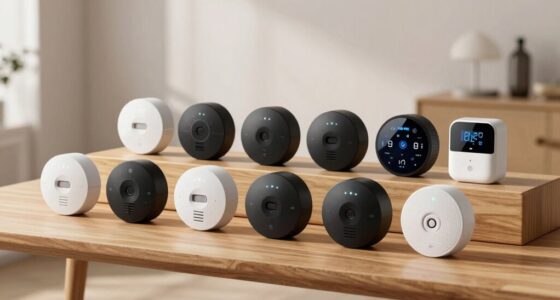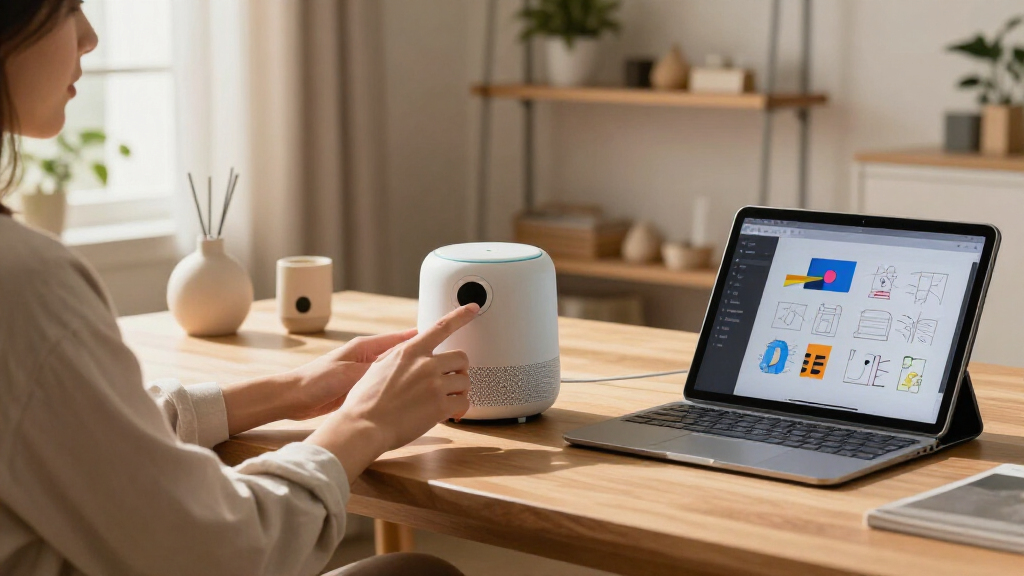
The best tech gifts for design enthusiasts pair useful function with a distinctive visual point of view. My best overall pick is the Divoom Times Frame, which turns a desk or wall into a customizable pixel-art display; the XP-Pen Deco 01 V3 stands out for hands-on digital drawing, while the Novium Hoverpen Interstellar offers a more sculptural desk accessory. The main tradeoff is between creative tools that support making and decorative gadgets that add personality, alongside practical questions like desk space, device compatibility, and daily usefulness. Read on for the full breakdown and help matching each gift to its recipient.

Get home appliances delivered free with Prime
- Fast, free delivery on millions of items
- Prime Video, Amazon Music and more included
- Member-only deals all year
Complete the kit


Key Takeaways
- The Divoom Times Frame is the most flexible display gift: its larger screen and Wi-Fi features suit people who want customizable pixel art and a desk display, while the Tiivoo-2 adds speaker and radio functions in a more compact form.
- The XP-Pen Deco 01 V3 is the stronger pick for active digital drawing: its larger working area and 16K battery-free stylus make it better suited to sustained creative work than the smaller HUION H640P.
- The HUION H640P makes more sense for a beginner or cramped desk: its compact drawing area is easier to fit and learn on, though it offers less room for broad gestures than the XP-Pen.
- The Hoverpen and levitating globe favor display value over creative workflow: both make memorable desk objects, but neither replaces a tool used to draw, organize, or play music.
- The lineup splits into practical and personality-led gifts: the LED clock fan and retro desk clock suit recipients who enjoy functional novelty, while the Divoom displays offer more ways to personalize a workspace.
| Novium Hoverpen Interstellar Ballpoint Pen, Space Black |  | Best Sculptural Desk Gift | Writing instrument: Ballpoint pen | Ink color and base: Black, oil-based | Tip size: Fine; 0.8 mm line | VIEW LATEST PRICE | See Our Full Breakdown |
| MOKOQI Magnetic Levitating Globe with LED Light |  | Best Ambient Desk Display | Globe diameter: 3.5 inches (9 cm) | Rotation time: 15–25 minutes | Lighting: Three LED beads; purple, pink, and cyan | VIEW LATEST PRICE | See Our Full Breakdown |
| Maclock Retro Desk Clock with Pixel Display |  | Best Retro-Tech Gift | Display type: Digital pixel LCD | Display information: Time, date, calendar, and room temperature | Power source: Rechargeable battery | VIEW LATEST PRICE | See Our Full Breakdown |
| ONXE LED USB Clock Fan with Flexible Gooseneck |  | Best Functional Desk Novelty | Power source: USB, 5 V | Power: 1.75 W | Airflow capacity: 3 cfm | VIEW LATEST PRICE | See Our Full Breakdown |
| Divoom Times Frame 10.1-Inch Wi-Fi Digital Picture Frame and Desk Display |  | Best Customizable Digital Display | Display: 10.1-inch IPS | Resolution: 1080p | Connectivity: Wi-Fi | VIEW LATEST PRICE | See Our Full Breakdown |
| XP-Pen Deco 01 V3 Drawing Tablet, 10 × 6.25 in, 16K Battery-Free Stylus, 8 Shortcut Keys |  | Best for Serious Sketching | Active area: 10 × 6.25 inches | Stylus: Battery-free; 16,384 pressure levels; up to 60° tilt | Shortcut keys: 8 customizable | VIEW LATEST PRICE | See Our Full Breakdown |
| HUION Inspiroy H640P 6 × 4-Inch Drawing Tablet with 8192-Level Pressure Sensitivity |  | Best Compact Starter Tablet | Active area: 6 × 4 inches | Stylus: PW100 battery-free stylus | Pressure sensitivity: 8,192 levels | VIEW LATEST PRICE | See Our Full Breakdown |
| Divoom Tiivoo-2 Retro Bluetooth Speaker with FM Radio and Pixel Art Display |  | Best Decorative Desk Gift | Model: Tiivoo-2 | Color: Cream | Speaker size: 2.92 inches | VIEW LATEST PRICE | See Our Full Breakdown |
| tech gifts for design enthusiast | Power source |
|---|---|
| Novium Hoverpen Interstellar B | — |
| MOKOQI Magnetic Levitating Glo | — |
| Maclock Retro Desk Clock with | Rechargeable battery |
| ONXE LED USB Clock Fan with Fl | USB, 5 V |
| Divoom Times Frame 10.1-Inch W | Corded electric; no built-in battery |
| XP-Pen Deco 01 V3 Drawing Tabl | — |
| HUION Inspiroy H640P 6 × 4-Inc | — |
| Divoom Tiivoo-2 Retro Bluetoot | Battery powered; lithium-ion battery included |
More Details on Our Top Picks
Novium Hoverpen Interstellar Ballpoint Pen, Space Black
The Hoverpen Interstellar turns a familiar writing tool into a small desk sculpture, with its 23.5-degree floating display and magnetic spin drawing more attention than the practical design of the Maclock Retro Desk Clock. Aluminum and zinc alloy give it a substantial feel, while the refillable Schmidt cartridge makes it usable beyond display duty. I’d choose it for someone who values a distinctive workspace object and still wants a pen ready for notes. The tradeoff is that its presentation depends on the included pedestal, so it is less convenient to carry around than an ordinary ballpoint. Its fine 0.8 mm line may also feel too narrow for writers who prefer broader strokes. It’s a focused design gift, not a replacement for a full desk display.
Pros:- Distinctive 23.5-degree hovering display adds a strong visual focal point to a desk.
- Magnetic pedestal lets the pen spin as a playful desk interaction.
- Refillable Schmidt ballpoint cartridges support continued use.
- Aluminum and zinc alloy construction gives the pen a substantial build.
Cons:- The pedestal is central to its display and desk-use appeal, making it less convenient as a carry-around pen.
- Fine 0.8 mm line may not suit writers who prefer a broader stroke.
Best for: Design-minded writers who keep a pen on their desk and enjoy tactile, sculptural objects.
Not ideal for: People who need a portable everyday pen or prefer a medium or broad writing line.
- Writing instrument:Ballpoint pen
- Ink color and base:Black, oil-based
- Tip size:Fine; 0.8 mm line
- Materials:Aluminum and zinc alloy
- Features:Hovering display, magnetic spinning, refillable
- Dimensions:5.65 × 0.39 × 0.39 inches
- Weight:218 g
- Included components:Hoverpen, ink cartridge, instruction guide, pedestal
Our verdict“Choose the Hoverpen for a design enthusiast who wants a functional writing tool that doubles as a magnetic desk sculpture.”
MOKOQI Magnetic Levitating Globe with LED Light
The MOKOQI levitating globe brings motion and colored light to a desk, giving it a more spatial, map-inspired look than the screen-based Divoom Times Frame. Its 3.5-inch globe labels countries, oceans, and continents, so the display has some visual detail beyond its levitation effect. Three LED colors add a playful accent, while a hand-spun rotation lasts around 15–25 minutes. That manual spin makes it more of a decorative object than an information display that updates itself. Getting the globe positioned for levitation may take several attempts, which could frustrate someone expecting a quick setup. The plastic globe and compact scale also make it less substantial as a display piece than its floating presentation first suggests. I’d pick it for atmosphere, not for frequently checking maps or keeping digital content on view.
Pros:- Magnetic levitation creates a visually distinctive floating globe display.
- Three LED colors add a changing accent to a desk or shelf.
- Labeled countries, oceans, and continents give the globe map detail.
- Hand-spun rotation can continue for 15–25 minutes.
Cons:- Positioning the globe for levitation may take several attempts.
- Rotation requires a manual spin rather than running continuously.
- The 3.5-inch globe is made of plastic and has a small display scale.
Best for: Design enthusiasts who want a compact, illuminated world-map accent for a desk or shelf.
Not ideal for: Buyers seeking a large, premium-feeling globe or a display that rotates continuously without manual input.
- Globe diameter:3.5 inches (9 cm)
- Rotation time:15–25 minutes
- Lighting:Three LED beads; purple, pink, and cyan
- Map type:World map with labeled countries, oceans, and continents
- Globe material:Plastic
- Base material:Acrylic
- Item weight:0.4 kg
- Included components:Stand, globe, power adapter
Our verdict“Pick the MOKOQI for a compact, colorful levitating accent, but skip it if you want effortless continuous motion or a larger globe.”
Maclock Retro Desk Clock with Pixel Display
The Maclock Retro Desk Clock makes the most sense for someone who likes computer-era details but wants a useful bedside or desk clock, rather than the more decorative levitation of the MOKOQI globe. Its pixel-style LCD shows time, date, calendar, and room temperature, while five alarm schedules give it more day-to-day utility than the ONXE fan’s basic clock display. A rechargeable battery and USB-C charging cable make it easier to move around than the cord-dependent Divoom Times Frame. The styling is part of the appeal: the decorative floppy disk and stickers make the gift feel playful, though they may not suit a restrained workspace. There’s also a display tradeoff: temperature updates pause while the backlight is on, so checking it accurately means turning the light off.
Pros:- Pixel display combines time, date, calendar, and room temperature.
- Five alarm schedules accommodate daily, weekday, weekend, or one-time use.
- Rechargeable power and USB-C cable make it easier to relocate than corded displays.
- Retro computer styling comes with a decorative floppy disk and stickers.
Cons:- Temperature updates pause while the backlight is on.
- Accurate temperature checking requires turning the light off.
- The playful accessories and retro look may not fit minimalist workspaces.
Best for: Fans of retro computer styling who want a portable tabletop clock with alarms and useful calendar information.
Not ideal for: People who need a continuously updated temperature reading while the display is lit, or prefer minimal, understated desk decor.
- Display type:Digital pixel LCD
- Display information:Time, date, calendar, and room temperature
- Power source:Rechargeable battery
- Alarms:Five schedules: daily, weekday, weekend, or one-time
- Lighting:Adjustable warm backlight with sleep mode
- Materials:ABS and PMMA casing
- Dimensions:3.1 in W × 4.2 in H
- Included accessories:Decorative floppy disk, stickers, USB-C cable
Our verdict“Choose the Maclock for a retro-tech fan who wants an alarm clock with useful information and rechargeable portability.”
ONXE LED USB Clock Fan with Flexible Gooseneck
The ONXE LED USB Clock Fan is the practical novelty in this group: it adds a small stream of personal airflow and a clock to a workstation, rather than serving as a polished centerpiece like the Novium Hoverpen. Its flexible neck lets the user aim the fan, and the soft PVC blades are a more approachable choice for close desk use than rigid blades. USB-A plug-and-play power keeps setup simple, though the one-foot cable limits where it can sit unless a nearby port is available. With just one speed and a stated airflow capacity of 3 cfm, it is for personal cooling, not moving air around a room. Compared with the Maclock clock, this is the pick for someone who wants airflow too; the tradeoff is a more utilitarian look and fewer clock functions.
Pros:- Flexible gooseneck directs airflow toward the user.
- Soft PVC fan blades suit close personal use.
- USB-A plug-and-play connection needs no driver installation.
- Built-in LED clock adds a useful desk function.
Cons:- Single speed offers no airflow adjustment.
- One-foot cable restricts placement around a desk.
- 3 cfm airflow is intended for personal use, not cooling a room.
Best for: Desk workers who want a simple USB-powered personal fan with a built-in clock and flexible positioning.
Not ideal for: People who need strong room cooling, multiple fan speeds, a long cable, or a refined decorative display.
- Power source:USB, 5 V
- Power:1.75 W
- Airflow capacity:3 cfm
- Number of speeds:1
- Number of blades:2
- Materials:PVC body and plastic blades
- Cable length:1 ft
- Dimensions and weight:3.5 × 16.14 × 0.79 in; 2.4 oz
Our verdict“Pick the ONXE when practical personal airflow matters more than adjustable cooling or a polished design object.”
Divoom Times Frame 10.1-Inch Wi-Fi Digital Picture Frame and Desk Display
The Divoom Times Frame is the most adaptable visual canvas here: unlike the fixed map and colors of the MOKOQI globe, it can show photos, GIFs, short videos, and pixel art, plus clock, weather, and calendar widgets. Its 10.1-inch 1080p IPS screen gives artwork and images more room to read than the small pixel display on the Maclock clock. Wi-Fi and the Divoom app let a smartphone shape what appears, making this a strong gift for someone who enjoys changing their desktop aesthetic. The tradeoff is a reliance on a continuous power connection; it has no built-in battery, so it is not suited to frequent relocation. Its plastic frame also keeps the emphasis on the display and customization rather than premium frame materials.
Pros:- Shows photos, GIFs, short videos, and pixel art on one display.
- Customizable clock, weather, and calendar widgets add everyday utility.
- 1080p IPS screen and adjustable brightness support detailed, changeable content.
- Wi-Fi app control and 64 GB of storage accommodate a varied content library.
Cons:- Requires continuous corded power and has no built-in battery.
- Plastic frame may disappoint buyers seeking a premium material finish.
- Wi-Fi and app-based customization make it less direct than a simple standalone clock.
Best for: Design enthusiasts who want to rotate personal photos, pixel art, and useful widgets on a larger connected desk display.
Not ideal for: People who need a battery-powered frame, a display for frequent travel, or premium frame materials.
- Display:10.1-inch IPS
- Resolution:1080p
- Connectivity:Wi-Fi
- Compatible devices:Smartphone
- Storage capacity:64 GB
- Aspect ratio:1.83:1
- Power source:Corded electric; no built-in battery
- Dimensions and weight:10 × 5.5 inches; 1.5 kg
Our verdict“Choose the Times Frame for someone who wants a sizable, changeable digital art and photo display and has a permanent powered spot for it.”
XP-Pen Deco 01 V3 Drawing Tablet, 10 × 6.25 in, 16K Battery-Free Stylus, 8 Shortcut Keys
For a design enthusiast who wants a larger drawing surface without a screen tablet’s bulk, the XP-Pen Deco 01 V3 is the most capable drawing pick in this group. Its 10 × 6.25-inch active area gives hand movements more room than the HUION Inspiroy H640P’s 6 × 4-inch surface, which can make detailed illustration and retouching feel less cramped. The 16,384 pressure levels and 60° tilt support offer nuanced control over line weight and shading, while eight shortcut keys keep common actions close at hand. It also works across several desktop and mobile operating systems. The tradeoff is that it needs a connected display and compatible software, unlike the Divoom Tiivoo-2, which is a ready-to-use desk accessory. Android mapping may take extra setup, and OS compatibility depends on version.
Pros:- Large 10 × 6.25-inch active area gives drawing gestures room to breathe
- Battery-free stylus supports 16,384 pressure levels and up to 60° tilt
- Eight customizable shortcut keys accommodate left- and right-handed users
- Thin 8 mm body and included glove, nibs, and protective film support portable use
Cons:- Requires a separate computer or compatible device and drawing software
- Android use may require the XPPen Tools app for accurate screen mapping
- Compatibility depends on supported operating system versions and updates
Best for: Illustrators and photo editors who want a generous, portable pen tablet with customizable shortcuts and broad computer compatibility.
Not ideal for: Beginners seeking a standalone drawing screen, or Android users who want simple setup without configuring screen mapping.
- Active area:10 × 6.25 inches
- Stylus:Battery-free; 16,384 pressure levels; up to 60° tilt
- Shortcut keys:8 customizable
- Thickness:8 mm
- Connectivity:USB-C to USB-C; USB-C to USB-A cable and adapter included
- Compatibility:Windows 7 or later, macOS 10.13 or later, Android 10.0 or later, ChromeOS 88 or later, Linux
- Included accessories:10 nibs, stylus stand, glove, protective film, USB-C to USB-A cable, USB adapter
Our verdict“Choose the Deco 01 V3 for a spacious, feature-rich drawing surface; choose the smaller HUION H640P if portability matters more than room to sketch.”
HUION Inspiroy H640P 6 × 4-Inch Drawing Tablet with 8192-Level Pressure Sensitivity
The HUION Inspiroy H640P suits a designer who wants a compact way to practice digital sketching, annotate documents, or navigate a computer with a pen. At 0.61 lb and 0.3 inches thick, it is easier to tuck into a bag than the larger XP-Pen Deco 01 V3, though its 6 × 4-inch active area gives up room for broad strokes and detailed layouts. Its battery-free stylus with 8,192 pressure levels covers common drawing needs, and six customizable keys can use app-specific profiles to speed up repeated tasks. This is the more approachable portable option, not the stronger choice for expansive illustration work. It supports Mac, Windows, Linux, and Android, but not iPhone or iPad, so Apple tablet owners should skip it.
Pros:- Compact 6 × 4-inch surface and 0.61 lb weight travel easily
- Battery-free stylus has 8,192 pressure levels
- Six customizable keys support app-specific profiles
- Supports left-handed use and works with Mac, Windows, Linux, and Android
Cons:- Small active area can constrain detailed illustration and broad strokes
- Does not support iPhone or iPad
- Smaller shortcut-key count and lower pressure sensitivity than the XP-Pen Deco 01 V3
Best for: Students, hobby illustrators, and desk-light creatives who want a portable pen tablet for basic drawing, handwriting, or computer navigation.
Not ideal for: iPhone or iPad owners, and illustrators who need a broad work surface for detailed compositions or large gestures.
- Active area:6 × 4 inches
- Stylus:PW100 battery-free stylus
- Pressure sensitivity:8,192 levels
- Resolution:5,080 LPI
- Report rate:233 PPS
- Shortcut keys:6 customizable press keys
- Compatibility:Mac, Windows, Linux, and Android 6.0 or later; does not support iPhone or iPad
- Weight and thickness:0.61 lb; 0.3 inches
- Included accessories:Pen holder with 8 replacement nibs, USB cable, quick start guide, cleaning cloth
Our verdict“Pick the H640P for portable practice and everyday pen input, but choose the XP-Pen Deco 01 V3 for more drawing space and finer stylus control.”
Divoom Tiivoo-2 Retro Bluetooth Speaker with FM Radio and Pixel Art Display
Not every design enthusiast wants another tool for making art. The Divoom Tiivoo-2 is the lineup’s most decorative pick: a cream-colored, retro-styled speaker that pairs audio with a customizable pixel art display. It can also serve as a digital photo frame, alarm, timer, or FM radio, giving a creative desk a playful focal point rather than adding another drawing surface like the XP-Pen Deco 01 V3. Its piano-lacquer and metal construction helps it read as decor, while its battery-powered design allows it to move around indoors. The compromise is modest 4.2-watt output and no water resistance, so it is not a rugged outdoor speaker. Full access to its pixel-art community and features also depends on the companion app.
Pros:- Customizable pixel art display gives a desk accessory a personal visual element
- Combines Bluetooth audio, FM radio, photo-frame display, alarm, and timer functions
- Piano-lacquer and metal construction gives it a more decorative presence than a basic portable speaker
- Battery-powered design supports moving it between indoor spaces
Cons:- Not water-resistant, limiting use near sinks, showers, or wet outdoor settings
- Full feature and community access relies on the Divoom companion app
- 4.2-watt maximum output is less suited to filling larger spaces than a dedicated speaker
Best for: Design-minded desk workers who enjoy pixel art, retro styling, and a speaker that doubles as a clock-like display and photo frame.
Not ideal for: Buyers who need water-resistant audio for outdoor or wet-area use, or who want a straightforward speaker without app-dependent features.
- Model:Tiivoo-2
- Color:Cream
- Speaker size:2.92 inches
- Maximum output power:4.2 watts
- Connectivity:Bluetooth and FM radio
- Power source:Battery powered; lithium-ion battery included
- Weight:0.64 kg
- Controls:Touch
- Water resistance:Not water-resistant
Our verdict“Choose the Tiivoo-2 for a playful, customizable desk centerpiece, not for rugged listening or a focused digital-art workstation.”
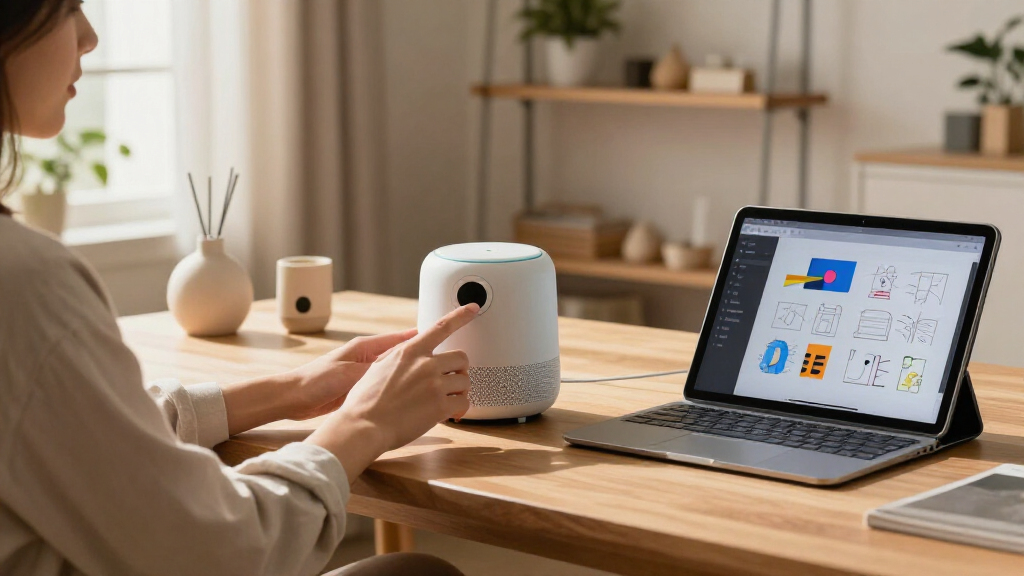
How We Picked
I ranked these gifts by how well they connect technology with design-minded use: visual character, everyday usefulness, ease of setup, build and desk fit, and the range of people each item can suit. For creative tools, I weighed the working area, stylus experience, shortcut controls, and whether the format makes sense for learning or regular drawing. For display and desk gadgets, I looked at the balance between customization and practical function rather than treating novelty alone as a reason to rank highly.
The order reflects differences in versatility and recipient fit, not a claim that one type of gift is right for every designer. The Divoom Times Frame ranks first for its mix of personalization and display presence; the XP-Pen follows for people who actively make digital art. Compact or single-purpose items rank lower when they serve a narrower need, though the HUION, Hoverpen, globe, clocks, and Tiivoo-2 can be better choices for a recipient whose workspace or interests match their strengths.
| tech gifts for design enthusiast | Power source |
|---|---|
| Novium Hoverpen Interstellar B | — |
| MOKOQI Magnetic Levitating Glo | — |
| Maclock Retro Desk Clock with | Rechargeable battery |
| ONXE LED USB Clock Fan with Fl | USB, 5 V |
| Divoom Times Frame 10.1-Inch W | Corded electric; no built-in battery |
| XP-Pen Deco 01 V3 Drawing Tabl | — |
| HUION Inspiroy H640P 6 × 4-Inc | — |
| Divoom Tiivoo-2 Retro Bluetoot | Battery powered; lithium-ion battery included |
Factors to Consider When Choosing Best Tech Gifts For Design Enthusiasts
Before choosing, I would match the gift to how the recipient spends time at their desk—not just to an aesthetic. These broader checks can help avoid a polished gadget that does not fit their setup or habits.
Choose Between Making and Displaying
Start with whether the recipient wants a tool for creating or an object that makes a workspace feel more personal. A drawing tablet supports practice and production, but it also asks the recipient to use compatible software and build a new routine. A pixel display or levitating globe gives visual impact with less creative commitment. A common mistake is buying a decorative gadget for someone who would rather have room to develop a skill, or buying a tool for someone who mainly values an expressive workspace. If you are unsure, look at what they already use and whether they share art, customize their desk, or both.
Check Desk Space and Working Style
A gift that fits a spacious studio may crowd a compact home office. For drawing tablets, working area affects how freely someone can make broad strokes; a smaller footprint can be easier to store but may feel restrictive for detailed or arm-led drawing. Displays and novelty desk objects also compete for visible surface area, even when their physical footprint seems modest. Before choosing, think about whether the recipient works on a laptop, uses multiple monitors, or keeps a clear desk. When you cannot measure the setup, a portable or compact option can be a safer fit, while a larger display makes more sense when it will have a dedicated place.
Match the Learning Curve to the Recipient
Creative hardware is most rewarding when its controls suit the recipient’s current skill and patience. Shortcut keys can help speed up repeated actions, but they are less useful to someone who draws casually or has not settled on software. A beginner may prefer a straightforward setup and a manageable work area over a larger tablet with more room to customize. Digital displays bring a different learning curve: consider whether the recipient will enjoy creating or selecting content and maintaining a personalized screen. Avoid equating more controls with a better gift; familiar, easy-to-use features often matter more than a long feature list.
Verify Compatibility and Setup Needs
Compatibility can decide whether a creative gift gets used at all. Check the recipient’s computer or mobile device, operating system, preferred drawing applications, and available connection options before choosing a tablet. For connected displays, consider Wi-Fi availability and whether the recipient is comfortable using an app or account to customize content. Audio gadgets also need to fit the recipient’s preferred listening setup; a built-in radio or Bluetooth connection may not replace the features they already rely on. If you cannot confirm these details, choose a gift with a clear standalone purpose rather than one that depends on a particular workflow.
Decide Whether Novelty Will Stay Useful
Unusual desk gadgets can be memorable, but their value depends on whether the recipient will keep them in regular view or use them. A floating pen, levitating globe, or fan clock makes a stronger gift for someone who enjoys conversation pieces and playful design than for a minimalist who wants fewer objects. Ask whether the gadget’s practical function is enough on its own: a clock can tell time, while a display or speaker may offer more ways to engage with it. Gifts with both visual personality and recurring use have a better chance of staying part of the workspace. If the recipient’s taste is uncertain, prioritize a design-led item with a clear everyday role.
Spend More for the Feature They Will Use
A higher-spec creative tool is worthwhile only when its extra capacity matches the recipient’s work. A larger drawing surface can benefit someone who draws often, while a beginner may get more from a compact tablet that feels approachable. For desk displays, screen presence and customization can matter more than adding unrelated features. Avoid choosing by specification count alone: shortcut keys, pressure sensitivity, connectivity, and display size each solve different problems. The best gift is the one whose added capability the recipient will notice in their routine, not the one with the longest list.
Frequently Asked Questions
Which gift is the safest choice if I do not know what software the recipient uses?
A display-focused or desk accessory gift is generally a safer choice than a drawing tablet when the recipient’s software and devices are unknown. The Divoom displays, for example, center on visual customization and entertainment rather than a specific drawing workflow. Still, connected features can depend on Wi-Fi, an app, or a compatible phone, so check those needs if possible. The Hoverpen or levitating globe avoids most software questions, though each is more about desk personality than creative work. Choose based on whether the recipient prefers customizable visuals or a self-contained object.
Is the XP-Pen Deco 01 V3 worth choosing over the HUION H640P?
The XP-Pen is the better fit for someone who expects to draw regularly and wants more room for larger gestures, while the HUION is a more compact option for casual practice, travel, or a crowded desk. Their differences matter more than a simple feature comparison: a larger work surface can feel more natural for longer sessions, but it takes up more space. The HUION’s smaller area can be less intimidating for a new user, though it may feel limiting as skills develop. Before deciding, check the recipient’s computer and preferred drawing software for compatibility. Let their workspace and likely frequency of use guide the choice.
Should I choose the Divoom Times Frame or the Tiivoo-2?
Choose the Times Frame for a larger display-centered gift with Wi-Fi customization, especially if the recipient enjoys changing the look of a desk or wall. The Tiivoo-2 is a better match for someone who would use a Bluetooth speaker or FM radio as well as a pixel-art display. Think about whether the recipient has a place for a more prominent screen or would rather have a smaller multifunction gadget. A display is a stronger fit when visual presentation leads; a speaker is more useful when music or radio is part of the daily routine. Neither is a substitute for a dedicated drawing tablet.
Are novelty desk gadgets a good gift for a minimalist designer?
They can be, but only if the object has a clear place or function in the recipient’s setup. A clock may earn its space through daily use, while a floating pen or levitating globe is more likely to appeal to someone who enjoys a conversation piece. Minimalists often value fewer, better-chosen objects, so a gadget that duplicates something they already own can feel like clutter. Look for clues in their desk: a carefully arranged display suggests they may enjoy a distinctive object, while a nearly empty surface points toward a compact or functional choice. When unsure, a tool they can use for an existing interest is less risky than a purely decorative item.
What should I verify before gifting a drawing tablet?
Check the recipient’s computer or other intended device, operating system, and drawing applications before buying. Compatibility and driver support can affect whether the tablet fits smoothly into their workflow. Also think about their experience level and desk: a larger drawing area may suit regular work, while a smaller model can be easier to store and approach. Ask whether they already own a stylus-based device, since a new tablet may duplicate equipment they use. If you cannot verify setup details, a display or desk accessory may be a more dependable gift.
Conclusion
For the best overall gift, I would choose the Divoom Times Frame for its customizable display and strong desk presence. The best value for a beginning digital artist is the HUION Inspiroy H640P, particularly for a small workspace or occasional drawing; the XP-Pen Deco 01 V3 is my best pick for committed creators who want a larger drawing area and more room to grow. For a premium-feeling, design-led desk gift, the Novium Hoverpen is the most sculptural choice, while the Tiivoo-2 suits someone who wants pixel art alongside audio. Choose the MOKOQI globe for a striking display object, or one of the clocks when practical timekeeping and playful styling matter more than creative features.