If your Keurig K-Mini Single Serve Coffee Maker isn’t brewing a full cup, it can be frustrating. Often, the issue is related to mineral buildup, clogs, or water flow problems. This guide provides practical, safe steps to troubleshoot and resolve the issue, helping you enjoy your perfect brew again.

Get home appliances delivered free — and shop member deals
- Fast, free delivery on millions of items
- Access to Prime Big Deal Days deals on October 6–7
- Prime Video, Amazon Music and more included
Before starting, make sure your coffee maker is unplugged and cooled down. Gather necessary cleaning supplies and descaling solutions for best results.
Key Takeaways
| Check for clogs | Blockages in the water pathway are common causes. |
| Descale regularly | Mineral deposits can impede water flow. |
| Clean the needle | Residue can prevent proper brewing. |
| Ensure proper setup | Check water reservoir and filter placement. |
Step 1: Check Water Reservoir and Setup
- Ensure the water reservoir is filled with fresh, clean water.
- Remove and reseat the reservoir to ensure proper connection.
- Make sure the water level is between the minimum and maximum marks.
Step 2: Clean the Brew Needle
The brew needle can get clogged with coffee grounds or mineral buildup. Use a paperclip or a Keurig needle cleaning tool to carefully clear any obstructions.
Insert the tool into the needle and gently move it around to dislodge any debris.
Step 3: Descale Your Keurig
Mineral deposits inside the machine can reduce water flow. Use a descaling solution or a mixture of equal parts water and white vinegar.
- Pour the descaling solution into the water reservoir.
- Run a brew cycle without a K-Cup, discard the hot water, and repeat until the reservoir is empty.
- Follow with several plain water brews to rinse thoroughly.
Step 4: Inspect and Clean the Water Path
Remove the water reservoir and clean it with warm, soapy water. Wipe the area around the water inlet and outlet to remove any residue or buildup.
Reassemble and test brew to see if the issue is resolved.
Additional Tips and Warnings
- Use only clean, filtered water to prevent mineral buildup.
- Avoid using harsh chemicals or abrasive tools that could damage your machine.
- Perform descaling every 3-6 months, or more often if you have hard water.
The Products in This Guide

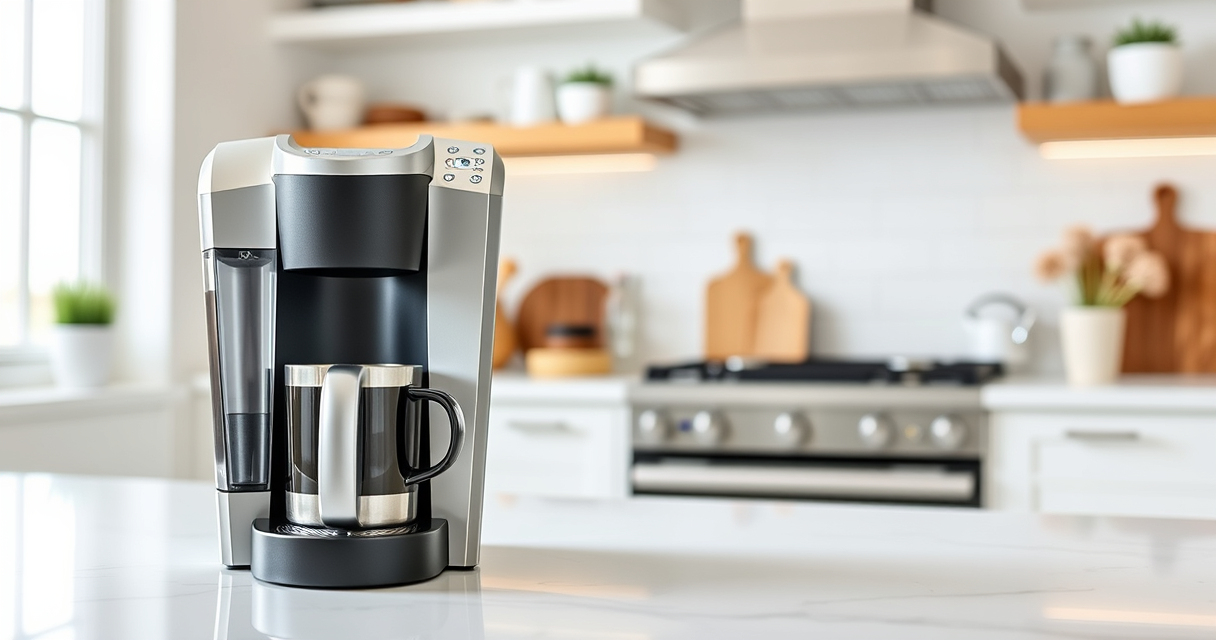
Keurig K-Mini Single Serve K-Cup Pod Coffee Maker
- ✔ Size: Under 5 inches wide
- ✔ Capacity: 6-12oz
- ✔ Color: Matte Black

My K-Cup® Reusable Coffee Filter
- ✔ Brews: Ground coffee
- ✔ Material: Plastic
- ✔ Compatibility: Keurig models
Keurig K-Mini Single Serve K-Cup Pod Coffee Maker
The Keurig K-Mini is a compact and efficient single-serve coffee maker, perfect for small spaces. Regular maintenance and descaling help ensure it brews full cups every time.
Pros:
- Space-saving design
- Brews in minutes
- Removable drip tray
- Compatible with My K-Cup filter
Cons:
- Limited to 6-12oz brew sizes
- No water filter built-in
- Requires frequent descaling in hard water areas
Best for: Small kitchens, dorm rooms, offices needing quick coffee
Not ideal for: Users seeking a larger capacity or built-in water filtration
Bottom line: A compact, efficient coffee maker that benefits from regular cleaning and descaling.
My K-Cup® Reusable Coffee Filter
The My K-Cup Reusable Coffee Filter allows brewing your favorite ground coffee with your Keurig, offering convenience and eco-friendliness.
Pros:
- Brews with ground coffee
- Reusable and eco-friendly
- Easy to clean
- Compatible with Keurig models
Cons:
- Requires ground coffee prep
- Slightly more cleanup than pods
- Limited to compatible models
Best for: Coffee enthusiasts wanting control over brew strength
Not ideal for: Users preferring convenience of pre-packaged pods
Bottom line: A versatile reusable filter perfect for customizing your coffee experience.
Frequently Asked Questions
Why is my Keurig not brewing a full cup?
Common causes include mineral buildup, clogged needles, or blockages in the water pathway. Regular cleaning and descaling usually resolve the issue.
How often should I descale my Keurig?
It is recommended to descale every 3 to 6 months, or more frequently if you have hard water.
Can I use my own ground coffee in a Keurig?
Yes, using a reusable filter like the My K-Cup allows you to brew your own ground coffee.
What safety precautions should I take when cleaning my Keurig?
Always unplug the machine before cleaning, avoid harsh chemicals, and use gentle tools to prevent damage.
Revive Your Keurig for Perfect Brews
Regular maintenance, including descaling and cleaning the brew needle, can keep your Keurig K-Mini functioning optimally. Follow these steps to troubleshoot common issues and enjoy full, flavorful cups every time.
Affiliate disclosure: As an Amazon Associate we earn from qualifying purchases. Prices and availability are accurate as of the time of publishing.
Fall Picks
fall essentials
As an affiliate, we earn on qualifying purchases.