
TL;DR

Get home appliances delivered free — and shop member deals
- Fast, free delivery on millions of items
- Access to Prime Big Deal Days deals on October 6–7
- Prime Video, Amazon Music and more included
Smart home security cameras connect to your network so you can view live video, receive motion alerts, and save footage remotely or at home. Choose a camera based on where it will go, its power and storage needs, alert accuracy, and privacy controls—not resolution alone. A strong password, two-factor authentication, software updates, and thoughtful placement make the system more useful and safer.
A delivery box vanishes from your porch at 2 p.m., but your camera sends an alert only after the driver has left. That frustrating moment shows why smart home security cameras are about more than sharp video: placement, detection, storage, and privacy all shape what you actually get.
This guide gives you a practical overview of smart home security cameras, including the important aspects of choosing and setting them up. You’ll learn how indoor, outdoor, and doorbell cameras differ, which features earn their keep, and how to protect your footage without turning your home into a maze of alerts.
Think of your camera system as a porch light with a memory. It can help you see what happened and act sooner, but only if it points at the right place and you control who can look through its lens.
Choose indoor, outdoor, doorbell, or PTZ cameras based on the exact area and activity you need to see.
Compare resolution alongside camera distance, viewing angle, Wi-Fi strength, and storage demands.
Check recording retention, local-storage support, subscription limits, and camera count before buying.
Use a unique password, two-factor authentication, updates, and limited account permissions to protect footage.
Test placement and motion zones in real conditions so you capture useful activity without constant false alerts.
Choose the camera type that fits the spot you need to watch
Smart home security cameras capture video and connect to a network so you can view a live feed, receive alerts, and save recordings. The right type depends on the location: an indoor camera watches a room, an outdoor model handles weather, and a video doorbell focuses on the entrance. Start with the gap you want to cover, not the product aisle, because each camera’s position determines what evidence it can collect and what it may record unintentionally.
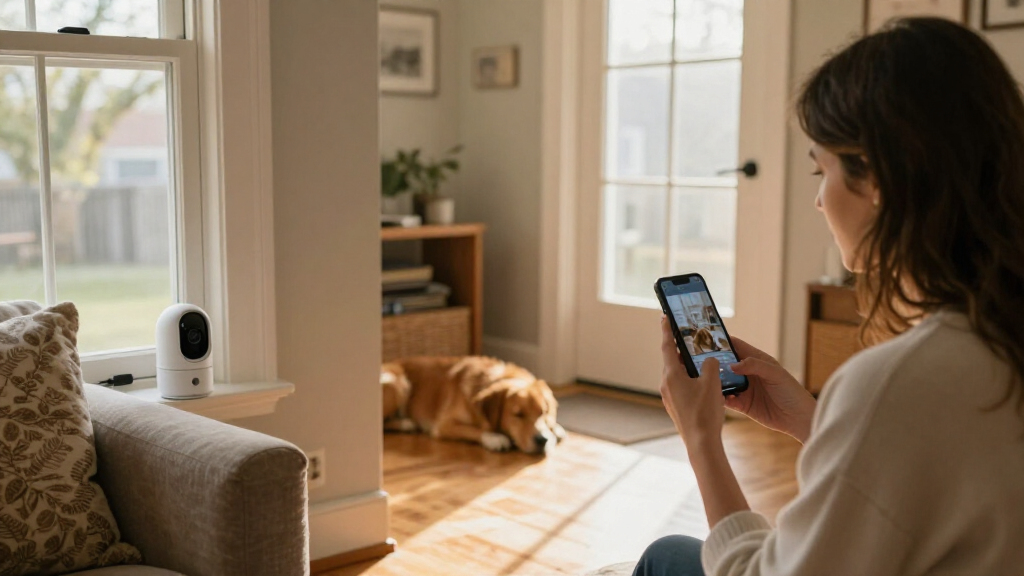
For example, a camera pointed at a living-room doorway may help you check on a pet, while an outdoor camera above the garage can show whether a side gate was left open. A doorbell camera is useful when you want to see and speak with a visitor without opening the door. Pan-tilt-zoom models can move remotely, but that flexibility brings a tradeoff: a moving camera may not be watching the critical spot at the moment something happens. A fixed camera often gives you simpler, dependable coverage of one important area.
Before buying, check the camera’s power source and mounting needs. Battery models avoid a nearby outlet, but you’ll need to recharge them; frequent recording or cold weather can mean more charging. Wired models can run continuously, but installation may be less flexible. Solar panels may reduce charging if they receive enough sun, though shade and seasonal daylight affect how well they work. If a setup requires new electrical wiring, hire a licensed professional and follow local code and permit rules. Turn off power before any permitted electrical work, and use appropriate PPE.
- Indoor: rooms, pets, and interior entry points. Consider whether the camera can be turned off or shuttered when household members want privacy.
- Outdoor: driveways, yards, and exposed doors; check weather resistance as well as power and Wi-Fi at the mounting spot.
- Doorbell: visitors, packages, and two-way conversation. Check that the view includes the area where deliveries are left, not just a visitor’s face.
- PTZ: larger areas where remote movement is useful, with the understanding that a single lens cannot watch every direction at once.
One camera rarely sees everything. A wide view of the driveway might miss a narrow side path, so test the real sightline before you decide that a single device covers the whole exterior. A second camera can close a blind spot, but it also adds cost, maintenance, alerts, and another device whose access and privacy settings you need to manage.
As an affiliate, we earn on qualifying purchases.
Compare the features that change what you can actually see
Video quality, viewing angle, night vision, and motion detection determine whether a recording answers your question. Resolution ranges from 720p to 4K, but higher numbers do not automatically mean a more useful camera. Detail depends on more than the pixel count: distance, lens quality, lighting, compression, and camera angle all affect what appears in a saved clip. A well-placed 1080p camera may identify activity at a doorway more clearly than a 4K camera aimed across a bright window with glare.
Here’s the tradeoff: higher-resolution video can show finer detail, but it can also use more Wi-Fi capacity and storage. If your connection struggles, a high-resolution feed may lag or clips may take longer to load; if your storage plan is limited, recordings may need to be kept for fewer days. A wide field of view covers more ground, yet objects near the edge can appear smaller or distorted. If you want to recognize a face at your front step, point the camera at the step rather than choosing the widest lens and mounting it far away.
| Feature | What it helps with | What to check |
|---|---|---|
| 1080p to 4K resolution | Showing more image detail when the subject is close enough and lighting is adequate | Storage use, network strength, compression, and camera distance |
| Wide field of view | Covering a larger area with fewer cameras | Whether important people or objects become too small at the edges |
| Infrared or color night vision | Seeing activity after dark | Lighting, glare, distance, and whether nearby surfaces reflect infrared light |
| Person or pet detection | Reducing alerts for less relevant motion | Detection accuracy in your setting and whether the feature requires a subscription |
| Two-way audio | Speaking to a visitor or courier | Microphone and speaker quality, background noise, and whether you need clear communication |
Night vision illustrates why the setting matters. Infrared can show movement in darkness, but it usually produces monochrome footage and may struggle through glass because the camera’s own infrared light reflects back. Color night vision needs enough visible light, often from a porch lamp or built-in spotlight; that improves color detail but can create glare or disturb neighbors. Test the camera after dark at the distance where you expect to identify activity.
Suppose a tree branch swings across your driveway every windy night. Basic motion detection may buzz your phone repeatedly; person detection can filter some activity, though no detection system is perfect. Detection features can also miss people in poor light or when they move through the edge of the frame. Adjust activity zones so the camera watches your path, not the sidewalk or swaying leaves, and check saved clips over several days before relying on the alert settings.
Pick storage that matches how long you need to keep footage
Camera storage determines where recordings go and how long you can review them. Cloud storage saves video to the provider’s online service, while local storage uses a device such as a memory card or home hub; some systems offer both. Remote cloud access can be handy when you’re away, while local recording may reduce reliance on an ongoing service. The choice affects more than convenience: it determines what happens during an internet outage, how footage is protected, and whether you can still review an important event days later.
Imagine a package disappears on Friday and you only notice on Sunday. If your plan stores clips for a short period, the recording may already be gone. Check the retention period, number of cameras included, and whether person detection or video history costs extra before you buy. Some cameras offer free local recording; others reserve useful features for a paid subscription. Also check whether the camera records continuously or only saves motion-triggered clips, since a missed detection can mean there is no clip to review.
Cloud and local storage each involve tradeoffs. A cloud account can make footage easy to view from your phone and may keep a copy if the camera is damaged, but it depends on internet access and account security. Local storage can keep recording during an internet outage if the device supports it, but a camera or storage hub could be stolen or damaged. Local devices also vary in how much footage they hold and how easy it is to retrieve remotely. A hybrid setup can provide a second copy, though it may cost more and creates two places to secure.
Try this simple buying check: write down how many days of footage you want and how many cameras you’ll use, then compare that need with each service’s limits. Higher resolution, more cameras, and continuous recording generally require more storage than occasional motion clips, so a plan that seems generous for one camera may not be enough for a larger system. If you only want to check whether the dog walker arrived, live viewing may be enough. If you need to review a weekend away, recorded history matters far more than a flashy resolution label.
Before choosing a camera, price the whole system: device, storage plan, batteries or power accessories, and any hub you need. Include ongoing fees and the practical cost of replacing or recharging batteries.
Secure your cameras with a short setup routine
Smart home security cameras are safer when you secure the account, network, and physical device together. A reputable camera can still expose footage if you reuse a weak password or leave an old account active. Treat the phone app as the front door to your recordings: lock it well before inviting family members inside. These steps matter because an attacker who gains account access may be able to view live video, download saved clips, or change settings even if the camera itself is physically secure.
- Use a unique password for the camera account and turn on two-factor authentication if available. A unique password limits the damage if another service you use has a data breach.
- Install software updates for the camera, app, and router; updates can fix security weaknesses. Enable automatic updates where practical, or make a reminder to check, since an ignored device can remain exposed to known issues.
- Limit account access and remove people who no longer need to view the feed. Give household members only the permissions they need rather than sharing the main login.
- Review privacy settings, including cloud retention, sharing, audio recording, and any end-to-end encryption option. Encryption can help protect footage in transit or at rest, but check what the provider can access and whether the feature affects sharing or account recovery.
- Test alerts and recording from another room and, if appropriate, while away from home. Confirm that you can access the clips you expect and understand which devices or accounts receive notifications.
For instance, if a former roommate still has access to the shared camera app, changing the Wi-Fi password may not remove their account permission. Check the app’s user list directly and revoke access. Also review what the manufacturer says about storing or sharing footage; privacy practices vary between services. If the camera supports a separate guest or IoT network, using it can limit how far a problem with one smart device reaches, though it does not replace strong account security.
Placement matters for privacy as much as settings do. Aim outdoor cameras at your own doorway and yard, not through a neighbor’s window. Indoors, a physical shutter or a camera that turns away when you’re home can help you feel comfortable. Local laws may regulate audio or video recording, especially where other people expect privacy, so check the rules where you live. Minimize what you record in the first place: tighter framing and motion zones can reduce both unnecessary footage and the amount of private activity you store.
Place cameras where they catch useful evidence, not empty scenery
Camera placement can matter more than a feature upgrade. Mount a device where it can capture faces, doors, and movement without pointing straight into glare or leaving a large blind spot. A camera aimed at the middle of a wide lawn may record plenty of motion but too little detail to tell who approached the house. The goal is not to record the largest possible area; it is to get a clear, useful view of the point where activity matters.
Walk the route a visitor would take. For a front entrance, check whether the lens sees a face as someone reaches the door, whether a porch roof blocks the view, and whether evening lights wash out the image. A doorbell camera mounted too low may show mostly jackets and packages; a camera positioned too high might miss faces. Use the manufacturer’s placement guidance and test the live image before tightening the mount. Check both the approach and departure paths, since an angle that captures someone at the door may not show which way they went.
Outdoor cameras need a practical view of the property, protection from the weather, and a reliable connection. A garage corner may be sheltered, but brick walls can weaken Wi-Fi. If the feed stutters, test the signal at the intended mounting point before drilling. A weak connection can lead to delayed alerts or gaps in the footage, undermining the reason for installing the camera. Battery-powered models also need a spot you can reach safely for charging, so a perfect view high under an eave may be inconvenient if it requires a risky climb every few weeks.
Here’s a useful real-world test: ask a friend to walk up the path in daylight and after dark while you check the recording. Can you see the face, the package area, and the direction they leave? If not, move the camera or adjust its angle. Test in different lighting because backlight, headlights, and porch lamps can change what the sensor captures. Don’t climb onto a roof or alter structural components for a mounting job; hire a qualified professional for roof or structural work and follow permit requirements.
Make alerts helpful instead of letting your phone chirp all day
Useful camera alerts tell you about relevant activity without interrupting every quiet moment. Motion zones, person or pet detection, schedules, and smart-home routines can cut down on noise. You still need to tune them: automated detection can miss a person, mistake a shadow for motion, or flag an animal as something else. An alert system that produces too many false alarms can train you to ignore notifications; one that filters too aggressively can leave you unaware of activity you meant to monitor.
Say your camera faces a front walk beside a busy sidewalk. If it alerts on every passerby, you may start ignoring the notification that matters. Set a zone around your steps and doorway, then test it with a delivery or a friend approaching. You can also schedule indoor motion alerts for times when the house should be empty, rather than receiving a phone buzz whenever your family crosses the kitchen. Review the results after a few days and adjust the zones or sensitivity; a setting that works in daylight may behave differently at night or in changing weather.
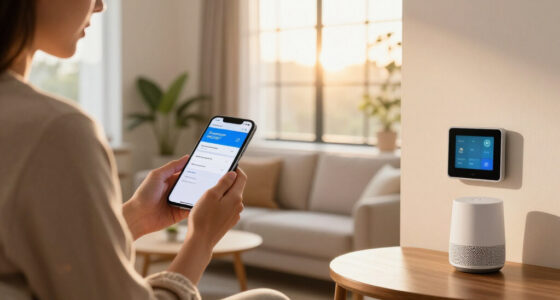
Some cameras connect with smart locks, lights, or voice assistants such as Alexa, Google Assistant, or Apple HomeKit. A routine might turn on an exterior light when the camera detects activity after dark. That can make an entrance more visible, but it should not replace good locks, lighting, or a monitored alarm when those protections fit your needs. Consider what happens if detection is late or a network connection fails, and avoid a routine that unlocks a door automatically based only on camera detection.
Keep the system proportionate. If a single porch camera and a quiet alert schedule solve the problem, you may not need cameras in every room. More cameras can expand coverage, but they also increase notifications, storage needs, maintenance, and the amount of household activity recorded. Smart home security works best when it supports ordinary habits—checking a delivery, seeing who rang the bell, or confirming the garage is closed—without making you feel watched in your own home.
Frequently Asked Questions
How do smart home security cameras work?
They capture video and connect through Wi-Fi, Ethernet, or a home hub so you can view a live feed and receive alerts on a phone or computer. Depending on the model, recordings go to cloud storage, local storage, or both. For example, a doorbell camera can notify you when someone approaches and let you speak through its app.
Are smart security cameras safe from hackers?
No connected device is risk-free, but you can reduce exposure with a unique password, two-factor authentication, regular software updates, and restricted user access. Review how the provider stores and shares footage, and remove old accounts you no longer use. A strong setup protects the account as well as the camera.
Do I need a subscription to use a security camera?
Not always. Some cameras provide live viewing and local recording without a monthly fee, while cloud history, extended retention, or advanced detection may require a subscription. Check the exact plan limits before buying; a camera that needs several days of video history may be less useful if its free plan saves only limited clips.
What should I look for in an outdoor camera?
Look for weather resistance, night visibility, a suitable field of view, dependable Wi-Fi or Ethernet, and a power source that works at the mounting location. Person detection and local or cloud recording may also help. Test the view at night and from the camera’s final position, since a clear daytime image does not guarantee useful after-dark footage.
Can I access camera footage when I’m away from home?
Most connected cameras let you view a live feed remotely through a mobile app or web service, provided the camera and your phone have internet access. Remote access to saved recordings depends on the camera’s storage setup and plan. Test access before you travel so you know whether the app can reach the camera from outside your home network.
How much do smart home security cameras cost?
Prices vary from around $50 for basic models to several hundred dollars for advanced cameras or multi-device systems, and costs can rise with subscriptions, hubs, mounts, and replacement batteries. Compare the full first-year cost rather than the camera price alone. A lower-priced model with free local recording can be cheaper over time than one that requires cloud service.
Conclusion
Choose cameras for the moments you need to see, then test their view, alerts, and recording before trusting them. A modest camera aimed at the front step, backed by a secure account and a storage plan you understand, often beats a feature-packed system pointed at empty pavement.
Keep the lens on what matters—and keep control of who can look through it.
Cold & flu season Picks
humidifiers
As an affiliate, we earn on qualifying purchases.