
If your Dyson V15 Detect™ Origin Cordless Vacuum is pulsing on and off during use, it can be frustrating and hinder your cleaning. This issue often indicates a problem with the filters, battery, or airflow system. Fortunately, many of these problems are simple to diagnose and fix at home with the right steps and precautions.
In this guide, we will walk you through a practical, step-by-step process to identify the root cause of the pulsing issue and resolve it safely. Ensuring your vacuum is well-maintained and properly cleaned can restore its optimal performance and prolong its lifespan.
Key Takeaways
| Filter Maintenance | Dirty filters can cause airflow issues leading to pulsing. |
| Battery Check | A failing battery may cause power fluctuations. |
| Clogged Airflow | Blockages in the wand or cleaner head disrupt airflow. |
| Sensor and Motor Inspection | Malfunctioning sensors or motors can trigger pulsing. |
| Regular Upkeep | Routine cleaning and filter replacement prevent issues. |

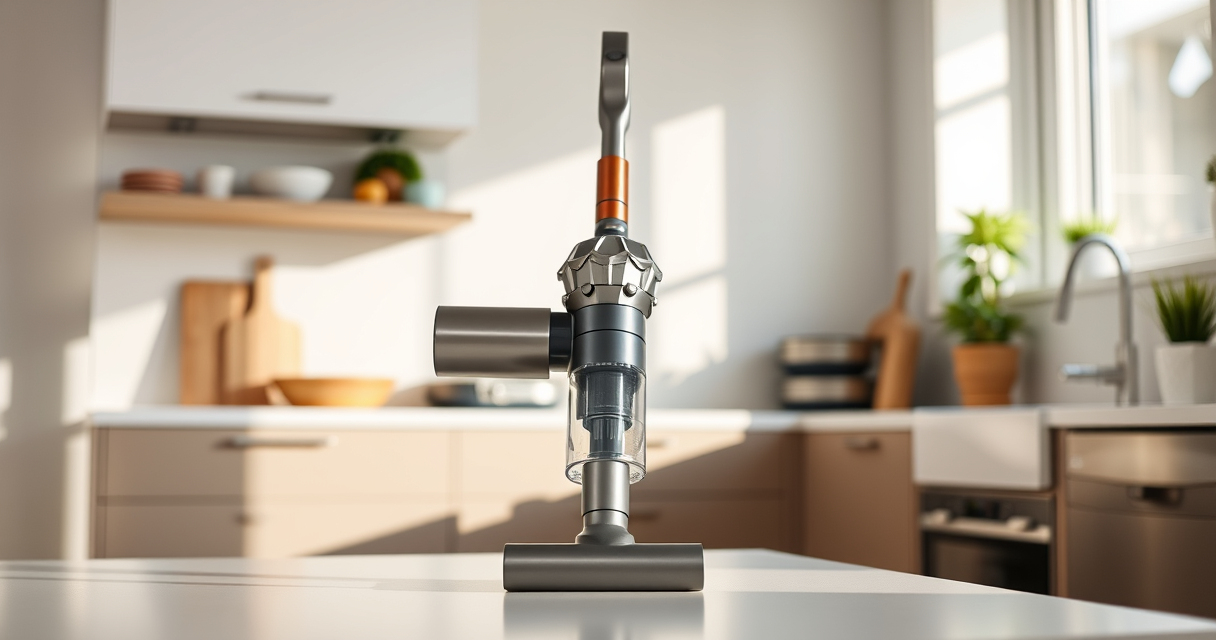
Dyson V15 Detect™ Origin Cordless Vacuum
- Deep cleaning with intelligent detection: Reveals invisible dust for thorough cleaning
- Enhanced power and runtime: 100% more power, 60-minute battery life
- Energy-efficient power trigger: Uses power only when needed
As an affiliate, we earn on qualifying purchases.
Step 1: Power Off and Unplug Your Dyson
Before starting any troubleshooting, ensure your Dyson V15 Detect is turned off. If it’s plugged into a charger, disconnect it from the power outlet. This prevents accidental activation and ensures safety while inspecting components.
Remove the battery if possible, following the manufacturer’s instructions, to avoid accidental startup during inspection.
Step 2: Check and Clean the Filters
- Locate the pre-filters and post-filters on your Dyson. For the V15 Detect, the pre-filter is typically accessible by removing the cyclone assembly or filter cover.
- Remove the filters carefully, following the user manual or product guide.
- Wash the filters with cold water—do not use soap or detergents. Rinse thoroughly until water runs clear.
- Allow filters to air dry completely for at least 24 hours before reinstalling. Do not use a hairdryer or direct heat.
- Reinstall the filters securely, ensuring they are properly seated.
Dirty or clogged filters can restrict airflow, causing the vacuum to pulse or shut off prematurely. Regular cleaning every 1-3 months maintains optimal performance.
Step 3: Inspect for Blockages in the Airflow Path
Next, examine the entire airflow pathway, including the wand, cleaner head, and cyclone chamber.
- Detach the wand and cleaner head from the main body.
- Check for obstructions or debris that may be blocking the airflow. Remove anything you find.
- Use a soft brush or a flexible cleaning tool to clear out dust or hair entangled in the brush bar or cyclone chamber.
Blockages restrict airflow, causing the vacuum to overheat or pulse as it struggles to maintain suction. Clearing these obstructions is usually straightforward and restores consistent operation.
Step 4: Test the Battery and Connections
A weak or failing battery can cause power fluctuations that trigger pulsing. Remove the battery and inspect it for signs of damage or corrosion.
If the battery appears swollen, damaged, or loses charge quickly, consider replacing it with an original Dyson battery or authorized replacement.
Ensure all connections are tight and free of debris. Reinstall the battery securely and perform a test run.
If the vacuum still pulses, the battery or electronic components may need professional servicing or replacement.
Step 5: Perform a Reset and Test Run
After cleaning filters, clearing blockages, and checking the battery, reset your Dyson. Power it on and run it in different modes to observe performance.
If the pulsing persists, consult the LCD screen for maintenance alerts or error codes, which can guide further troubleshooting.
Ensure your vacuum is in a clean, debris-free environment during testing for the most accurate assessment.
The Products in This Guide

Dyson V15 Detect™ Origin Cordless Vacuum
- ✔ Battery Life: Up to 60 min
- ✔ Filter Type: Pre and post filters
- ✔ Tool Compatibility: Multiple attachments included

LANMU Crevice Tool Vacuum Attachments Compatible
- ✔ Attachment Type: Crevice tool
- ✔ Material: Plastic
- ✔ Length: 20 inches
Dyson V15 Detect™ Origin Cordless Vacuum
The Dyson V15 Detect™ Origin Cordless Vacuum offers powerful suction, intelligent debris detection, and a long-lasting battery. Proper maintenance is key to optimal performance, especially when troubleshooting pulsing issues.
Pros:
- Powerful and intelligent cleaning
- Long 60-minute runtime
- LCD screen for real-time alerts
- Versatile with multiple tools
Cons:
- Can be heavy for some users
- Requires regular filter cleaning
- Higher price point
Best for: Whole-home deep cleaning, pet owners, hard floors
Not ideal for: Light cleaning tasks or very small spaces
Bottom line: Maintaining your Dyson V15 Detect ensures consistent performance and quick troubleshooting of pulsing issues.
LANMU Crevice Tool Vacuum Attachments Compatible
The LANMU Crevice Tool Vacuum Attachments is an essential accessory for reaching tight spots and clearing blockages that may cause pulsing. Its slim, flexible design makes it perfect for detailed cleaning.
Pros:
- Narrow nozzle design
- Compatible with multiple Dyson models
- Easy to attach and use
- Ideal for hard-to-reach areas
Cons:
- May require additional tools for full cleaning
- Nozzle may be fragile if mishandled
Best for: Cleaning corners, car interiors, keyboard spaces
Not ideal for: Heavy-duty cleaning tasks
Bottom line: Adding this crevice tool helps prevent airflow blockages that can cause pulsing.
Frequently Asked Questions
Why does my Dyson vacuum pulse or turn off unexpectedly?
Pulsing or sudden shutdowns are often caused by airflow blockages, dirty filters, or battery issues. Regular maintenance and cleaning can usually resolve these problems.
How often should I clean or replace the filters?
It’s recommended to clean filters every 1-3 months and replace them every 6-12 months, depending on usage and filter condition.
Can I use any filters with my Dyson V15?
Always use filters compatible with your model. The Dyson V15 Detect uses specific filters designed for its system, and using incompatible filters may cause performance issues.
What should I do if my vacuum still pulses after cleaning?
If pulsing persists, check for battery health, electronic faults, or contact Dyson support for professional assistance.
Is it safe to attempt repairs myself?
Yes, as long as you follow safety precautions—power off, unplug, and handle components gently. When in doubt, consult a professional or authorized service center.
Keep Your Dyson Running Smoothly
Regular maintenance, including filter cleaning and clearing airflow blockages, is essential to keep your Dyson V15 Detect performing at its best. Troubleshooting pulsing issues can often be straightforward, saving you time and money on repairs. By following these steps, you can ensure your cordless vacuum remains a powerful and reliable cleaning tool for years to come.
Remember, if troubleshooting doesn’t resolve the issue, professional servicing or contacting Dyson support is recommended to prevent further damage and ensure safety.
Affiliate disclosure: As an Amazon Associate we earn from qualifying purchases. Prices and availability are accurate as of the time of publishing.