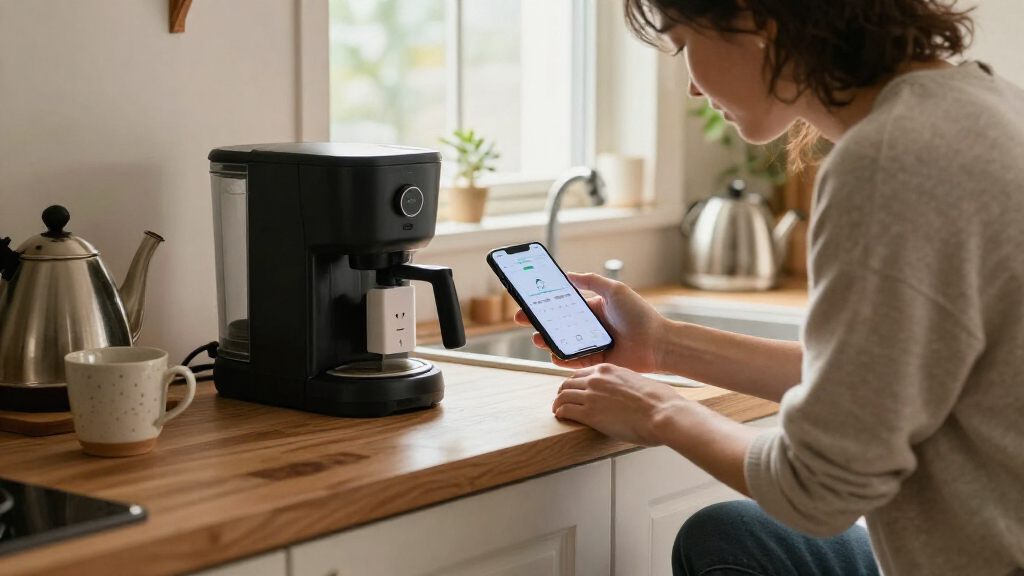

Smart plugs with energy monitoring let you track an appliance’s electricity use and control it remotely, but platform support, reporting, and setup vary. My best overall pick is the Tapo P110M, which pairs energy tracking with Matter compatibility and a 15A rating. The Emporia four-pack is a strong alternative for buyers who want to monitor several outlets, while the ThirdReality Gen3 stands out for Zigbee setups that can benefit from a repeater. The main tradeoffs are choosing Wi-Fi or a hub-based system, deciding whether you need Matter, and buying the right pack size for your rooms. Read on for the full breakdown and guidance on which features matter most.

Get home appliances delivered free with Prime
- Fast, free delivery on millions of items
- Prime Video, Amazon Music and more included
- Member-only deals all year
Complete the kit

Key Takeaways
- Tapo P110M leads for cross-platform flexibility: Matter support separates it from the Wi-Fi-focused Tapo P115 options, while its four-pack suits multi-room monitoring.
- Pack size changes the value equation: Emporia, Govee, and several other picks come in four-packs, while the Tapo P115 two-pack gives smaller households a lower-commitment starting point.
- Energy monitoring is not the only differentiator: ThirdReality adds a Zigbee repeater, making it more relevant to hub-based homes than to buyers seeking a simple Wi-Fi-only setup.
- Matter support is not universal across this lineup: Tapo P110M, Kasa KP125MP4, and SONOFF S61s list Matter, while buyers should check ecosystem compatibility before choosing a non-Matter model.
- Similar-looking 15A plugs still serve different needs: Generic Wi-Fi four-packs emphasize outlet quantity, while branded options offer clearer ecosystem distinctions such as Matter, Bluetooth, or Zigbee.
| Tapo Smart Plug, Matter Compatible, Energy Monitoring, P110M (4-Pack), 15A |  | Best for Matter Smart Homes | Pack size: 4 plugs | Maximum wattage: 1,800 watts | Connectivity: Matter and Wi-Fi | VIEW LATEST PRICE | See Our Full Breakdown |
| Emporia Energy Monitoring Smart Plug, WiFi Smart Outlet with Alexa and Google Home Compatibility – 4 Pack |  | Best for Simple Appliance Tracking | Pack size: 4 plugs | Maximum wattage: 1,200 watts | Operating voltage: 120 volts | VIEW LATEST PRICE | See Our Full Breakdown |
| Smart Plug Outlet with Energy Monitoring, 15A 2.4 GHz Wi-Fi, 4-Pack |  | Best for SmartLife and Tuya App Users | Pack size: 4 plugs | Maximum wattage: 1,800 watts | Operating voltage: 120 volts | VIEW LATEST PRICE | See Our Full Breakdown |
| Tapo Smart Plug Wi-Fi, Energy Monitoring, P115 (4-Pack), 15A |  | Best for Monitoring Four Devices with Tapo | Pack size: 4 plugs | Maximum wattage: 1,800 watts | Operating voltage: 110 volts | VIEW LATEST PRICE | See Our Full Breakdown |
| Tapo Smart Plug Wi-Fi, Energy Monitoring, P115 (2-Pack), 15A |  | Best for a Small Tapo Setup | Pack size: 2 plugs | Maximum wattage: 1,800 watts | Operating voltage: 125 volts | VIEW LATEST PRICE | See Our Full Breakdown |
| Kasa Matter Smart Plug with Energy Monitoring, KP125MP4, 15A/1800W Max |  | Best for Matter Ecosystems | Maximum load: 15A / 1800W | Operating voltage: 120V | Connectivity: Matter, SmartThings, Wi-Fi | VIEW LATEST PRICE | See Our Full Breakdown |
| Govee Smart Plug with Energy Monitoring, WiFi & Bluetooth, 4 Pack |  | Best for App-Based Multi-Room Monitoring | Pack size: 4 plugs | Maximum load: 1800W | Operating voltage: 120V | VIEW LATEST PRICE | See Our Full Breakdown |
| ThirdReality Smart Plug Gen3 4 Pack with Power Meter and Zigbee Repeater |  | Best for Extending a Zigbee Network | Pack size: 4 plugs | Operating voltage: 110V | Connectivity: Zigbee | VIEW LATEST PRICE | See Our Full Breakdown |
| Pro Energy Monitoring Smart Plug Outlet, 15A 2.4 GHz Wi-Fi, 4-Pack |  | Best Value for Basic Wi-Fi Scheduling | Pack size: 4 plugs | Maximum load: 15A / 1800W | Operating voltage: 120V | VIEW LATEST PRICE | See Our Full Breakdown |
| SONOFF S61s Matter Smart Plug, 15A Wi-Fi Outlet with Energy Monitoring |  | Best for Matter Energy-Cost Tracking | Operating voltage: 120V | Maximum wattage: 1875W | Connectivity: Matter over Wi-Fi | VIEW LATEST PRICE | See Our Full Breakdown |
| smart plugs with energy monitoring | Connectivity | Operating voltage | Pack size | Maximum wattage |
|---|---|---|---|---|
| Tapo Smart Plug | Matter and Wi-Fi | — | 4 plugs | 1,800 watts |
| Emporia Energy Monitoring Smar | 2.4 GHz Wi-Fi | 120 volts | 4 plugs | 1,200 watts |
| Smart Plug Outlet with Energy | 2.4 GHz Wi-Fi and Bluetooth | 120 volts | 4 plugs | 1,800 watts |
| Tapo Smart Plug Wi-Fi | Wi-Fi | 110 volts | 4 plugs | 1,800 watts |
| Tapo Smart Plug Wi-Fi | Wi-Fi | 125 volts | 2 plugs | 1,800 watts |
| Kasa Matter Smart Plug with En | Matter, SmartThings, Wi-Fi | 120V | — | — |
| Govee Smart Plug with Energy M | Wi-Fi and Bluetooth | 120V | 4 plugs | — |
| ThirdReality Smart Plug Gen3 4 | Zigbee | 110V | 4 plugs | — |
| Pro Energy Monitoring Smart Pl | Wi-Fi, Bluetooth | 120V | 4 plugs | — |
| SONOFF S61s Matter Smart Plug | Matter over Wi-Fi | 120V | — | 1875W |
More Details on Our Top Picks
Tapo Smart Plug, Matter Compatible, Energy Monitoring, P110M (4-Pack), 15A
The Tapo P110M is the strongest fit here for households that want energy tracking without tying automations to one assistant’s ecosystem. Its Matter compatibility sets it apart from the Wi-Fi-only Tapo P115 models: it can fit into a broader Matter-based setup, while still offering app control, voice commands, schedules, and consumption insights. The four-pack also suits buyers monitoring several everyday appliances at once. Its listed 1,800-watt capacity gives it more headroom than the Emporia four-pack, which is rated at 1,200 watts. The tradeoff is a 2.4 GHz Wi-Fi requirement; Matter does not remove the need for a compatible network. Choose the P115 instead if Matter is not part of your setup and you prefer that model’s stated auto-shutoff features.
Pros:- Matter compatibility supports integration across compatible smart-home platforms.
- Four plugs make it practical to track several devices in different rooms.
- Energy insights and bill estimates help identify power-hungry devices.
- Rated for up to 1,800 watts, above the Emporia four-pack’s listed 1,200 watts.
Cons:- Full functionality requires Wi-Fi, with 2.4 GHz specified.
- Its Matter advantage may add little for buyers using only one assistant or app.
- The supplied product data does not specify the energy-monitoring measurement range or accuracy.
Best for: Matter users who want to monitor and automate several standard household devices across compatible smart-home platforms.
Not ideal for: Households without 2.4 GHz Wi-Fi or buyers who do not need Matter support and would rather prioritize the P115’s stated auto-shutoff features.
- Pack size:4 plugs
- Maximum wattage:1,800 watts
- Connectivity:Matter and Wi-Fi
- Control:App, voice, and scheduling
- Energy monitoring:Consumption insights and bill estimation
- Color:White
Our verdict“Pick the P110M if Matter support and four-plug energy tracking matter more to you than the P115’s stated auto-shutoff functions.”
Emporia Energy Monitoring Smart Plug, WiFi Smart Outlet with Alexa and Google Home Compatibility – 4 Pack
The Emporia four-pack is a straightforward choice for buyers who want to monitor and schedule ordinary household devices through Wi-Fi and familiar voice assistants. It includes four plugs and provides remote control, status updates, and energy monitoring, so a set of fans, lamps, or humidifiers can be managed without buying separate units. Compared with the Tapo P110M, Emporia has no stated Matter support and a lower listed maximum of 1,200 watts, making it less flexible for higher-load devices or mixed smart-home platforms. That lower ceiling is the main practical limit: the data also lists a 10-amp continuous-load maximum. The 2.4 GHz Wi-Fi requirement and setup that some buyers may find complicated are further reasons to choose a simpler plug if you want a quick, low-maintenance installation.
Pros:- Four plugs support monitoring several devices from one set.
- Energy monitoring, scheduling, and remote status updates are included.
- Works with Alexa and Google Assistant.
- One-year warranty is specified in the product data.
Cons:- Listed maximum is 1,200 watts, with a 10-amp continuous-load limit.
- Requires 2.4 GHz Wi-Fi and does not support 5 GHz networks.
- Setup may be less straightforward than the Tapo P110M’s broader Matter-based integration.
Best for: Buyers who want a four-plug set for tracking and scheduling lower-load devices such as lamps, fans, and humidifiers with Alexa or Google Assistant.
Not ideal for: People automating higher-load appliances, using 5 GHz-only Wi-Fi, or building a Matter-centered smart home.
- Pack size:4 plugs
- Maximum wattage:1,200 watts
- Operating voltage:120 volts
- Continuous-load limit:10 amps
- Connectivity:2.4 GHz Wi-Fi
- Compatibility:Alexa and Google Assistant
- Dimensions:1.97 x 3.31 x 1.5 inches
- Warranty:1 year
Our verdict“Choose Emporia for a four-device monitoring setup focused on ordinary, lower-load appliances rather than Matter integration or higher power capacity.”
Smart Plug Outlet with Energy Monitoring, 15A 2.4 GHz Wi-Fi, 4-Pack
This four-pack is aimed at buyers who want SmartLife or Tuya app control alongside energy monitoring, voice commands, and scheduling. Its listed 1,800-watt rating gives it more capacity than the Emporia set, while Bluetooth is also listed alongside 2.4 GHz Wi-Fi for connectivity. That combination makes it a flexible option for common household devices, and the compact dimensions may help when outlet space is limited. Compared with the Tapo P110M, though, this model does not list Matter support, and its app ecosystem may be less appealing to buyers already using Tapo. The product data also mentions overload protection but does not detail its operation, while some users report app connection issues. I’d pick it for a SmartLife-centered setup, not for someone seeking the clearest platform integration or most established feature set in this group.
Pros:- Four-plug pack supports monitoring multiple devices.
- Listed 1,800-watt capacity exceeds the Emporia set’s 1,200-watt rating.
- Supports SmartLife and Tuya apps, plus Alexa and Google Assistant.
- App, button, and voice control are listed.
Cons:- Requires 2.4 GHz Wi-Fi and is not compatible with 5 GHz networks.
- Some users report app connectivity problems.
- Does not list Matter support, unlike the Tapo P110M.
Best for: SmartLife or Tuya users who want four app-controlled plugs for standard 120-volt devices and want to view energy use.
Not ideal for: Buyers who require Matter compatibility, a specified protection standard, or a plug that avoids dependence on 2.4 GHz Wi-Fi.
- Pack size:4 plugs
- Maximum wattage:1,800 watts
- Operating voltage:120 volts
- Connectivity:2.4 GHz Wi-Fi and Bluetooth
- Compatible apps:SmartLife and Tuya
- Voice compatibility:Alexa and Google Assistant
- Dimensions:1.4 x 2.8 x 2 inches
- Listed protection:Overload protection
Our verdict“Choose this pack if SmartLife or Tuya is already your preferred control app and you want four plugs with energy monitoring.”
Tapo Smart Plug Wi-Fi, Energy Monitoring, P115 (4-Pack), 15A
The Tapo P115 four-pack makes sense when you want energy charts and control for several devices in the Tapo ecosystem. Its detailed statistics, scheduling, and stated auto-shutoff features give it a more explicit energy-management focus than the Emporia plugs, whose listed capacity is also lower. It is rated at 1,800 watts and supports Alexa, Google Assistant, and SmartThings, though it relies on Wi-Fi rather than Matter. That distinction makes the Tapo P110M a better match for a home built around Matter, while the P115 is the clearer choice if you want its specified auto-shutoff and four-unit set. The product data lists 110 volts, so buyers should check compatibility with their local supply. It also requires 2.4 GHz Wi-Fi, and occasional app connection issues are reported.
Pros:- Four plugs let you monitor and manage multiple devices.
- Detailed energy statistics and charts support comparisons over time.
- Scheduling and stated auto-shutoff add automation beyond remote switching.
- Works with Alexa, Google Assistant, and SmartThings.
Cons:- Requires 2.4 GHz Wi-Fi and does not list Matter support.
- The listed operating voltage is 110 volts, which may not fit every region.
- Some users report occasional app connectivity issues.
Best for: Tapo users who want energy statistics and scheduling across four compatible devices, with Alexa, Google Assistant, or SmartThings control.
Not ideal for: Matter-first households, users on 5 GHz-only Wi-Fi, or buyers whose local electrical supply is not compatible with the listed 110-volt rating.
- Pack size:4 plugs
- Maximum wattage:1,800 watts
- Operating voltage:110 volts
- Connectivity:Wi-Fi
- Compatible platforms:Alexa, Google Assistant, and SmartThings
- Energy features:Statistics, charts, and energy monitoring
- Automation:Scheduling and auto-shutoff
- Certifications:ETL, FCC, and RoHS
Our verdict“Pick the P115 four-pack if you want Tapo energy charts and auto-shutoff across several devices and do not need Matter support.”
Tapo Smart Plug Wi-Fi, Energy Monitoring, P115 (2-Pack), 15A
The Tapo P115 two-pack suits buyers who want energy monitoring for a couple of appliances rather than a room-by-room rollout. It provides consumption tracking and bill estimates, plus scheduling and auto-shutoff, giving it the same basic P115 energy-management approach as the four-pack without requiring as many plugs. Its listed 1,800-watt capacity is higher than Emporia’s 1,200-watt rating, but this model offers less coverage than the four-plug Tapo P115 set. Compared with the Tapo P110M, it does not list Matter compatibility, so it is better suited to buyers who are comfortable with Tapo app and Wi-Fi control than those building a Matter-based home. The 2.4 GHz Wi-Fi requirement and 125-volt limit narrow its fit; check local electrical compatibility before choosing it.
Pros:- Two plugs fit a small monitoring project without adding unused units.
- Energy monitoring can help track usage and estimate bills.
- Scheduling and auto-shutoff support routine automation.
- Listed 1,800-watt capacity exceeds the Emporia model’s listed 1,200 watts.
Cons:- Only two plugs are included, compared with four in the P115 set.
- Requires 2.4 GHz Wi-Fi and does not list Matter compatibility.
- The listed 125-volt limit may not suit every electrical system.
Best for: Tapo app users who want energy data and scheduling for two specific devices, such as a desk setup or a pair of household appliances.
Not ideal for: Buyers who need four monitored outlets, Matter integration, 5 GHz-only Wi-Fi, or support beyond the listed 125-volt limit.
- Pack size:2 plugs
- Maximum wattage:1,800 watts
- Operating voltage:125 volts
- Connectivity:Wi-Fi
- Control:Tapo app
- Energy features:Energy monitoring and bill estimates
- Automation:Scheduling and auto-shutoff
- Material:Polycarbonate
Our verdict“Choose this P115 pack for energy tracking and automation on two devices; pick its four-pack sibling if you need broader coverage.”
Kasa Matter Smart Plug with Energy Monitoring, KP125MP4, 15A/1800W Max
I’d put the Kasa KP125M first for buyers who want energy monitoring without tying control to one assistant: Matter compatibility covers Apple Home, Alexa, Google Home, and SmartThings, while local LAN control can keep operation working through an internet outage. Its 15A/1800W ceiling suits many everyday household devices, and the compact design is less likely to crowd a neighboring outlet than a bulky plug. Compared with the SONOFF S61s, Kasa also lists SmartThings among its supported platforms, making its ecosystem fit clearer. The tradeoff is that a Matter-capable setup takes more familiarity than the Govee app-and-voice approach, and this plug is not for loads above its rating. I’d choose it for flexible smart-home control, not for the simplest first plug.
Pros:- Matter support works across several major smart-home platforms.
- Energy monitoring helps identify power-hungry connected devices.
- Local LAN control can preserve operation during internet outages.
- Compact form is less likely to block an adjacent outlet.
Cons:- Full functionality depends on a compatible smart-home ecosystem.
- Matter setup may feel involved to buyers unfamiliar with smart-home platforms.
- The 15A/1800W limit rules out higher-load appliances.
Best for: Households already using Apple Home, Alexa, Google Home, or SmartThings that want energy monitoring and local control.
Not ideal for: First-time smart-plug buyers who want the simplest app-only setup, or anyone controlling an appliance above 15A/1800W.
- Maximum load:15A / 1800W
- Operating voltage:120V
- Connectivity:Matter, SmartThings, Wi-Fi
- Controller compatibility:Amazon Alexa, Google Assistant, SmartThings
- Control method:Voice
- Smart-home standard:Matter compatible
- Plug type:Plug-in
- Safety:UL certified, per product description
Our verdict“Choose the Kasa KP125M if cross-platform Matter control and local operation matter more than a beginner-focused setup.”
Govee Smart Plug with Energy Monitoring, WiFi & Bluetooth, 4 Pack
The Govee four-pack makes the most sense when I want to monitor several devices without building around Matter or a Zigbee hub. Wi-Fi and Bluetooth connectivity, scheduling, and group control give it a straightforward app-led role, while Alexa and Google Assistant add voice operation. The four-plug bundle is a practical contrast with the single-plug Kasa KP125M, especially for spreading monitoring across lamps, office equipment, or entertainment gear. Its listed 1800W capacity also matches the common 15A household-plug ceiling. The compromise is ecosystem flexibility: unlike the Kasa and SONOFF S61s, this model’s listed compatibility centers on Alexa and Google Assistant rather than Matter platforms. It also requires 2.4 GHz Wi-Fi, so buyers with only 5 GHz Wi-Fi should skip it.
Pros:- Four plugs allow energy monitoring across multiple devices.
- Wi-Fi and Bluetooth provide app-based control options.
- Scheduling and group control help automate several plugs together.
- Alexa and Google Assistant voice control are supported.
Cons:- Does not support 5 GHz Wi-Fi networks.
- Listed assistant compatibility is narrower than Matter plugs such as the Kasa KP125M.
- Full remote and automation features depend on app setup and network access.
Best for: Alexa or Google Assistant households that want to monitor and schedule several everyday devices from one app.
Not ideal for: Matter-first homes, buyers who need 5 GHz Wi-Fi support, or anyone seeking a hub-based Zigbee setup.
- Pack size:4 plugs
- Maximum load:1800W
- Operating voltage:120V
- Connectivity:Wi-Fi and Bluetooth
- Controller compatibility:Amazon Alexa, Google Assistant, IFTTT
- Control methods:App, touch, voice
- Dimensions:2.68 x 2.4 x 1.5 inches
- Certifications:CA65, ETL, FCC, SDOC
Our verdict“Pick Govee for convenient app-led monitoring across four devices if Alexa or Google Assistant and 2.4 GHz Wi-Fi fit your home.”
ThirdReality Smart Plug Gen3 4 Pack with Power Meter and Zigbee Repeater
I’d choose the ThirdReality Gen3 when the monitoring plug needs to do more than switch a load: each unit also acts as a Zigbee repeater, which can help extend a compatible mesh network. That makes this four-pack a stronger fit for an established hub-based home than the Wi-Fi Govee set, particularly where network reach is part of the problem. It supports power monitoring and remote or voice control through compatible hubs, including Alexa, SmartThings, and Home Assistant as described. The central tradeoff is the required Zigbee hub; this is not a direct Wi-Fi alternative to the Kasa KP125M or SONOFF S61s. Platform support may also affect which features are available, so I’d verify hub compatibility before buying. The listed 110V operation may limit suitability in some regions.
Pros:- Power monitoring provides real-time usage information.
- Zigbee repeater function can extend compatible network coverage.
- Four plugs support monitoring in multiple rooms.
- Works with compatible hubs and voice-control setups.
Cons:- A Zigbee hub is required for operation.
- Some functions depend on the selected hub and platform.
- The stated 110V rating may not suit every region.
Best for: Smart-home users with a compatible Zigbee hub who want power monitoring and added mesh coverage from four plugs.
Not ideal for: Buyers without a Zigbee hub, people seeking a direct Wi-Fi plug, or households outside the product’s stated 110V use.
- Pack size:4 plugs
- Operating voltage:110V
- Connectivity:Zigbee
- Monitoring:Real-time power monitoring
- Network feature:Zigbee repeater
- Compatible hubs:Alexa, SmartThings, Home Assistant, per product description
- Control methods:Remote, voice
- Outlets:1 per plug
Our verdict“Choose ThirdReality if you already run Zigbee and value mesh coverage alongside energy monitoring; skip it for a hub-free setup.”
Pro Energy Monitoring Smart Plug Outlet, 15A 2.4 GHz Wi-Fi, 4-Pack
This four-pack is aimed at buyers who want core energy monitoring and scheduling across several devices without adding a hub. The product data lists app, button, and voice control, plus timers and overload protection in the description, which covers the essentials for everyday appliances. Compared with the Govee four-pack, it offers a similar multi-plug Wi-Fi approach but lists Bluetooth as well as Wi-Fi; its stated 2.4 GHz requirement still excludes homes relying only on 5 GHz. Unlike the Kasa KP125M and SONOFF S61s, this plug does not list Matter, so it is a less flexible choice for mixed-platform households. The 15A/1800W ceiling also limits appliance choice. I’d treat it as a basic monitoring bundle rather than a future-proof smart-home centerpiece.
Pros:- Four plugs provide monitoring across multiple devices.
- No hub is required for setup, according to the product description.
- Scheduling, timers, and overload protection support routine automation.
- App, push-button, and voice control are listed.
Cons:- Limited to 120V outlets and a 15A/1800W maximum load.
- Does not list Matter support like the Kasa KP125M and SONOFF S61s.
- Full functionality relies on Wi-Fi, with 2.4 GHz specified.
Best for: Households seeking four hub-free Wi-Fi plugs for monitoring and scheduling ordinary 120V appliances.
Not ideal for: Matter-focused smart-home users, homes without 2.4 GHz Wi-Fi, or buyers needing plugs for loads above 15A/1800W.
- Pack size:4 plugs
- Maximum load:15A / 1800W
- Operating voltage:120V
- Connectivity:Wi-Fi, Bluetooth
- Wi-Fi band:2.4 GHz
- Control methods:App, push button, voice
- Dimensions:2.76 x 2.07 x 5.71 inches
- Material:Plastic
Our verdict“Choose this four-pack for straightforward Wi-Fi monitoring and scheduling, but look elsewhere if Matter compatibility is a priority.”
SONOFF S61s Matter Smart Plug, 15A Wi-Fi Outlet with Energy Monitoring
The SONOFF S61s earns its place for buyers who want a Matter-over-Wi-Fi plug with energy monitoring and electricity-cost tracking in a compact single-unit format. That makes it a useful alternative to buying a multi-pack when the goal is to track one appliance closely. Its listed 1875W capacity is slightly above the Kasa KP125M’s 1800W figure, though both are positioned around a 15A household load; I would still follow the appliance and outlet ratings. The two-year warranty is another clear point in its favor. Compared with Kasa, SONOFF lists broad Matter platform support in the description but does not provide the same detail about local LAN control. It is indoor-only by its IP20 rating, and reported connectivity complaints make it a less reassuring pick for buyers who need uninterrupted remote access.
Pros:- Matter over Wi-Fi supports integration with major smart-home platforms.
- Energy monitoring includes electricity-cost tracking.
- Compact dimensions suit monitoring a single indoor device.
- A two-year warranty is listed.
Cons:- IP20 protection makes it unsuitable for outdoor exposure.
- Connectivity issues are reported by some customers, per supplied product information.
- Single-plug format may not suit buyers monitoring several devices.
Best for: Matter users who want energy and electricity-cost tracking for one indoor appliance, with a stated two-year warranty.
Not ideal for: Outdoor use, households needing a multi-plug pack, or buyers who prioritize the clearest evidence of reliable connectivity and local control.
- Operating voltage:120V
- Maximum wattage:1875W
- Connectivity:Matter over Wi-Fi
- Monitoring:Energy use and electricity-cost tracking
- Dimensions:2.36 x 1.5 x 2.13 inches
- Control method:App
- Material:Plastic
- Warranty:2 years
Our verdict“Pick the SONOFF S61s for Matter-based energy and cost tracking on one indoor appliance, but choose Kasa if local LAN control is a priority.”

How We Picked
I ranked these smart plugs with energy monitoring by how well their monitoring, connectivity, and everyday usability work together—not by outlet count alone. I gave weight to stated load capacity, support for common smart-home platforms, setup requirements such as a hub, and whether a pack size makes sense for the likely buyer. I also separated products with a clear ecosystem advantage from those that mainly compete on providing several monitored outlets at once.
The Tapo P110M ranks first because its Matter support and 15A rating make it the most broadly adaptable option in this group. The Emporia four-pack follows for buyers outfitting multiple outlets, while the Kasa and SONOFF Matter plugs offer alternatives for shoppers who prefer those ecosystems. Wi-Fi-only and less differentiated multi-packs rank lower because they offer fewer stated compatibility advantages; ThirdReality is a stronger niche pick for Zigbee households, but a hub requirement narrows its audience. Product names and listed features guide this comparison; buyers should confirm regional compatibility and the exact monitoring functions before purchase.
Factors to Consider When Choosing Smart Plugs With Energy Monitoring
Before choosing a pack, decide what you want the energy data to help you do. Monitoring can reveal usage patterns, but the right plug also needs to fit your electrical load, smart-home setup, and willingness to manage another app or hub.
Match the Plug to the Appliance Load
Check the appliance’s label or manual before plugging it into a smart outlet; a 15A rating is a ceiling, not a reason to ignore the device’s electrical requirements. Motors, heaters, and other high-draw appliances can behave differently from lamps or chargers, so check both the plug’s rating and the appliance guidance. A common mistake is treating every outlet marked 15A as interchangeable for every device. Also consider whether the plug blocks a neighboring socket or sits securely behind furniture. If the appliance has a specialized connection or needs uninterrupted power, a smart plug may be the wrong control point.
Choose Wi-Fi, Matter, or Zigbee Around Your Existing Setup
Start with the smart-home platform you already use, then verify that the exact plug model works with it and supports the controls you want. Matter can simplify cross-platform pairing, but it does not mean every feature appears identically in every app. Wi-Fi plugs can avoid buying a separate hub, though adding many connected devices may make network organization more important. Zigbee models can fit established hub-based homes and may add mesh benefits, but they are a poor match if you do not want extra hardware. Avoid choosing by protocol name alone: check whether energy data is exposed through your preferred platform.
Decide What You Need Energy Data to Tell You
Energy monitoring is most useful when it answers a specific question, such as whether an appliance draws power while idle or how its use changes over time. Check the app’s reporting details before buying: live power readings, historical charts, export options, and alerts are different capabilities. Do not assume that every plug offers the same data depth just because energy monitoring appears in its name. If you only need an occasional check, simple in-app readings may be enough; ongoing household analysis calls for clearer history and access to data. Treat plug-level readings as an aid to understanding use, not as a substitute for utility-bill measurements.
Buy the Pack Size You Can Actually Use
Four-packs can make sense when several appliances need monitoring, but unused plugs do not add value. Map the outlets you plan to control before buying and account for plug dimensions, nearby sockets, and Wi-Fi or hub coverage. A smaller pack is a practical way to test app usability and reporting before adding more devices. Larger packs can simplify buying for a whole room, yet they may tie you to one ecosystem and one app. If you expect to mix brands, confirm that routines and energy reports remain manageable across multiple apps.
Separate Remote Switching From Safe Automation
A smart plug can switch power and support schedules, but automation needs to suit the appliance. Devices that must stay powered, require manual startup after an outage, or have their own electronic controls may not restart as expected when power returns. Check whether the plug’s app supports the schedule or automation you need, and test the behavior with a low-risk device first. Avoid using energy thresholds as an automatic shutoff unless the appliance and plug instructions support that use. The best routine is one that saves effort without interrupting a device’s normal operation.
Weigh App Dependence and Long-Term Flexibility
Smart plugs depend on software as much as hardware, so consider how comfortable you are with a manufacturer’s app and cloud account. Matter support may give you more choice of control app, while a single-brand Wi-Fi setup can be simpler if you already use that brand. Check whether core switching and energy features remain available in the platform you plan to use. A useful pre-purchase check is whether the plug can be shared with household members and whether its energy history is easy to retrieve. Prioritize flexibility if you may change smart-home platforms; prioritize straightforward setup if you want a small, stable system.
Frequently Asked Questions
Do I need a Matter-compatible plug if I already use Alexa or Google Home?
Not necessarily. Several plugs in this lineup list Alexa or Google Home compatibility without making Matter their main differentiator. Matter can be useful if you want more freedom to connect supported devices across ecosystems, but check which features—including energy readings—are available through your chosen app. If your current setup is stable and you only need switching and monitoring in one platform, a compatible Wi-Fi plug may be enough. Choose Matter for flexibility, not just because the label is present.
Can I monitor a refrigerator or space heater with one of these plugs?
Check the appliance instructions and the plug’s electrical rating before using a smart plug with a refrigerator or heater. The listed 15A rating does not automatically make every model suitable for every high-draw or motor-driven appliance. A plug can also interrupt power in ways that affect an appliance’s controls or restart behavior. For heaters, follow the manufacturer’s safety guidance and do not use a plug where the appliance instructions prohibit it. If the required load or use case is unclear, avoid connecting the appliance.
Will energy monitoring work inside Alexa, Google Home, or Apple Home?
Compatibility for switching does not always mean the energy data appears in the same platform. Availability can vary by model, app version, region, and smart-home ecosystem, even when a plug supports Matter. Before buying, confirm that your preferred app exposes power or energy readings rather than only on-and-off control. If energy history matters, check whether it lives in the manufacturer’s app and whether that is an acceptable part of your routine. This distinction matters especially when comparing Matter models with Wi-Fi plugs that rely more heavily on their own apps.
Is a four-pack a better choice than buying two plugs first?
A four-pack fits buyers who already know which appliances they want to monitor and have enough compatible outlets and network coverage. Starting with two can reduce setup clutter and let you check whether the app’s reports answer your questions. That trial also helps identify issues such as a plug blocking a neighboring outlet or energy data being harder to access than expected. If you plan to equip several rooms, a four-pack may be more convenient; if you are still choosing an ecosystem, a smaller pack is the safer first step. The Tapo P115 is listed in both two- and four-pack versions, giving buyers a direct size choice.
Should I choose the ThirdReality Zigbee plug if I do not own a hub?
Usually, a hub-free buyer should first compare Wi-Fi or Matter options, since ThirdReality’s Zigbee design is aimed at a hub-based setup. Its repeater function can add value when you already use a compatible Zigbee network and need stronger mesh coverage. Without that network, the extra setup requirement may outweigh the benefit of energy monitoring. Confirm that your hub supports the plug and that it can display the energy data you want. If you are building a smart home from scratch, pick the protocol based on your broader device plans rather than this plug alone.
Conclusion
For most buyers, I recommend the Tapo P110M as the best overall: Matter support, energy monitoring, and a 15A rating make it the most flexible combination in this roundup. The Emporia four-pack is my best value-style choice for monitoring several outlets, while the Tapo P115 two-pack is a sensible way for a smaller household to start with fewer plugs. For a premium-leaning choice, I would look at the Kasa KP125MP4 if its Matter support and ecosystem fit your setup; buyers should verify the app features they need before committing. Beginners who want a straightforward multi-outlet Wi-Fi setup can start with the Govee four-pack, while Zigbee households have a specific reason to choose ThirdReality Gen3 for its repeater role. Pick the plug whose monitoring data and connectivity match your home, not simply the pack with the most outlets.