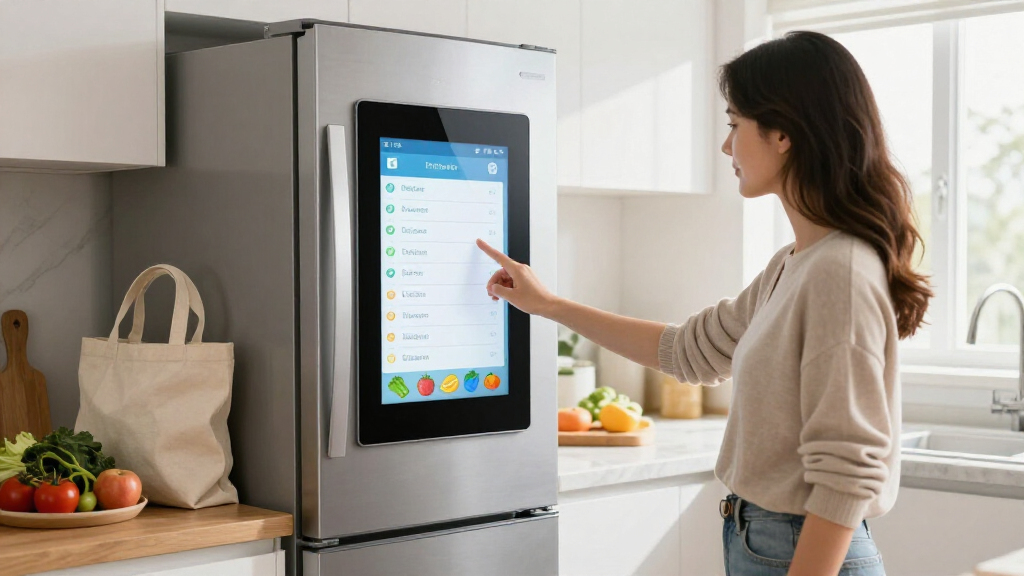
A shopping list stuck to the fridge is one of those household habits that refuses to die — it just deserves better tools. In 2026, the category has split into two very different approaches: full smart displays that sync grocery lists with your phone and family calendars, and simple LCD writing tablets that replicate the paper-and-pen experience without the paper. Choosing between them is the single biggest decision you’ll make here, and it comes down to whether you want connectivity or simplicity.

Get home appliances delivered free — and shop member deals
- Fast, free delivery on millions of items
- Access to Prime Big Deal Days deals on October 6–7
- Prime Video, Amazon Music and more included
My top pick for most families is the EVERBLOG HomeCal 21.5″, because it turns the fridge area into a genuine command center with synced shopping lists, fridge inventory, and no monthly subscription. If that sounds like overkill, the Fresayerd 13-inch LCD tablet is my favorite write-and-erase option — big enough for a full grocery list, cheap to run, and dead simple. And for small kitchens or minimalists, the compact onbuwws 9.8″ tablet covers the basics without hogging the door.
The tradeoffs worth knowing upfront: smart displays need Wi-Fi and a power outlet, while LCD tablets need neither — but they can’t sync with your phone, so whoever’s at the store can’t see the list. Below, I break down all five options and who each one actually suits.
Complete the kit


Key Takeaways
- Smart displays (HomeCal and the 15.6″ Magnetic Smart Calendar) sync lists across devices but require Wi-Fi and continuous power; LCD tablets work anywhere but can’t sync.
- The EVERBLOG HomeCal 21.5″ is the only option with dedicated fridge inventory tracking plus AI recipe features, making it the strongest all-in-one choice.
- Screen size maps directly to household size: 21.5″ for busy families, 13″ for shared grocery lists, 6″ for singles and couples.
- A screen lock function — found on the onbuwws and BUNNIJOY pads but not the Fresayerd — prevents a stray sleeve from wiping your entire list.
- Every LCD option here fails on non-magnetic fridge surfaces like glass or stainless paneling, so check your fridge door before buying any of the three tablets.
| EVERBLOG HomeCal 21.5″ Digital Family Calendar with Smart Fridge Management |  | Best Overall | Screen Size: 21.5 inches | Resolution: FHD | Connectivity: Wi-Fi | VIEW LATEST PRICE | See Our Full Breakdown |
| Magnetic Mount Smart Digital Calendar 15.6 Inch for Fridge, White |  | Best Smart Fridge Hub for Smaller Kitchens | Screen Size: 15.6 inches | Color: White | Mounting Type: Magnetic | VIEW LATEST PRICE | See Our Full Breakdown |
| Fresayerd Magnetic 13-Inch LCD Writing Tablet for Fridge |  | Best Write-and-Erase List | Display: 13-inch LCD color display | Battery: CR2025 3V coin battery (replaceable) | Brand: Fresayerd | VIEW LATEST PRICE | See Our Full Breakdown |
| onbuwws Magnetic LCD Writing Tablet, 9.8″×6.7″ Digital Notepad |  | Best Compact Tablet | Brand: onbuwws | Size: 9.8″ × 6.7″ | Power Source: Built-in replaceable button battery | VIEW LATEST PRICE | See Our Full Breakdown |
| BUNNIJOY Magnetic LCD To-Do & Grocery List Pad, 6″x9″ |  | Best Budget Starter Pick | Brand: BUNNIJOY | Model: ASYW1065A | Size: 6″ x 9″ | VIEW LATEST PRICE | See Our Full Breakdown |
| digital fridge shopping list | Mounting | Brand |
|---|---|---|
| EVERBLOG HomeCal 21.5" Digital | Tabletop or wall mount | — |
| Magnetic Mount Smart Digital C | — | — |
| Fresayerd Magnetic 13-Inch LCD | — | Fresayerd |
| onbuwws Magnetic LCD Writing T | Powerful magnets on back | onbuwws |
| BUNNIJOY Magnetic LCD To-Do & | Two anti-slip rubber magnets | BUNNIJOY |
More Details on Our Top Picks
EVERBLOG HomeCal 21.5″ Digital Family Calendar with Smart Fridge Management
The HomeCal earns the top spot because it’s the only product in this lineup that treats the shopping list as part of a larger food-management system rather than an isolated note. Grocery lists sit alongside meal plans, an AI recipe generator, and — the standout feature — fridge inventory tracking, so you can see what you already own before you add it to the list. Compared with the 15.6-inch Magnetic Smart Calendar, the HomeCal is larger, sharper, and explicitly built around food workflows, where the smaller unit leans more toward chores and photo display.
The 21.5-inch FHD touchscreen is genuinely readable from across a kitchen, which matters when your hands are covered in flour. Real-time syncing with Google Calendar, iCloud, Outlook, and Cozi means a list added from the couch appears on the fridge instantly, and color-coded family members make it obvious who added what. The absence of a monthly subscription is a meaningful differentiator in a category where similar family hubs often charge annually — the companion mobile app is free.
The tradeoffs are real, though. It needs persistent Wi-Fi to function fully, and without a connection it degrades into an expensive photo frame. It also demands counter or wall space and a nearby outlet, so renters and small kitchens may struggle to place it. And honestly, if all you want is a grocery list, this is a lot of hardware for one job — the Fresayerd tablet does that for a fraction of the complexity.
Pros:- Fridge inventory tracking pairs directly with shopping lists for smarter purchasing
- No monthly subscription; free companion mobile app included
- Syncs with Google Calendar, iCloud, Outlook, Cozi, and more in real time
- Large 21.5-inch FHD touchscreen readable from across the room
Cons:- Requires a persistent Wi-Fi connection to function fully
- Large footprint demands significant counter or wall space plus a power outlet
Best for: Busy families who want grocery lists, meal planning, calendars, and fridge inventory in one shared hub
Not ideal for: Minimalists who only want a grocery list, or households without reliable Wi-Fi near the kitchen
- Screen Size:21.5 inches
- Resolution:FHD
- Connectivity:Wi-Fi
- Calendar Sync:Google, iCloud, Outlook, Yahoo, Cozi, TeamSnap
- Streaming Apps:Netflix, Disney+, YouTube, Spotify
- Speakers:4 built-in
- Subscription:None required
- Display Modes:Portrait or landscape
- Mounting:Tabletop or wall mount
Our verdict“If your household runs on shared schedules and shared groceries, the HomeCal is the most complete digital fridge solution money can buy without a subscription.”
Magnetic Mount Smart Digital Calendar 15.6 Inch for Fridge, White
This 15.6-inch smart calendar occupies a smart middle ground: it delivers nearly all the connectivity of the HomeCal in a package that magnetically mounts directly to the fridge, no wall drilling or counter space required. That mounting detail is its strongest selling point — the HomeCal needs a stand or wall bracket, while this unit lives exactly where a shopping list belongs: on the door, at eye level.
Its claim of replacing up to eight separate devices holds up on paper. Shopping lists integrate with meal planning, chores come with color labels and rewards, habit tracking and alarms are built in, and the 2+32GB storage plus photo sync turns it into a digital photo frame when it’s idle. Calendar sync covers Google, Outlook, and iCloud — slightly narrower than the HomeCal’s Cozi and TeamSnap support, which matters if your family lives in a niche scheduling app. Compared with any of the LCD tablets here, the advantage is obvious: your list syncs to phones, so the shopper at the store sees updates in real time.
Where it falls short of the HomeCal is specificity. There’s no dedicated fridge inventory feature, and the smart home control compatibility is vaguely specified — if you’re banking on it running your smart lights or thermostat, verify support before buying. It’s also the pricier path to a simple grocery list, and the magnetic mount assumes your fridge door is actually magnetic. For a connected family that wants less hardware than the 21.5-inch option, though, this is the more practical shape.
Pros:- Magnetic mount attaches directly to the fridge with no drilling
- Combines shopping lists, meal planning, chores, habits, and photos in one device
- Syncs with Google, Outlook, and iCloud calendars
- Doubles as a digital photo frame with 32GB of storage and photo sync
Cons:- Smart home control compatibility is not clearly documented
- Lacks the dedicated fridge inventory tracking of the HomeCal
- Requires a magnetic fridge surface and nearby power
Best for: Connected families who want a smart fridge hub without sacrificing counter or wall space
Not ideal for: Buyers who need documented smart home integrations or dedicated fridge inventory tracking
- Screen Size:15.6 inches
- Color:White
- Mounting Type:Magnetic
- Storage:2+32GB
- Calendar Sync:Google, Outlook, iCloud
- Functions:Calendar, chores, meal planning, shopping lists, habits, photo frame, alarms, smart home
Our verdict“The best choice when you want HomeCal-style connectivity in a fridge-mounted form factor, provided you don’t need inventory tracking or confirmed smart home support.”
Fresayerd Magnetic 13-Inch LCD Writing Tablet for Fridge
If the smart displays feel like bringing a laptop to a grocery run, the Fresayerd 13-inch tablet is the honest alternative: you write on it, you erase it, done. Among the three LCD tablets in this comparison, it offers the largest usable writing area, which is the difference between a list for a full week’s shop and one that runs out of room at item nine. The 13-inch color LCD gives you enough space for a shared grocery list plus a short message section underneath.
The one-click erase is the feature that justifies the upgrade from a whiteboard — a single press clears everything with no ink ghosts, no dust, and no dried-out markers. The stylus attaches with an anti-lost string and docks in a built-in slot, addressing the single most common failure point of every writing tablet ever made: the missing pen. Power comes from a replaceable CR2025 coin battery, so there’s no charging cable snaking down your fridge door, unlike the two smart displays.
Its weaknesses are shared by the category. There’s no sync, no phone access, and no screen lock — a limitation worth pausing on, because the onbuwws and BUNNIJOY pads both include a lock function, and without one, a bumped elbow or curious toddler can wipe your entire list with no undo. The magnets also require self-installation with adhesive backing, and the whole thing is useless on glass-front or non-magnetic fridges. But for households that like physically crossing things off and never shop remotely, this is the sweet spot of size and simplicity.
Pros:- Largest LCD writing area of the tablet picks — fits a full week’s grocery list
- One-click erase clears the screen instantly with no dust or ink residue
- Stylus tethered with anti-lost string plus a built-in storage slot
- Replaceable CR2025 battery means no charging cable on the fridge
Cons:- No screen lock, so the whole list can be erased accidentally
- Magnets require self-installation with adhesive backing
- Cannot sync with phones or be viewed remotely
Best for: Households that want a large, simple, no-charging grocery list the whole family can add to
Not ideal for: Anyone who needs to check the list from the store, or homes with non-magnetic fridge doors
- Display:13-inch LCD color display
- Battery:CR2025 3V coin battery (replaceable)
- Brand:Fresayerd
- Included:Magnet, attached stylus with anti-lost string
- Erase:One-click full-screen erase
- Recommended Uses:Home, Office, School
Our verdict“The best pure write-and-erase shopping list here — big, cheap to run, and refreshingly uncomplicated, as long as you don’t need remote access.”
onbuwws Magnetic LCD Writing Tablet, 9.8″×6.7″ Digital Notepad
The onbuwws pad is the thinking person’s small tablet, because it fixes the exact problem I flagged on the Fresayerd: it has a hidden screen lock. One switch and your list is protected from accidental erasure — a small feature that changes daily behavior, since you can leave the list up all week without worrying about it vanishing. For a device whose entire job is holding one list, that reliability matters more than raw screen size.
Speaking of size, 9.8 by 6.7 inches is a deliberate trade. It holds a focused grocery list comfortably but won’t absorb a week of family notes the way the Fresayerd’s 13-inch surface will. What you get in return is a slimmer footprint that suits apartment fridges, narrow doors, or kitchens where the fridge door doubles as the family bulletin board and space is contested. The upgraded magnets hold firm even with the door swinging, and the replaceable button battery is rated for over a year of continuous use — set it and forget it.
Compared with the BUNNIJOY pad, the onbuwws is larger and equally protective of your notes, making it the better choice when you want compact-but-not-cramped. Its limitations are the usual: no sync capability, uselessness on glass-panel fridges, and a writing area that fills up fast if your household treats it as a general message board. As a dedicated single-purpose shopping list, though, it nails the fundamentals.
Pros:- Screen lock function prevents accidental erasure of your list
- Powerful upgraded magnets stay stable through repeated fridge door use
- Replaceable battery rated for over a year of continuous use
- Compact footprint fits narrow or crowded fridge doors
Cons:- Writing area is too small for extensive lists or multiple users
- Won’t adhere to non-magnetic surfaces like glass-panel fridges
- No syncing or remote access
Best for: Singles, couples, or small kitchens wanting a compact, lock-protected shopping list
Not ideal for: Large families or list-heavy households who need more writing real estate
- Brand:onbuwws
- Size:9.8″ × 6.7″
- Power Source:Built-in replaceable button battery
- Battery Life:Over 1 year of continuous use
- Mounting:Powerful magnets on back
- Features:One-click clear, screen lock function
- Recommended Uses:Fridge, Home, Kitchen, Office, Restaurant, School
Our verdict“The most dependable small LCD list here, thanks to its screen lock — pick it when reliability matters more than square inches.”
BUNNIJOY Magnetic LCD To-Do & Grocery List Pad, 6″x9″
The BUNNIJOY pad is the entry point of this lineup — the option to buy when you want to try the digital-list habit before committing to anything bigger or smarter. At 6 by 9 inches, it holds a short shopping list and a reminder or two, which is genuinely all many one- or two-person households need. It includes the same core protections as the onbuwws: a screen lock against accidental deletion and one-touch full-screen erase.
Two details distinguish it from the other tablets in ways that matter. First, the rubber magnets with anti-slip backing mount without scratching the fridge finish — a thoughtful touch if you have a premium appliance, since harder magnets on the other picks can scuff over time. Second, the passive display is marketed as producing no blue light or radiation, and while any LCD writing tablet is eye-friendly by nature, the fine-tip stylus here writes more precisely than the chunkier pens typically bundled with budget pads, making smaller handwriting legible on a smaller screen.
The compromises are size and lighting. Full-screen erase only — there’s no partial erasure, so fixing one item means rewriting the whole list, a limitation it shares with every tablet here but feels more often because the screen is smallest. And the display dims in low light, so a list on a dimly lit fridge corner at night can be hard to read. If the onbuwws is a bit more than you need and the Fresayerd is definitely more, this is the sensible floor of the category.
Pros:- Most affordable way to try a digital fridge shopping list
- Screen lock and one-touch erase included despite the small size
- Anti-slip rubber magnets mount securely without scratching the fridge
- Fine-tip stylus makes small handwriting legible
Cons:- Full-screen erase only — no way to remove a single item without rewriting
- Display appears dim in low-light conditions
- Small surface fills up quickly
Best for: Budget-conscious singles and couples testing whether a digital fridge list works for them
Not ideal for: Anyone with long lists, low-light kitchens, or a need to edit single items without rewriting
- Brand:BUNNIJOY
- Model:ASYW1065A
- Size:6″ x 9″
- Material:LCD screen with rubber magnets
- Included:Fine-tip stylus pen
- Features:One-touch erase, screen lock, no blue light or radiation
- Mounting:Two anti-slip rubber magnets
Our verdict“A low-risk, well-designed starter pad that proves the concept — just know its size and erase limitations going in.”
How We Picked
When I evaluate digital fridge shopping lists, I start with one question: how well does this device keep a grocery list useful at the moment of need — whether that’s someone scribbling “milk” while standing in the kitchen or a partner checking the list from aisle five. That lens immediately separates the connected smart displays from the passive LCD tablets, and I judged each product within its own camp rather than pretending they compete head to head.
Within the smart display camp, I prioritized sync breadth (Google, iCloud, Outlook, Cozi), subscription policy, and whether the shopping list feature is integrated with meal planning and inventory — because a list that connects to what’s actually in your fridge is more useful than a standalone note. Within the tablet camp, I looked at writing area, erase mechanics, mount security, and screen lock. A tablet that slides down every time the fridge door slams, or one where a bump erases your list, fails at its one job.
I also weighed practical realities: battery replaceability versus rechargeable power, what happens when Wi-Fi drops, and how much fridge-door real estate each device consumes. Finally, every pick needed honest drawbacks — no option here is flawless, and I’ve flagged the dealbreakers for each so you can rule products out as easily as rule them in.
| digital fridge shopping list | Mounting | Brand |
|---|---|---|
| EVERBLOG HomeCal 21.5" Digital | Tabletop or wall mount | — |
| Magnetic Mount Smart Digital C | — | — |
| Fresayerd Magnetic 13-Inch LCD | — | Fresayerd |
| onbuwws Magnetic LCD Writing T | Powerful magnets on back | onbuwws |
| BUNNIJOY Magnetic LCD To-Do & | Two anti-slip rubber magnets | BUNNIJOY |
Factors to Consider When Choosing Best Digital Fridge Shopping Lists
Before picking a specific product, it helps to understand the three decisions that shape this category: connectivity, size, and mounting. Here’s how I’d think through each one.Connected Smart Display vs. Passive LCD Tablet
This is the big fork in the road. A smart display like the HomeCal or the 15.6-inch Magnetic Calendar syncs your shopping list to every family member’s phone, integrates it with meal planning and calendars, and updates in real time — but it needs Wi-Fi, a power outlet, and a bigger budget. A passive LCD tablet like the Fresayerd or onbuwws costs less, runs months to years on a coin battery, and never needs a network, but the list exists only on the fridge. If anyone in your household shops while someone else adds items from home, connectivity isn’t a luxury — it’s the whole point. If you always write and shop from the same list in one trip, a tablet is the simpler, more reliable choice.
Screen Size and Household Size
Match writing area to how many people use the list. The 21.5-inch HomeCal suits families juggling lists, schedules, and inventory simultaneously. The 15.6-inch smart calendar handles similar duties in a tighter space. Among tablets, the 13-inch Fresayerd fits a full week’s groceries for a family; the 9.8-inch onbuwws works for couples; the 6-by-9 BUNNIJOY is really a short-list device for one or two people. Buying too small is the most common regret in this category — a list that runs out of room gets abandoned and you drift back to paper scraps.
Mounting Compatibility
Check your fridge before anything else. Every tablet in this roundup mounts magnetically, and none will stick to glass-panel or non-magnetic stainless doors — a genuinely common fridge style in 2026. If your door isn’t magnetic, your options narrow to the HomeCal, which offers tabletop and wall mounting instead. Also consider door real estate: a 21.5-inch display dominates a standard fridge door, while a 6-inch pad disappears into a corner. Finally, note that the Fresayerd’s magnets need self-installation with adhesive, whereas the onbuwws and BUNNIJOY arrive ready to stick.
Battery, Power, and Erase Mechanics
Passive tablets run on replaceable coin batteries — the onbuwws is rated beyond a year, the Fresayerd uses a standard CR2025, and both are cheap to swap. Smart displays need continuous wall power, so plan for a cable run down the fridge. On erasing, all three tablets here use full-screen erase only, meaning you can’t remove one crossed-off item — you rewrite or live with it. And a screen lock (on the onbuwws and BUNNIJOY, but not the Fresayerd) is the difference between a list that survives a week and one wiped by a passing hip.
Frequently Asked Questions
Can I check my digital fridge shopping list from the grocery store?
Only if you choose a connected smart display. The HomeCal and the 15.6-inch Magnetic Smart Calendar both sync with a companion mobile app, so items added at home appear on your phone in real time while you shop — this is their main advantage over writing tablets. The three LCD tablets in this comparison have no connectivity at all: the list exists only on the screen, so you’d need to photograph it or read it over the phone the old-fashioned way. If remote access matters to your household routine, that single requirement narrows your choice to one of the two smart displays and eliminates every passive option regardless of size or price.
Do these work on stainless steel or glass-front refrigerators?
It depends entirely on the finish. Many modern stainless doors are non-magnetic, and glass-panel fridges never are — in both cases, none of the three magnetic LCD tablets will hold, and neither will the 15.6-inch Magnetic Smart Calendar, which mounts the same way. You can test your fridge in five seconds with any fridge magnet you already own. If your door fails the magnet test, the HomeCal becomes your default choice, since it supports tabletop stands and wall mounting that don’t rely on a magnetic surface at all. Some buyers also mount magnetic tablets to a nearby metal backsplash, cabinet side panel, or a dedicated metal board instead of the fridge itself.
How long do the batteries last in LCD writing tablets?
Far longer than most people expect, because LCD writing tablets only draw power when the screen changes — writing and erasing — not to maintain what’s displayed. The onbuwws is rated for over a year of continuous use on its built-in button battery, and the Fresayerd runs on a standard CR2025 coin cell that’s inexpensive and user-replaceable. The BUNNIJOY uses a similar button-cell design. Realistically, you’ll replace a battery once a year or less, and a fading or unresponsive erase button is the usual sign it’s time. None of these tablets need charging cables, which is a genuine advantage over the smart displays, which must stay plugged into wall power continuously.
Can I erase just one item instead of the whole screen?
On the products in this roundup, no — all three LCD tablets support full-screen erase only, which is standard for the budget and mid-range LCD tablet category. In practice this means that when you buy the milk, you either leave it crossed off visually or press erase and rewrite the remaining items, which takes seconds but feels archaic compared to a paper list where you scratch out lines individually. Some premium LCD boards and all the smart displays allow item-level deletion — on the HomeCal, checking off an item removes it from the synced list everywhere. If partial erasure is a daily annoyance you know you’ll feel, that’s a clear signal to step up to a connected display rather than any of the passive tablets.
Is a smart fridge display worth it if I only want a shopping list?
Probably not, and I’d steer a list-only buyer toward a tablet instead. The HomeCal and the 15.6-inch smart calendar deliver their value through breadth — calendars, chore charts, meal planning, photos, inventory — and a household that uses none of that is paying for dormant features while accepting Wi-Fi dependence, cables, and a larger footprint. A 13-inch Fresayerd does the single job of holding a grocery list more reliably: no network to drop, no subscription questions, no setup. The smart displays justify themselves when the shopping list is one thread in a larger family-organization fabric, meaning at least two or three of the extra functions would get weekly use. If that describes your home, they’re excellent; if not, a tablet wins on every practical measure.
Conclusion
After comparing all five, my recommendations break cleanly along buyer type. Families who want a full command center should get the EVERBLOG HomeCal 21.5″ — its synced lists, fridge inventory, meal planning, and subscription-free model make it the most complete package, provided you have the wall or counter space and steady Wi-Fi. Connected households short on space should choose the 15.6-inch Magnetic Smart Calendar, which mounts straight onto a magnetic fridge door and covers calendars, chores, and lists without claiming a wall.
If you’ve decided connectivity is more than you need, the Fresayerd 13-inch tablet is my pick for most households thanks to its large writing surface and tethered stylus — just accept the lack of a screen lock. Compact-kitchen buyers and couples get better reliability from the onbuwws 9.8″, whose lock function protects your list from accidental wipes. And singles or anyone testing the concept on a budget can start with the BUNNIJOY 6″x9″, knowing its size and full-screen-erase limits going in.
Whatever you choose, check two things before ordering: whether your fridge door is actually magnetic, and whether anyone in your household needs to see the list remotely. Those two answers alone will point you to the right pick faster than any feature list.
NFL season / tailgating Picks
team gear
As an affiliate, we earn on qualifying purchases.