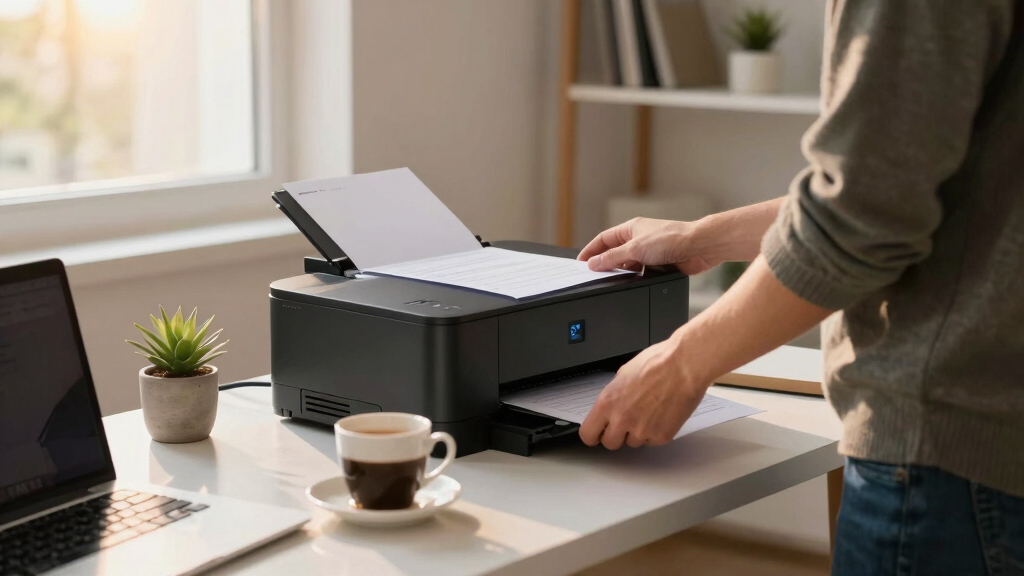

Choosing the best laser printer for a small business involves balancing speed, cost, and functionality. The Brother DCP-L2640DW stands out for its compact design and all-in-one features, making it ideal for space-conscious offices. For faster printing and ease of use, the HP LaserJet M110w offers quick setup and reliable performance, perfect for small teams. However, tradeoffs include limited color options and higher initial costs for multifunction models. Continue reading for a detailed breakdown of these options and more to find your best fit.
Key Takeaways
- The top printers balance speed, cost-efficiency, and multifunction capabilities for small business needs.
- All-in-one models, like the Brother MFC-L3720CDW, add scanning and fax, but often come at a higher price and larger footprint.
- Wireless and mobile printing features are standard across most models, but compatibility and ease of setup vary.
- Monochrome printers tend to be more affordable and faster, making them ideal for document-heavy workflows.
- Premium models offer advanced features like auto duplex, high paper capacity, and color printing, but at a higher upfront cost.




More Details on Our Top Picks
Brother DCP-L2640DW Wireless Compact Monochrome Multi-Function Laser Printer with Copy and Scan, Duplex, Mobile, Black & White | Includes Refresh Subscription Trial(1), Works with Alexa
This Brother model stands out for combining multiple functions—print, scan, and copy—in a compact footprint ideal for small offices. Its high-speed printing up to 36 ppm and efficient scanning with a 50-page auto feeder mean it can handle busy workflows without becoming a bottleneck, especially compared to more basic printers like the HP LaserJet M110w. The flexible connectivity options, including dual-band Wi-Fi, Ethernet, and USB, make it adaptable to various office setups. The Brother Mobile Connect app ensures remote management and on-the-go printing, boosting productivity. However, the tradeoff is the higher initial cost and ongoing toner expenses, which are typical for multi-function laser devices. This pick makes the most sense for small business owners seeking a versatile, space-efficient machine that can handle a variety of tasks seamlessly.
Pros:- Combines print, scan, and copy functions in a compact design
- Fast print speeds up to 36 ppm
- Supports wireless, Ethernet, and USB connections
- Includes Refresh Subscription Trial for toner savings
Cons:- Higher upfront cost compared to single-function printers
- Toner replacement can be costly over time
- Lacks color printing capabilities
Best for: Small businesses needing an all-in-one machine with fast speeds and flexible connectivity
Not ideal for: Home users who only need occasional printing and minimal scanning or copying
- Print Speed:up to 36 ppm
- Functions:Print, Scan, Copy
- Connectivity:Wireless, Ethernet, USB
- Auto Document Feeder:50 pages
- Toner Subscription:Refresh EZ Print
- Size:17.5″ W x 16.1″ D x 15.8″ H
- Weight:Approx. 44 lbs
Bottom line: This model is ideal for small businesses that require a reliable, multi-purpose laser printer with efficient workflows.
HP LaserJet M110w Wireless Black & White Printer, Print, Fast speeds, Easy Setup, Mobile Printing, Best-for-Small Teams
This HP LaserJet M110w excels in delivering reliable, fast black-and-white printing in a tiny footprint, making it a perfect fit for small teams or home offices with limited space. Its compact size and simple setup process, especially on mobile devices like iPads and laptops, make it accessible for users who want quick, professional results without fuss. Its print speed of up to 21 ppm is sufficient for light to moderate workloads, outperforming the slower Brother HL-L2460DW in terms of size but not necessarily in speed. The printer’s wireless self-reset feature enhances connectivity stability, though it occasionally experiences minor network hiccups. Its paper tray holds only about 150 pages, which might require frequent refilling for busier environments. This pick suits small teams or solo entrepreneurs prioritizing space and ease of use over high-volume capacity.
Pros:- Extremely compact and portable design
- Easy to set up and use with mobile devices
- Fast printing up to 21 ppm
- Wireless self-reset for stable connectivity
Cons:- Limited paper capacity at 150 pages
- No scanning or copying functions
- No color printing capabilities
Best for: Small teams or solo professionals needing reliable monochrome printing with minimal space
Not ideal for: Offices with high monthly print volumes or requiring color output
- Print Speed:up to 21 ppm
- Functions:Print only
- Connectivity:Wireless, USB
- Paper Capacity:150 pages
- Size:around 13.6″ W x 7″ D x 6.3″ H
- Weight:8.34 lbs
Bottom line: This printer is best for small teams or individuals who prioritize space-saving and straightforward monochrome printing.
Brother MFC-L3720CDW Wireless Color Laser Printer with Scanner, Copier and Fax | Auto Duplex and 250-Sheet Capacity | Includes Refresh Subscription Trial(1). Amazon Dash Replenishment Ready
This Brother MFC-L3720CDW offers a compelling blend of color printing, scanning, copying, and faxing—perfect for small but expanding offices that need vibrant output. Its print speed of up to 19 ppm in both color and black-and-white, along with a 250-sheet paper tray and automatic duplex printing, makes it highly productive. The 3.5″ color touchscreen simplifies task management, and seamless cloud integration boosts workflow flexibility, unlike more basic monochrome models. The inclusion of a 50-sheet auto document feeder speeds up multi-page tasks. On the downside, the initial cost is higher, and toner replacement for color cartridges can be expensive, especially given the frequent use of color. This model makes sense for offices that value professional, colorful documents and multi-function capabilities without sacrificing speed or capacity.
Pros:- Color printing at 19 ppm for both color and black
- 250-sheet paper capacity with auto duplex
- Intuitive 3.5″ color touchscreen
- Includes auto document feeder for multi-page scanning and copying
Cons:- Higher initial price point
- Color toner costs can be high
- Takes up more space than monochrome models
Best for: Growing small offices or teams that need color printing and multifunction features
Not ideal for: Home users with minimal space or those only needing black-and-white printing
- Print Speed:up to 19 ppm
- Functions:Print, Scan, Copy, Fax
- Connectivity:Wireless, Ethernet, USB
- Paper Capacity:250 sheets
- Touchscreen:3.5 inches
- Size:approx. 16″ W x 17.5″ D x 15.8″ H
Bottom line: This printer is suitable for small offices that require vibrant color output and versatile multifunction features in a space-conscious design.
HP Color LaserJet Pro MFP 3301sdw Wireless All-in-One Color Laser Printer, Office Printer, Scanner, Copier, ADF, Duplex, Best-for-Office (499Q3F)
This HP Color LaserJet Pro MFP 3301sdw excels in delivering vibrant, professional-quality color output for small office settings. Its impressive print speed of up to 26 ppm in both color and black-and-white ensures that busy offices can meet deadlines efficiently. The automatic document feeder and duplex printing streamline workflows, while its robust wireless and Ethernet connectivity support multiple users with ease. Compared to the Brother MFC-L3720CDW, it offers better color vibrancy and slightly faster speeds, making it suitable for marketing materials, reports, and detailed graphics. However, the cost of toner replacements, especially for high-yield cartridges, can add up quickly, and its size is less compact than monochrome counterparts. This makes it ideal for offices prioritizing high-quality color output and multifunctional versatility.
Pros:- Fast print speeds up to 26 ppm
- Vivid, professional color quality
- Auto duplex and 250-sheet input tray
- Supports wireless and Ethernet for multiple users
Cons:- High toner replacement costs
- Larger footprint than monochrome printers
- Color cartridges may require frequent replacement with high use
Best for: Small offices that need vibrant color printing, scanning, and copying capabilities
Not ideal for: Solo entrepreneurs or home users with space constraints or low-volume needs
- Print Speed:up to 26 ppm
- Functions:Print, Scan, Copy, Fax
- Connectivity:Wireless, Ethernet
- Paper Capacity:250 sheets
- Auto Duplex:Yes
- Size:approx. 16.5″ W x 13.44″ D x 16.5″ H
Bottom line: This model suits small offices requiring high-quality, vibrant color documents with reliable multi-function performance, accepting higher ongoing toner costs.
HP Laserjet MFP M140w Wireless Black & White Printer, Print, scan, Copy, Fast speeds, Easy Setup, Mobile Printing, Best-for-Small Teams
The HP LaserJet MFP M140w stands out as the best overall pick for small teams needing a reliable monochrome multifunction printer. Its compact size makes it suitable for tight office spaces, and its fast speeds of up to 21 ppm ensure quick turnaround on busy days. Compared to the Brother MFC-L2820DW, it offers seamless wireless connectivity and easy mobile printing via the HP Smart app, which simplifies workflows. However, this convenience comes with the tradeoff of a lower paper capacity (max 99 sheets) and no duplex printing, which may limit high-volume tasks. Ideal for small teams that prioritize space-saving design and straightforward operation, but less suited to high-volume printing environments.
Pros:- Very compact, fits in small offices
- Fast printing speeds for its class
- Easy wireless setup and mobile printing
Cons:- Limited paper capacity at 99 sheets
- No automatic duplex printing
- Basic display with limited controls
Best for: Small business teams of 1-3 people who need reliable, space-efficient monochrome printing with mobile compatibility
Not ideal for: Businesses with high-volume printing needs or requiring automatic duplexing for large batches
- Printer Type:Laser
- Print Speed:21 ppm
- Connection:Wireless, USB
- Maximum Media Size:8.5 x 14 inches
- Paper Capacity:99 sheets
- Scan Type:Flatbed
Bottom line: This printer is perfect for small teams who need reliable, space-saving black-and-white multifunctionality without high-volume features.
Brother MFC-L2820DW Wireless Compact Monochrome All-in-One Laser Printer with Copy, Scan, and Fax, Duplex, Black & White | Includes Refresh Subscription Trial(1), Works with Alexa
The Brother MFC-L2820DW is tailored for small offices needing a high-capacity, multi-function monochrome laser printer. Its 250-sheet paper tray and automatic duplex printing make it well-suited for frequent, high-volume tasks. Compared to the HP M140w, it offers better paper handling and integrated fax, making it more versatile for busy work environments. The device’s easy-to-use 2.7″ touchscreen streamlines operation, and its multiple connectivity options include Wi-Fi, Ethernet, and USB. The main tradeoff is a slightly larger footprint and higher initial cost. This model makes the most sense for small offices with consistent high-volume needs, but it might be overkill for minimal use or home setups.
Pros:- Large 250-sheet paper capacity
- Automatic duplex printing saves paper
- Includes fax and scanning features
Cons:- Larger footprint than compact models
- Higher initial purchase price
- More complex setup for some users
Best for: Small offices or workgroups with frequent printing and copying, needing high capacity and multi-functionality
Not ideal for: Home users or very low-volume environments where space and budget are limited
- Printer Type:Laser
- Print Speed:34 ppm
- Connection:Wi-Fi, Ethernet, USB
- Maximum Media Size:8.5 x 14 inches
- Paper Capacity:250 sheets
- Copy Speed:Up to 34 ppm
Bottom line: This printer is best for small office teams that need high-volume, multi-function monochrome printing with reliable paper handling.
Brother HL-L2405W Wireless Compact Monochrome Laser Printer with Mobile Printing, Black & White Output | Includes Refresh Subscription Trial(1), Works with Alexa
The Brother HL-L2405W offers a budget-friendly, compact solution for home offices or individual users. Its print speeds of up to 30 ppm and simple wireless setup make it convenient for everyday tasks. Compared with the Brother MFC-L2820DW, it lacks copying, scanning, and fax, but this makes it less complex and more affordable. Its manual feed slot allows printing on envelopes and special media, which is a plus for home users. However, its paper capacity is limited to 250 sheets, and it does not support automatic duplexing, which could slow down larger jobs. This model suits single users or small home offices focused on straightforward black-and-white printing, but it’s not ideal for high-volume or multi-function needs.
Pros:- Compact and lightweight design
- Affordable price point
- Wireless and mobile printing support
Cons:- Limited paper capacity at 250 sheets
- No duplex printing
- No scanning or fax functions
Best for: Home users or individuals needing reliable monochrome printing with mobile capabilities at an affordable price
Not ideal for: Small businesses with frequent high-volume printing or those requiring scanning and copying functions
- Printer Type:Laser
- Print Speed:30 ppm
- Connection:Wireless, USB
- Maximum Media Size:8.5 x 14 inches
- Paper Capacity:250 sheets
- Print Resolution:1200 x 1200 dpi
Bottom line: This printer is a solid choice for cost-conscious home users needing dependable monochrome printing with minimal fuss.

How We Picked
These products were evaluated based on a combination of performance, ease of use, build quality, and value for small business owners. Priority was given to printers that offer reliable speed, low maintenance costs, and versatile features such as wireless connectivity and multifunction capabilities. We also considered customer reviews and overall durability to ensure the options are practical for everyday office use. The ranking reflects a balance of affordability, functionality, and user-friendliness, with top picks excelling in key areas relevant to small business environments.Factors to Consider When Choosing Best Laser Printer For Small Business
When selecting the best laser printer for your small business, it’s important to consider several factors that impact day-to-day operations, long-term costs, and scalability. Making the right choice requires understanding these core considerations to avoid common pitfalls and optimize your investment.Printing Speed and Volume
Look for printers that can handle your expected monthly print volume without slowing down or requiring frequent refills. For small businesses with high document output, models offering faster pages-per-minute rates and larger paper trays reduce downtime. Overestimating your needs can lead to unnecessary costs, while underestimating can cause workflow bottlenecks.
Cost of Consumables
Laser printers generally have higher upfront costs but lower ongoing expenses compared to inkjet models. Pay attention to toner cartridge yields and prices, as frequent replacements can significantly impact your budget. Some models, like those with high-capacity toner options, are better for businesses with heavy printing needs, despite higher initial investments.
multifunction Capabilities
Including scanning, copying, and faxing can streamline office workflows, but such features often come with increased purchase price and complexity. Evaluate whether your small business truly needs all-in-one functionality, or if a dedicated printer for specific tasks might be more cost-effective. Overloading a compact machine can also lead to maintenance issues.
Connectivity and Compatibility
Wireless connectivity, mobile printing, and Ethernet options are standard, but not all features work seamlessly across devices. Ensure the printer supports your preferred mobile platforms and integrates smoothly with your existing network. Failing to check compatibility upfront can result in frustrating setup issues and reduced productivity.
Physical Size and Design
Space constraints are common in small offices, so choosing a compact printer can save valuable room. However, smaller models may sacrifice paper capacity or speed. Consider your workspace size and future growth to find a balance between footprint and capabilities. Larger multifunction printers may require dedicated space but offer more features.
Color vs. Monochrome
Color laser printers are more versatile but come with higher costs for supplies and maintenance. Monochrome models are faster and cheaper to operate, making them suitable for primarily text-based documents. Decide based on your typical print needs—if color printing is occasional, a monochrome printer might save money.
Frequently Asked Questions
Is it worth paying more for a color laser printer for my small business?
Paying extra for a color laser printer makes sense if your business requires frequent color documents, such as marketing materials or client presentations. However, for mostly text-based documents, monochrome printers deliver faster speeds and lower running costs. Carefully evaluate your actual needs before investing in color capabilities, as the additional expense may not provide enough practical benefit for low-volume or basic printing tasks.
How often should I replace toner cartridges in a small business laser printer?
Replacing toner cartridges depends on your print volume and the cartridge capacity. High-yield cartridges are designed for heavy use and can last several thousand pages, reducing the frequency of replacements. Monitoring your toner levels regularly and choosing models with high-capacity cartridges can help keep operational disruptions minimal and control ongoing costs.
Can I use third-party toner cartridges without voiding the warranty?
Many manufacturers allow the use of third-party toner cartridges, but this varies by brand and model. Using compatible but cheaper alternatives can save money, but it may also affect print quality or lead to potential damage that voids your warranty. Always check your printer’s warranty terms and choose reputable third-party suppliers to balance cost savings with reliability.
Are multifunction printers more prone to breakdowns than single-function models?
Multifunction printers introduce more components, which can increase the likelihood of mechanical issues over time. However, high-quality models are designed to handle multifunction tasks reliably. Regular maintenance and choosing reputable brands can mitigate breakdown risks, but expect a slightly higher chance of issues compared to simpler, single-function printers.
What should I prioritize if I have limited office space?
If space is tight, focus on compact, all-in-one models that combine printing, scanning, and copying in a small footprint. These units save space while providing essential multifunction capabilities. Be mindful that smaller printers might have lower paper capacity or slower speeds, so balance your space constraints with your printing volume and feature needs.
Conclusion
For small business owners seeking a reliable, versatile device, the Brother DCP-L2640DW offers a balanced mix of features and affordability, making it the best overall pick. Those prioritizing cost-efficiency and high-volume monochrome printing will benefit from the Brother HL-L2405W. If your office needs color printing and multifunction capabilities, the HP Color LaserJet Pro MFP 3301sdw stands out despite a higher price. Beginners or those with limited space should consider compact models like the Brother MFC-L2820DW, while larger teams handling diverse tasks may prefer all-in-one solutions like the HP LaserJet M110w. Tailor your choice to your specific workflow, budget, and space requirements for the best long-term results.