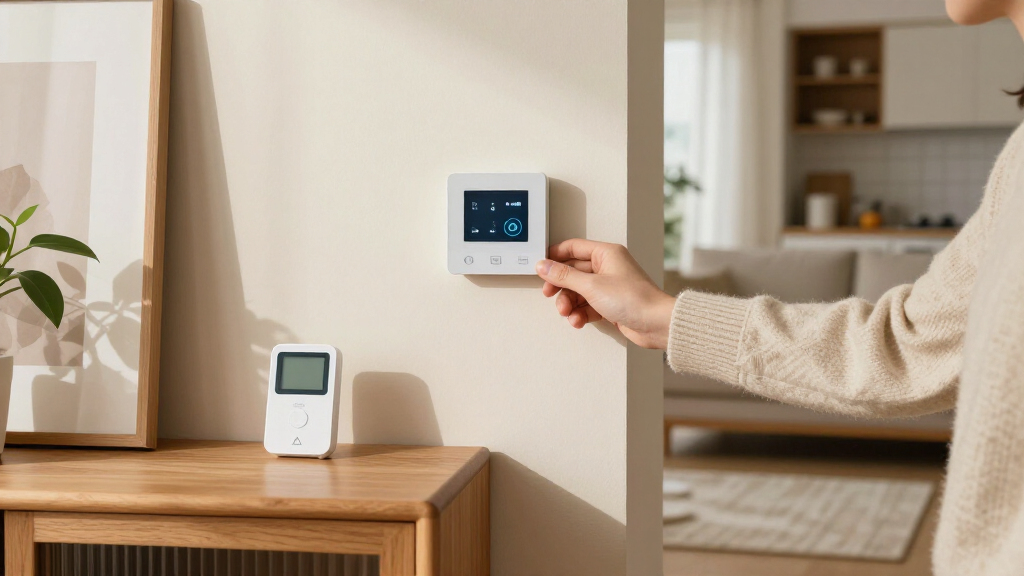

Smart thermostats with remote sensors can help address rooms that stay too hot or cold by using temperatures beyond the thermostat’s wall location. I rank the ecobee Smart Thermostat Premium best overall for its broad feature set and included SmartSensor, while the Honeywell Home T9 stands out for room-by-room comfort and the Sensi Touch 2 for a simpler, more focused setup. The main tradeoffs are sensor coverage, compatibility with your heating and cooling system, and how much automation you want to manage. A sensor can guide temperature control, but it cannot correct every airflow or insulation problem. Read on for the full comparison and help matching a model to your home.

Get home appliances delivered free with Prime
- Fast, free delivery on millions of items
- Prime Video, Amazon Music and more included
- Member-only deals all year
Complete the kit



Key Takeaways
- ecobee Smart Thermostat Premium earns the top spot for buyers seeking a thermostat and sensor setup with a wide set of connected features; its extra capabilities may be more than a basic heating-and-cooling setup needs.
- Honeywell Home T9 is a strong fit when remote-room comfort is the priority, while the X8S is the Honeywell alternative for shoppers who want a newer touchscreen-focused option with a room sensor.
- The two Google Nest Learning Thermostat (4th Gen) entries share the same thermostat and sensor generation, so the practical choice between them is the Obsidian or Silver finish rather than a different sensor strategy.
- Sensi Touch 2 and LUX TQX offer distinct approaches: Sensi focuses on straightforward smart-thermostat control, while LUX pairs Matter connectivity with occupancy detection and a remote sensor.
- Remote sensing is only useful when the sensor can be placed where comfort matters and the thermostat supports the buyer’s wiring and HVAC system; checking compatibility and room layout should come before choosing by appearance or automation.
| LUX TQX Matter Wi-Fi Thermostat with Occupancy Detection and Remote Sensor |  | Best for Matter-Compatible Homes | Connectivity: Matter, Wi-Fi, Bluetooth, Zigbee | Remote sensors: Includes one; pairs with up to five QSZ sensors | Sensor behavior: Adjusts overall home temperature; does not control rooms independently | VIEW LATEST PRICE | See Our Full Breakdown |
| Sensi Touch 2 Wi-Fi Smart Thermostat (ST76) |  | Best for Multi-Room Sensor Expansion | Connectivity: Wi-Fi, 2.4 GHz and 5.0 GHz | Room sensors: Supports up to 15 Sensi Room Sensors; sold separately | Power: 24 V; C-wire required | VIEW LATEST PRICE | See Our Full Breakdown |
| ecobee Smart Thermostat Premium with Wi-Fi, Siri and Alexa, and SmartSensor |  | Best Premium Room-Comfort Package | Connectivity: Wi-Fi | Included sensor: SmartSensor | HVAC compatibility: Compatible with 95% of HVAC systems | VIEW LATEST PRICE | See Our Full Breakdown |
| Google Nest Learning Thermostat (4th Gen) with Nest Temperature Sensor (2nd Gen), Obsidian |  | Best for Learning Schedules | Connectivity: Wi-Fi; Matter compatible | Included sensor: Nest Temperature Sensor (2nd Gen) | Scheduling: Learns temperature preferences and routines; auto scheduling | VIEW LATEST PRICE | See Our Full Breakdown |
| Honeywell Home T9 Wi-Fi Smart Thermostat |  | Best for Geofencing and Scheduled Comfort | Connectivity: Wi-Fi | Room sensors: Supported; sold separately | Power: Electric; C-wire required | VIEW LATEST PRICE | See Our Full Breakdown |
| Google Nest Learning Thermostat (4th Gen) with Nest Temperature Sensor (2nd Gen), Silver |  | Best for Adaptive Scheduling | Display: 3.5-inch touchscreen | System compatibility: Most 24V systems, including gas, electric, oil, forced air, heat pump, and radiant | Connectivity: Wi-Fi | VIEW LATEST PRICE | See Our Full Breakdown |
| Honeywell Home X8S Smart Wi-Fi Thermostat with Room Sensor, White |  | Best for Air-Quality and Smart-Home Controls | Display: 5-inch touchscreen | Connectivity: Wi-Fi, 2.4 or 5 GHz | Room sensor range: Up to 200 ft | VIEW LATEST PRICE | See Our Full Breakdown |
| smart thermostats with remote sensor | Connectivity | Power | Display |
|---|---|---|---|
| LUX TQX Matter Wi-Fi Thermosta | Matter, Wi-Fi, Bluetooth, Zigbee | 24 V AC; C-wire required or included power bridge | — |
| Sensi Touch 2 Wi-Fi Smart Ther | Wi-Fi, 2.4 GHz and 5.0 GHz | 24 V; C-wire required | LCD touchscreen |
| ecobee Smart Thermostat Premiu | Wi-Fi | — | — |
| Google Nest Learning Thermosta | Wi-Fi; Matter compatible | Battery powered; C-wire not required in most homes | — |
| Honeywell Home T9 Wi-Fi Smart | Wi-Fi | Electric; C-wire required | Graphical LCD touchscreen |
| Google Nest Learning Thermosta | Wi-Fi | 24 volts; corded electric | 3.5-inch touchscreen |
| Honeywell Home X8S Smart Wi-Fi | Wi-Fi, 2.4 or 5 GHz | — | 5-inch touchscreen |
More Details on Our Top Picks
LUX TQX Matter Wi-Fi Thermostat with Occupancy Detection and Remote Sensor
The LUX TQX is a strong fit for homes built around Matter-compatible devices, with Wi-Fi and several control options alongside occupancy and light sensing. It includes one remote sensor and can pair with up to five QSZ sensors, giving it more included sensing flexibility than the ecobee Smart Thermostat Premium, which comes with one SmartSensor. The key distinction is how those sensors work: the TQX uses their readings to adjust the whole-home temperature, not to set different temperatures in individual rooms. Matter control also depends on a compatible smart-home speaker. A C-wire or included power bridge is required, and this model is not for line-voltage heating. I’d choose it for connected-home compatibility, not for independent room-by-room control.
Pros:- Supports Matter alongside Wi-Fi, Bluetooth, and Zigbee connectivity.
- Includes a remote sensor and supports pairing with up to five QSZ sensors.
- Occupancy and light sensors can inform temperature adjustments.
- Offers app, touch, remote, and voice control.
Cons:- Remote sensors influence the overall home temperature rather than controlling individual rooms independently.
- Requires a C-wire or the included power bridge.
- Does not support 120 V or 240 V line-voltage systems.
Best for: Households with a Matter-compatible smart-home speaker that want occupancy-aware whole-home temperature control and support for several remote sensors.
Not ideal for: Buyers who need independent room-by-room temperature control or have 120 V or 240 V line-voltage heating.
- Connectivity:Matter, Wi-Fi, Bluetooth, Zigbee
- Remote sensors:Includes one; pairs with up to five QSZ sensors
- Sensor behavior:Adjusts overall home temperature; does not control rooms independently
- Power:24 V AC; C-wire required or included power bridge
- System support:Up to 2 heat and 2 cool; heat pumps up to 4 heat and 2 cool
- Controls:App, remote, touch, voice
- Dimensions:1.1 × 3.5 × 3.5 in
- Display and color:LED; black
Our verdict“Choose the LUX TQX for Matter-connected, sensor-informed whole-home control, but not for room-by-room temperature settings.”
Sensi Touch 2 Wi-Fi Smart Thermostat (ST76)
The Sensi Touch 2 is the lineup’s most expandable choice for buyers willing to add sensors separately: it supports up to 15 Sensi Room Sensors, more than the LUX TQX’s stated limit of five QSZ sensors. That capacity can suit a larger home where one thermostat reading misses temperature differences between rooms. It also brings a touchscreen, scheduling, usage reports, and maintenance alerts, while its installation app offers guided setup. The tradeoff is that the room sensors are optional purchases, and the thermostat requires a C-wire. Unlike the ecobee Premium, its listed package does not include a sensor or a power extender for homes without a C-wire. I’d favor Sensi when sensor count and practical HVAC reporting matter more than getting sensing hardware in the box.
Pros:- Supports up to 15 Sensi Room Sensors.
- Provides flexible scheduling, HVAC usage reports, and maintenance alerts.
- Installation app offers step-by-step guidance.
- Works with Alexa and Google Assistant and has a touchscreen.
Cons:- Requires a C-wire.
- Room sensors are sold separately.
- Uses Wi-Fi rather than the listed Matter connectivity offered by the LUX TQX and Nest Learning Thermostat.
Best for: Owners of larger homes who want to build a multi-room sensor setup over time and have a compatible C-wire installation.
Not ideal for: Buyers without a C-wire who want an included remote sensor, or anyone seeking room sensors in the initial package.
- Connectivity:Wi-Fi, 2.4 GHz and 5.0 GHz
- Room sensors:Supports up to 15 Sensi Room Sensors; sold separately
- Power:24 V; C-wire required
- Compatible HVAC systems:Air conditioner, boiler, furnace, heat pump
- Voice assistants:Amazon Alexa, Google Assistant
- Display:LCD touchscreen
- Mounting:Wall mount
- Dimensions:5.6 × 3.25 × 0.77 in
Our verdict“Pick the Sensi Touch 2 if you want capacity for a large optional sensor network and already have a C-wire.”
ecobee Smart Thermostat Premium with Wi-Fi, Siri and Alexa, and SmartSensor
The ecobee Smart Thermostat Premium makes the most sense for buyers who want room sensing to be part of a broader comfort system from day one. Its included SmartSensor responds to room occupancy and temperature, while a built-in air-quality monitor adds alerts and filter reminders. That gives it a more room-focused feature set than the LUX TQX, whose remote sensors adjust the home’s overall temperature rather than individual rooms. Ecobee also includes a Power Extender Kit for many homes without a C-wire, unlike the C-wire-dependent Sensi Touch 2. The package is more involved than a basic thermostat, though: Siri requires an Apple home hub, and some security features need a subscription. I’d put it ahead of simpler picks when the included sensor and added monitoring matter more than keeping the setup pared back.
Pros:- Includes a SmartSensor for occupancy- and temperature-informed room comfort.
- Built-in air-quality monitoring provides alerts and filter reminders.
- Includes a Power Extender Kit for homes without a C-wire.
- Built-in speaker supports Alexa and Siri, with Siri requiring an Apple home hub.
Cons:- Siri functionality requires an Apple home hub.
- Some security features require an ecobee Smart Security subscription.
- The added monitoring and speaker features may be unnecessary for buyers focused only on remote sensing.
Best for: Homeowners seeking an included occupancy-aware room sensor, air-quality alerts, and a thermostat package that can accommodate homes without a C-wire.
Not ideal for: Buyers who want a simple thermostat without added monitoring, or who expect Siri to work without an Apple home hub.
- Connectivity:Wi-Fi
- Included sensor:SmartSensor
- HVAC compatibility:Compatible with 95% of HVAC systems
- Voice assistants:Siri and Alexa built in
- Installation:Includes Power Extender Kit for homes without a C-wire and trim kit
- Air-quality features:Built-in monitor with alerts and filter reminders
- Certification:ENERGY STAR certified
- Warranty:3 years
Our verdict“Choose ecobee Premium if you want an included room sensor plus air-quality monitoring, and can accommodate its smart-home requirements.”
Google Nest Learning Thermostat (4th Gen) with Nest Temperature Sensor (2nd Gen), Obsidian
The Nest Learning Thermostat pairs an included second-generation Temperature Sensor with a thermostat designed to learn household routines. That combination is useful for buyers who want schedules to adapt rather than building every change themselves. It also supports Matter and works with Google Home and compatible voice assistants, making it a more learning-focused alternative to the Sensi Touch 2, which emphasizes manual scheduling, reports, and support for a larger optional sensor network. Nest’s listed package includes one sensor; the supplied information does not establish support for a larger sensor count. A C-wire is not required in most homes, but compatibility still depends on the specific heating and cooling system, and some features rely on Google Home or compatible devices. I’d choose it for adaptive routines, not for maximum sensor expansion.
Pros:- Includes a Nest Temperature Sensor (2nd Gen) for comfort across rooms.
- Learns temperature preferences and routines for adaptive scheduling.
- Supports Matter, app control, and compatible voice assistants.
- C-wire is not required in most homes.
Cons:- Compatibility should be checked against the specific heating and cooling system.
- Some features require the Google Home app and compatible devices.
- Only one included sensor is specified; support for a larger sensor network is not stated in the supplied product data.
Best for: Households that want an included remote sensor and a thermostat that learns temperature preferences and routines with minimal schedule setup.
Not ideal for: Buyers who need a large sensor network or want to avoid checking system compatibility and Google Home feature requirements.
- Connectivity:Wi-Fi; Matter compatible
- Included sensor:Nest Temperature Sensor (2nd Gen)
- Scheduling:Learns temperature preferences and routines; auto scheduling
- Compatibility:Most 24 V heating and cooling systems; verify the specific system
- Power:Battery powered; C-wire not required in most homes
- Controls:App and buttons
- Display and material:Touchscreen; aluminum
- Color:Polished Obsidian
Our verdict“Choose Nest if you want an included sensor and learned schedules, but check system compatibility and do not assume broad sensor expansion.”
Honeywell Home T9 Wi-Fi Smart Thermostat
The Honeywell Home T9 suits buyers who want remote temperature control tied to routines and household location. Its geofencing and scheduling can adjust heating or cooling automatically, while optional room sensors add multi-room temperature input. Compared with the ecobee Premium, the T9 keeps the focus on scheduling, alerts, and sensor support rather than adding a built-in air-quality monitor and speaker. The tradeoff is a narrower installation fit: it requires a C-wire and does not support 120–240 V electric baseboard heat. Sensors are also sold separately, unlike the ecobee’s included SmartSensor. Compatibility varies by system, so I’d check the heating setup before choosing it. For homes with compatible forced-air, hot-water, steam, or supported heat-pump systems, it offers a straightforward route to sensor-assisted scheduling.
Pros:- Combines remote control with geofencing and automatic scheduling.
- Supports optional smart room sensors for multi-room temperature input.
- Provides energy reports, filter alerts, and temperature alerts.
- Supports forced air, hot water, steam, and heat pumps with electric backup.
Cons:- Requires a C-wire.
- Does not support 120–240 V electric baseboard heat.
- Room sensors are sold separately.
Best for: Households with compatible HVAC and a C-wire that want geofencing, automatic schedules, and the option to add room sensors.
Not ideal for: Owners of electric baseboard systems, homes without a C-wire, or buyers who want an included remote sensor.
- Connectivity:Wi-Fi
- Room sensors:Supported; sold separately
- Power:Electric; C-wire required
- Compatible systems:Forced air, hot water, steam, and heat pumps with electric backup
- Incompatible systems:120–240 V electric baseboard heat; heating-only oil furnace without a C-wire
- Scheduling features:Geofencing and automatic scheduling
- Display:Graphical LCD touchscreen
- Material and color:Plastic; white
Our verdict“Pick the Honeywell T9 if geofencing and scheduled sensor-assisted comfort suit your compatible HVAC system and C-wire setup.”
Google Nest Learning Thermostat (4th Gen) with Nest Temperature Sensor (2nd Gen), Silver
The Nest Learning Thermostat pairs a learning schedule with an included second-generation room sensor, making it a strong fit for households whose routines shift during the week. The sensor can help the thermostat respond to a room that runs warmer or cooler than the thermostat’s location, while app and voice controls make schedule adjustments accessible away from the wall. Compared with the Honeywell Home X8S, Nest emphasizes learning your habits rather than adding a larger touchscreen and indoor-air controls. Its broad 24V system compatibility is another advantage, though homes with some wiring setups may need a C wire. The included sensor is useful for targeted comfort, but buyers who want more sensor coverage should check how many rooms their chosen setup can address before deciding.
Pros:- Learns preferred temperatures and adapts its schedule to household routines.
- Includes a Nest Temperature Sensor to help address room-to-room temperature differences.
- Supports a wide range of common 24V heating and cooling systems.
- Offers app control, voice-assistant compatibility, and Matter support.
Cons:- A C wire may be needed in some homes.
- App-based control requires Wi-Fi.
- Only one sensor is included, which may not cover several problem rooms.
Best for: Households with changing schedules and a persistent hot or cold room that want a thermostat to learn routines and include a remote sensor.
Not ideal for: Buyers who want a large touchscreen, built-in indoor-air controls, or a setup that does not rely on Wi-Fi for app-based control.
- Display:3.5-inch touchscreen
- System compatibility:Most 24V systems, including gas, electric, oil, forced air, heat pump, and radiant
- Connectivity:Wi-Fi
- Included sensor:Nest Temperature Sensor (2nd gen)
- Smart home compatibility:Amazon Alexa, Android, Apple HomeKit, Google Assistant, iOS, and Matter
- Power:24 volts; corded electric
- Mounting:Wall mount
- Energy certification:ENERGY STAR
Our verdict“Choose Nest if adaptive scheduling and an included room sensor matter more to you than the X8S’s larger display and air-quality controls.”
Honeywell Home X8S Smart Wi-Fi Thermostat with Room Sensor, White
The Honeywell Home X8S is the more feature-focused choice here: its wireless room sensor supports targeted comfort, while a 5-inch touchscreen and indoor-air, humidity, and ventilation controls add functions beyond temperature scheduling. That makes it a different proposition from the Nest Learning Thermostat, which puts more emphasis on learning household routines. The X8S also supports Matter and major voice assistants, and its stated sensor range of up to 200 feet may help when the room needing attention is farther from the thermostat. The tradeoff is a narrower system-compatibility description, a required C wire or adapter, and air-quality functions that may need extra HVAC equipment or accessories. Skip it if you have 120–240V electric baseboard heat; this model does not support that system type.
Pros:- Includes a wireless room sensor for more targeted temperature control.
- Large 5-inch touchscreen provides a spacious on-device control interface.
- Adds indoor-air quality, humidity, and ventilation controls.
- Supports Matter, Alexa, Google Assistant, Apple Home, and app control.
Cons:- Requires a C wire; an adapter voucher is included, but installation still needs a compatible power solution.
- Does not support 120–240V electric baseboard heating.
- Some air-quality features may require additional HVAC equipment or accessories.
Best for: Homeowners with compatible central HVAC who want a room sensor alongside touchscreen access to humidity, ventilation, and indoor-air controls.
Not ideal for: People with 120–240V electric baseboard heat, no C-wire option, or no interest in air-quality features that may need extra equipment.
- Display:5-inch touchscreen
- Connectivity:Wi-Fi, 2.4 or 5 GHz
- Room sensor range:Up to 200 ft
- System compatibility:Up to 3 heat/2 cool heat pump systems with electric backup, or 2 heat/2 cool conventional systems
- Voice assistant compatibility:Amazon Alexa, Google Assistant, Apple Home
- Smart home standard:Matter certified
- Installation requirement:C-wire required; C-wire adapter voucher included
- Energy certification:ENERGY STAR
Our verdict“Pick the X8S over Nest if its larger touchscreen and air-quality controls suit your home, and your HVAC system meets its compatibility requirements.”
How We Picked
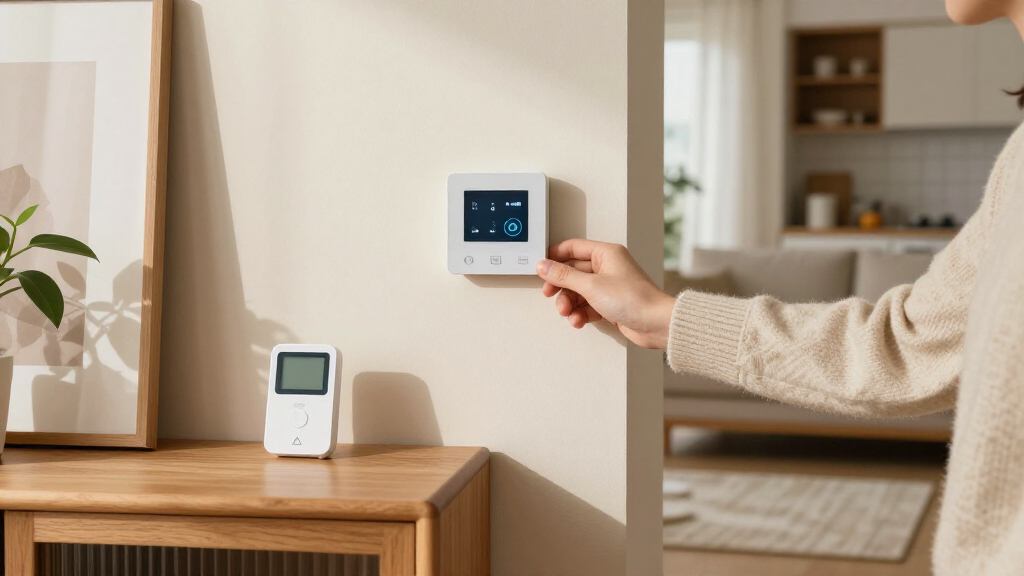
I compared these seven options through the specific needs of a remote-sensor buyer: how clearly each product pairs a thermostat with room sensing, how useful its controls and connected features are, and how well its approach suits different home layouts. I also weighed usability, the likely learning curve, and whether a model’s extra capabilities serve a clear purpose rather than adding complexity.
The ranking favors products that make a strong all-around case for balancing comfort, sensor use, and everyday control. That puts ecobee first for its broad feature mix, with Honeywell T9 and Sensi Touch 2 serving buyers who prioritize room comfort or simpler operation. The Nest models are grouped closely because the listed difference is finish, while LUX and Honeywell X8S offer more specialized alternatives. Compatibility, sensor placement, and the particular HVAC setup can change which pick is right for an individual home.
| smart thermostats with remote sensor | Connectivity |
|---|---|
| LUX TQX Matter Wi-Fi Thermosta | Matter, Wi-Fi, Bluetooth, Zigbee |
| Sensi Touch 2 Wi-Fi Smart Ther | Wi-Fi, 2.4 GHz and 5.0 GHz |
| ecobee Smart Thermostat Premiu | Wi-Fi |
| Google Nest Learning Thermosta | Wi-Fi; Matter compatible |
| Honeywell Home T9 Wi-Fi Smart | Wi-Fi |
| Google Nest Learning Thermosta | Wi-Fi |
| Honeywell Home X8S Smart Wi-Fi | Wi-Fi, 2.4 or 5 GHz |
Factors to Consider When Choosing Smart Thermostats With Remote Sensors
Remote sensors can make thermostat control more responsive to rooms away from the hallway, but the sensor is only one part of the decision. I would match the system to your home’s layout, wiring, and comfort problem before weighing app features or finish.
Start With the Room That Drives the Problem
Identify the room that feels uncomfortable and ask why it differs from the thermostat’s location. A sunny bedroom, a closed-off office, and a room above a garage can have different patterns, so a sensor placed in the wrong room may not help. Think about whether the goal is to prioritize one room at certain times or to make readings across several rooms influence comfort more generally. Check what sensor behavior the thermostat supports rather than assuming every remote sensor works the same way. A sensor measures conditions; it does not move air or repair poor insulation. If the room has a persistent airflow issue, treat the thermostat as one part of the remedy, not the whole fix.
Check HVAC Compatibility Before Choosing a Feature Set
Thermostat compatibility depends on the equipment and wiring already in your home, not just the product name. Before buying, identify whether you have conventional heating and cooling, a heat pump, or a system with multiple stages, then compare that setup with the manufacturer’s compatibility guidance. Pay particular attention to any required common wire or power accessory, since an installation that needs extra parts can change the effort involved. If you rent, live in a condominium, or cannot access the equipment, confirm what wiring information you can collect before committing. Do not assume a smart thermostat supports every system because it connects to Wi-Fi. When wiring labels are unclear, getting a qualified installer’s opinion can prevent a costly mismatch.
Decide How Much Sensor Coverage You Actually Need
More sensors are not automatically better: each one adds a placement decision and may create more settings to manage. A home with one consistently uncomfortable bedroom may need a different setup from a multilevel house where several rooms compete for attention. Consider whether you need a sensor in one key room, the option to add more later, or a broader system from the outset. Also ask whether you expect occupancy-aware scheduling, since presence and temperature are separate signals and may affect comfort in different ways. Place sensors away from direct sunlight, vents, and exterior doors so readings reflect the room rather than a temporary hot or cold spot. Choose coverage around how you use the home, not the largest number of possible sensor locations.
Choose Between Automatic Learning and Direct Control
Some buyers want a thermostat to adapt schedules with little attention, while others prefer to set explicit temperatures and routines. Automatic learning can reduce daily adjustments, but it may take time to match an irregular work schedule or changing household routine. A more direct control style gives you clearer input, though it asks you to maintain schedules yourself. Decide who in the household will manage the app and whether everyone needs access to the same controls. Voice assistant and smart-home integrations matter most when they fit tools you already use; they are less useful if they add another app or account to maintain. Favor predictable controls if several people share the thermostat and have different comfort preferences.
Budget for Installation and Ongoing Setup, Not Just the Thermostat
The overall effort can include sensor placement, wiring checks, app setup, and changes to household routines. A feature-rich system may be worthwhile if you will use its added controls, but extra connectivity can be needless complexity for a buyer who only wants to adjust temperatures remotely. Before purchase, check whether the sensor is included, what additional sensors can be added, and whether any functions depend on a separate service or compatible smart-home platform. Consider whether you are comfortable installing the thermostat yourself or would rather pay for professional help. Keep a record of your current wiring and thermostat settings before removing the old unit. A lower-complexity choice can be the better value when it solves the room-comfort problem without features you will not use.
Frequently Asked Questions
Will a remote sensor make every room in my home the same temperature?
No. A remote sensor gives the thermostat information about another location, but it cannot correct uneven airflow, inadequate insulation, or a closed damper. How much the room benefits depends on how the thermostat uses that sensor reading and what other rooms are doing. If one room is consistently uncomfortable, check for drafts, blocked registers, and direct sunlight as well as thermostat settings. Treat a sensor as a way to make control more informed, not as a replacement for addressing the cause of the temperature difference.
Should I choose a thermostat with one included sensor or plan to add more?
Base the decision on how many rooms meaningfully affect your comfort, rather than the number of rooms in the home. A single sensor may be enough when one bedroom or office is the main concern. Multiple sensors can help in a larger or multilevel layout, but they also require sensible placement and a clear plan for how readings should guide heating or cooling. Check which sensors are included and which can be added later before comparing packages. If your needs are uncertain, favor a system with a clear expansion path rather than buying more sensors than you can use well.
How can I tell whether a smart thermostat will work with my HVAC system?
Start by identifying your current system type and recording the labels on the thermostat wires before disconnecting anything. Compare those details with the manufacturer’s compatibility checker, paying attention to heat pumps, multistage equipment, and any special control wiring. A common wire or power accessory may be required for some installations, so do not assume the existing thermostat’s operation proves a smart model will install the same way. If your system uses uncommon wiring or you cannot identify the equipment, ask an HVAC professional to confirm compatibility. This check is more useful than choosing a thermostat first and troubleshooting the fit afterward.
Are the Obsidian and Silver Nest bundles different choices for room sensing?
The listed bundles share the Google Nest Learning Thermostat (4th Gen) and Nest Temperature Sensor (2nd Gen); the stated distinction is the thermostat finish. That means the choice is mainly about which appearance suits your room, not a different sensor generation or sensing approach. Compare the installation and HVAC compatibility details for the Nest model itself rather than treating the colors as separate feature tiers. If room-sensor behavior is your deciding factor, compare the Nest setup with products such as ecobee or Honeywell instead of expecting a difference between these two finishes.
When is it worth paying for a more feature-rich thermostat?
Extra features make more sense when they solve a need you already have, such as managing comfort across rooms, using a smart-home platform, or controlling the system through a broader connected interface. They are less compelling if your only goal is occasional remote temperature adjustment and one room sensor. Consider who will use the added controls and whether they fit the household’s existing devices and routines. A more capable thermostat can still be a poor fit if it does not support your HVAC wiring or asks you to manage settings you do not want. Compare the likely everyday benefit with the setup and maintenance effort before choosing a premium feature set.
Conclusion
For the strongest all-around balance, I would start with the ecobee Smart Thermostat Premium; it is the best overall pick for buyers who want remote sensing alongside a broad set of connected features. Choose the Sensi Touch 2 as the best value-oriented option if you prefer a more focused smart-thermostat setup, and the Honeywell Home T9 when room-by-room comfort is your main priority. The Google Nest Learning Thermostat is the best fit for buyers who favor its learning approach and want to choose between Obsidian and Silver finishes, while the LUX TQX suits shoppers interested in Matter and occupancy detection. For a touchscreen-led Honeywell alternative, consider the X8S; for a beginner, I would lean toward the model whose controls and sensor plan feel easiest to manage, not the one with the longest feature list. Confirm HVAC compatibility and sensor needs before deciding, since those practical details can outweigh any difference in connected features.