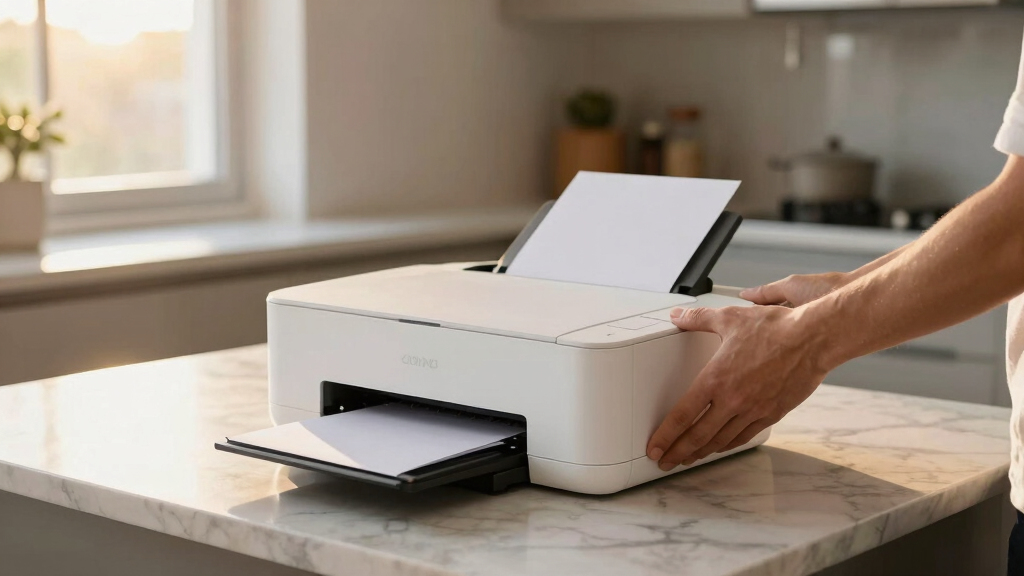

Finding the best professional photo printer in 2026 means balancing print quality, versatility, and cost. The Epson EcoTank Photo ET-8500 stands out for its high-quality color output and all-in-one convenience, making it ideal for serious photographers. The Canon PIXMA PRO-200S offers exceptional color accuracy and professional-grade results for those ready to invest more. Meanwhile, portable options like the Liene Amber M110 cater to photographers on the go. Each choice involves tradeoffs between print quality, speed, and ease of use. Keep reading for a detailed breakdown of these models and how to pick the best one for your needs.
Key Takeaways
- High-end models like the Epson EcoTank ET-8500 deliver professional quality but come at a higher price and larger footprint.
- Portable printers like the Liene M110 are great for on-the-spot printing but may sacrifice some color fidelity compared to larger, dedicated studio printers.
- Print speed and media versatility are often limited in compact models, so consider your volume and material needs carefully.
- Ink system type (dye-based vs. pigment-based) significantly impacts longevity and color accuracy, influencing overall print durability.
- Budget constraints can lead to compromises in resolution and color fidelity, so prioritize features based on your professional requirements.


More Details on Our Top Picks
Epson EcoTank Photo ET-8500 Wireless Color All-in-One Supertank Printer with Scanner Copier, Ethernet and 4.3-inch Colorfull Touchscreen – White
This model stands out for its cartridge-free ink system that delivers stunning, lab-quality photos at a fraction of the cost of traditional cartridges. Compared with the Canon PIXMA PRO-200S, the ET-8500 offers far lower per-page costs due to its refillable tanks, making it ideal for high-volume photo projects. The 6-color Claria ET Premium Ink system captures incredible detail and vibrant hues, while the edge-to-edge printing capability ensures professional results. The user-friendly 4.3-inch touchscreen simplifies operations, and its media versatility—including printing on cardstock or DVDs—broadens creative options. The main tradeoff is its size and weight, which require a sturdy setup. For photographers or offices needing consistent, affordable high-quality printing, this is a top choice.
Pros:- Cartridge-free refillable ink tanks reduce ongoing costs significantly
- Vivid, sharp, lab-quality photo output with 6-color system
- Versatile media handling including cardstock, CD/DVDs
Cons:- Large footprint and weight may be difficult to place in tight spaces
- Initial setup and ink filling can be intimidating for beginners
Best for: Professional photographers and small studios needing large-volume, cost-effective high-quality photo printing
Not ideal for: Small home users with limited space or casual hobbyists who don’t require frequent printing
- Printer Type:Inkjet
- Maximum Media Size:13 x 19 inch
- Connectivity:Wi-Fi, Ethernet
- Print Resolution:4800 x 1200 dpi
- Number of Ink Colors:6
- Auto Duplex:Yes
- Item Weight:24.46 Pounds
- Display Screen:4.3-inch Color Touchscreen
Bottom line: This printer is ideal for professionals or serious hobbyists who prioritize high-quality, affordable photo printing at volume.
Epson Expression Premium XP-7100 Wireless Color Photo Printer with ADF, Scanner and Copier, Black, Small
This compact printer makes a strong case for home users who need quality photo prints along with multifunction capabilities. Unlike the Epson ET-8500, the XP-7100 uses traditional ink cartridges, which means higher ongoing costs but easier refilling and maintenance. It features a 30-page auto document feeder, duplex printing, and a convenient 4.3-inch touchscreen, streamlining everyday tasks. While its photo resolution and color vibrancy are excellent, they are slightly below the professional level of the Epson ET-8500 or Canon PIXMA PRO-200S. Its smaller size and all-in-one functions make it perfect for busy households or small offices that want decent photo output without sacrificing versatility. It’s not suited for high-volume professional photo printing.
Pros:- Compact size suitable for small spaces
- Auto duplex printing and 30-page ADF increase productivity
- Easy-to-use 4.3-inch touchscreen
Cons:- Higher ongoing cost due to cartridge-based ink system
- Photo quality, while good, is not at professional lab standards
Best for: Small business owners or home users who need versatile all-in-one functionality with good photo quality
Not ideal for: Photographers demanding the highest print quality or volume photo studios
- Printer Type:Inkjet
- Maximum Media Size:13 x 19 inch
- Connectivity:Wi-Fi, USB
- Print Resolution:4800 x 2400 dpi
- Number of Ink Colors:4
- Automatic Document Feeder:30 pages
- Item Weight:32 Pounds
- Display Screen:4.3-inch Color Touchscreen
Bottom line: This printer is perfect for small offices or homes needing versatile, space-saving multifunction features with decent photo quality.
KODAK Dock Plus 4×6” Photo Printer, 50 Sheets, Docking & Bluetooth Smartphone Printer for iPhone & Android, Instant Color Prints, 4PASS Dye Sublimation
This portable printer excels for users seeking quick, high-quality 4×6 photos on the go. Unlike the Epson ET-8500 or Canon PIXMA PRO-200S, it uses 4PASS dye sublimation technology, which produces water-resistant, scratch-proof prints with vibrant colors in about 55 seconds. It’s ideal for casual photographers, event snapshots, or family outings where mobility is key. Its small size and Bluetooth connectivity make it very convenient, and the lamination layer ensures long-lasting photos. However, it’s limited to 4×6 prints and has a lower print speed compared to larger, professional printers. The dye sublimation process also means higher per-print costs and less flexibility with media sizes. Still, if portability and quick print times are priorities, this is a winning choice.
Pros:- Fast print times with water- and fade-resistant photos
- Compact and portable with Bluetooth connectivity
- Laminated surface resists fingerprints and water damage
Cons:- Limited to 4×6 size prints only
- Higher cost per print compared to tank or cartridge systems
Best for: Event photographers or family users who want quick, durable prints directly from their smartphones
Not ideal for: Professional photographers needing large, high-resolution prints or bulk photo production
- Printer Type:Thermal Dye Sublimation
- Maximum Media Size:4 x 6 inches
- Connectivity:Bluetooth, Wireless
- Print Speed:55 seconds per 4×6
- Number of Sheets:50 sheets
- Cartridges:4-color dye system
- Item Weight:2 Kilograms
- Power Consumption:60 Watts
Bottom line: This dye sublimation printer is excellent for on-the-go, durable photo printing from smartphones, but not suited for large-format or professional workflows.
Canon PIXMA PRO-200S Professional 13″ Wireless Inkjet Photo Printer with 3.0″ Color LCD Monitor, 8-Color Dye-Based Ink, Black
This printer offers superb color accuracy and vibrant detail, making it perfect for professional photographers and artists. The 8-color dye-based ink system ensures rich, smooth gradients and sharp images, comparable to the Epson PIXELPRO-200S. The borderless printing up to 13” x 19” and fast 90-second A3+ prints enhance productivity. While it uses traditional ink cartridges, which mean higher running costs than the Epson EcoTank models, it requires less maintenance and clog prevention, making it more reliable for large-volume professional use. The 3.0″ LCD simplifies ink management and settings adjustment. Overall, this printer balances high-quality output with manageable maintenance, ideal for serious photographers and creative studios.
Pros:- Vivid, accurate color reproduction with 8-color dye system
- Fast, high-quality borderless prints up to 13″ x 19″
- Reliable with less frequent clogging compared to cartridge systems
Cons:- Higher ink replacement costs due to cartridge system
- Larger size and weight require dedicated space
Best for: Professional photographers and artists requiring precise color reproduction and large-format printing
Not ideal for: Casual hobbyists or those with limited budgets seeking low-cost ongoing ink replacement
- Printer Type:Inkjet
- Maximum Media Size:13 x 19 inch
- Connectivity:Wireless, USB
- Print Resolution:4800 x 2400 dpi
- Number of Ink Colors:8
- Borderless Printing:Yes
- Item Weight:32 Pounds
- Display Screen:3.0-inch Color LCD
Bottom line: This printer is a top pick for professional photographers demanding large, vibrant prints with dependable performance.
Liene Amber M110 Bluetooth Photo Printer 80 Sheets, Portable Photo Printer for iPhone, Thermal Dye Sublimation, Picture Printer 60 Sheets 4×6 Paper & 20 Sheets 3″ Square Sticker Paper & 2 Cartridges
This compact, lightweight printer offers quick, high-quality 4×6 photos using dye sublimation technology, ensuring water- and fade-resistant prints. Compared to larger models like the Epson EcoTank or Canon PIXMA PRO-200S, the Liene Amber M110 emphasizes portability and ease of use, making it perfect for travel, parties, or casual photo sharing. The Bluetooth connection pairs in just 13 seconds, and the app allows basic editing and customization like borders and filters. Its dual tray design supports both standard photos and sticker sheets, adding versatility. However, it’s limited to 4×6 size prints and higher per-photo costs, so it’s less suitable for professional workflows. For spontaneous printing and sharing, this is a versatile and fun choice.
Pros:- Highly portable and lightweight at under 3 pounds
- Fast Bluetooth pairing and instant printing
- Water- and fade-resistant photos with laminated surface
Cons:- Limited to 4×6 size prints only
- Higher per-print cost compared to tank or cartridge-based printers
Best for: Families, travelers, or event attendees wanting quick, durable prints directly from smartphones
Not ideal for: Professional photographers or those needing large or high-resolution prints
- Printer Type:Thermal Dye Sublimation
- Maximum Media Size:4 x 6 inches
- Connectivity:Bluetooth, Wireless
- Print Speed:Fast
- Sheets Included:80 sheets (60 print, 20 stickers)
- Cartridges:2 cartridges
- Item Weight:2.87 Pounds
- Power Consumption:24.84 Watts
Bottom line: This dye sublimation portable printer is perfect for casual users who want quick, durable prints from their mobile devices, but not for high-volume or professional work.
Epson EcoTank Photo ET-8550 Wireless Wide-format Color All-in-One Supertank Printer with Scanner Copier, Ethernet and 4.3-inch Colorfull Touchscreen
This Epson EcoTank ET-8550 stands out for its exceptional ability to produce lab-quality, wide-format color photos at a fraction of the cost of traditional inkjet printers. Unlike the Canon PIXMA PRO-200S, which offers superb color accuracy but comes with higher ink costs, the ET-8550’s refillable ink tanks provide significant savings—up to 80% less on ink, with yields of over 6,200 pages. Its support for media up to 13″ x 19″ and borderless printing makes it versatile for professional displays. The tradeoff lies in its larger size and slightly more complex setup, which may be less ideal for small spaces or less tech-savvy users. Overall, this pick makes the most sense for high-volume, budget-conscious photographers or creative professionals who need wide-format prints without sacrificing quality.
Pros:- Cartridge-free, cost-efficient ink system with high page yields
- Supports borderless printing up to 13″ x 19″ for large-format photos
- Wide media support including cardstock and specialty media
- Intuitive 4.3-inch color touchscreen and mobile device compatibility
Cons:- Significantly larger footprint, requiring ample space
- Setup can be complex for non-technical users
- Uses genuine Epson ink—non-genuine inks may damage printer and void warranty
Best for: Professional photographers, artists, or studios needing large-format, high-quality prints with low running costs.
Not ideal for: Small home offices or hobbyists with limited space, due to its size and higher initial investment.
- Printer Type:Inkjet
- Maximum Media Size:13 x 19 inches
- Print Resolution:1440 x 5760 DPI
- Print Speed:15 seconds for 4×6
- Media Support:Borderless, cardstock, specialty media
- Connectivity:Wireless, Ethernet
Bottom line: Ideal for high-volume professionals seeking affordable, large-format photo printing with excellent quality.
HP Envy Photo 7975 Wireless Color Inkjet Photo Printer, Print, scan, Copy, Easy Setup, Mobile Printing, Best-for-Home, 3 Month Instant Ink Trial Included, AI-Enabled (B63K3A)
The HP Envy Photo 7975 makes the list for its impressive versatility—combining high-quality photo printing with multifunctional capabilities perfect for family and home office needs. Compared to the Epson EcoTank ET-2800, which offers affordable and simple printing, the 7975 adds AI-enabled smart features that optimize workflows and a large 2.7″ touchscreen for easy operation. While its print speed is slightly slower than some professional models, it excels in printing true-to-screen borderless photos and office documents with sharp detail. A tradeoff involves its higher ink costs over time and slightly limited media support for larger formats. This printer is best suited for users who value convenience, smart features, and quality in a single device for everyday creative and document tasks.
Pros:- AI-enabled features for optimized workflow and web content removal
- Large 2.7-inch color touchscreen for intuitive operation
- Wireless, mobile, and automatic duplex printing
- Includes 3 months of Instant Ink for worry-free ink replacement
Cons:- Higher ongoing ink costs compared to cartridge-based printers
- Limited support for formats larger than 8.5 x 14 inches
- Slower print speeds for high-volume jobs
Best for: Home photographers, students, and families needing high-quality photo prints and smart, easy-to-use features.
Not ideal for: High-volume professional photographers or studios requiring large-format or bulk printing, due to limited media support and higher running costs.
- Printer Type:Inkjet
- Maximum Media Size:8.5 x 14 inches
- Print Resolution:4800 x 1200 DPI
- Print Speed:10 ppm color
- Connectivity:Wireless, mobile app
- Additional Features:Auto duplex, AI workflow
Bottom line: Best suited for families and home users seeking smart, high-quality photo printing with added convenience.
Epson EcoTank ET-2800 Wireless Color All-in-One Cartridge-Free Supertank with Scan and Copy, The Ideal Basic Home Printer – Black
This Epson EcoTank ET-2800 is a strong choice for budget-minded users who want reliable, high-quality color printing without the hassle of frequent ink replacements. Compared to the Canon PIXMA PRO-200S, which excels in photo quality but has higher ink costs, the ET-2800’s refillable ink tanks deliver up to 7,500 color pages, making it far more economical for everyday printing. Its compact size and straightforward setup appeal to home users, although it lacks the professional-grade color accuracy for large-format photography. The main tradeoff is slower print speeds and limited media support, which makes it less suitable for high-volume or professional use. Ultimately, this printer is best for families and casual photographers needing affordable, quality color printing.
Pros:- Refillable ink tanks with yields of over 7,500 color pages
- Compact, space-saving design ideal for small homes
- Easy setup with straightforward instructions
- High-quality color output with 5760 x 1440 dpi resolution
Cons:- Slower print speeds compared to professional models
- Limited media support for larger formats
- No automatic document feeder
Best for: Home users, students, and casual photographers wanting affordable, high-quality color prints without the complexity of cartridge replacements.
Not ideal for: Professional photographers or studios needing large-format or high-speed printing, due to slower speeds and media limitations.
- Printer Type:Inkjet
- Maximum Media Size:8.5 x 14 inches
- Print Resolution:5760 x 1440 DPI
- Print Speed:10 ppm color
- Connectivity:Wireless, USB
- Media Support:Plain paper, photo paper
Bottom line: A budget-friendly, reliable choice for families and casual photographers seeking high-quality color printing.
Liene M100 4×6” Photo Printer, Phone Printer 100 Sheets & 3 Cartridges, Full-Color Photo, Portable Instant Photo Printer for iPhone Android, Thermal Dye Sublimation, Wi-Fi Picture Printer 100 Papers
The Liene M100 is perfect for users who want quick, portable photo printing directly from their smartphone. Its thermal dye sublimation technology produces vibrant, water- and scratch-resistant 4×6″ photos, making it ideal for instant memories. Compared to the Epson DHP513, which offers excellent print quality but is bulkier and less portable, the M100’s minimalist, magnetic design makes it easy to carry and store. Its Wi-Fi hotspot allows multiple devices to connect simultaneously, though print speed is slower at about 1 ppm, which is typical for thermal printers. The main tradeoff is limited to a small paper capacity of 20 sheets per cycle and a resolution of 300 dpi, which is sufficient for casual snapshots but less ideal for professional-quality prints. This makes it perfect for travel, parties, or casual photo sharing.
Pros:- Compact, portable, and lightweight design
- Vibrant, water- and scratch-resistant photos via dye sublimation
- Wi-Fi hotspot for multiple device connections
- Fast and easy setup with dedicated app
Cons:- Limited paper capacity (20 sheets per cycle)
- Lower resolution (300 dpi) compared to professional printers
- Slower print speed at about 1 ppm
Best for: Travelers, event attendees, or casual users wanting quick, durable prints from smartphones.
Not ideal for: Professional photographers or those needing large, high-resolution prints for display or sale.
- Printer Type:Thermal Dye Sublimation
- Maximum Media Size:4 x 6 inches
- Print Resolution:300 x 300 DPI
- Print Speed:1 ppm
- Connectivity:Wi-Fi hotspot
- Cartridge Type:3-color cartridges
Bottom line: Best for casual, on-the-go photo printing where durability and convenience matter most.

How We Picked
These printers were selected based on a combination of print quality, color accuracy, versatility, ease of use, and value for professional photographers. Priority was given to models that produce consistent, high-resolution images suitable for gallery-quality prints. We also considered media compatibility, ink system reliability, and user interface simplicity, ensuring options for different budgets and workflows. The ranking reflects a balance between performance and practicality, helping both seasoned professionals and serious enthusiasts find suitable options.Factors to Consider When Choosing Best Professional Photo Printer
Choosing the best professional photo printer involves more than just megapixels and ink cartridges. It’s important to consider how the printer’s features align with your workflow, budget, and the types of prints you aim to produce. Some models excel in color accuracy but lack media versatility, while others prioritize speed and convenience over ultimate print fidelity. Being aware of these differences helps prevent costly mistakes and ensures you select a printer that truly meets your needs.Print Quality and Color Accuracy
High-resolution output and color fidelity are the backbone of professional photo printing. Look for models that use multiple ink cartridges or dye-based inks, which provide smoother gradations and richer colors. Be cautious of printers with fewer ink colors, as they may produce less nuanced images. Remember, a higher price often correlates with better color management, but some budget-friendly models now deliver impressive results thanks to advanced ink technology.
Media Compatibility and Versatility
Assess what media types and sizes you need to print on regularly. Larger format printers support gallery wraps and fine art papers, while compact models focus on 4×6 or 5×7 inches. If you work with a range of media, ensure your chosen printer can handle different textures and thicknesses without issues. Avoid models with limited media options if you plan to produce diverse print projects frequently.
Ease of Use and Workflow Integration
Professional printers with intuitive interfaces and wireless connectivity make everyday use much smoother. Features like touchscreen controls, mobile printing support, and cloud integration save time and reduce frustration. However, overly complex setups can hinder efficiency, so find a balance that matches your technical comfort level. Compatibility with editing software and color management tools also impacts how seamlessly the printer fits into your workflow.
Cost of Ownership and Maintenance
Beyond the initial purchase price, consider ongoing expenses like ink, media, and maintenance. Some printers use refillable ink tanks that reduce per-print costs, while others rely on expensive cartridges. Ink longevity and ease of refilling can significantly influence overall value. Be wary of models with high maintenance requirements or complicated refill processes, especially if you produce large volumes regularly.
Speed and Volume Capacity
If you produce many prints regularly, speed and duty cycle are critical factors. High-end models can handle large jobs faster and with greater consistency. Conversely, for occasional or small-scale printing, a slower, more affordable model may suffice. Always match the printer’s capacity to your typical workflow to avoid bottlenecks or unnecessary expenses.
Frequently Asked Questions
What is the best printer for producing gallery-quality prints?
The Canon PIXMA PRO-200S is a strong contender for gallery-quality prints because of its advanced 8-color dye-based ink system, which offers excellent color accuracy and smooth gradations. It supports media up to 13 inches wide, making it suitable for larger, professional presentations. However, it comes at a higher price point, reflecting its focus on color fidelity and print consistency.
Are portable photo printers worth considering for professional work?
Portable photo printers like the Liene Amber M110 are convenient for on-location shoots or quick client proofs, but they typically can’t match the color precision and media versatility of larger, dedicated printers. They are best suited for supplementary use or for photographers who need to print small batches on the go. For final, gallery-quality prints, a larger, high-end model remains preferable.
How do ink system types affect print longevity?
Ink systems significantly impact the durability and color stability of prints. Pigment-based inks tend to last longer and resist fading better over time, making them ideal for archival-quality work. Dye-based inks, while often offering more vibrant colors, may fade faster and are better suited for short-term displays or less critical applications. Choose your ink system based on the intended lifespan and viewing conditions of your prints.
Is it better to buy a wide-format or standard-size printer?
Wide-format printers are essential for large, high-impact images, such as gallery prints, banners, or fine art pieces, offering more flexibility with media size. Standard-size printers are typically more affordable and easier to fit into smaller workspaces, making them suitable for most professional photographers’ needs. Your choice should depend on whether you need large prints regularly or primarily produce smaller formats.
Should I prioritize print speed over quality?
For most professional photography applications, print quality should take precedence over speed, especially if you produce high-resolution, color-accurate images. However, if you operate a high-volume workflow where turnaround time matters, selecting a model with a good balance of speed and quality is key. Be aware that faster printers may sometimes compromise on fine detail or color precision, so weigh your priorities carefully.
Conclusion
For photographers seeking the best overall performance, the Epson EcoTank Photo ET-8500 offers a combination of high-quality output and versatile features suitable for demanding workflows. Those on a tighter budget or needing smaller prints might find the Epson EcoTank ET-2800 to be a practical choice. For professionals requiring the utmost color accuracy and larger formats, the Canon PIXMA PRO-200S makes a compelling option. Beginners or hobbyists should consider portable models like the Liene M110 for convenience, while high-volume studios may prefer the durability and speed of wide-format printers. Ultimately, matching your print volume, media needs, and budget will guide you to the ideal professional photo printer.