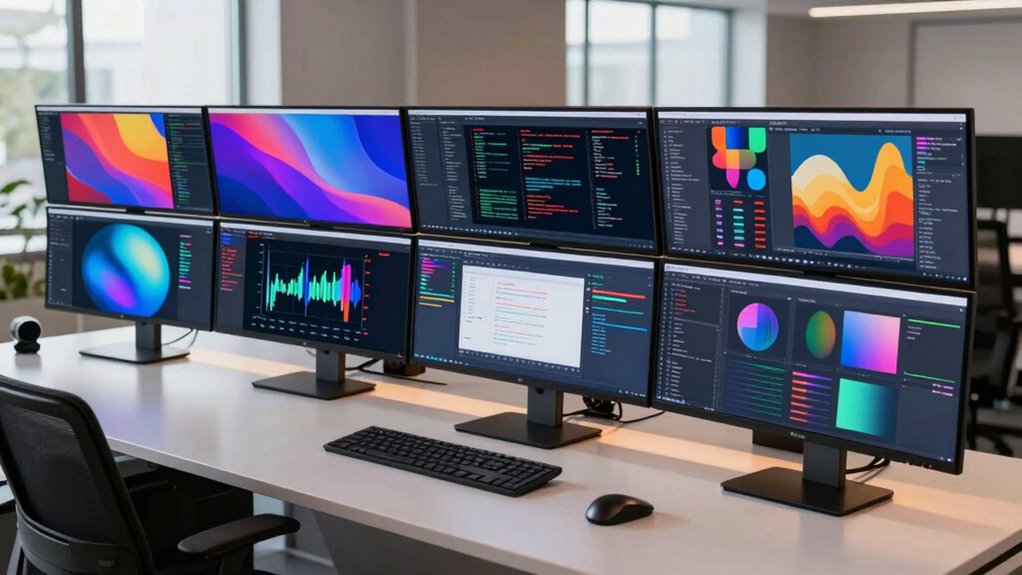
When selecting a 1440p ultrawide monitor for work, the goal is to maximize productivity without sacrificing image quality or comfort. The Dell 34 Monitor S3425DW stands out as the overall best for its balance of color accuracy, eye comfort, and smooth performance. For gamers or those who need high refresh rates, options like the LG 34G630A-B and Sceptre 34-inch Prime Gaming offer faster response times, but they may include features less relevant for work. The main tradeoffs involve choosing between refresh rate, color accuracy, size, and ergonomic features—priorities that vary based on your work style. Keep reading for a detailed breakdown to help you find the perfect fit.

Get home appliances delivered free — and shop member deals
- Fast, free delivery on millions of items
- Access to Prime Big Deal Days deals on October 6–7
- Prime Video, Amazon Music and more included
Complete the kit


Key Takeaways
- High refresh rates (180Hz or 240Hz) are common but mainly benefit gaming; for work, prioritize color accuracy and ergonomics.
- Size matters: wider monitors (49-inch) offer more workspace but may require more desk space and higher GPU power.
- Built-in features like KVM switches and USB-C charging add convenience but can increase cost and complexity.
- HDR support varies; for professional work, look for standards like HDR10 or DisplayHDR 400 to enhance visual clarity.
- Price ranges widely; balancing features with budget is essential, with premium options offering better color and build quality.


| 1440p ultrawide monitor for work | Resolution | Refresh Rate | Response Time | Screen Size |
|---|---|---|---|---|
| Dell 34 Monitor S3425DW | WQHD | 120Hz | 0.03ms | 34 inches |
| Alienware 34 Curved Gaming Mon | WQHD | 180Hz | 1ms | — |
| Deco Gear 49 Inch Curved Ultra | 5120×1440 | 120Hz | 1ms MPRT | 49 inches |
| Sceptre 34-Inch Curved Ultrawi | 3440 x 1440 | 165Hz | 1ms | — |
| Samsung 34" ViewFinity S50GC S | Ultra-WQHD | 100Hz | 5ms | — |
| SANSUI 34-Inch Curved Ultrawid | 3440 x 1440 | 200Hz | 1ms | 34 inches |
| CRUA 34-inch WQHD Ultrawide Cu | 3440×1440 | 165Hz | — | — |
| LG 34G630A-B 34-Inch Ultragear | 3440 x 1440 | 240Hz | 1ms | 34 inches |
| Deco Gear 34-Inch Curved Ultra | 3440 x 1440 | 100Hz | — | 34 inches |
| Sceptre 34-inch Curved Prime G | 3440 x 1440 | 240Hz | 1ms | — |
More Details on Our Top Picks
Dell 34 Monitor S3425DW, WQHD VA, 120Hz, FreeSync Premium, Eye Comfort
This Dell monitor stands out for its vibrant color accuracy and smooth 120Hz refresh rate, making it a versatile choice for both professional multitasking and media consumption. Compared with the Samsung ViewFinity S50GC, it offers higher refresh rates and better color coverage, which benefits those who need both color precision and fluid visuals. However, the Dell lacks obvious ergonomic features like height adjustment, which could be a drawback for prolonged use. Its VA panel provides deep contrast, ideal for reducing eye strain during long work sessions. The single USB-C cable simplifies desk clutter, but the build quality and sound quality details remain vague, raising questions about all-day comfort and multimedia experience.
Pros:- Vivid, true-to-life colors with 99% sRGB and 95% DCI-P3 coverage
- Smooth 120Hz refresh rate for fluid movements
- Blue light reduction technology for comfortable extended use
- Single USB-C connection simplifies workspace setup
Cons:- Lacks adjustable height and ergonomic features
- Limited info on speaker quality and multimedia features
- Higher price point due to advanced color and refresh rate features
Best for: Creative professionals and office workers seeking a color-accurate, tear-free display with minimal desk clutter
Not ideal for: Users prioritizing ergonomic adjustability or built-in audio with robust sound quality
- Screen Size:34 inches
- Resolution:WQHD
- Panel Type:VA
- Refresh Rate:120Hz
- Response Time:0.03ms
- Color Coverage:99% sRGB, 95% DCI-P3
Our verdict“This monitor is well-suited for professionals who need vibrant visuals and a clutter-free setup, but may fall short for those requiring ergonomic flexibility.”
Alienware 34 Curved Gaming Monitor – AW3425DWM – 34-inch WQHD 180Hz 1ms Display, 1500R, AMD FreeSync Premium, VESA AdaptiveSync
This Alienware monitor excels in creating an immersive experience with its 1500R curvature and high 180Hz refresh rate, making it ideal for gaming and high-speed work tasks. Its fast 1ms response time surpasses the Dell S3425DW’s, offering crisper motion clarity. The ultra-wide 34-inch curved display provides a more enveloping view, especially compared to flat panels, but this size and curve might not suit every desk or workflow. The HDR support with VESA DisplayHDR 400 adds vibrancy, yet the premium price can be a barrier for budget-conscious buyers. Compared to the Samsung ViewFinity, the Alienware prioritizes responsiveness and gaming features over color accuracy, making it less suitable for color-critical tasks.
Pros:- Ultra-wide 34-inch curved display for immersive visuals
- High 180Hz refresh rate and 1ms response time for smooth motion
- Vibrant DCI-P3 color coverage with HDR support
- 1500R curvature enhances gaming immersion
Cons:- Premium price point limits accessibility
- Size and curvature may not fit all desk setups
- Lacks detailed ergonomic adjustments
Best for: Gamers and multimedia users seeking an immersive ultrawide with high responsiveness
Not ideal for: Professionals who need precise color reproduction or ergonomic adjustments for long work hours
- Size:34-inch
- Resolution:WQHD
- Refresh Rate:180Hz
- Response Time:1ms
- Curve Radius:1500R
- Color Coverage:DCI-P3 95%
Our verdict“This monitor is perfect for gaming enthusiasts and creative users who prioritize responsiveness and immersion over ergonomic flexibility.”
Deco Gear 49 Inch Curved Ultrawide Monitor, 5K2K 5120×1440, HDR400, 120Hz, USB-C 65W, KVM Switch, Built-in Speakers, Ergonomic Stand
This 49-inch curved monitor offers an expansive workspace with a 5120×1440 resolution, making it a standout for multitasking and creative workflows. Its high resolution surpasses many 34-inch options like the Sceptre or Samsung, providing more screen real estate for multiple windows or detailed editing. The inclusion of a KVM switch and ergonomic stand adds practical versatility. However, its large footprint demands significant desk space, and its complexity might overwhelm users unfamiliar with multi-port setups. Compared to the smaller, more straightforward options, this monitor is best suited for those who value expansive, multitasking-friendly displays and have the space to accommodate it.
Pros:- Massive 49-inch ultrawide display for extensive multitasking
- High-resolution 5120×1440 for sharp visuals and detailed editing
- Multiple connectivity options including USB-C with 65W power
- Ergonomic adjustments and built-in KVM switch for convenience
Cons:- Requires a large desk and significant space
- Complex setup may challenge less technical users
- Price can be prohibitive for budget-conscious buyers
Best for: Creative professionals and multitaskers needing a large, flexible display with integrated features
Not ideal for: Users with limited desk space or those preferring straightforward plug-and-play monitors
- Screen Size:49 inches
- Resolution:5120×1440
- Refresh Rate:120Hz
- Response Time:1ms MPRT
- HDR:HDR400
- Ports:HDMI 2.0, DisplayPort 1.4, USB-C 65W
Our verdict“This monitor is best suited for professionals who need a sprawling, versatile workspace and have the room and technical confidence to manage its features.”
Sceptre 34-Inch Curved Ultrawide WQHD Monitor (3440 × 1440), R1500, up to 180Hz/165Hz, DisplayPort x2, 99% sRGB, 1ms, Built-in Speakers, Machine Black, 2025
The Sceptre 34-inch curved ultrawide offers a compelling mix of high refresh rates and vibrant visuals, making it a strong choice for gamers and fast-moving work like video editing. Its 165Hz refresh rate and 1ms response time outperform many competitors like the Dell S3425DW, providing smoother motion clarity. The 99% sRGB coverage ensures accurate color reproduction, suitable for creative tasks that require vibrant visuals. Its dual DisplayPort inputs boost flexibility, yet its design leans toward gaming aesthetics, which might not appeal to all professional environments. Unlike the more subdued Samsung ViewFinity, this model emphasizes speed and responsiveness over refined color accuracy or ergonomic features.
Pros:- Fast 165Hz/180Hz refresh rates with 1ms response time
- Vibrant 99% sRGB color coverage
- Dual DisplayPort inputs for flexible connectivity
- Curved 1500R design enhances immersion
Cons:- Gaming-oriented design may not suit corporate environments
- Limited ergonomic features for long-term comfort
- Power consumption and aesthetic may not appeal to all
Best for: Gamers and creative professionals focused on high responsiveness and vivid visuals
Not ideal for: Users needing extensive ergonomic adjustments or a more subdued aesthetic for professional settings
- Size:34-inch
- Resolution:3440 x 1440
- Refresh Rate:165Hz
- Response Time:1ms
- Curve Radius:1500R
- Color Gamut:99% sRGB
Our verdict“Ideal for gaming enthusiasts and fast-paced creative work, but less suited for those who prioritize ergonomic comfort or subdued aesthetics.”
Samsung 34″ ViewFinity S50GC Series Ultra-WQHD Monitor, 100Hz, 5ms, HDR10, AMD FreeSync, Eye Care, Borderless Design, PIP, PBP, LS34C502GANXZA, 2023, Black
The Samsung ViewFinity S50GC stands out for its wide 21:9 aspect ratio and Ultra-WQHD resolution, making it ideal for multitasking and complex workflows. Its HDR10 support and eye care features help sustain long work sessions without eye fatigue. Compared to the more gaming-focused options like the Alienware AW3425DWM, it emphasizes color accuracy and professional features, including PIP and PBP modes for multitasking. The 100Hz refresh rate is adequate for most productivity tasks but less optimal for fast-paced gaming. Its borderless design complements modern aesthetics, though it may lack the ergonomic adjustments some users need for all-day comfort.
Pros:- Wide 21:9 aspect ratio enhances multitasking capabilities
- Vibrant HDR10 support for rich visuals
- Eye care technologies reduce fatigue
- Supports PIP and PBP modes for productivity
Cons:- Limited to 100Hz refresh rate for gaming responsiveness
- No mention of adjustable stand or ergonomic features
- Requires compatible graphics for full multitasking features
Best for: Professionals managing multiple applications or creative workflows needing accurate colors and multitasking features
Not ideal for: Gamers or users seeking high refresh rates for fast-paced gaming or responsiveness
- Size:34 inches
- Resolution:Ultra-WQHD
- Refresh Rate:100Hz
- Response Time:5ms
- HDR:HDR10
- Inputs:2 x HDMI 2.2, 1 x DisplayPort 1.2
Our verdict“This monitor suits professionals who need an expansive, color-accurate display for multitasking and productivity, but it’s less suited for fast-paced gaming or ergonomic customization.”
SANSUI 34-Inch Curved Ultrawide Gaming Monitor UWQHD 3440 x 1440P 200Hz
This SANSUI monitor stands out for its remarkable 200Hz refresh rate, making it ideal for fast-paced productivity tasks that benefit from smooth visuals, such as video editing or fluid multitasking. Its ultrawide 3440 x 1440 resolution offers a wider workspace compared to typical 1440p monitors, but the high refresh rate is primarily designed for gaming, which may be overkill for routine work. Unlike the LG 34G630A-B, which emphasizes color accuracy and HDR for creative tasks, the SANSUI leans into responsiveness and immersion, sacrificing some color calibration details. The lack of built-in speakers and limited info on color accuracy are tradeoffs that matter for professional use. Overall, this model makes the most sense for users who need a fast, immersive display that can also handle work tasks, but it’s not tailored for color-critical projects.
Pros:- Exceptional 200Hz refresh rate for ultra-smooth visuals
- Large 3440 x 1440 resolution enhances workspace immersion
- AI-enhanced features improve gaming experience
Cons:- No built-in speakers, requiring external audio setup
- Limited info on color accuracy, not ideal for professional editing
Best for: Gamers and multimedia professionals who want a fast, immersive ultrawide for both work and play
Not ideal for: Color-sensitive designers or video editors requiring precise color accuracy and calibration
- Screen Size:34 inches
- Resolution:3440 x 1440
- Refresh Rate:200Hz
- Response Time:1ms
- Curvature:1500R
- Input Ports:DP 1.4, HDMI 2.1 x 2
Our verdict“Best suited for users who prioritize responsiveness and immersion over color fidelity for work and gaming.”
CRUA 34-inch WQHD Ultrawide Curved Gaming Monitor, 165Hz, FreeSync, Black
The CRUA 34-inch curved monitor offers a balanced blend of high refresh rate and vibrant visuals, making it a solid choice for users who want a wide workspace without breaking the bank. Its 165Hz refresh rate and FreeSync technology deliver smooth performance, suitable for multitasking and light creative work. The high 120% sRGB color gamut ensures lively, vivid images, though it doesn’t match professional color grading standards like the LG 34G630A-B’s 95% DCI-P3 coverage. Its tilt adjustment is modest, and the HDMI connection supports only up to 100Hz at full resolution, which could be limiting for some users. Compared to the SANSUI, it’s more budget-conscious but sacrifices some premium features and versatility. This monitor is ideal for casual users who want an immersive ultrawide for work and gaming, but not for those needing precise color management.
Pros:- High 165Hz refresh rate with FreeSync for smooth multitasking
- Wide color gamut with 120% sRGB for vibrant images
- Affordable price point for an ultrawide curved monitor
Cons:- Limited tilt adjustment, less ergonomic flexibility
- HDMI support maxes out at 100Hz, restricting full performance
Best for: Budget-conscious multitaskers and casual gamers seeking an immersive display
Not ideal for: Professional designers or video editors demanding color accuracy and extensive ergonomic adjustments
- Size:34 inches
- Resolution:3440×1440
- Aspect Ratio:21:9
- Curvature:1500R
- Refresh Rate:165Hz
- Connectivity:2x HDMI, 2x DisplayPort
Our verdict“A budget-friendly, immersive ultrawide suited for casual work and gaming, but not for color-critical tasks.”
LG 34G630A-B 34-Inch Ultragear WQHD Curved Gaming Monitor, 240Hz, 1ms, FreeSync Premium, DisplayHDR 400, HDMI, DisplayPort, USB Type-C, Adjustable Stand
The LG 34G630A-B excels in delivering ultra-smooth visuals thanks to its 240Hz refresh rate and 1ms response time, making it an excellent choice for fast-paced work like data analysis, stock trading, or multitasking where responsiveness is key. Its DisplayHDR 400 and 95% DCI-P3 coverage produce vibrant, punchy colors ideal for creative tasks that require a wider color spectrum. Unlike the SANSUI or CRUA, which focus on immersion, LG emphasizes speed and color quality, suitable for professionals who need rapid updates and vivid detail. The adjustable stand and USB Type-C connection add convenience, but the high-performance features demand a powerful GPU to run at full potential, and its 34-inch size may feel cramped for some.
Pros:- Ultra-smooth 240Hz refresh rate with 1ms response time
- Vivid HDR and wide color gamut for creative work
- Multiple connectivity including USB Type-C for versatile use
Cons:- Requires a powerful GPU to fully benefit from high refresh rates
- Higher price point with premium features
Best for: Professionals needing fast, responsive displays for high-speed multitasking or creative workflows
Not ideal for: Color graders or those with limited GPU power, as high refresh rates may not be fully utilized
- Screen Size:34 inches
- Resolution:3440 x 1440
- Refresh Rate:240Hz
- Response Time:1ms
- HDR:DisplayHDR 400
- Connectivity:HDMI, DisplayPort, USB Type-C
Our verdict“A high-end ultrawide optimal for demanding professionals who prioritize speed and color vibrancy in their work.”
Deco Gear 34-Inch Curved Ultrawide WQHD Monitor 3440×1440, 100Hz, 1ms, HDR, Adjustable Stand
This Deco Gear model prioritizes productivity with its 3440 x 1440 resolution and 100Hz refresh rate, offering a wide, curved workspace that reduces eye strain during long hours. Its VA panel delivers 100% sRGB coverage, making it suitable for creative tasks needing accurate colors, though it falls short of professional-grade calibration compared to the LG 34G630A-B. The adjustable stand and tilt feature enhance ergonomic comfort, and the 1ms response time ensures smooth visuals for multitasking. However, the absence of built-in speakers and the relatively higher price might deter some budget-conscious buyers. Compared with the CRUA, Deco Gear emphasizes better ergonomics and color fidelity, making it more suitable for extended work sessions.
Pros:- Large 3440 x 1440 ultrawide screen fosters multitasking
- Curved VA panel reduces eye strain and improves focus
- Fast 1ms response time for smooth visuals
Cons:- Limited to 100Hz, less responsive than higher refresh rate models
- No built-in speakers, external audio needed
Best for: Professionals engaged in multitasking, data analysis, or creative work requiring wide, color-accurate displays
Not ideal for: Gamers or users who prioritize high refresh rates for fast-paced gaming or responsiveness
- Screen Size:34 inches
- Resolution:3440 x 1440
- Aspect Ratio:21:9
- Refresh Rate:100Hz
- Panel Type:VA
- Connectivity:2x HDMI 2.0, 2x DisplayPort 1.4
Our verdict“Ideal for productivity-focused users needing a wide, ergonomic workspace with accurate colors, but not for high-refresh-rate gaming.”
Sceptre 34-inch Curved Prime Gaming Monitor 3440 x 1440, 240Hz, 1ms, 100% sRGB, Built-in Speakers
This Sceptre monitor combines a rapid 240Hz refresh rate with a 1ms response time, making it highly suitable for fast-paced work environments that demand quick updates, such as trading or video editing. Its 3440 x 1440 resolution offers a broad workspace, and the 100% sRGB coverage delivers vibrant colors for creative tasks. The built-in speakers add convenience, especially if desk space is limited, but the curved design may not suit all setups, especially professional office environments. Compared to the LG 34G630A-B, it emphasizes gaming features and audio but lacks extensive ergonomic adjustments or professional-grade color accuracy. This monitor makes sense for users who need high speed, vibrant visuals, and audio in a single package, but it’s less suited for color-critical professional work.
Pros:- High 240Hz refresh rate and 1ms response time for ultra-smooth visuals
- Vibrant 100% sRGB colors with HDR support
- Built-in speakers for audio without extra peripherals
Cons:- Curved design may not fit all workspace setups
- Limited ergonomic features—no height adjustment
Best for: Gamers and traders needing fast visuals and integrated audio in a wide ultrawide format
Not ideal for: Color professionals or users with fixed workspace setups that dislike curved screens
- Size:34 inches
- Resolution:3440 x 1440
- Refresh Rate:240Hz
- Response Time:1ms
- Color Gamut:100% sRGB
- Connectivity:2 HDMI, 2 DisplayPort
Our verdict“A strong choice for fast-paced work and gaming where integrated audio and responsiveness are priorities over professional calibration.”

How We Picked
These monitors were selected based on a combination of performance, usability, build quality, and value for work environments. We prioritized models with high-resolution ultrawide screens that support smooth workflows, good color accuracy, and ergonomic adjustments. Response times and refresh rates were considered, but only where they add meaningful benefits for productivity or occasional gaming. The rankings reflect a balance between features that enhance work efficiency and overall affordability, ensuring options are suitable for different types of users—from casual professionals to demanding power users.Factors to Consider When Choosing 1440p Ultrawide Monitor For Work
Choosing the right 1440p ultrawide monitor for work involves several key considerations. Beyond raw specifications, it’s important to understand how features like size, ergonomics, and connectivity impact your daily productivity. Making informed decisions can help avoid common pitfalls such as overspending on unnecessary gaming features or settling for poor color accuracy. Here are the main factors to evaluate when selecting your ideal monitor.Size and Screen Real Estate
The size of your ultrawide monitor directly affects your workspace and comfort. Larger screens (around 34 inches or more) provide more room for multitasking but may require a more powerful GPU and a larger desk. Consider your typical work setup—if space is limited, a slightly smaller model might be more practical. The aspect ratio and curvature also influence how immersive and comfortable the display feels during long working sessions.
Color Accuracy and Panel Type
For tasks involving design, editing, or detailed data analysis, prioritize monitors with high color accuracy and good coverage of color spaces like sRGB or AdobeRGB. VA panels tend to offer better contrast, which enhances visual clarity, but IPS panels usually provide more consistent color reproduction and wider viewing angles—crucial for collaborative work or multiple viewers. Avoid panels with poor color reproduction if your work depends on visual precision.
Ergonomics and Adjustability
Comfort during long work hours depends heavily on ergonomic features. Look for monitors with height adjustment, tilt, swivel, and pivot options. Curved screens can reduce eye strain by matching your natural field of view, but be sure the curvature suits your workspace. Adjustable stands and VESA compatibility allow more flexible setups, which can be essential if you share a workspace or want to optimize your posture.
Connectivity and Additional Features
Modern work monitors often include USB-C ports, which facilitate single-cable connections for video, data, and charging—streamlining your desk setup. Built-in speakers and KVM switches add convenience, but these features can drive up the cost. Consider your peripheral needs and whether you prefer wired or wireless connections, ensuring the monitor supports your existing devices without compromise.
Price and Long-Term Value
Budget constraints are real, but investing in a monitor with the right features can improve your productivity and comfort. Premium models tend to offer better build quality, more accurate colors, and advanced ergonomics, but may be overkill for basic tasks. Conversely, entry-level options might lack essential features like height adjustment or high-quality panels. Aim for a balance that aligns with your work needs and long-term usage.
Frequently Asked Questions
Can I use a 1440p ultrawide monitor for professional color work?
Yes, but it’s important to choose a model with high color accuracy, such as those supporting AdobeRGB or DCI-P3 color spaces. Look for IPS panels with factory calibration to ensure consistent and precise colors. While some ultrawide monitors offer HDR support, verify the standards they meet, as this can impact color fidelity and contrast for professional tasks. Investing in a monitor with good calibration options and a reputable panel type will deliver the best results for color-critical work.
Is a higher refresh rate necessary for work tasks?
Not necessarily. While higher refresh rates—like 120Hz or 144Hz—are advantageous for gaming or fast-paced video editing, they are less relevant for typical productivity tasks. Most work-focused monitors prioritize stability, color accuracy, and ergonomic features over refresh rate. However, if you also plan to game or do video editing, a higher refresh rate can provide smoother motion, but it should not come at the expense of color quality or screen size.
What size should I choose for a 1440p ultrawide monitor for work?
Most users find 34 inches to be an ideal size for balancing workspace and desk space, offering ample room for multitasking without overwhelming the environment. Larger sizes, like 49 inches, can significantly boost productivity but require more space and higher GPU power. Smaller options may be more suitable if your workspace is limited or if you prefer a more compact setup. Always consider your desk dimensions and viewing distance when selecting size.
Are curved monitors better for work, or do they cause distortion?
Curved ultrawide monitors can reduce eye strain by matching the natural curvature of your field of view, especially in larger screens. They are generally beneficial for immersive multitasking and can improve focus. However, for detailed tasks like color grading or precise editing, some users prefer flat panels to avoid any distortion or visual inconsistencies. The choice hinges on your specific work needs and personal preference.
How important is USB-C connectivity in a work monitor?
USB-C is increasingly popular because it consolidates video, data, and power delivery into a single cable, reducing clutter and simplifying setup. For users with laptops or devices supporting USB-C, this feature can streamline their workspace significantly. If you rely on multiple peripherals, a monitor with USB-C and additional ports can improve convenience. However, ensure the USB-C port supports the necessary data transfer and power specifications for your devices.
Conclusion
For most users seeking a reliable and balanced 1440p ultrawide monitor for work, the Dell 34 Monitor S3425DW offers an excellent mix of color accuracy, comfort, and value. Budget-conscious buyers may prefer models like the Deco Gear 34-Inch Curved Ultrawide or the Sceptre Prime Gaming for their affordability and decent feature set. Those requiring premium features, such as top-tier color performance or fully adjustable ergonomics, should consider the LG 34G630A-B or similar high-end options. Beginners or casual users will benefit from simpler, more affordable models, while professionals involved in creative work will need to prioritize color accuracy and calibration. Carefully matching your work demands with these features ensures the best long-term investment.
As an affiliate, we earn on qualifying purchases.Cold & flu season Picks
humidifiers