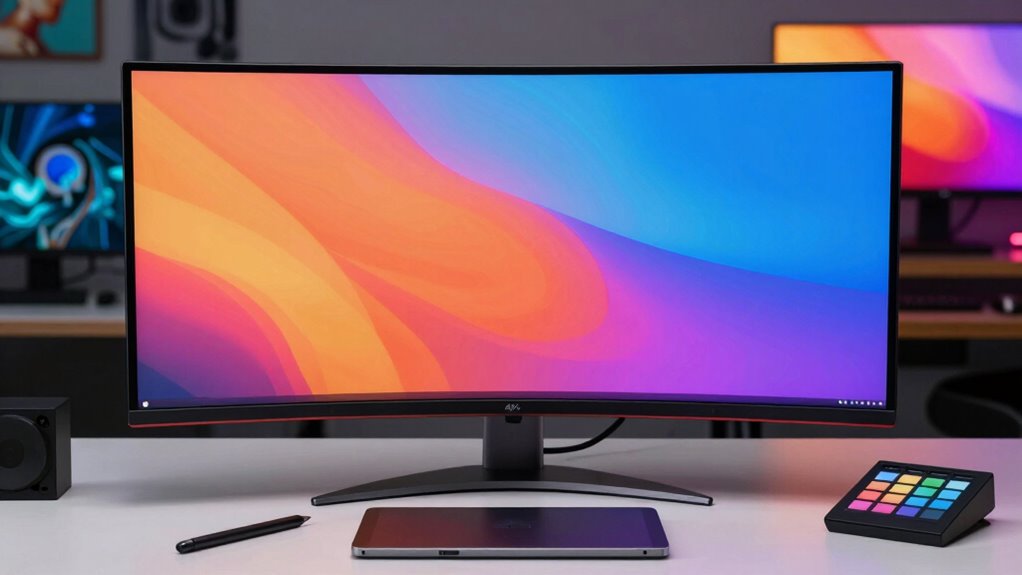

Searching for 4k monitors for creative work involves balancing resolution, color accuracy, and size. The LG 27-Inch 4K IPS Monitor stands out as the best overall for its balance of performance and features. BenQ SW272U offers exceptional color fidelity for professionals, while the Dell S2725QC delivers a smooth experience with a 120Hz refresh rate. These options illustrate the common tradeoffs between affordability, color precision, and feature set. Keep reading to see a detailed breakdown of the best choices for different needs and budgets.

Get home appliances delivered free with Prime
- Fast, free delivery on millions of items
- Prime Video, Amazon Music and more included
- Member-only deals all year
Complete the kit



Key Takeaways
- Color accuracy and coverage vary significantly, affecting professional editing capabilities.
- Size and resolution choices impact workspace and multitasking efficiency.
- USB-C and connectivity features are crucial for seamless integration into creative workflows.
- Premium models offer better calibration, build quality, and additional features but at a higher cost.
- Refresh rates above 60Hz are beneficial for video editing and smoother visual feedback.
| LG 27-Inch 4K IPS Monitor with USB Type-C, HDR 400, and AMD FreeSync |  | Best Overall for Creators Who Need Versatility and Color Accuracy | Display Size: 27 inches | Resolution: 3840 x 2160 (4K UHD) | Panel Type: IPS | VIEW ON AMAZON | See Our Full Breakdown |
| BenQ SW272U 27-inch 4K UHD IPS Monitor with USB-C, Nano Matte Panel, 99% Adobe RGB, DCI-P3, HDR |  | Best for Professional Color Accuracy and Calibration | Display Size: 27 inches | Resolution: 3840 x 2160 (4K UHD) | Display Technology: IPS LCD | VIEW ON AMAZON | See Our Full Breakdown |
| Dell 27 Monitor S2725QC 4K UHD IPS with 120Hz Refresh Rate |  | Best for Versatile Work and Smooth Entertainment | Display Size: 27 inches | Resolution: 3840 x 2160 (4K UHD) | Panel Type: IPS | VIEW ON AMAZON | See Our Full Breakdown |
| Samsung 32″ ViewFinity S7 (S71H) 4K UHD IPS HDR10 High Resolution Monitor |  | Best for Large-Screen Creative and Professional Use | Screen Size: 32 inches | Resolution: 3840 x 2160 (4K UHD) | Panel Type: IPS | VIEW ON AMAZON | See Our Full Breakdown |
| ViewSonic VP2756-4K 27 Inch 4K UHD ColorPro Monitor, 60W USB-C, sRGB |  | Best for Creative Professionals on a Budget | Display Size: 27 inches | Resolution: 3840 x 2160 (4K UHD) | Color Coverage: 100% sRGB, Rec.709 | VIEW ON AMAZON | See Our Full Breakdown |
| ASUS PA329CRV-P 32 Inch 4K UHD ProArt Monitor for Apple Mac, TAA Compliant |  | Best Overall for Professional Creators | Display Size: 32 inches | Resolution: 3840 x 2160 UHD | Panel Type: IPS | VIEW ON AMAZON | See Our Full Breakdown |
| LG 27UP850K-W 27-inch 4K UHD IPS Monitor |  | Best Value for Versatile Use | Display Size: 27 inches | Resolution: 3840 x 2160 (4K UHD) | Color Gamut: 95% DCI-P3 | VIEW ON AMAZON | See Our Full Breakdown |
| ViewSonic VP275-4K 27 Inch 4K UHD ColorPro Monitor with USB-C and Pantone Validation |  | Best for Professional Color Work | Display Size: 27 inches | Resolution: 3840 x 2160 UHD | Color Gamut: 100% sRGB | VIEW ON AMAZON | See Our Full Breakdown |
| LG 32UR550K-B 32-inch 4K UHD HDR Computer Monitor |  | Best for Vivid Visuals and Versatile Use | Display Size: 32 inches | Resolution: 3840 x 2160 UHD | HDR: HDR10 | VIEW ON AMAZON | See Our Full Breakdown |
| ASUS ProArt PA279CV 27-Inch 4K UHD USB-C Professional Monitor |  | Best for Precise Color and Professional Use | Display Size: 27 inches | Resolution: 3840 x 2160 UHD | Color Gamut: 100% sRGB, 100% Rec. 709 | VIEW ON AMAZON | See Our Full Breakdown |
| ASUS ProArt PA279CRV 27-Inch 4K UHD HDR Professional Monitor for Mac |  | Best Overall for Color Accuracy and Versatility | Display Size: 27 inches | Resolution: 3840 x 2160 (4K UHD) | Display Technology: LCD LED | VIEW ON AMAZON | See Our Full Breakdown |
| LG 27US500-W Ultrafine 27-Inch 4K UHD HDR10 IPS Monitor |  | Best Value for Vivid Visuals and Ergonomics | Size: 27 inches | Resolution: 3840 x 2160 (4K UHD) | Contrast Ratio: 1000:1 | VIEW ON AMAZON | See Our Full Breakdown |
| 4k monitors for creative work | Resolution | Display Size | Connectivity | HDR |
|---|---|---|---|---|
| LG 27-Inch 4K IPS Monitor with | 3840 x 2160 (4K UHD) | 27 inches | USB Type-C, HDMI, DisplayPort, 2 USB ports | VESA DisplayHDR 400 |
| BenQ SW272U 27-inch 4K UHD IPS | 3840 x 2160 (4K UHD) | 27 inches | DisplayPort, HDMI, USB Type-C | — |
| Dell 27 Monitor S2725QC 4K UHD | 3840 x 2160 (4K UHD) | 27 inches | USB-C (up to 65W) | HDR ready |
| Samsung 32" ViewFinity S7 | 3840 x 2160 (4K UHD) | — | — | HDR10 |
| ViewSonic VP2756-4K 27 Inch 4K | 3840 x 2160 (4K UHD) | 27 inches | USB-C, HDMI, DisplayPort | — |
| ASUS PA329CRV-P 32 Inch 4K UHD | 3840 x 2160 UHD | 32 inches | — | HDR400 |
| LG 27UP850K-W 27-inch 4K UHD I | 3840 x 2160 (4K UHD) | 27 inches | USB Type-C, DisplayPort, HDMI | VESA DisplayHDR 400 |
| ViewSonic VP275-4K 27 Inch 4K | 3840 x 2160 UHD | 27 inches | USB-C, HDMI, DisplayPort | — |
| LG 32UR550K-B 32-inch 4K UHD H | 3840 x 2160 UHD | 32 inches | HDMI, DisplayPort | HDR10 |
| ASUS ProArt PA279CV 27-Inch 4K | 3840 x 2160 UHD | 27 inches | USB-C, HDMI, DisplayPort | — |
| ASUS ProArt PA279CRV 27-Inch 4 | 3840 x 2160 (4K UHD) | 27 inches | — | — |
| LG 27US500-W Ultrafine 27-Inch | 3840 x 2160 (4K UHD) | — | — | HDR10 |
More Details on Our Top Picks
LG 27-Inch 4K IPS Monitor with USB Type-C, HDR 400, and AMD FreeSync
This LG monitor stands out for its vibrant color accuracy, thanks to 95% DCI-P3 coverage, making it ideal for content creators who prioritize precise visuals. Its USB Type-C port with 90W power delivery simplifies workspace setup, and HDR 400 support enhances dynamic range for richer images. Compared with the ViewSonic VP2756-4K, LG offers more gaming-friendly features like FreeSync and a lower response time, but it sacrifices higher refresh rates for a 60Hz limit, which may not appeal to high-end gamers. Its adjustable stand and multiple ports make it versatile, though it lacks high audio quality or built-in speakers. This monitor suits professionals needing accurate, vibrant visuals with some gaming capabilities, but less so for competitive gamers. Specs include 27 inches, 3840×2160 resolution, IPS panel, HDR 400, 95% DCI-P3, 60Hz, 5ms response, USB-C with 90W Power Delivery.Pros:- Vivid, accurate colors with 95% DCI-P3 coverage
- Versatile connectivity including USB Type-C with 90W Power Delivery
- HDR 400 support for enhanced dynamic range
- Ergonomic stand with height, tilt, and pivot adjustments
Cons:- Limited to 60Hz refresh rate, not suitable for high-end gaming
- No high-quality built-in speakers
- Higher price point due to advanced features
Best for: Creative professionals who want high color fidelity combined with some gaming features in a versatile workspace monitor.
Not ideal for: Competitive gamers needing higher refresh rates or built-in speakers with premium audio quality.
- Display Size:27 inches
- Resolution:3840 x 2160 (4K UHD)
- Panel Type:IPS
- HDR:VESA DisplayHDR 400
- Color Coverage:95% DCI-P3
- Refresh Rate:60Hz
- Response Time:5ms
- Connectivity:USB Type-C, HDMI, DisplayPort, 2 USB ports
Our verdict“This monitor makes the most sense for creators needing vibrant visuals with flexible connectivity, accepting some gaming compromises.”
BenQ SW272U 27-inch 4K UHD IPS Monitor with USB-C, Nano Matte Panel, 99% Adobe RGB, DCI-P3, HDR
The BenQ SW272U excels in delivering near-perfect color fidelity with 99% Adobe RGB and DCI-P3 coverage, making it a top choice for professional designers and photographers. Its Nano Matte panel reduces reflections, providing a comfortable viewing experience even in bright environments — a key advantage over the glossy LG 27UP850K-W. Compared to the ViewSonic VP2756-4K, it offers more extensive color gamuts and hardware calibration capabilities, but it is likely to be pricier and bulkier. Its 60Hz refresh rate is standard for editing work, not suitable for fast-paced gaming. The monitor’s ergonomic adjustments and factory calibration support high-precision workflows. It’s ideal for those who need exact color reproduction and consistent output for print or digital media. Specs include 27 inches, 3840×2160 resolution, IPS panel, HDR 400, 99% Adobe RGB, DCI-P3, 60Hz, 5ms response, USB-C with 90W.Pros:- Exceptional color accuracy with 99% Adobe RGB and DCI-P3
- Nano Matte anti-reflective panel for glare reduction
- Supports hardware calibration for consistent color output
- Factory calibrated with Pantone validation
Cons:- Higher price compared to general-use monitors
- Limited to 60Hz refresh rate, not for gaming
- Larger size may require more desk space
Best for: Creative professionals demanding precise, calibrated colors for print, digital art, or photography work.
Not ideal for: Gamers or users seeking high refresh rates and gaming-focused features.
- Display Size:27 inches
- Resolution:3840 x 2160 (4K UHD)
- Display Technology:IPS LCD
- Brightness:400 nits
- Color Gamut:99% Adobe RGB, DCI-P3
- Panel Finish:Nano Matte
- Connectivity:DisplayPort, HDMI, USB Type-C
- Item Dimensions:10.78″ D x 24.17″ W x 17.78″ H
Our verdict“This monitor is best suited for creative professionals who need reliable, precise color output, with less focus on gaming or high refresh rates.”
Dell 27 Monitor S2725QC 4K UHD IPS with 120Hz Refresh Rate
The Dell S2725QC offers a compelling mix of vibrant 4K visuals and a rapid 120Hz refresh rate, making it suitable for both detailed creative work and casual gaming. Its 4ms response time and FreeSync Premium enable smooth motion, unlike the more static LG or ViewSonic models. The USB-C port with 65W power delivery simplifies workspace setup, though Dell provides less detail on ergonomic features, which could be a downside for prolonged use. Its color coverage of 99% sRGB is sufficient for many creative tasks but less extensive than professional-grade monitors. Compared to the LG 27-Inch, it balances excellent visuals with faster refresh rates but lacks some of the color precision features. It’s ideal for users who want a versatile monitor for work and entertainment, with a focus on smooth visuals. Specs include 27 inches, 3840×2160 resolution, IPS panel, 120Hz refresh, 4ms response, HDR ready, USB-C with 65W.Pros:- Vivid 4K visuals with 99% sRGB coverage
- Fast 120Hz refresh rate with FreeSync Premium for fluid motion
- Low blue light mode for eye comfort
- Single USB-C cable with 65W charging
Cons:- Limited ergonomic adjustments detailed by Dell
- Color coverage is good but not for professional-grade color work
- Price not specified, possibly higher for the feature set
Best for: Creative professionals who also value smooth motion for video editing or light gaming without sacrificing image quality.
Not ideal for: Strictly professional color grading or high-end gaming enthusiasts needing ultra-high refresh rates.
- Display Size:27 inches
- Resolution:3840 x 2160 (4K UHD)
- Panel Type:IPS
- Refresh Rate:120Hz
- Response Time:4ms
- HDR:HDR ready
- Connectivity:USB-C (up to 65W)
Our verdict“This model suits users who want a balanced monitor for creative tasks and smooth entertainment, accepting some tradeoffs in color precision.”
Samsung 32″ ViewFinity S7 (S71H) 4K UHD IPS HDR10 High Resolution Monitor
The Samsung ViewFinity S7’s larger 32-inch display provides ample workspace for detailed editing, with accurate colors via IPS and HDR10 support for enhanced contrast. Its wide 178° viewing angles and eye comfort features make it suitable for long creative sessions, comparable to the ViewSonic VP2756-4K but with a bigger canvas. While the price may be higher, the added screen real estate benefits those working on complex projects. It’s less tailored for gaming, unlike the LG or Dell models, which offer faster refresh rates. The monitor’s connectivity options include HDMI and DisplayPort, supporting versatile setups. Overall, this screen is ideal for professionals who prefer bigger displays and need accurate color for detailed work. Specs include 32 inches, 3840×2160 resolution, IPS panel, HDR10, 178° viewing angle, eye saver mode, HDMI, DisplayPort.Pros:- Large 32-inch 4K UHD display for ample workspace
- Accurate colors with IPS panel and HDR10
- Wide viewing angles and eye comfort features
- Multiple connectivity options
Cons:- Premium price can be a barrier
- Less optimized for fast-paced gaming
- Size may require a more spacious desk setup
Best for: Photographers, designers, or CAD users who benefit from a larger workspace with color accuracy and HDR support.
Not ideal for: High-speed gaming or users prioritizing ultra-high refresh rates over color accuracy.
- Screen Size:32 inches
- Resolution:3840 x 2160 (4K UHD)
- Panel Type:IPS
- HDR:HDR10
- Viewing Angle:178°
- Eye Saver Mode:Yes
- Ports:HDMI, DisplayPort
Our verdict“This monitor is best for professionals needing a bigger screen with reliable color accuracy and HDR for detailed creative work.”
ViewSonic VP2756-4K 27 Inch 4K UHD ColorPro Monitor, 60W USB-C, sRGB
The ViewSonic VP2756-4K offers a highly calibrated 4K display with factory calibration and Pantone validation, making it suitable for professional creators. Its 100% sRGB and Rec.709 coverage ensure color consistency, rivaling the more expensive BenQ SW272U but at a more accessible price point. The single USB-C cable with 60W charging simplifies connections, similar to the Dell but with slightly less refresh rate flexibility. It lacks the extensive professional color gamuts of the BenQ or Samsung models, but it strikes a good balance between affordability and accuracy. The 27-inch size may be smaller than some prefer, yet it remains a capable tool for precise editing tasks. It’s best for those seeking professional-grade color without the higher price of specialized monitors. Specs include 27 inches, 3840×2160 resolution, IPS panel, sRGB coverage, factory calibration, USB-C with 60W, tilt/swivel/height adjustments.Pros:- Factory calibrated with Delta E<2 for color accuracy
- Pantone validated for professional color fidelity
- Single USB-C cable with 60W charging simplifies setup
- Ergonomic stand with multiple adjustments
Cons:- Smaller 27-inch screen size may be limiting for some workflows
- Limited to sRGB and Rec.709, less expansive than DCI-P3
- Price may still be high for budget-conscious users
Best for: Creative professionals seeking accurate color reproduction without the high cost of flagship models.
Not ideal for: High-end print professionals or those needing wider color gamuts like Adobe RGB or DCI-P3.
- Display Size:27 inches
- Resolution:3840 x 2160 (4K UHD)
- Color Coverage:100% sRGB, Rec.709
- Calibration:Factory calibrated, Delta E<2
- Connectivity:USB-C, HDMI, DisplayPort
- Power Delivery:60W
Our verdict“This monitor offers professional-grade color accuracy at a more accessible price, ideal for creators focused on precise digital work.”
ASUS PA329CRV-P 32 Inch 4K UHD ProArt Monitor for Apple Mac, TAA Compliant
This monitor stands out for its expansive 32-inch display paired with a high-resolution 4K UHD panel, making it ideal for detailed editing and color-sensitive workflows. Its color coverage of 98% DCI-P3 and 100% sRGB ensures accurate color reproduction, surpassing smaller models like the LG 27UP850K-W in size and calibration options. Compared to the ViewSonic VP275-4K, it offers a larger screen and extensive ergonomic adjustments, though at a premium price that might be prohibitive for casual users. The inclusion of calibration reports and an extended warranty adds value for professionals who need reliability and precision. Its versatile connectivity, including USB-C with 96W Power Delivery, supports a streamlined workspace, but the high cost and Mac-dependent features may limit appeal for some.
Pros:- Large 32-inch 4K UHD display for expansive workspace
- Exceptional color accuracy with 98% DCI-P3 and 100% sRGB coverage
- Fully adjustable ergonomic stand for personalized setup
- Includes calibration report and extended 5-year warranty
Cons:- Premium price may be too high for casual use
- Limited multimedia features for entertainment or gaming
- Requires compatible Mac or high-end PC for full functionality
Best for: Professional content creators and designers who need a large, color-accurate display with flexible connectivity.
Not ideal for: Casual hobbyists or budget-conscious buyers, due to its higher price point and targeted professional features.
- Display Size:32 inches
- Resolution:3840 x 2160 UHD
- Panel Type:IPS
- Color Gamut:98% DCI-P3, 100% sRGB
- Contrast Ratio:3000:1
- HDR:HDR400
Our verdict“This monitor makes the most sense for professionals who prioritize large, color-accurate displays and flexible setup options.”
LG 27UP850K-W 27-inch 4K UHD IPS Monitor
The LG 27UP850K-W offers a crisp 27-inch 4K UHD display with an expansive color gamut of 95% DCI-P3, making it suitable for both creative tasks and general use. Its HDR 400 support and built-in stereo speakers add multimedia versatility, aligning well with models like the ViewSonic VP275-4K, but its smaller size makes it less ideal for those needing extensive screen real estate. The ergonomic stand allows for comfortable positioning, and multiple connectivity options, including USB-C with Power Delivery, support a tidy workspace. However, lacking advanced gaming features and a built-in webcam, it leans more toward professional and multimedia use rather than high-speed gaming or video conferencing. Its balance of features and price makes it appealing for users seeking a capable all-rounder without overpaying.
Pros:- Vivid 4K UHD resolution with HDR 400 support
- Wide color gamut for accurate visuals
- USB-C with Power Delivery for simplified connectivity
- Ergonomic stand for comfort
Cons:- Limited to 60Hz refresh rate, not suited for fast-paced gaming
- No built-in webcam for remote meetings
- Potentially higher price for feature set
Best for: Creative professionals and multitaskers who want a balanced mix of color accuracy, connectivity, and affordability.
Not ideal for: High-end gamers or users who need larger screens for detailed design work, as it is constrained to 27 inches.
- Display Size:27 inches
- Resolution:3840 x 2160 (4K UHD)
- Color Gamut:95% DCI-P3
- HDR:VESA DisplayHDR 400
- Connectivity:USB Type-C, DisplayPort, HDMI
- Stand Adjustments:Height, tilt, pivot
Our verdict“This monitor suits users seeking a versatile, color-accurate display at a reasonable price, with a focus on productivity and multimedia.”
ViewSonic VP275-4K 27 Inch 4K UHD ColorPro Monitor with USB-C and Pantone Validation
The ViewSonic VP275-4K excels in delivering precise color accuracy, validated by Pantone certification, making it ideal for color-critical tasks like photo editing and print design. Its 27-inch size offers a manageable workspace, and the 100% sRGB coverage exceeds many competitors like the LG 27UP850K-W in color fidelity. While its 60Hz refresh rate is standard for professional work rather than gaming, the inclusion of USB-C with charging simplifies cable management. The ergonomic stand, combined with a matte finish, reduces reflections during long editing sessions. However, the absence of high refresh rate capabilities and built-in speakers limits its appeal to purely professional use rather than multimedia or gaming applications. For creators needing color precision, this model raises the bar.
Pros:- Pantone validated for extremely accurate color reproduction
- High resolution with 100% sRGB coverage
- USB-C with charging for streamlined setup
- Matte finish reduces glare
Cons:- Limited to 60Hz refresh rate, unsuitable for gaming
- No built-in speakers for multimedia use
- Higher price point might be a barrier for some
Best for: Photographers, designers, and print professionals needing high color accuracy and reliable calibration.
Not ideal for: Gamers or those seeking high refresh rates for fast-paced multimedia, due to the 60Hz limitation.
- Display Size:27 inches
- Resolution:3840 x 2160 UHD
- Color Gamut:100% sRGB
- Color Certification:Pantone Validated
- Connectivity:USB-C, HDMI, DisplayPort
- Stand Adjustments:Tilt, swivel, rotate, height
Our verdict“This monitor is tailored for professionals who prioritize color fidelity and calibration for creative workflows.”
LG 32UR550K-B 32-inch 4K UHD HDR Computer Monitor
The LG 32UR550K-B offers a sizable 32-inch 4K UHD display with HDR10 support, making it suitable for both work and entertainment. Its HDR capabilities bring vibrant visuals, comparable to the LG 27UP850K-W but with a larger screen for immersive viewing. The adjustable stand enhances ergonomic comfort, and its gaming features like Dynamic Action Sync and Black Stabilizer add an extra dimension for casual gaming or multimedia. Unlike the ProArt models, it isn’t calibrated for professional color work, but it still provides vivid, sharp images for general creative tasks and streaming. The absence of a USB-C hub and higher refresh rates, however, limits its appeal for professional editing or high-end gaming, respectively. It fills a niche for users wanting a large, versatile display without the highest color accuracy demands.
Pros:- Large 32-inch 4K UHD display with HDR10 support
- Adjustable stand for ergonomic comfort
- Gaming features like Dynamic Action Sync
- Vivid visuals suitable for streaming and casual work
Cons:- Limited to 60Hz, not ideal for competitive gaming
- No mention of professional calibration or color accuracy
- Lacks built-in USB-C hub support
Best for: Content creators and streamers who want a large, vibrant display with some gaming features for casual use.
Not ideal for: Color-critical professionals or gamers seeking high refresh rates, as it is limited to 60Hz and less precise color calibration.
- Display Size:32 inches
- Resolution:3840 x 2160 UHD
- HDR:HDR10
- Refresh Rate:60Hz
- Connectivity:HDMI, DisplayPort
- Stand Adjustments:Tilt, height, pivot
Our verdict“This monitor suits users who want a large, colorful display with some gaming features for versatile multimedia use, not precise color work.”
ASUS ProArt PA279CV 27-Inch 4K UHD USB-C Professional Monitor
The ASUS ProArt PA279CV is designed specifically for professionals who need accurate color reproduction and reliable calibration. Its 27-inch IPS panel covers 100% sRGB and Rec. 709, with factory calibration and Calman verification, making it superior to less calibrated models like the LG 27US500-W for critical color work. The inclusion of USB-C with 65W Power Delivery simplifies workspace setup for creators on the go. While its 27-inch size may be limiting for those craving larger screens, its extended 5-year warranty and free Adobe Creative Cloud subscription add significant value. The response time of 5ms and lack of high refresh rate make it less suitable for fast-paced gaming or video editing that demands quicker transitions, but it excels at static, color-sensitive tasks.
Pros:- High color accuracy with factory calibration and Calman verification
- USB-C with 65W Power Delivery for simple connectivity
- Extended 5-year warranty and included Adobe Creative Cloud
- Excellent for color-critical workflows
Cons:- Display size may be too small for some workflows
- Response time not suited for fast gaming or fast-paced editing
- Price may be high for budget-conscious buyers
Best for: Photographers, video editors, and designers requiring precise, factory-calibrated color accuracy in a compact size.
Not ideal for: Gamers or users needing larger screens or fast refresh rates for high-speed video editing or gaming.
- Display Size:27 inches
- Resolution:3840 x 2160 UHD
- Color Gamut:100% sRGB, 100% Rec. 709
- Calibration:Calman Verified, Delta E < 2
- Connectivity:USB-C, HDMI, DisplayPort
- Warranty:5 years
Our verdict“This monitor is ideal for professionals who prioritize color fidelity and compact design over larger screens or gaming performance.”
ASUS ProArt PA279CRV 27-Inch 4K UHD HDR Professional Monitor for Mac
The ASUS ProArt PA279CRV stands out as the most balanced choice for creative professionals who need precise color reproduction and flexible connectivity. Its 99% DCI-P3 and Adobe RGB coverage, combined with factory calibration, makes it ideal for high-end photo editing, video work, and design. Compared with the LG 27US500-W, which offers vibrant visuals but less comprehensive color coverage, the ASUS provides more consistent and reliable color accuracy. The inclusion of USB-C with 96W Power Delivery and an ergonomic stand enhances workflow comfort and reduces clutter. However, its 60 Hz refresh rate limits its suitability for fast-paced video editing or gaming, and the absence of built-in speakers or additional USB ports can be a drawback for some users. This monitor is best suited for professional creatives who prioritize color precision and versatile connectivity, but not for those seeking high refresh rates or multimedia features.
Pros:- Exceptional color accuracy with 99% DCI-P3 and Adobe RGB coverage
- Factory calibration ensures consistent color out of the box
- Versatile connectivity including USB-C with 96W Power Delivery
- Ergonomic stand with full adjustability for comfort
Cons:- Limited 60 Hz refresh rate not suitable for fast-paced editing or gaming
- No built-in speakers or additional USB ports
Best for: Creative professionals requiring accurate color and flexible workspace setup, such as photographers and video editors
Not ideal for: Gamers or users needing high refresh rates or integrated multimedia features
- Display Size:27 inches
- Resolution:3840 x 2160 (4K UHD)
- Display Technology:LCD LED
- Contrast Ratio:3,000:1
- Brightness:400 cd/m²
- Color Gamut:99% DCI-P3, 99% Adobe RGB
Our verdict“This monitor is best for creative professionals who need precise color and flexible connectivity, but it may fall short for high-refresh-rate applications.”
LG 27US500-W Ultrafine 27-Inch 4K UHD HDR10 IPS Monitor
The LG 27US500-W offers a compelling option for those seeking vibrant visuals at an accessible price point. Its HDR10 support enhances contrast and color depth, making it suitable for digital imagery and creative workflows that benefit from deep blacks and vivid colors. Compared with the ASUS ProArt, which emphasizes color accuracy, the LG focuses on visual impact and affordability, though it covers a slightly narrower 90% DCI-P3 gamut. Its ergonomic stand allows tilt adjustments, but lacks height or swivel options, which could limit comfort over long sessions. Without detailed connectivity options, it might not support complex workflows involving multiple devices. This monitor makes the most sense for digital artists or hobbyists who prioritize vivid display quality and ergonomic flexibility without needing the highest color accuracy or extensive ports.
Pros:- Vivid 4K UHD resolution with HDR10 support for enhanced contrast
- Wide viewing angles thanks to IPS technology
- Ergonomic stand with tilt adjustment for comfortable viewing
Cons:- Limited connectivity options may restrict multi-device workflows
- Lacks height and swivel adjustments for more customized ergonomic positioning
- Slightly narrower color gamut coverage compared to the ASUS ProArt
Best for: Digital artists or hobbyists who prioritize visual vibrancy and ergonomic comfort in their creative setup
Not ideal for: Color-critical professionals or those needing extensive connectivity and calibration features
- Size:27 inches
- Resolution:3840 x 2160 (4K UHD)
- Contrast Ratio:1000:1
- HDR:HDR10
- Color Gamut:90% DCI-P3
- Stand:Ergonomic, tilt only
Our verdict“This monitor is ideal for artists and creatives valuing vibrant visuals and ergonomic flexibility at a budget-friendly price, but less so for color-critical tasks requiring extensive calibration and ports.”

How We Picked
The monitors in this roundup were selected based on a combination of performance, display quality, connectivity, build quality, and value. Priority was given to color accuracy (covering 99% Adobe RGB or DCI-P3), resolution, and ergonomic features that support long editing sessions. We also considered user reviews and industry reputation to identify reliable brands. The rankings reflect a balance between professional-grade features and practical affordability, ensuring options are suitable for various creative workflows and budgets.| 4k monitors for creative work | HDR | Connectivity |
|---|---|---|
| LG 27-Inch 4K IPS Monitor with | VESA DisplayHDR 400 | USB Type-C, HDMI, DisplayPort, 2 USB ports |
| BenQ SW272U 27-inch 4K UHD IPS | — | DisplayPort, HDMI, USB Type-C |
| Dell 27 Monitor S2725QC 4K UHD | HDR ready | USB-C (up to 65W) |
| Samsung 32" ViewFinity S7 | HDR10 | — |
| ViewSonic VP2756-4K 27 Inch 4K | — | USB-C, HDMI, DisplayPort |
| ASUS PA329CRV-P 32 Inch 4K UHD | HDR400 | — |
| LG 27UP850K-W 27-inch 4K UHD I | VESA DisplayHDR 400 | USB Type-C, DisplayPort, HDMI |
| ViewSonic VP275-4K 27 Inch 4K | — | USB-C, HDMI, DisplayPort |
| LG 32UR550K-B 32-inch 4K UHD H | HDR10 | HDMI, DisplayPort |
| ASUS ProArt PA279CV 27-Inch 4K | — | USB-C, HDMI, DisplayPort |
| ASUS ProArt PA279CRV 27-Inch 4 | — | — |
| LG 27US500-W Ultrafine 27-Inch | HDR10 | — |
Factors to Consider When Choosing 4k Monitors For Creative Work
Choosing a 4k monitor for creative work requires understanding several key factors. Beyond raw resolution, color accuracy, panel technology, and connectivity options determine how well a monitor will serve your specific needs. Making the right choice involves weighing these features against your workflow priorities, whether that’s photo editing, video production, or digital design. Here are the main factors to consider:Color Accuracy and Calibration
For creative professionals, color precision is paramount. Look for monitors with high color gamut coverage such as Adobe RGB or DCI-P3, and those that come factory-calibrated or support hardware calibration. A monitor with limited color coverage can result in mismatched colors across devices, impacting your final output. Investing in a monitor that offers excellent calibration options can save time and ensure your work looks consistent everywhere.
Size and Resolution Balance
While 4k resolution provides sharp detail, screen size influences usability. Larger screens (32 inches and above) give more workspace, crucial for multi-layer editing or complex design tasks. Smaller monitors, like 27 inches, are more space-efficient and better suited for tighter setups. Consider your desk space and how much visual real estate you need to work comfortably without sacrificing pixel density or clarity.
Connectivity and Workflow Integration
Features like USB-C, Thunderbolt, and multiple HDMI ports facilitate seamless connection to laptops and peripherals. For creative work, a monitor with USB-C can also deliver power, reducing cable clutter. Ensure your devices support these ports to maximize convenience. Missing or limited connectivity options may force you to use adapters, adding complexity and potential points of failure.
Build Quality and Ergonomics
Long hours of editing demand a monitor that’s adjustable and comfortable. Look for models with height, tilt, and swivel adjustments. Premium build quality ensures durability and fewer calibration issues over time. Affordable options might lack these features, leading to discomfort or the need for additional accessories to improve ergonomics.
Price and Value
High-end monitors deliver superior color and build but come at a premium. Entry-level options can be sufficient for casual or hobbyist use but may lack calibration or color coverage. Evaluate your budget against your professional requirements. Sometimes, investing in a slightly more expensive model yields better long-term value through durability and accurate color reproduction.
Frequently Asked Questions
Is a higher refresh rate necessary for creative work?
For most creative tasks like photo editing or graphic design, a standard 60Hz refresh rate is sufficient as it ensures stable image rendering. However, if your work involves video editing or motion graphics, higher refresh rates (such as 120Hz) can provide smoother playback and editing experience. While not a critical factor for all types of creative work, a higher refresh rate can enhance the overall workflow in motion-centric projects.
Should I prioritize color gamut over resolution?
Color gamut directly impacts your ability to see and work with accurate colors, which is essential for professional editing. Resolution, on the other hand, affects image sharpness and detail. For most creative professionals, color accuracy takes precedence, but balancing both is ideal. A monitor with 4k resolution and wide color coverage offers the best combination for detailed, color-precise work.
Are curved monitors better for creative work?
Curved monitors can reduce distortion at the edges and provide a more immersive experience, especially on larger screens. However, for color-critical tasks, flat panels often offer more consistent viewing angles and easier calibration. Your choice depends on personal preference and workspace setup. Many professionals prefer flat displays for precise color work, but curved screens can be beneficial for broader workspace coverage.
How important is hardware calibration support?
Hardware calibration support ensures that your monitor maintains color accuracy over time. For professional creative work, especially print and digital media, calibration tools help keep colors consistent. Monitors with this feature reduce the risk of color shifts that can occur with factory calibration or over time, making them a wise investment for accuracy-dependent workflows.
Can I use a 4k monitor for gaming or general use?
Yes, many 4k monitors work well for gaming and everyday use, offering sharp images and vibrant colors. However, for creative work, it’s essential to focus on color accuracy and calibration rather than just resolution. If you plan to switch between gaming and professional editing, choose a monitor that balances both performance aspects, but prioritize color fidelity for the best results in creative tasks.
Conclusion
For those seeking the best overall experience, the LG 27-Inch 4K IPS Monitor offers a well-rounded package of color accuracy, build quality, and usability. Budget-conscious creators should consider models like the ViewSonic VP2756-4K for solid performance at a lower price point. Professionals demanding top-tier fidelity and features will find the BenQ SW272U or ASUS ProArt PA279CV worth the investment. Beginners or casual users might prioritize affordability and simplicity, while specialists in video editing should look for higher refresh rates and hardware calibration. Ultimately, your choice depends on your specific workflow needs and budget constraints.
Halloween Picks
halloween
As an affiliate, we earn on qualifying purchases.