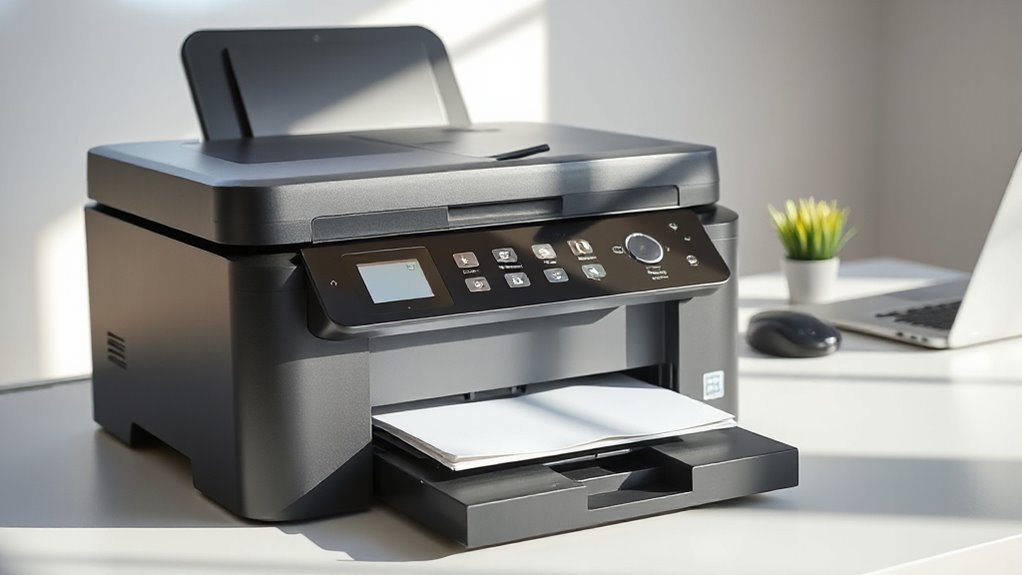

Choosing the right all-in-one printer for a small business involves balancing performance, cost, and ease of use. The HP OfficeJet Pro 9125 stands out as the best overall for its versatile features and reliable performance. For those prioritizing low operating costs, the Epson EcoTank ET-4800 offers impressive savings with its supertank system. If security and high-volume printing are critical, the Brother MFC-L8930CDW provides advanced security features and fast speeds. The main challenge is finding a model that balances print quality, running costs, and ease of maintenance. Keep reading for a detailed breakdown of these top options and how to choose the right one for your business needs.

Get home appliances delivered free — and shop member deals
- Fast, free delivery on millions of items
- Access to Prime Big Deal Days deals on October 6–7
- Prime Video, Amazon Music and more included
Complete the kit


Key Takeaways
- The top models balance print quality, speed, and cost efficiency, with laser options excelling in high-volume environments.
- Inkjet printers tend to be better for color accuracy and photo printing, but often come with higher running costs for frequent use.
- Supertank or ink investment models like Epson EcoTank offer significant long-term savings for businesses with high print volumes.
- Security features and duplex printing are key considerations for businesses concerned with confidentiality and sustainability.
- Ease of use and maintenance are often overlooked but critical factors, especially for small teams lacking dedicated IT support.
| HP OfficeJet Pro 9125 Wireless All-in-One Color Inkjet Printer |  | Best Overall for Small Office Versatility | Print Speed: up to 22 ppm black, 18 ppm color | Input Tray Capacity: 250 sheets | Touchscreen: 2.7-inch color touchscreen | VIEW ON AMAZON | See Our Full Breakdown |
| HP OfficeJet Pro 8125 Wireless All-in-One Color Inkjet Printer |  | Best for Home Office with Moderate Volume | Print Speed (Black): 20 ppm | Print Speed (Color): 10 ppm | Input Tray Capacity: 225 sheets | VIEW ON AMAZON | See Our Full Breakdown |
| Brother MFC-L8930CDW Business Color Laser All-in-One Printer with Duplex Print, Scan, Copy, Low-Cost Printing, and Advanced Security Features |  | Best for High-Volume, Security-Conscious Businesses | Print Speed: up to 33 ppm | Scan Speed: up to 104 ipm | Auto Document Feeder: 80 pages | VIEW ON AMAZON | See Our Full Breakdown |
| HP OfficeJet Pro 9135 Wireless All-in-One Color Inkjet Printer |  | Best for Fast, All-Around Office Printing | Print Speed: 25 ppm black, 20 ppm color | Touchscreen: 4.3-inch color | Input Trays: Two 250-sheet trays | VIEW ON AMAZON | See Our Full Breakdown |
| Brother MFC-L2820DW Wireless Monochrome All-in-One Laser Printer |  | Best for Compact Monochrome Office Needs | Print Speed: 36 ppm | Scan Speed: 23.6/7.9 ipm | Auto Document Feeder: 50 pages | VIEW ON AMAZON | See Our Full Breakdown |
| HP LaserJet Pro MFP 3101sdw Wireless Black and White All-in-One Laser Printer |  | Best for Small Teams Needing Fast, Reliable Black-and-White Printing | Print Speed: up to 35 ppm | Color: Black and White | Functions: Print, Scan, Copy | VIEW ON AMAZON | See Our Full Breakdown |
| Brother INKvestment 5110 Wireless Color Inkjet All-in-One Printer with 500-sheet Capacity and 4.3” Touchscreen |  | Best for Small Businesses Needing High Capacity and Color Flexibility | Paper Capacity: 500 sheets | Touchscreen: 4.3 inches | Print Speed: 28 ppm black, 26 ppm color | VIEW ON AMAZON | See Our Full Breakdown |
| Brother INKvestment 5010 Wireless Color Inkjet All-in-One Printer |  | Best for Cost-Conscious Small Businesses with Security Needs | Print Speed: 28 ppm black / 26 ppm color | Paper Capacity: 250 sheets | Automatic Document Feeder: 50 pages | VIEW ON AMAZON | See Our Full Breakdown |
| Brother MFC-L3720CDW Wireless Color Laser Printer, Scanner, Copier, Fax, Auto Duplex, 250-Sheet Capacity |  | Best for Small Offices Needing Fast, Secure Color Laser Printing | Print Speed: up to 19 ppm | Scan Speed: up to 29/22 ipm | Paper Capacity: 250 sheets | VIEW ON AMAZON | See Our Full Breakdown |
| Brother MFC-L5915DW All-in-One Monochrome Laser Printer with Scanner and Copier |  | Best Overall for High-Volume Monochrome Printing | Print Speed: 50 ppm | Auto Document Feeder Capacity: 70 pages | Toner Cartridge Yield: 18,000 pages | VIEW ON AMAZON | See Our Full Breakdown |
| Canon Color imageCLASS MF753Cdw II – All-in-One Color Duplex Laser Printer |  | Best for Color Versatility and Multi-Tasking | Color: Color | Wireless: Yes | Functions: Print, scan, copy, fax | VIEW ON AMAZON | See Our Full Breakdown |
| Brother Work Smart 1360 Wireless Color Inkjet All-in-One Printer |  | Best for Home Office and Light Use | Print Speed: Up to 16 ppm black, 9 ppm color | Automatic Duplex: Yes | Automatic Document Feeder: 20 sheets | VIEW ON AMAZON | See Our Full Breakdown |
| Epson EcoTank ET-4800 Wireless All-in-One Supertank Printer with Scanner, Copier, Fax, ADF, and Ethernet |  | Best for Cost-Effective High-Volume Printing | Printer Type: All-In-One Supertank | Connectivity: Wireless, Ethernet | Features: Scanner, Copier, Fax, ADF | VIEW ON AMAZON | See Our Full Breakdown |
| all in one printer for small business | Connectivity | Print Speed |
|---|---|---|
| HP OfficeJet Pro 9125 Wireless | Wireless dual-band Wi-Fi | up to 22 ppm black, 18 ppm color |
| HP OfficeJet Pro 8125 Wireless | Wireless, dual-band Wi-Fi | — |
| Brother MFC-L8930CDW Business | Wi-Fi, Ethernet | up to 33 ppm |
| HP OfficeJet Pro 9135 Wireless | Wireless dual-band Wi-Fi | 25 ppm black, 20 ppm color |
| Brother MFC-L2820DW Wireless M | Wireless, Ethernet, USB | 36 ppm |
| HP LaserJet Pro MFP 3101sdw Wi | — | up to 35 ppm |
| Brother INKvestment 5110 Wirel | Wi-Fi Direct, Ethernet, USB, Cloud | 28 ppm black, 26 ppm color |
| Brother INKvestment 5010 Wirel | Wi-Fi Direct, Ethernet, USB | 28 ppm black / 26 ppm color |
| Brother MFC-L3720CDW Wireless | Wi-Fi, Wi-Fi Direct, USB | up to 19 ppm |
| Brother MFC-L5915DW All-in-One | Gigabit Ethernet, dual-band WiFi, mobile printing | 50 ppm |
| Canon Color imageCLASS MF753Cd | — | — |
| Brother Work Smart 1360 Wirele | Wireless, USB | Up to 16 ppm black, 9 ppm color |
| Epson EcoTank ET-4800 Wireless | Wireless, Ethernet | — |
More Details on Our Top Picks
HP OfficeJet Pro 9125 Wireless All-in-One Color Inkjet Printer
The HP OfficeJet Pro 9125 stands out for its comprehensive feature set, combining fast color printing, secure wireless connectivity, and duplex capabilities that rival the larger HP OfficeJet Pro 9135. Its 2.7-inch touchscreen and support for HP’s Instant Ink make it user-friendly and cost-effective, especially for offices needing reliable document management. Compared to laser options like the Brother MFC-L8930CDW, this inkjet offers vivid color quality, though it tends to have higher ongoing ink costs and relies heavily on original HP cartridges. Its security features and recycled plastic content add to its appeal, but the price of cartridges and potential firmware restrictions can be drawbacks.Pros:- High-quality color output suitable for professional documents
- Wireless connectivity with easy mobile printing via HP app
- Auto duplex printing and scanning for efficiency
- Secure printing features with HP Wolf Pro Security
Cons:- Requires cartridges with original HP chips or circuitry for full functionality
- Firmware updates may restrict third-party cartridge use
Best for: Small business teams requiring versatile, high-quality color printing with solid security features.
Not ideal for: Businesses that prefer laser printing for cost efficiency or have a high volume of monochrome documents.
- Print Speed:up to 22 ppm black, 18 ppm color
- Input Tray Capacity:250 sheets
- Touchscreen:2.7-inch color touchscreen
- Connectivity:Wireless dual-band Wi-Fi
- Security:HP Wolf Pro Security
- Recycled Content:Made with over 40% recycled plastic
Our verdict“This printer is a balanced choice for small offices needing reliable, color-rich printing with security and mobile access, despite cartridge cost concerns.”
HP OfficeJet Pro 8125 Wireless All-in-One Color Inkjet Printer
The HP OfficeJet Pro 8125 offers solid performance for small home offices, with fast color printing and an auto document feeder that boosts productivity. Its 2.7-inch touchscreen makes setup and operation straightforward, matching the OfficeJet 9125’s feature set but in a more compact form. While it provides good color quality and secure printing, it shares the same cartridge dependency as the 9125, requiring original HP chips and firmware updates that might limit third-party use. Its slightly smaller input tray capacity and simpler security features make it less suitable for busy environments with high print volumes, but it remains a reliable choice for light to moderate use.Pros:- Fast color printing suitable for home environments
- Wireless connectivity with mobile printing support
- Auto duplex printing and document feeder improve workflow
- Includes 3-month Instant Ink trial
Cons:- Same cartridge restrictions as higher-end models
- Firmware updates may limit third-party cartridge compatibility
Best for: Home-based small business owners needing reliable multi-functionality without high volume demands.
Not ideal for: Offices with high print volumes or those seeking laser-like cost efficiency for monochrome printing.
- Print Speed (Black):20 ppm
- Print Speed (Color):10 ppm
- Input Tray Capacity:225 sheets
- Touchscreen Size:2.7 inches
- Connectivity:Wireless, dual-band Wi-Fi
- Included Trial:3 months of Instant Ink
Our verdict“Ideal for small home offices needing dependable color printing and scanning, with some limitations on cartridge flexibility.”
Brother MFC-L8930CDW Business Color Laser All-in-One Printer with Duplex Print, Scan, Copy, Low-Cost Printing, and Advanced Security Features
The Brother MFC-L8930CDW is a powerhouse for busy workplaces, offering rapid print speeds up to 33 ppm and extensive scanning capabilities, making it ideal for high-volume environments. Its 7-inch color touchscreen provides quick navigation, while advanced security features like NFC card reader and triple-layer security safeguard sensitive data. Compared with inkjet models like the OfficeJet Pro 9125, it excels in cost-per-page with high-yield toner options, though its size and complexity might be overwhelming for smaller spaces or less tech-savvy users. The initial setup can be involved, but the long-term savings and security features make it a smart choice for demanding small businesses.Pros:- High-speed printing and scanning for heavy workloads
- Advanced security features including NFC and triple-layer security
- High-yield toner options cut ongoing costs
- Large, intuitive 7-inch touchscreen
Cons:- Large footprint may not suit small offices
- Initial setup can be complex for non-technical users
Best for: Small businesses with high print volumes, security needs, and space for a laser multi-function printer.
Not ideal for: Small teams or those prioritizing compact, lightweight devices for occasional printing.
- Print Speed:up to 33 ppm
- Scan Speed:up to 104 ipm
- Auto Document Feeder:80 pages
- Touchscreen:7-inch color
- Connectivity:Wi-Fi, Ethernet
- Toner Yield:Standard: 3,000 black / 1,800 color pages
Our verdict“Best suited for small businesses that prioritize speed, security, and cost efficiency over compact size.”
HP OfficeJet Pro 9135 Wireless All-in-One Color Inkjet Printer
The HP OfficeJet Pro 9135 combines quick print speeds—up to 25 ppm black and 20 ppm color—with a sizable 4.3-inch color touchscreen that simplifies operation. Its dual 250-sheet trays support large-volume printing, making it suitable for busy offices needing a versatile all-in-one. While it shares the same ink dependency issues as other HP inkjets, its larger touchscreen and fax feature set appeal to those who need more comprehensive functionality. Compared to the 8125, the 9135 offers slightly faster speeds and a larger interface, though at a potentially higher cost for cartridges, making it a strong choice for offices that handle a mix of document types.Pros:- Fast black and color printing speeds
- Large, easy-to-navigate touchscreen
- Supports wireless, mobile printing, and faxing
- Includes 3-month Instant Ink trial
Cons:- Cartridge dependency may increase ongoing costs
- Firmware restrictions might limit third-party ink use
Best for: Small to medium-sized offices seeking fast, versatile all-in-one color printing with a large display.
Not ideal for: Offices that want laser efficiency or are concerned about ongoing cartridge costs.
- Print Speed:25 ppm black, 20 ppm color
- Touchscreen:4.3-inch color
- Input Trays:Two 250-sheet trays
- Features:Print, scan, copy, fax, auto duplex
- Connectivity:Wireless dual-band Wi-Fi
- Sustainable Design:Made with over 40% recycled plastic
Our verdict“A solid, fast all-in-one ideal for busy offices that prioritize speed and multifunctionality in a color inkjet setup.”
Brother MFC-L2820DW Wireless Monochrome All-in-One Laser Printer
The Brother MFC-L2820DW delivers rapid monochrome printing, with speeds reaching 36 ppm, making it perfect for small offices focused on text documents. Its compact 2.7-inch touchscreen and wireless plus Ethernet options simplify setup and device management. While it doesn’t support color printing—limiting its versatility—it excels in efficiency and space-saving design. For businesses mainly printing black-and-white documents, this laser model offers lower ongoing costs thanks to toner efficiency, but it might fall short if color or photo quality is needed. Its basic display and lack of advanced security features compared to laser counterparts like the MFC-L8930CDW are tradeoffs for a more budget-friendly footprint.Pros:- Fast monochrome printing speeds
- Compact design fits small offices
- Multiple connectivity options including wireless and Ethernet
- Supports cloud printing and scanning
Cons:- Limited to monochrome printing only
- Basic display may be less intuitive for some users
- Toner replacement needed for ongoing use
Best for: Small monochrome-focused offices needing fast, reliable printing in a small footprint.
Not ideal for: Businesses requiring color printing or advanced security features.
- Print Speed:36 ppm
- Scan Speed:23.6/7.9 ipm
- Auto Document Feeder:50 pages
- Touchscreen:2.7 inches
- Connectivity:Wireless, Ethernet, USB
- Supported Features:Cloud printing, scanning
Our verdict“Ideal for small offices that primarily print black-and-white documents and need space-efficient, fast laser printing.”
HP LaserJet Pro MFP 3101sdw Wireless Black and White All-in-One Laser Printer
This laser printer excels in small office environments where speed and dependability in monochrome printing are essential. Compared to the Brother MFC-L3720CDW, it offers faster print speeds (up to 35 ppm vs. 19 ppm) and automatic duplexing, making it ideal for busy workgroups. However, its focus on black-and-white limits versatility, and it relies on HP-specific cartridges, which can add ongoing costs. The 250-sheet input tray and 50-sheet automatic document feeder streamline daily tasks, but firmware updates may sometimes be needed for smooth operation. This model is a strong pick for small teams prioritizing speed and quality over color options or multi-functionality beyond laser printing.
Pros:- Fast print speeds up to 35 ppm
- Automatic duplex printing saves time and paper
- Reliable wireless connectivity for shared access
- Large 250-sheet input tray minimizes refilling
Cons:- Limited to black-and-white printing
- Requires HP-specific cartridges, which may be costly
- Firmware updates can be necessary for optimal performance
Best for: Small business teams requiring high-volume, fast monochrome printing with reliable wireless access
Not ideal for: Businesses needing color printing or multifunction features beyond basic scan and copy functions
- Print Speed:up to 35 ppm
- Color:Black and White
- Functions:Print, Scan, Copy
- Duplex:Auto 2-sided
- Input Tray Capacity:250 sheets
- Auto Document Feeder:50 sheets
Our verdict“This printer suits small teams focused on efficient, high-quality black-and-white document production without the need for color or elaborate features.”
Brother INKvestment 5110 Wireless Color Inkjet All-in-One Printer with 500-sheet Capacity and 4.3” Touchscreen
This versatile inkjet offers a significant paper capacity (500 sheets) and a large 4.3-inch touchscreen, making it well-suited for busy small businesses with diverse printing needs. Unlike the laser-focused HP LaserJet 3101sdw, it provides vibrant color output and multiple functions including faxing, copying, and scanning. Its high-capacity ink cartridges (1,800 pages black, 750 pages color) reduce running costs, but the printer’s bulkier size demands dedicated space. The initial investment is higher, reflecting its high-capacity features and multifunctionality. It’s an excellent choice for businesses that need color documents and a robust workflow, but overkill for those with minimal color or low volume needs.
Pros:- High-capacity paper tray (500 sheets)
- Vivid color printing with high-yield cartridges
- Seamless connectivity options including cloud printing
- Intuitive 4.3-inch touchscreen for easy navigation
Cons:- Bulkier footprint requiring dedicated space
- Higher initial cost due to high-capacity features
- Limited to Brother Genuine Ink for optimal quality
Best for: Small businesses requiring large-volume color printing with all-in-one capabilities
Not ideal for: Offices with limited space or those mainly printing black-and-white documents
- Paper Capacity:500 sheets
- Touchscreen:4.3 inches
- Print Speed:28 ppm black, 26 ppm color
- Automatic Duplex Printing:Yes
- ADF Capacity:50 pages
- Connectivity:Wi-Fi Direct, Ethernet, USB, Cloud
Our verdict“This printer is best suited for small teams that prioritize high-volume, vibrant color output and multifunctionality despite its larger size and higher cost.”
Brother INKvestment 5010 Wireless Color Inkjet All-in-One Printer
The Brother INKvestment 5010 delivers strong security features alongside cost-effective printing, making it a smart option for small firms with sensitive document needs. Its 2.7-inch color touchscreen simplifies operation, similar to the 5110 but with a more compact footprint. While it offers automatic duplexing and a 250-sheet capacity, it lacks detailed print resolution info, which might matter for photo-quality tasks. Compared to the 5110, it’s slightly more user-friendly in tight spaces but may be over-equipped for casual or light printing. Its high-yield ink cartridges support ongoing costs, but the lack of detailed photo printing specs may limit its appeal for image-heavy tasks.
Pros:- High-yield ink cartridges for lower running costs
- Automatic duplex printing enhances productivity
- Seamless wireless and Ethernet connectivity
- Compact design suitable for small spaces
Cons:- No detailed print resolution info
- Might be overkill for casual users
- Limited to small business use, less suited for high-volume photo printing
Best for: Small businesses needing secure, cost-efficient color printing with essential multifunction features
Not ideal for: Offices requiring detailed photo printing or high-resolution color output
- Print Speed:28 ppm black / 26 ppm color
- Paper Capacity:250 sheets
- Automatic Document Feeder:50 pages
- Duplex Printing:Yes
- Touchscreen:2.7-inch color
- Connectivity:Wi-Fi Direct, Ethernet, USB
Our verdict“Ideal for small firms seeking secure, economical color printing with straightforward operation, despite limited photo capabilities.”
Brother MFC-L3720CDW Wireless Color Laser Printer, Scanner, Copier, Fax, Auto Duplex, 250-Sheet Capacity
The Brother MFC-L3720CDW is designed for small offices that prioritize speed and security. Its 19 ppm color laser print speed is slower than the laserJet 3101sdw, but it compensates with versatile features like security protocols and a 3.5-inch touchscreen that enhances workflow. Its 250-sheet tray offers ample capacity, and automatic duplexing reduces paper use. While it’s a solid choice for offices needing fast, secure color printing and scanning, its lower print speed and slightly complex initial setup may be downsides for very busy environments. Compared to the HP Color LaserJet 3301sdw, it offers more security features but at the expense of speed and ease of use.
Pros:- Secure printing features for sensitive documents
- Versatile connectivity including Wi-Fi and USB
- 3.5-inch touchscreen for easy operation
- Auto duplex printing and high-capacity tray
Cons:- Slower print speed compared to laserJet models
- Initial setup may be complex for some users
- Higher cost for color laser technology
Best for: Small office environments needing secure, color laser printing with multifunction capabilities
Not ideal for: Offices with very high-volume printing needs, where faster speeds are critical
- Print Speed:up to 19 ppm
- Scan Speed:up to 29/22 ipm
- Paper Capacity:250 sheets
- Auto Document Feeder:50 sheets
- Connectivity:Wi-Fi, Wi-Fi Direct, USB
- EPEAT Rating:Silver
Our verdict“This model fits small offices that need secure, high-quality color laser printing with robust multifunction features, accepting some tradeoffs in speed.”
Brother MFC-L5915DW All-in-One Monochrome Laser Printer with Scanner and Copier
The Brother MFC-L5915DW stands out for its impressive speed, reaching up to 50 pages per minute, making it ideal for busy offices that prioritize quick turnaround. Compared with the Epson EcoTank ET-4800, it offers faster printing but only in monochrome, which limits its versatility. Its high-yield toner cartridges significantly reduce running costs, a key advantage over inkjet models like the Brother Work Smart 1360. However, its large footprint and complex setup might be daunting for smaller spaces or less tech-savvy users. The 70-page auto document feeder and security features add to its appeal for high-volume, secure printing needs.
Pros:- High-speed printing and copying up to 50 ppm
- Low-cost high-yield toner cartridges
- Versatile paper handling with auto document feeder
- Flexible connectivity options including wireless and Ethernet
Cons:- Monochrome only, no color printing
- Large size may require significant space
- Complex setup process for some users
Best for: Offices with heavy monochrome printing needs and limited space for high-capacity hardware
Not ideal for: Small businesses requiring color printing or a compact footprint with simple setup
- Print Speed:50 ppm
- Auto Document Feeder Capacity:70 pages
- Toner Cartridge Yield:18,000 pages
- Connectivity:Gigabit Ethernet, dual-band WiFi, mobile printing
- Display:5-inch touchscreen
- Security:Triple Layer Security
Our verdict“This pick is best suited for small business environments that need fast, high-volume monochrome output with security features.”
Canon Color imageCLASS MF753Cdw II – All-in-One Color Duplex Laser Printer
The Canon Color imageCLASS MF753Cdw II delivers comprehensive office functionality with color printing, scanning, copying, and faxing, making it a flexible choice for teams needing vibrant output. Unlike the monochrome Brother MFC-L5915DW, this model provides full-color capabilities, though it can be bulkier and pricier, which may be less suitable for tight spaces. Its wireless connectivity and duplex printing feature contribute to efficiency and cost savings on paper. However, the lack of detailed speed metrics and the potential for larger size could make it less appealing for smaller or budget-conscious offices. This model excels for teams that depend on high-quality color output and multifunctional features in a single device.
Pros:- All-in-one functionality for multiple office tasks
- Wireless connectivity for flexible placement
- Duplex printing to reduce paper use
- Color printing for marketing and presentations
Cons:- Potentially large size for small offices
- Limited speed details may affect workflow planning
Best for: Small teams or creative departments needing color printing and multifunctionality without space constraints
Not ideal for: Very tight offices or budget-sensitive environments where size and cost are critical factors
- Color:Color
- Wireless:Yes
- Functions:Print, scan, copy, fax
- Duplex:Yes
- Type:Laser Printer
Our verdict“Ideal for offices that require vibrant color output and all-in-one capabilities without space limitations.”
Brother Work Smart 1360 Wireless Color Inkjet All-in-One Printer
The Brother Work Smart 1360 offers a compact, wireless all-in-one solution tailored for home offices or small teams with moderate printing demands. Its support for automatic duplex printing and a 20-sheet automatic document feeder offers convenience, similar to larger models like the Brother MFC-L5915DW, but with a smaller footprint. Print speeds are slower, with up to 16 ppm in black and 9 ppm in color, which makes it less ideal for high-volume environments. Its portable design and mobile printing options are excellent for on-the-go or flexible setups, but the limited paper capacity and slower speeds are tradeoffs for its size and mobility.
Pros:- Compact design suitable for small spaces
- Supports wireless and mobile printing for convenience
- Automatic duplex printing to save paper
- Easy to set up and use
Cons:- Slow print speeds for high-volume tasks
- Limited paper capacity at 150 sheets
- Small display may hinder ease of use
Best for: Small home offices or startups with light to moderate color printing needs and limited space
Not ideal for: High-volume or fast-paced offices where speed and capacity are priorities
- Print Speed:Up to 16 ppm black, 9 ppm color
- Automatic Duplex:Yes
- Automatic Document Feeder:20 sheets
- Paper Capacity:150 sheets
- Display:1.8-inch color display
- Connectivity:Wireless, USB
Our verdict“This model is best suited for small-scale, light-duty printing environments where space and mobility matter most.”
Epson EcoTank ET-4800 Wireless All-in-One Supertank Printer with Scanner, Copier, Fax, ADF, and Ethernet
The Epson EcoTank ET-4800 introduces a cartridge-free, high-capacity ink system, making it an attractive option for offices with high-volume printing needs who want to minimize ongoing costs. Its micro piezo technology ensures sharp text and vibrant color output, rivaling traditional laser quality for many tasks. Compared with the laser options like the Brother MFC-L5915DW, it offers a more eco-friendly approach with no cartridge waste, but requires a higher initial investment and some setup time to fill the ink tanks. Its all-in-one feature set, including fax and Ethernet, makes it suitable for small businesses aiming for efficiency and sustainability without sacrificing quality.
Pros:- High-capacity ink tanks reduce ongoing costs
- Produces sharp, vibrant prints including photos
- Eco-friendly with no cartridges to replace
- Includes scanner, copier, fax, and Ethernet connectivity
Cons:- Higher initial purchase price
- Requires time to fill and prime ink tanks
- Potentially slower initial printing until ink is ready
Best for: Small offices or home businesses focused on low-cost, high-volume printing with color capabilities
Not ideal for: Businesses needing immediate, high-speed printing without the wait for ink tanks to fill
- Printer Type:All-In-One Supertank
- Connectivity:Wireless, Ethernet
- Features:Scanner, Copier, Fax, ADF
- Color:Yes
- Technology:Micro Piezo Heat-Free
- Ink System:EcoTank cartridge-free
Our verdict“This supertank printer is ideal for cost-conscious offices with consistent high-volume, color printing needs and patience for setup.”

How We Picked
These printers were evaluated based on a combination of performance metrics, such as print speed and quality, along with usability factors like setup, maintenance, and connectivity options. Budget and long-term running costs were also key considerations, especially for small businesses aiming to maximize value. Models were ranked by how well they balance these elements, with a focus on versatility—covering color and monochrome, scanning, copying, and faxing capabilities—while remaining manageable for small teams. The goal was to identify printers that deliver reliable, high-quality output without excessive complexity or cost, making them practical choices for diverse small business needs.Factors to Consider When Choosing All In One Printer For Small Business
When selecting an all-in-one printer for a small business, it’s essential to consider several factors that influence daily operation, costs, and long-term usability. The right choice depends on your specific print volume, color needs, security concerns, and available space. Understanding these factors will help you avoid common pitfalls, such as overpaying for features you don’t need or choosing a model that can’t handle your workload.Print Volume and Speed
Assess your typical monthly print volume to determine whether a laser or inkjet model makes sense. Laser printers generally handle higher volumes more efficiently, with faster speeds and lower cost per page, making them ideal for busy small offices. However, for occasional color printing or photo quality, inkjet models can be a better fit, though they might require more frequent maintenance and higher ink costs. Matching your printer’s capacity to your actual needs prevents unnecessary expenses and downtime.
Operating Costs and Ink/Toner Efficiency
Consider the long-term costs of ink or toner replacements. Supertank systems or ink investment models tend to offer tremendous savings for high-volume users, but they often come with a higher upfront price. Laser printers typically have higher initial costs but lower per-page costs, which benefits businesses with steady, high-volume printing. Avoid models that have expensive consumables without the capacity to print large volumes, as this can quickly eat into your budget.
Connectivity and Compatibility
Ensure the printer supports your preferred connectivity options, such as Wi-Fi, Ethernet, or mobile printing. Small teams benefit from straightforward setup and reliable wireless connections to avoid bottlenecks. Compatibility with your existing devices and cloud services can streamline workflows, especially if multiple users need to print or scan from different locations. A model with an intuitive interface can reduce setup time and frustration.
Security and Privacy Features
For small businesses handling sensitive information, security features like secure print release, encrypted data transfer, and user authentication are vital. Some models include advanced security protocols that help prevent unauthorized access or data breaches. Choosing a printer with these capabilities can safeguard your confidential documents and give peace of mind, especially in regulated industries.
Ease of Maintenance and Support
Look for printers with straightforward maintenance routines and accessible support options. Features like automatic duplexing, high-yield cartridges, and user-friendly interfaces can minimize downtime and reduce support costs. Consider the availability of replacement parts and whether the manufacturer offers responsive customer service, which can be crucial if technical issues arise unexpectedly.
Frequently Asked Questions
Should I choose a laser or inkjet all-in-one printer for my small business?
The choice between laser and inkjet depends on your printing needs. Laser printers excel in high-volume, black-and-white printing, offering faster speeds and lower per-page costs, ideal for document-heavy environments. Inkjet models are typically better for color accuracy and photo printing but may incur higher ongoing costs and slower speeds. For most small businesses with mixed needs, a color laser or an inkjet with high-capacity cartridges strikes a good balance, but consider your specific volume and quality requirements before deciding.
How important is wireless connectivity in a small business printer?
Wireless connectivity is increasingly vital for small teams that need flexibility and ease of access. It allows multiple users to print from various devices without tangled cables, streamlining workflows. Reliable Wi-Fi and compatibility with mobile print apps make daily operations more efficient. However, ensure your network security is robust, as open or poorly secured wireless setups can pose risks. Prioritize models with secure, stable wireless features to maximize convenience and safety.
Are all-in-one printers with fax still relevant for small businesses?
Fax functionality remains relevant in certain industries like healthcare, legal, or finance, where official document transmission is required. Modern all-in-one printers with integrated fax often include features like automatic routing and security protocols that simplify compliance. For businesses that rarely use fax, it’s often better to save on the cost and complexity by choosing a model without this feature. Evaluate your specific needs before opting for a fax-enabled device.
What is the best way to minimize ongoing printing costs?
Focusing on models with high-yield cartridges, supertank systems, or toner refill options can significantly reduce costs. Additionally, choosing a printer with a lower cost per page and energy-efficient features helps keep expenses manageable. Regular maintenance, such as cleaning print heads and updating firmware, also prolongs the lifespan and keeps running costs predictable. Balancing upfront costs with long-term expenses ensures your investment remains cost-effective over time.
How much should I expect to pay for a good small business all-in-one printer?
Prices vary based on features and capacity, ranging from around $200 for basic monochrome models to over $1,000 for advanced color laser or supertank systems. For most small businesses, a mid-range model priced between $300 and $600 offers a practical balance of performance, features, and durability. Investing slightly more can provide better reliability, security, and lower operating costs, which often results in savings over the device’s lifespan.
Conclusion
For small businesses just starting out or with modest printing needs, the HP OfficeJet Pro 9125 provides a reliable, user-friendly option with solid color printing and scanning features. If cost savings in ongoing ink or toner are a priority, the Epson EcoTank ET-4800 is an excellent choice for high-volume color printing. Larger or more security-conscious operations should consider the Brother MFC-L8930CDW for its robust security and high-speed output. Budget-conscious startups will benefit from straightforward, budget-friendly models, while growing teams requiring advanced features may want to invest in premium options with extensive support and security. Tailor your choice based on volume, security needs, and budget to find the best fit for your small business in 2026.
As an affiliate, we earn on qualifying purchases.NFL season / tailgating Picks
team gear