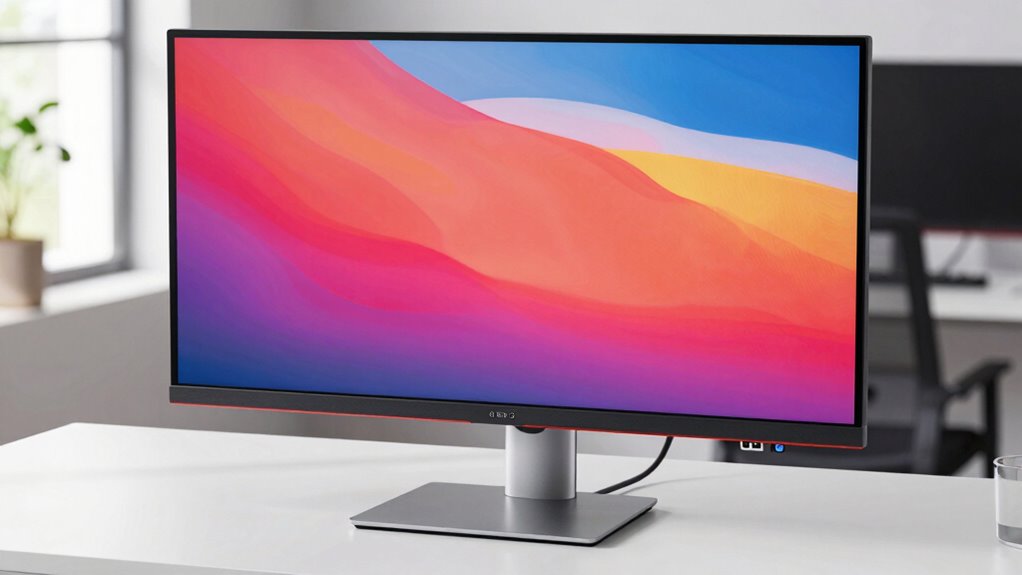

Finding a monitor with a built-in USB-C hub delivers a streamlined workspace by consolidating display and connectivity needs. The Dell S2725QC stands out as the best overall for its 4K clarity and versatile ports, while the Samsung M7 Series offers smart features ideal for media consumption. Others, like the LG 32UP83AK-W, excel with HDR and ergonomic adjustments, but tradeoffs often involve balancing port variety, display quality, and price. Keep reading to explore which model suits your specific needs and budget, with insights into the key factors that influence these choices.
Complete the kit


Get home appliances delivered free with Prime
- Fast, free delivery on millions of items
- Prime Video, Amazon Music and more included
- Member-only deals all year
Key Takeaways
- The best monitors combine high-resolution displays with sufficient USB-C ports for versatile device connectivity.
- Top picks often balance display quality with additional features like HDR, ergonomic adjustments, and built-in speakers.
- Price varies significantly; premium models offer more ports and better display tech, but some affordable options still deliver solid performance.
- Design and build quality matter for durability and workspace aesthetics, especially in professional settings.
- Choosing the right monitor depends heavily on your primary use—whether for work, gaming, or media consumption—and the importance of port variety.
| Dell 27 Monitor S2725QC 4K UHD IPS, 120Hz, FreeSync Premium |  | Best Overall Monitor with Built-in USB-C Hub | Display Size: 27 inches | Resolution: 3840 x 2160 (4K UHD) | Panel Type: IPS | VIEW ON AMAZON | See Our Full Breakdown |
| Samsung 43” M7 (M70F) Series 4K UHD Smart Monitor |  | Best Smart Features with Built-in USB-C Hub | Screen Size: 43 inches | Resolution: 4K UHD | Features: Streaming, AI Picture Optimizer, Smart Home Control | VIEW ON AMAZON | See Our Full Breakdown |
| Dell 24-inch USB-C Hub Monitor P2425HE, FHD 1080p |  | Best Compact Budget Monitor with Built-in USB-C | Display Size: 24 inches | Resolution: FHD 1080p | Connectivity: USB-C | VIEW ON AMAZON | See Our Full Breakdown |
| Philips 34 Inch Curved Computer Monitor UWQHD 100Hz USB-C PD VA, 346E2CUAE |  | Best UltraWide Curved Experience with USB-C Hub | Screen Size: 34 inches | Resolution: 3440 x 1440 | Refresh Rate: 100Hz | VIEW ON AMAZON | See Our Full Breakdown |
| Dell Pro 32 Plus QHD USB-C Hub Monitor P3225DE |  | Best for Ergonomics and Versatile Connectivity | Display Size: 31.5 inches | Resolution: 2560 x 1440 (QHD) | Refresh Rate: 100Hz | VIEW ON AMAZON | See Our Full Breakdown |
| LG 32UP83AK-W 32-inch 4K UHD IPS Monitor with HDR10, USB-C, Adjustable Stand |  | Best Overall for Versatile Content Creation and Professional Use | Display Size: 32 inches | Resolution: 3840 x 2160 (4K UHD) | Panel Type: IPS | VIEW ON AMAZON | See Our Full Breakdown |
| LG 27UP850K-W 27-inch 4K UHD IPS Computer Monitor with HDR 400, USB-C, HDMI, DisplayPort, Built-in Speakers, Adjustable Stand |  | Best Value for Versatile Work and Entertainment with Built-in Audio | Display Size: 27 inches | Resolution: 3840 x 2160 (4K UHD) | Color Gamut: 95% DCI-P3 | VIEW ON AMAZON | See Our Full Breakdown |
| BenQ GW2486TC 24-Inch IPS Office Monitor with USB-C and Eye-Care Technology |  | Best for Extended Office Work and Eye Comfort | Size: 24 inches | Resolution: 1080p Full HD | Panel Type: IPS | VIEW ON AMAZON | See Our Full Breakdown |
| Samsung 34″ ViewFinity S65VC Series Ultra-WQHD Curved Computer Monitor |  | Best for Immersive Productivity and High-Quality Visuals | Size: 34 inches | Display: Ultra-WQHD, 21:9 curved | Colors: 1 billion HDR10 | VIEW ON AMAZON | See Our Full Breakdown |
| Dell 34 Monitor S3425DW, WQHD VA, 120Hz, FreeSync Premium, Eye Comfort |  | Best for Smooth, Colorful Work and Entertainment on a Large Screen | Size: 34 inches | Resolution: WQHD | Panel Type: VA | VIEW ON AMAZON | See Our Full Breakdown |
| ASUS 27” Full HD IPS Monitor (VA27ECPSN) with USB-C, HDMI, DisplayPort, Speakers, Eye Care, VESA Mount |  | Best Overall Balance of Features and Flexibility | Display Size: 27 inches | Resolution: 1920 x 1080 (Full HD) | Panel Type: IPS | VIEW ON AMAZON | See Our Full Breakdown |
| Philips 34E1C5600HE 34-Inch UltraWide QHD Monitor with Built-in Webcam and USB-C Docking |  | Best for Remote Work and Multitasking | Screen Size: 34 inches | Resolution: 3440 x 1440 (UltraWide QHD) | Panel Type: VA | VIEW ON AMAZON | See Our Full Breakdown |
| Samsung 32” M7 (M70F) Series 4K UHD Smart Monitor |  | Best for Media Streaming and Smart Features | Size: 32 inches | Resolution: 4K UHD | Series: M70F | VIEW ON AMAZON | See Our Full Breakdown |
| monitor with built in usb c hub | Resolution | Connectivity | Refresh Rate | Panel Type |
|---|---|---|---|---|
| Dell 27 Monitor S2725QC 4K UHD | 3840 x 2160 (4K UHD) | HDMI, USB-C | 120Hz | IPS |
| Samsung 43” M7 | 4K UHD | USB-C, HDMI, USB-A | — | — |
| Dell 24-inch USB-C Hub Monitor | FHD 1080p | USB-C | — | — |
| Philips 34 Inch Curved Compute | 3440 x 1440 | USB-C with Power Delivery | 100Hz | VA |
| Dell Pro 32 Plus QHD USB-C Hub | 2560 x 1440 (QHD) | USB-C, HDMI, DisplayPort, Ethernet | 100Hz | — |
| LG 32UP83AK-W 32-inch 4K UHD I | 3840 x 2160 (4K UHD) | HDMI, DisplayPort, USB Type-C (60W PD) | 60Hz | IPS |
| LG 27UP850K-W 27-inch 4K UHD I | 3840 x 2160 (4K UHD) | USB Type-C, HDMI, DisplayPort | 60Hz | — |
| BenQ GW2486TC 24-Inch IPS Offi | 1080p Full HD | USB-C with 60W PD | — | IPS |
| Samsung 34" ViewFinity S65VC S | — | USB-C, LAN | 100Hz | — |
| Dell 34 Monitor S3425DW | WQHD | USB-C (up to 65W) | 120Hz | VA |
| ASUS 27” Full HD IPS Monitor | 1920 x 1080 (Full HD) | HDMI, USB-C, DisplayPort, RJ45, USB Hub | 75Hz | IPS |
| Philips 34E1C5600HE 34-Inch Ul | 3440 x 1440 (UltraWide QHD) | USB-C with 90W Power Delivery | — | VA |
| Samsung 32” M7 | 4K UHD | — | — | — |
More Details on Our Top Picks
Dell 27 Monitor S2725QC 4K UHD IPS, 120Hz, FreeSync Premium
The Dell S2725QC stands out for delivering stunning 4K visuals with accurate colors thanks to its IPS panel, making it ideal for creative work and media consumption. Its 120Hz refresh rate offers smooth motion that surpasses typical office monitors, and low blue light technology supports long hours of comfortable viewing. Compared to the Dell P2425HE, it adds the benefit of 4K resolution and a higher refresh rate, but lacks adjustable ergonomics and detailed audio features. Its USB-C port supports both data and power delivery, streamlining workspace setup. The main tradeoff is that its design focuses more on display quality than ergonomic flexibility, which could be a drawback for users needing height or tilt adjustments.
Pros:- Vivid 4K visuals with high color accuracy
- 120Hz refresh rate for fluid motion
- Low blue light technology for eye comfort
- USB-C with power delivery for simplified connectivity
Cons:- Lacks ergonomic adjustments like height or tilt
- No integrated speakers or audio enhancements
Best for: Creative professionals and multimedia enthusiasts who prioritize vibrant visuals and smooth performance with a built-in USB-C hub.
Not ideal for: Ergonomics-focused users or office workers needing adjustable stands and integrated audio, since these features are limited.
- Display Size:27 inches
- Resolution:3840 x 2160 (4K UHD)
- Panel Type:IPS
- Refresh Rate:120Hz
- Response Time:4ms
- Connectivity:HDMI, USB-C
Our verdict“This monitor suits creatives and media consumers seeking premium visuals and smooth performance, but may fall short on ergonomic flexibility.”
Samsung 43” M7 (M70F) Series 4K UHD Smart Monitor
The Samsung M7 offers a sizable 43-inch 4K display packed with smart features like streaming apps, AI picture optimization, and smart home control, making it a versatile choice for casual use and media consumption. Its USB-C port supports data, display, and power, simplifying connection to laptops and mobile devices. Unlike the Dell S2725QC, it emphasizes smart capabilities and a larger screen but sacrifices some color accuracy and refresh rate speed, which are less critical for everyday media use. The integrated security features with Samsung Knox add peace of mind for shared environments. The tradeoff is that its complex feature set may require a learning curve and can make setup more involved, especially for users seeking a straightforward monitor.
Pros:- Large 43-inch 4K UHD display for immersive viewing
- Smart streaming and home control features
- USB-C with data, display, and power support
- Enhanced security with Samsung Knox
Cons:- Feature-rich setup can be complex for some users
- Higher price point due to advanced smart features
Best for: Home users who want an all-in-one entertainment and productivity device with smart features and a large screen.
Not ideal for: Professional creators or gamers needing high color fidelity or high refresh rates, as these are less emphasized.
- Screen Size:43 inches
- Resolution:4K UHD
- Features:Streaming, AI Picture Optimizer, Smart Home Control
- Connectivity:USB-C, HDMI, USB-A
- Security:Samsung Knox
Our verdict“Ideal for casual users seeking a large, versatile smart display with built-in connectivity, but less suited for high-end professional tasks or gaming.”
Dell 24-inch USB-C Hub Monitor P2425HE, FHD 1080p
The Dell P2425HE offers a straightforward 24-inch Full HD display with USB-C connectivity, making it a practical choice for basic productivity setups. Its anti-glare technology reduces eye strain during long work sessions, and the single USB-C cable simplifies connections to modern laptops. Compared to larger or higher-resolution options like the Dell S2725QC or Philips 346E2CUAE, it prioritizes simplicity and affordability, but only provides 1080p resolution, which may feel limiting for detailed work or multimedia use. It lacks ergonomic adjustments and built-in speakers, which could be inconvenient for prolonged use. This model is perfect for users who need a reliable secondary monitor or a space-saving solution without extra frills.
Pros:- Affordable and space-efficient design
- USB-C with power delivery simplifies device connection
- Anti-glare screen reduces eye strain
- Decent Full HD clarity for everyday use
Cons:- Limited to 1080p resolution, less detailed
- No ergonomic adjustments or built-in speakers
Best for: Budget-conscious professionals or students who need a compact, easy-to-use monitor with USB-C for everyday tasks.
Not ideal for: Creative professionals or gamers seeking high resolution, enhanced color, or fast response times.
- Display Size:24 inches
- Resolution:FHD 1080p
- Connectivity:USB-C
- Features:Anti-glare, Eye Comfort
Our verdict“A solid choice for budget-focused users needing a simple, space-saving monitor with USB-C connectivity for basic tasks.”
Philips 34 Inch Curved Computer Monitor UWQHD 100Hz USB-C PD VA, 346E2CUAE
The Philips 346E2CUAE excels with its expansive 34-inch UltraWide curved display, ideal for multitasking and immersive workflows. Its UWQHD resolution provides sharp images across a broad workspace, and the 1500 curvature enhances viewing comfort and depth perception. The monitor supports USB-C power delivery, simplifying cable management for compatible laptops, and boasts vibrant color accuracy thanks to Ultra Wide-Color technology. Compared with the Dell S2725QC, it emphasizes a wider field of view and a more immersive experience, though it offers a slightly lower refresh rate at 100Hz, which might be noticeable during fast-paced gaming. Its high price and limited built-in audio options are potential drawbacks, but it remains a strong choice for productivity and creative professionals who value screen real estate.
Pros:- Immersive curved UltraWide display
- High-resolution UWQHD for detailed multitasking
- USB-C with Power Delivery reduces cable clutter
- Vibrant color with Ultra Wide-Color technology
Cons:- Limited to 100Hz refresh rate, less ideal for fast-paced gaming
- Few built-in ports besides USB-C, limited audio options
Best for: Creative professionals, multitaskers, or gamers wanting an immersive, ultra-wide workspace with a built-in USB-C hub.
Not ideal for: Users seeking high refresh rates for competitive gaming or those needing integrated speakers and extensive ports.
- Screen Size:34 inches
- Resolution:3440 x 1440
- Refresh Rate:100Hz
- Panel Type:VA
- Connectivity:USB-C with Power Delivery
- Curvature:1500
Our verdict“Best suited for creative work and multitasking where an expansive view and USB-C convenience are priorities, despite moderate gaming performance.”
Dell Pro 32 Plus QHD USB-C Hub Monitor P3225DE
The Dell P3225DE shines with its 31.5-inch QHD resolution, offering a significant step up from Full HD while maintaining a comfortable size for most desks. Its extensive connectivity options include USB-C with up to 90W power delivery, HDMI, DisplayPort, and Ethernet, making it highly adaptable for productivity environments. The monitor’s adjustable stand, with height, tilt, swivel, and pivot options, enhances ergonomics—an area where many competitors like the Samsung M7 fall short. It also boasts TÜV Rheinland 4-star certification, attesting to its eye comfort features. The main tradeoff is its premium price, which might be steep for basic users, and its 100Hz refresh rate is less suitable for gaming. Overall, it makes the most sense for professionals who value flexibility and comfort over raw performance.
Pros:- Extensive connectivity including Ethernet and multiple ports
- High-quality IPS panel with wide viewing angles
- Ergonomic stand with full adjustments
- Eye comfort certifications for extended use
Cons:- Higher price point compared to simpler monitors
- Limited to 100Hz, less suited for gaming
Best for: Office workers and multitaskers seeking high connectivity, ergonomic adjustability, and vibrant visuals for extended hours.
Not ideal for: High-end gamers or users needing 4K resolution or ultra-fast response times, since these aren’t its strengths.
- Display Size:31.5 inches
- Resolution:2560 x 1440 (QHD)
- Refresh Rate:100Hz
- Connectivity:USB-C, HDMI, DisplayPort, Ethernet
- Stand Adjustments:Height, Swivel, Pivot, Tilt
- Eye Comfort Certification:TÜV Rheinland 4-star
Our verdict“Ideal for professionals prioritizing ergonomic flexibility and extensive connectivity in a high-quality IPS display, at a higher cost.”
LG 32UP83AK-W 32-inch 4K UHD IPS Monitor with HDR10, USB-C, Adjustable Stand
This LG 32-inch monitor stands out for its stunning 4K UHD resolution and IPS panel, delivering vibrant visuals and wide viewing angles that surpass many competitors like the Dell S3425DW, which offers higher refresh rates but less color accuracy. The HDR10 support enhances contrast and color depth, making it ideal for content creators and professionals. Its USB Type-C port supports 60W power delivery, simplifying cable management for laptops and devices, though the 60Hz refresh rate limits its appeal for high-end gamers seeking smoother motion. The ergonomic stand with tilt, height, and pivot adjustments provides comfort over long work sessions, but the absence of built-in speakers or high refresh rate makes it less suited for fast-paced gaming or multimedia enthusiasts. This monitor offers a great balance of image quality, ergonomic flexibility, and connectivity—best for those prioritizing visual fidelity and professional versatility.
Pros:- Vivid 4K UHD resolution with IPS panel for accurate colors and wide viewing angles
- HDR10 support enhances contrast and color richness
- USB Type-C port delivers display, data, and up to 60W charging
- Ergonomic stand with tilt, height, and pivot adjustments
Cons:- Limited to 60Hz refresh rate, not suited for fast-paced gaming
- No built-in speakers or high-fidelity audio features
- No advanced gaming-specific features like G-Sync or FreeSync
Best for: Content creators, professionals, and office users needing sharp visuals and flexible ergonomics
Not ideal for: Competitive gamers or users requiring ultra-high refresh rates or integrated audio with premium sound quality
- Display Size:32 inches
- Resolution:3840 x 2160 (4K UHD)
- Panel Type:IPS
- Refresh Rate:60Hz
- HDR:HDR10
- Connectivity:HDMI, DisplayPort, USB Type-C (60W PD)
Our verdict“This monitor is perfect for professionals and content creators who value image quality and ergonomic flexibility over gaming performance.”
LG 27UP850K-W 27-inch 4K UHD IPS Computer Monitor with HDR 400, USB-C, HDMI, DisplayPort, Built-in Speakers, Adjustable Stand
This LG 27-inch monitor offers a compact 4K UHD display with excellent color accuracy, supporting HDR 400, making it a solid choice alongside the larger LG 32UP83AK-W. Its USB-C port supports up to 90W power delivery, accommodating more demanding laptops and peripherals, and the built-in stereo speakers add convenience for multimedia use. The adjustable stand with height, tilt, and pivot makes it highly ergonomic, but the 60Hz refresh rate remains a limiting factor for competitive gaming. While it lacks a dedicated gaming mode or high refresh rate, its rich color spectrum and multiple connectivity options make it attractive for creative work and everyday productivity. Compared to larger models, its smaller size suits those with limited desk space seeking a high-quality 4K experience for work and entertainment.
Pros:- Vibrant 4K UHD resolution with wide color gamut and HDR 400 support
- USB-C with 90W power delivery simplifies cable setup
- Built-in stereo speakers for multimedia
- Ergonomic stand with full adjustability
Cons:- Limited to 60Hz refresh rate, not optimal for competitive gaming
- No advanced gaming features like G-Sync or FreeSync
- Smaller 27-inch screen might not meet all workspace needs
Best for: Home office users, creatives, and general users wanting a high-resolution display with integrated audio
Not ideal for: High-end gamers or users seeking ultra-fast refresh rates for competitive play
- Display Size:27 inches
- Resolution:3840 x 2160 (4K UHD)
- Color Gamut:95% DCI-P3
- HDR:VESA DisplayHDR 400
- Refresh Rate:60Hz
- Connectivity:USB Type-C, HDMI, DisplayPort
Our verdict“This monitor is ideal for users seeking a compact, high-resolution display with integrated audio and flexible ergonomics for everyday tasks.”
BenQ GW2486TC 24-Inch IPS Office Monitor with USB-C and Eye-Care Technology
The BenQ GW2486TC is tailored for office environments, offering a 24-inch Full HD IPS display with eye-care technology that reduces eye fatigue—a feature not always prioritized in larger monitors like the Samsung 34-inch ViewFinity. Its USB-C port delivers 60W power and facilitates simple connection and charging, but the smaller 24-inch size may not satisfy those needing expansive screens for multitasking or detailed design. The built-in noise-canceling microphone supports remote communication, making it ideal for remote workers or teams. However, its limited size and Full HD resolution mean it falls short for extensive multimedia editing or immersive gaming. This monitor excels for users prioritizing eye comfort and straightforward connectivity in a compact form factor.
Pros:- Eye-care technology reduces eye strain during long hours
- USB-C port with 60W power delivery simplifies setup
- Height adjustable stand enhances ergonomic comfort
- Built-in noise-canceling microphone improves communication
Cons:- Microphone only works when connected via USB-C, limiting flexibility
- Limited to 24-inch size, not suitable for multitasking or extensive workspace
- No mention of built-in speakers or multimedia features
Best for: Remote workers, students, and office employees needing eye-care features and USB-C connectivity
Not ideal for: Creative professionals requiring larger screens or 4K resolution for detailed editing, or gamers seeking high refresh rates
- Size:24 inches
- Resolution:1080p Full HD
- Panel Type:IPS
- Connectivity:USB-C with 60W PD
- Features:Eye-Care Technology, Noise-Canceling Microphone
- Stand Adjustments:Height
Our verdict“This monitor is best for office workers and remote professionals prioritizing eye comfort and simple connectivity in a compact package.”
Samsung 34″ ViewFinity S65VC Series Ultra-WQHD Curved Computer Monitor
The Samsung ViewFinity S65VC offers an expansive 34-inch curved display with Ultra-WQHD resolution and HDR10, providing an immersive experience that surpasses smaller or flat screens like the Dell S3425DW. Its built-in camera, speakers, and KVM switch add versatility, though these features come at a premium price. The monitor’s ergonomic adjustments ensure comfort during long sessions, and advanced eye care features help reduce eye strain. While its size and curve create a more immersive workspace, it might be cumbersome for smaller desks or users who prefer flat screens. The absence of detailed hardware specs and higher refresh rates suggests it’s better suited for multimedia and productivity rather than competitive gaming or high-refresh-rate workflows.
Pros:- Large 34-inch curved display with vibrant colors and HDR10
- Built-in camera, speakers, and KVM switch enhance productivity
- Ergonomic tilt and swivel for comfort
- TUV-certified eye care reduces eye fatigue
Cons:- High price point may be prohibitive for some users
- Large size requires significant desk space
- Limited hardware specifications details provided
Best for: Creative professionals, remote workers, and users who enjoy immersive, high-quality visuals in a curved format
Not ideal for: Budget-conscious buyers or gamers who need ultra-fast response times and high refresh rates
- Size:34 inches
- Display:Ultra-WQHD, 21:9 curved
- Colors:1 billion HDR10
- Refresh Rate:100Hz
- Connectivity:USB-C, LAN
- Built-in Features:Camera, speakers, KVM switch
Our verdict“This monitor is ideal for users seeking an immersive, high-quality visual experience with integrated productivity features, despite its higher cost.”
Dell 34 Monitor S3425DW, WQHD VA, 120Hz, FreeSync Premium, Eye Comfort
The Dell S3425DW provides a 34-inch WQHD VA panel with a 120Hz refresh rate, ideal for users who want smooth visuals for both work and gaming. Its high contrast ratio and wide color coverage create vibrant images, rivaling the Samsung ViewFinity but with a focus on refresh rate and responsiveness. AMD FreeSync Premium reduces tearing, and Eye Comfort technology supports extended use, though it lacks the built-in USB-C hub features of the P3225DE. Its connectivity options include USB-C with up to 65W power delivery, making it suitable for single-cable setups. The monitor’s size and curve improve immersion but may be less suitable for smaller desks or users preferring flat screens. It strikes a solid balance between gaming and productivity, especially for those who value color and responsiveness.
Pros:- Vivid colors with 99% sRGB and 95% DCI-P3 coverage
- 120Hz refresh rate with FreeSync Premium for smooth visuals
- Blue light reduction and eye comfort features
- Single USB-C cable with 65W power delivery
Cons:- Limited details on internal speakers’ quality
- No height adjustability or extensive ergonomic options
- Larger size may require significant desk space
Best for: Creative professionals, gamers, and general users seeking large, smooth, and color-rich visuals
Not ideal for: Users needing integrated USB hubs or compact, space-saving monitors
- Size:34 inches
- Resolution:WQHD
- Panel Type:VA
- Refresh Rate:120Hz
- Color Coverage:99% sRGB, 95% DCI-P3
- Connectivity:USB-C (up to 65W)
Our verdict“This monitor excels for users who want a large, responsive display with vibrant visuals and flexible connectivity, suitable for creative work and gaming alike.”
ASUS 27” Full HD IPS Monitor (VA27ECPSN) with USB-C, HDMI, DisplayPort, Speakers, Eye Care, VESA Mount
This ASUS model stands out for balancing a sharp IPS panel with versatile connectivity options, including USB-C with 65W power delivery, making it ideal for users who need a reliable work and entertainment monitor. Compared with the Dell P2425HE, it offers a higher refresh rate and more ergonomic adjustments, enhancing overall usability. However, its 75Hz refresh rate limits it for high-end gaming, and brightness might fall short in very bright rooms. The built-in speakers add convenience, but their sound quality isn’t premium. This pick makes the most sense for professionals who want a well-rounded display that can handle multiple devices and tasks without sacrificing image quality or comfort.
Pros:- Wide viewing angles with IPS panel for sharp, consistent images
- Multiple connectivity options including USB-C with 65W power delivery
- Ergonomic design with tilt, swivel, pivot, and height adjustments
- Built-in speakers for added convenience
Cons:- Limited to 75Hz refresh rate, not suited for fast-paced gaming
- Brightness might be insufficient in very bright settings
Best for: Creative professionals and remote workers who need a flexible, ergonomic monitor with decent image quality and USB-C power delivery.
Not ideal for: Serious gamers or users requiring ultra-bright screens in brightly lit environments, due to its limited brightness and refresh rate.
- Display Size:27 inches
- Resolution:1920 x 1080 (Full HD)
- Panel Type:IPS
- Refresh Rate:75Hz
- Connectivity:HDMI, USB-C, DisplayPort, RJ45, USB Hub
- Power Delivery (USB-C):Up to 65W
- Viewing Angle:178°
- Brightness:1027.8 lumens
- Contrast Ratio:1000:1
Our verdict“This monitor is best for professionals seeking a versatile, ergonomic display with good image quality and multiple connectivity options.”
Philips 34E1C5600HE 34-Inch UltraWide QHD Monitor with Built-in Webcam and USB-C Docking
This Philips ultra-wide monitor excels for productivity, offering a 3440 x 1440 resolution on a curved VA panel that enhances immersion and multitasking. Its built-in 5MP webcam and noise-canceling microphone make it a compelling choice for remote meetings, surpassing the basic connectivity of the ASUS monitor. The inclusion of USB-C with 90W Power Delivery simplifies cable management, but the high price and limited speaker/webcam performance could be drawbacks for budget-conscious users. The ergonomic tilt and VESA compatibility support comfortable long-term use. Compared to the Samsung M7, it provides more workspace and integrated collaboration features, making it ideal for professionals who need a comprehensive setup without multiple external peripherals.
Pros:- Large ultra-wide display enhances multitasking and workspace
- Built-in 5MP webcam and noise-canceling microphone ideal for video calls
- Single USB-C cable for display connection and charging up to 90W
- VESA mount compatible with ergonomic adjustments
Cons:- High price may be a barrier for some buyers
- Speaker and webcam quality are not premium, limited for multimedia use
- Requires a USB-C port with sufficient power delivery
Best for: Remote workers and multitaskers who want a large, immersive display with integrated webcam and easy USB-C connectivity.
Not ideal for: Budget-conscious users or those who prioritize gaming or high-fidelity audio, as the webcam and speaker quality are not premium and the price is steep.
- Screen Size:34 inches
- Resolution:3440 x 1440 (UltraWide QHD)
- Panel Type:VA
- Curvature:1500R
- Color Gamut:sRGB 123.24%, NTSC 99.25%
- Webcam:5MP with Windows Hello
- Microphone:Noise-canceling
- Connectivity:USB-C with 90W Power Delivery
- Features:Flicker-free, LowBlue mode, VESA
Our verdict“This monitor is perfect for remote professionals seeking a large, feature-rich display with integrated collaboration tools.”
Samsung 32” M7 (M70F) Series 4K UHD Smart Monitor
This Samsung 4K UHD monitor offers vivid visuals and smart capabilities like streaming, gaming, and smart home control, making it a versatile entertainment hub. While it lacks dedicated USB-C hub features, its AI-enhanced visuals and built-in streaming apps make it a strong choice for media consuming. Its lack of detailed connectivity options compared to the ASUS or Philips models, especially regarding USB-C with Power Delivery, limits its use as a primary work monitor with hub functions. Setup complexity for smart features can be a concern, but overall, it excels in delivering entertainment and smart home integration. It is best suited for users who prioritize media consumption and smart features over a traditional desktop monitor with extensive connectivity.
Pros:- Vivid 4K UHD display with AI-enhanced visuals
- Built-in streaming apps and smart home control
- Supports gaming with optimized visuals
- Security features like Samsung Knox
Cons:- Lacks dedicated USB-C hub with Power Delivery for PC connectivity
- Setup for smart features can be complex
- Not designed primarily for professional or productivity tasks
Best for: Home users who want a 4K screen for streaming, gaming, and smart home control in a single device.
Not ideal for: Professional users needing a dedicated USB-C hub or a monitor optimized for office work, due to its focus on entertainment features.
- Size:32 inches
- Resolution:4K UHD
- Series:M70F
- Smart Features:Streaming, Smart Home Control, Gaming Hub
- Security:Samsung Knox
Our verdict“This monitor suits media enthusiasts and smart home users seeking a 4K display with integrated entertainment features more than a traditional workspace monitor.”

How We Picked
Our evaluation focused on key factors that matter most to users seeking a monitor with an integrated USB-C hub. Performance criteria included display resolution, color accuracy, and refresh rate, ensuring the screens meet both work and entertainment needs. We also prioritized the quality and number of USB-C ports, aiming for models that support data transfer, charging, and video output simultaneously. Build quality, ergonomic features, and additional connectivity options like HDMI and DisplayPort influenced our rankings. Price-to-value ratio was critical, so we balanced flagship features against affordability and user feedback to identify the most well-rounded choices.Factors to Consider When Choosing Monitor With Built In Usb C Hub
Choosing the right monitor with a built-in USB-C hub requires considering several factors beyond just port count and resolution. Understanding your usage scenario helps prioritize features, whether for professional work, multimedia, or casual browsing. A well-chosen monitor can streamline your setup, but there’s often a tradeoff between display quality, port variety, and price. Here are key aspects to consider to make an informed decision.Display Resolution and Size
Higher resolution screens, such as 4K, provide sharper images and more workspace, which benefits creative professionals and multitaskers. However, they often come at a higher price and may demand more powerful hardware. Screen size impacts visibility and desk space; larger monitors (32 inches and above) are great for immersive experiences but can be overwhelming in small workspaces. Balancing resolution and size based on your desk space and visual needs is essential for comfort and productivity.
USB-C Port Capabilities
Not all USB-C ports are created equal. Look for monitors that support Thunderbolt 3 or 4 if you need high data transfer speeds and daisy chaining multiple devices. Charging capability (at least 60W) is vital if you plan to power laptops through the monitor. Consider the number of ports—more is better if you connect multiple peripherals—while also checking if they support video output, data, and power delivery simultaneously to reduce clutter.
Display Quality and Additional Features
Color accuracy, contrast, and HDR support enhance media and professional work. IPS panels generally offer better color and viewing angles, whereas VA panels provide higher contrast ratios. Features like adjustable stands, VESA compatibility, and built-in speakers add convenience, but may increase cost. Decide which additional features genuinely enhance your workflow or leisure time, avoiding paying extra for unnecessary extras.
Ergonomics and Build Quality
Comfort during long work sessions depends on adjustable height, tilt, and swivel options. A sturdy, durable build ensures longevity, especially if you frequently move or adjust your setup. Poor ergonomics can lead to discomfort and reduce productivity, so investing in a model with good adjustability can be worthwhile, despite a higher price. Always verify VESA compatibility if you plan to mount the monitor for better ergonomics.
Price and Value
Prices for monitors with built-in USB-C hubs vary widely, from budget-friendly options to premium models with extensive features. It’s tempting to choose the lowest cost, but this often means compromises on display quality or port variety. Think about your primary needs—if you rely heavily on numerous peripherals or high-res displays, investing in a more capable model pays off. Conversely, budget options can work well for casual use but might lack future-proofing.
Frequently Asked Questions
Can I connect multiple peripherals through a monitor with a built-in USB-C hub?
Yes, most monitors with a USB-C hub support multiple peripherals via designated ports. Many models include USB-A ports, SD card readers, and audio jacks, allowing you to connect keyboards, mice, external drives, and more. However, the number and type of ports vary, so verifying your specific device needs against the monitor’s specifications is essential. Keep in mind that some hubs may also support charging laptops, making your workspace cleaner and more efficient.
Is a 4K monitor with a USB-C hub worth the extra cost?
A 4K monitor offers sharper images and more workspace, which benefits creative professionals and multitaskers. However, it tends to be more expensive and demands a more powerful graphics card for smooth performance. If your workflow or entertainment setup benefits from high resolution and you need multiple device connections, the investment can be justified. For casual use, a Full HD monitor with a USB-C hub might suffice and save money.
Do all USB-C ports on monitors support charging a laptop?
No, not all USB-C ports provide power delivery. When selecting a monitor, check the specifications to ensure it supports at least 60W charging if you plan to power your laptop through it. Some monitors only support data transfer and video output, meaning you’ll need a separate charger. Confirming this feature prevents surprises and ensures your setup remains streamlined without needing additional charging accessories.
Are built-in USB-C hubs in monitors reliable for data transfer?
Most built-in USB-C hubs in monitors are reliable for everyday data transfer, especially when they support standards like USB 3.1 or higher. However, performance can vary based on the quality of the internal hub and the cable used. For intensive tasks like large file transfers or professional workflows, choosing models with high-speed support and positive user reviews for stability is advisable. Regular firmware updates can also enhance performance over time.
Should I prioritize a monitor with more ports or better display quality?
This depends on your primary use case. If you connect many peripherals or multiple devices, prioritizing port variety makes sense to avoid constant unplugging. Conversely, if your work involves color-sensitive tasks or media consumption, display quality should take precedence. Many users find a balance by selecting models that offer both decent display performance and enough ports to meet their needs, but sacrificing one for the other is often necessary based on budget constraints.
Conclusion
For most users, the Dell S2725QC presents a compelling blend of 4K resolution, versatile ports, and reliable build quality, making it the best overall pick. Budget-conscious buyers should consider options like the BenQ GW2486TC for solid performance at a lower price, while professionals needing advanced features might prefer the LG 32UP83AK-W for its HDR and ergonomic adjustments. Beginners or casual users benefit from simpler models that still include essential USB-C connectivity, whereas power users should look toward premium options with Thunderbolt support and extensive port arrays. Tailor your choice to your specific workflow, workspace, and future-proofing needs for the best experience.