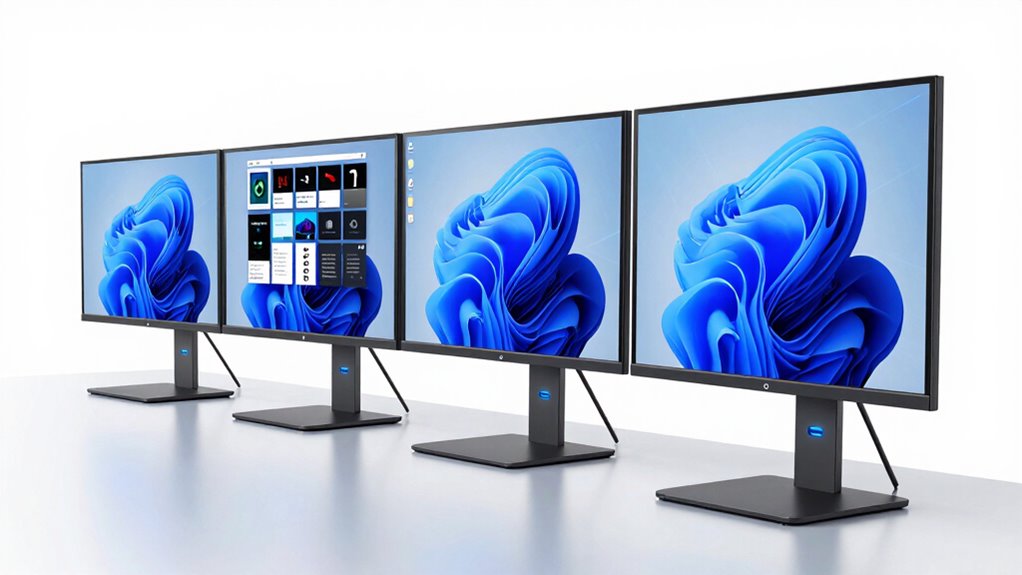
Choosing a monitor with USB C Power Delivery 100W involves balancing power, display quality, and connectivity. The ASUS ProArt PA247CV stands out for professional color accuracy, making it perfect for creative work, but its 1080p resolution might be limiting for some. The ViewSonic VP2488-4K offers stunning 4K resolution and color precision, ideal for creative professionals, yet it comes at a higher price and size constraint. Meanwhile, the Plugable 15.6″ Portable Monitor shines in portability and travel-friendliness, providing 100W pass-through charging but requiring compatible hardware and cables for full performance. These picks highlight key tradeoffs between resolution, portability, and features, helping you choose based on your primary use case.

Get home appliances delivered free with Prime
- Fast, free delivery on millions of items
- Prime Video, Amazon Music and more included
- Member-only deals all year
Complete the kit


Key Takeaways
- Professional users should prioritize monitors with high color accuracy and factory calibration, like the ASUS ProArt PA247CV.
- Creative professionals needing 4K resolution will find the ViewSonic VP2488-4K a compelling choice, despite its higher cost.
- Travelers and remote workers benefit from ultra-portable options like the Plugable 15.6″ monitor, though they need compatible devices for full functionality.
- Higher refresh rates and ergonomic features are more common on premium models, but they often come with a higher price tag.
- All options support USB-C with power delivery at or near 100W, but performance and compatibility may vary depending on your hardware setup.
| ASUS ProArt PA247CV 24-Inch 1080p USB-C Professional Monitor |  | Best for Color Accuracy and Creative Professionals | Display Size: 24 inches | Resolution: 1920 x 1080 (Full HD) | Display Technology: LED | VIEW ON AMAZON | See Our Full Breakdown |
| Plugable 15.6″ USB-C Portable Monitor with 100W Pass-Through Charging |  | Best for Portability and Travel | Display Size: 15.6 inches | Resolution: 1920×1080 (FHD) | Display Technology: IPS | VIEW ON AMAZON | See Our Full Breakdown |
| ViewSonic VG2458 24 Inch 1080p Docking Monitor with USB-C, RJ45, IPS |  | Best for Ergonomics and Business Use | Display Size: 24 inches | Resolution: 1920 x 1080 | Refresh Rate: 100Hz | VIEW ON AMAZON | See Our Full Breakdown |
| ASUS 24” USB-C Docking Monitor (BE249CGN) – IPS, 120Hz, Frameless |  | Best for Smooth Visuals and Work Flexibility | Display Size: 23.8 inches | Resolution: 1920 x 1080 | Refresh Rate: 120Hz | VIEW ON AMAZON | See Our Full Breakdown |
| ViewSonic VP2488-4K 24 Inch 4K UHD IPS Monitor with Thunderbolt 4 and USB-C |  | Best for Creative Professionals Requiring 4K and Color Accuracy | Size: 24 inches | Resolution: 3840 x 2160 (4K UHD) | Color Coverage: 100% sRGB, 98% DCI-P3 | VIEW ON AMAZON | See Our Full Breakdown |
| monitor with usb c power delivery 100w | Resolution | Display Size | Connectivity | Power Delivery |
|---|---|---|---|---|
| ASUS ProArt PA247CV 24-Inch 10 | 1920 x 1080 (Full HD) | 24 inches | — | — |
| Plugable 15.6" USB-C Portable | 1920×1080 (FHD) | 15.6 inches | — | — |
| ViewSonic VG2458 24 Inch 1080p | 1920 x 1080 | 24 inches | USB-C, HDMI, DisplayPort, RJ45 | 100W |
| ASUS 24” USB-C Docking Monitor | 1920 x 1080 | 23.8 inches | USB-C, HDMI, DisplayPort | 96W |
| ViewSonic VP2488-4K 24 Inch 4K | 3840 x 2160 (4K UHD) | — | Thunderbolt 4, USB-C, HDMI, DisplayPort | Up to 100W |
More Details on Our Top Picks
ASUS ProArt PA247CV 24-Inch 1080p USB-C Professional Monitor
The ASUS ProArt PA247CV is tailored for creative workflows, boasting factory-calibrated color with 100% sRGB coverage. Its USB-C port offers 65W power delivery, sufficient for charging many laptops and supporting daisy chaining multiple monitors. Compared to other options, it prioritizes color fidelity over resolution, making it ideal for photo editing, video work, and design. However, its 1080p resolution may fall short for users who require ultra-high detail, and the brightness, while adequate, could cause glare in bright environments. This monitor excels when color accuracy is critical, but it isn’t the best choice for high-res or gaming uses.
Pros:- Excellent factory calibration and wide color gamut
- Versatile connectivity including USB-C with 65W PD
- Supports daisy chaining multiple monitors
- Includes a 5-year warranty
Cons:- Limited to Full HD resolution
- Brightness may cause glare in bright rooms
- 65W power delivery might be insufficient for some high-power laptops
Best for: Creative professionals and color-sensitive workflows
Not ideal for: High-resolution video editors or gamers needing 4K or higher refresh rates
- Display Size:24 inches
- Resolution:1920 x 1080 (Full HD)
- Display Technology:LED
- Brightness:1027.8 lumens
- Viewing Angle:178 degrees
- Contrast Ratio:100,000,000:1
Our verdict“A strong professional-grade monitor with precise color, but limited in resolution and power delivery capacity.”
Plugable 15.6″ USB-C Portable Monitor with 100W Pass-Through Charging
This compact monitor emphasizes portability, offering a 15.6-inch FHD IPS display with wide viewing angles and 300 nits brightness. Its dual USB-C ports support data, peripherals, and 100W power pass-through, making it an excellent companion for frequent travelers or remote workers. While it’s easy to connect and carry, it requires a host device with DisplayPort Alt Mode support and a compatible cable to reach full functionality. Its response time of 25 ms is less suitable for gaming or fast-paced video, but for general productivity and on-the-go use, it excels. The included travel cover adds to its convenience, though its small size limits multitasking space.
Pros:- Lightweight and highly portable
- Supports 100W charging via USB-C
- Includes travel accessories for convenience
- Plug-and-play with compatible devices
Cons:- Requires specific hardware capabilities for full display performance
- Limited screen size restricts multitasking
- Response time may be sluggish for gaming
Best for: Travelers, remote workers, and mobile professionals
Not ideal for: High-res photo editing or gaming requiring fast response times
- Display Size:15.6 inches
- Resolution:1920×1080 (FHD)
- Display Technology:IPS
- Brightness:300 cd/m²
- Viewing Angle:178 degrees
- Contrast Ratio:1200:1
Our verdict“Ideal for mobile use and quick setups, but less suited for detailed creative tasks or gaming.”
ViewSonic VG2458 24 Inch 1080p Docking Monitor with USB-C, RJ45, IPS
The ViewSonic VG2458 combines a 24-inch IPS panel with a 100Hz refresh rate, offering smooth visuals for professional tasks. Its USB-C port provides 100W power delivery, simplifying cable management for office setups. The monitor’s ergonomic stand supports tilt, swivel, and height adjustments, promoting comfort during long work sessions. It also includes an RJ45 port for wired Ethernet, which can be advantageous in enterprise environments. Compared to other models, it emphasizes ergonomic flexibility and connectivity, but its 1080p resolution might be limiting for high-resolution creative work. Its higher price reflects its advanced features and business-oriented design.
Pros:- Seamless single-cable USB-C connection with 100W PD
- Extensive ergonomic adjustments
- Additional connectivity including RJ45 and multiple USB ports
- Eye care technologies for prolonged use
Cons:- Limited to 1080p resolution
- No integrated speakers or audio enhancements
- Higher cost relative to basic models
Best for: Office workers and professionals needing ergonomic flexibility
Not ideal for: High-resolution creative tasks or gaming
- Display Size:24 inches
- Resolution:1920 x 1080
- Refresh Rate:100Hz
- Connectivity:USB-C, HDMI, DisplayPort, RJ45
- Power Delivery:100W
- Adjustments:Tilt, swivel, height
Our verdict“A versatile and ergonomic monitor suited for professional environments, with excellent connectivity but limited in resolution for high-res tasks.”
ASUS 24” USB-C Docking Monitor (BE249CGN) – IPS, 120Hz, Frameless
The ASUS BE249CGN offers a 120Hz refresh rate, making it suitable for smoother visuals in fast-paced workflows. It features a frameless IPS panel, multiple connectivity options including USB-C with 96W power delivery, and ergonomic adjustments for comfortable viewing. Its high refresh rate makes it appealing for tasks like video editing or light gaming, though it remains a Full HD display. The inclusion of RJ45, speakers, and VESA compatibility adds to its versatility, but the higher price and resolution limitations mean it’s best suited for users who prioritize smooth motion and ergonomic comfort over ultra-high detail.
Pros:- 120Hz refresh rate for smoother motion
- Multiple connectivity options including USB-C and RJ45
- Ergonomic stand with extensive adjustments
- VESA mount compatibility
Cons:- Limited to Full HD resolution
- No high-end audio features
- Price may be higher than basic models
Best for: Creative professionals and users needing smooth visuals
Not ideal for: High-resolution content or gaming demanding higher refresh rates
- Display Size:23.8 inches
- Resolution:1920 x 1080
- Refresh Rate:120Hz
- Connectivity:USB-C, HDMI, DisplayPort
- Power Delivery:96W
- VESA Compatibility:Yes
Our verdict“A flexible and smooth visual experience ideal for workflow efficiency, but resolution constraints limit high-detail applications.”
ViewSonic VP2488-4K 24 Inch 4K UHD IPS Monitor with Thunderbolt 4 and USB-C
The ViewSonic VP2488-4K stands out with its 4K UHD resolution and Pantone validation, making it a prime choice for creative work demanding high color fidelity and detailed images. Its USB-C port supports up to 100W power delivery and includes Thunderbolt 4, providing fast data transfer and broad device compatibility. The IPS panel ensures vibrant colors and wide viewing angles, perfect for photo editing, graphic design, and video production. The main drawback is its size—at just 24 inches, it might be small for some creative tasks—and its premium features come at a higher price point. Nonetheless, it offers a compelling mix of resolution, color accuracy, and connectivity.
Pros:- High-resolution 4K UHD display
- Accurate color with Pantone validation
- Versatile connectivity including Thunderbolt 4 and USB-C
- Ergonomic adjustments for comfortable use
Cons:- Limited to 24 inches; small workspace
- Higher price compared to 1080p monitors
- Requires compatible hardware for Thunderbolt features
Best for: Creative professionals and high-resolution content creators
Not ideal for: Budget-conscious users or those needing larger screens
- Size:24 inches
- Resolution:3840 x 2160 (4K UHD)
- Color Coverage:100% sRGB, 98% DCI-P3
- Connectivity:Thunderbolt 4, USB-C, HDMI, DisplayPort
- Power Delivery:Up to 100W
- Color Certification:Pantone Validated
Our verdict“A premium, high-resolution monitor ideal for detailed creative work, but its size and cost may limit accessibility for some users.”
How We Picked
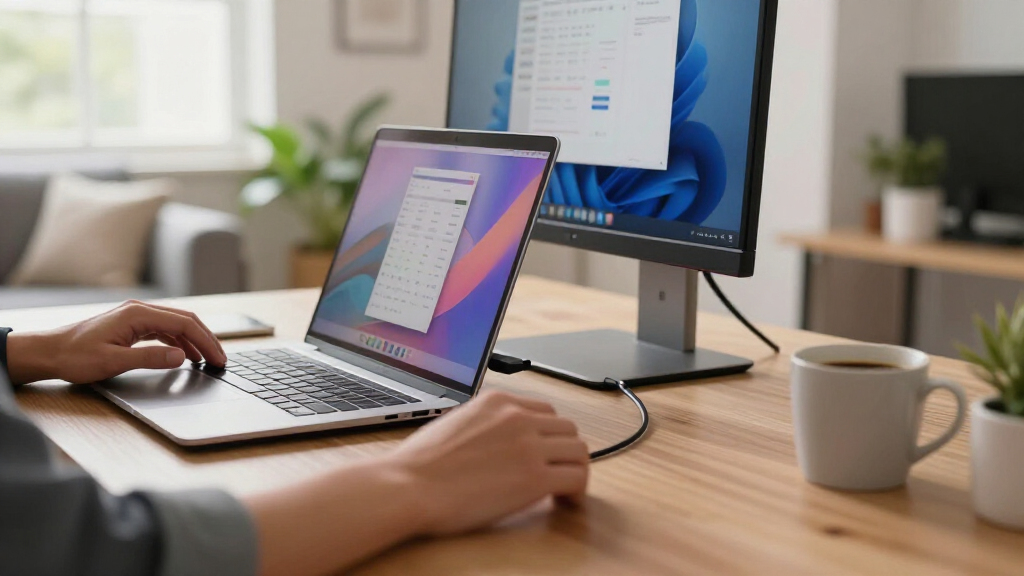
Our selection process focused on monitors that deliver USB C Power Delivery at 100W, prioritizing models that balance display quality, connectivity, and ergonomic features. We looked at resolutions spanning from Full HD to 4K, considering professional and portable use cases. Compatibility with a wide range of devices, user reviews, and manufacturer warranties also played key roles. We aimed to identify options that serve different needs—from creative professionals and enterprise users to mobile workers—while being mindful of potential tradeoffs like cost, size, and feature limitations.
| monitor with usb c power delivery 100w | Connectivity |
|---|---|
| ASUS ProArt PA247CV 24-Inch 10 | — |
| Plugable 15.6" USB-C Portable | — |
| ViewSonic VG2458 24 Inch 1080p | USB-C, HDMI, DisplayPort, RJ45 |
| ASUS 24” USB-C Docking Monitor | USB-C, HDMI, DisplayPort |
| ViewSonic VP2488-4K 24 Inch 4K | Thunderbolt 4, USB-C, HDMI, DisplayPort |
Factors to Consider When Choosing Monitor With Usb C Power Delivery 100w
When selecting a monitor with USB C Power Delivery of 100W, the key considerations include resolution, color accuracy, portability, and ergonomic features. High-resolution screens like 4K are essential for creative professionals, while portable options prioritize size and weight. Ensuring compatibility with your devices and understanding the power delivery capacity are crucial to optimize your setup. This guide helps clarify these factors to match your specific use case, whether at a desk or on the go.
Resolution and Screen Size
Choose a resolution that aligns with your work needs. Creative professionals often prefer 4K for detailed editing, while general office tasks can comfortably use Full HD. Screen size impacts workspace and portability—larger screens boost productivity at a desk, whereas smaller, portable monitors excel for travel or remote work.
Color Accuracy and Display Technology
For photo editing, video production, or design, look for factory-calibrated monitors with wide color gamuts like sRGB and DCI-P3. IPS panels provide consistent color and viewing angles, vital for color-sensitive tasks. Budget options may compromise on these features, so weigh their importance based on your workflow.
Connectivity and Power Delivery
Verify that your device supports DisplayPort Alt Mode over USB-C to utilize full display functionality. The monitor should deliver close to 100W to charge your laptop efficiently, reducing cable clutter. Some monitors offer lower power, which may necessitate additional charging accessories or limit charging speed.
Ergonomics and Additional Features
Adjustability, VESA compatibility, and eye care technology enhance comfort during extended use. Consider these features especially if you spend long hours at your desk. For portable use, focus on weight and size, but keep in mind that ergonomic flexibility is limited in smaller models.
Frequently Asked Questions
Can all laptops utilize 100W power delivery over USB-C?
Most modern laptops support 100W power delivery through USB-C, but it’s essential to verify your device’s specifications. Some ultrabooks and high-performance laptops may require more power or have specific requirements, so checking compatibility ensures your device charges efficiently without issues.
Is a higher refresh rate important for professional use?
A higher refresh rate, such as 120Hz, offers smoother motion, which benefits video editing, animation, or fast-paced workflows. However, for typical office tasks or content creation, 60Hz to 75Hz is generally sufficient. Higher refresh rates come at a premium, so consider your actual use case before prioritizing this feature.
Do I need a 4K monitor for creative work?
While 4K resolution provides more detail and is preferred by many creative professionals, it also demands more powerful hardware and can increase costs. If your workflow involves high-resolution editing, a 4K monitor like the ViewSonic VP2488-4K is worth considering. For less detailed tasks, a high-quality Full HD display may suffice.
Can portable monitors with 100W pass-through replace my main display?
Portable monitors with 100W pass-through are excellent for mobility and quick setups, but they typically have smaller screens and lower resolutions. They work best as secondary displays or for light tasks. Relying solely on them as your main display may limit your productivity, especially if you need high resolution or extensive screen real estate.
Are premium features like Thunderbolt worth the extra cost?
Thunderbolt connectivity offers faster data transfer and broader device compatibility, which can be advantageous for creative professionals and power users. However, it often comes with a higher price tag. If your workflow demands high-speed data and versatile connectivity, investing in Thunderbolt-enabled monitors is justified; otherwise, USB-C with standard PD may suffice.
Conclusion
If you primarily need a monitor for professional creative work, investing in the ViewSonic VP2488-4K or ASUS ProArt PA247CV makes sense, depending on whether resolution or color accuracy is more important. For office and ergonomic needs, the ViewSonic VG2458 offers a versatile, adjustable option, while the ASUS BE249CGN provides smooth visuals for multimedia. Mobile users should consider the Plugable portable monitor, which balances size, power delivery, and convenience. Your choice hinges on your primary use—detailed editing, general productivity, or on-the-go mobility—each of these monitors caters to different priorities with meaningful tradeoffs.