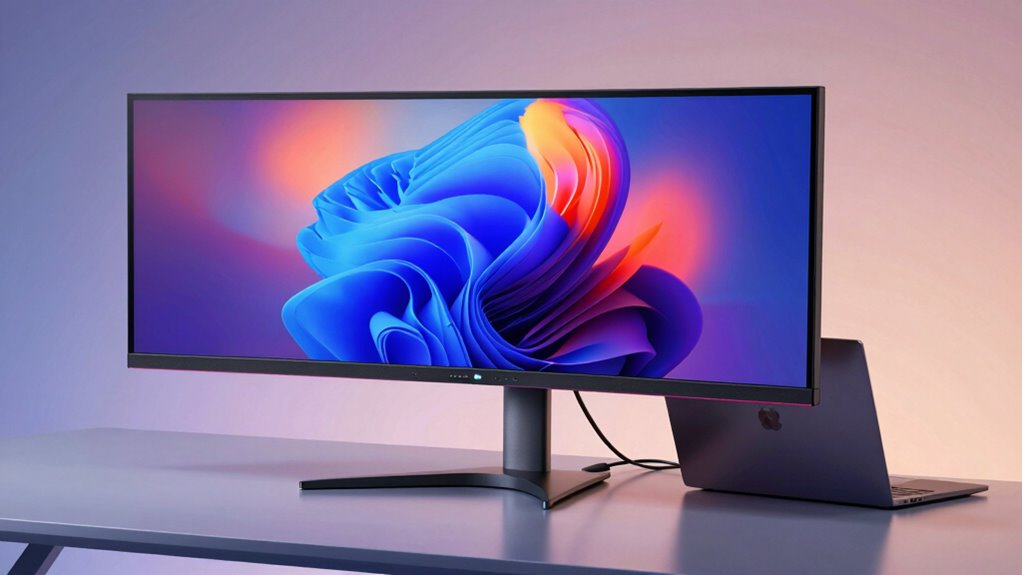

If you’re searching for a monitor with USB-C Power Delivery of 90W, you’re likely balancing the need for fast charging, high-quality display, and versatile connectivity. The Dell Pro P2725qe stands out as the best overall choice, offering crisp 4K resolution and reliable power delivery. The BenQ MA270UP is a solid pick for MacBook users, combining accurate color support with charging capabilities. While these options provide excellent features, buyers face tradeoffs between price, size, and color accuracy. Continue reading for a detailed breakdown of the top picks and what makes each unique.
Complete the kit



Key Takeaways
- Most monitors with 90W USB-C PD support are 27-inch or larger, prioritizing productivity and screen real estate.
- Color accuracy and professional features like HDR and color gamut are often found on higher-end models, but may come at a premium.
- Adjustable stands and ergonomic features are common, but vary significantly in ease of use and build quality.
- Performance tradeoffs often involve balancing resolution, refresh rate, and additional features like HDR or color calibration.
- Price range is broad; investing in a higher-quality display often means better build quality and color performance, but not always power delivery.
| Dell Pro P2725qe 27 Inch 4K IPS Monitor with USB-C Hub and 90W Power Delivery | 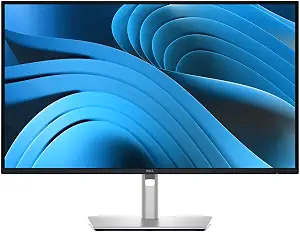 | Best Overall for Versatile Workspaces | Display Size: 27 inches | Resolution: 3840 x 2160 (4K UHD) | Panel Type: IPS | VIEW ON AMAZON | See Our Full Breakdown |
| BenQ MA270UP 27” 4K Monitor for MacBook – USB-C, 90W Power, P3 Color Gamut, Adjustable Stand |  | Best for MacBook Users Seeking Vibrant Color | Display Size: 27 inches | Resolution: 3840 x 2160 (4K) | Color Gamut: P3 | VIEW ON AMAZON | See Our Full Breakdown |
| BenQ MA320UP 32” 4K Monitor for MacBook – USB-C, P3 Color, Adjustable Stand |  | Best for Larger Screen MacBook Setups | Display Size: 32 inches | Resolution: 3840 x 2160 (4K) | Color Gamut: P3 | VIEW ON AMAZON | See Our Full Breakdown |
| ASUS ProArt Display 27” 1440P Professional Monitor (PA278CGV) – IPS, QHD, 144Hz, Calman Verified, USB-C PD 90W, FreeSync Premium, HDR400, Height Adjustable |  | Best for Creative Professionals Needing High Refresh Rate | Display Size: 27 inches | Resolution: 2560 x 1440 (QHD) | Refresh Rate: 144Hz | VIEW ON AMAZON | See Our Full Breakdown |
| Dell 27 Plus 4K USB-C Monitor – S2725QC |  | Best for Vivid 4K and Entertainment | Size: 27 inches | Resolution: 3840 x 2160 (4K) | Refresh Rate: 120Hz | VIEW ON AMAZON | See Our Full Breakdown |
| BenQ MA320U 32” 4K IPS Monitor with Mac Color Match and USB-C Hub |  | Best for Creative Professionals Needing Accurate Color and Versatile Connectivity | Display Size: 32 inches | Resolution: 3840×2160 (4K) | Color Gamut: 97% P3, 99% sRGB | VIEW ON AMAZON | See Our Full Breakdown |
| Dell P2725QE 27″ 4K UHD IPS Monitor with USB-C Hub and Adjustable Stand |  | Best for Professional Productivity with a Balance of Size and Features | Display Size: 27 inches | Resolution: 4K UHD (3840 x 2160) | Panel Type: IPS | VIEW ON AMAZON | See Our Full Breakdown |
| BenQ MA270U 27-Inch 4K UHD IPS Monitor with Mac Color Match and USB-C | 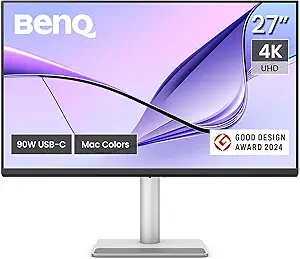 | Best for MacBook Users Seeking Calibrated Color and Versatile Connectivity | Size: 27 inches | Resolution: 3840×2160 (4K UHD) | Color Gamut: 95% P3, 99% sRGB | VIEW ON AMAZON | See Our Full Breakdown |
| monitor with usb c power delivery 90w | Resolution | Connectivity | Display Size | Color Gamut |
|---|---|---|---|---|
| Dell Pro P2725qe 27 Inch 4K IP | 3840 x 2160 (4K UHD) | USB-C, HDMI 2.1, DisplayPort 1.4, Ethernet, 3x USB-A | 27 inches | — |
| BenQ MA270UP 27” 4K Monitor fo | 3840 x 2160 (4K) | 2 HDMI, 2 USB-C | 27 inches | P3 |
| BenQ MA320UP 32” 4K Monitor fo | 3840 x 2160 (4K) | 2 HDMI, 2 USB-C | 32 inches | P3 |
| ASUS ProArt Display 27” 1440P | 2560 x 1440 (QHD) | HDMI, DisplayPort, USB-C with 90W PD | 27 inches | 95% DCI-P3, 100% sRGB |
| Dell 27 Plus 4K USB-C Monitor | 3840 x 2160 (4K) | USB-C (up to 65W) | — | — |
| BenQ MA320U 32” 4K IPS Monitor | 3840×2160 (4K) | 2 HDMI, 2 USB-C (90W Power Delivery) | 32 inches | 97% P3, 99% sRGB |
| Dell P2725QE 27" 4K UHD IPS Mo | 4K UHD (3840 x 2160) | USB-C, HDMI, DisplayPort | 27 inches | — |
| BenQ MA270U 27-Inch 4K UHD IPS | 3840×2160 (4K UHD) | 2 HDMI 2.0, 2 USB-C (90W Power Delivery), 3.5mm Audio Out | — | 95% P3, 99% sRGB |
More Details on Our Top Picks
Dell Pro P2725qe 27 Inch 4K IPS Monitor with USB-C Hub and 90W Power Delivery
The Dell Pro P2725qe stands out for its combination of high-resolution 4K clarity and a comprehensive USB-C hub that delivers up to 90W power, making it ideal for those seeking a clutter-free setup. Compared with the ASUS ProArt PA278CGV, it offers better connectivity options, including Ethernet and multiple USB-A ports, which are essential for professional environments. Its ergonomic stand with height, tilt, swivel, and pivot adjustments ensures comfort during long work sessions. However, the 4K resolution demands a powerful graphics card for smooth performance, which could be a drawback for budget-conscious users. The premium price reflects its versatile feature set, but those needing a simple display may find it overkill. This monitor suits professionals who require a well-rounded, high-quality display with extensive connectivity.
Pros:- Vivid 4K resolution with wide color coverage for accurate visuals
- Single-cable USB-C hub with up to 90W power delivery simplifies desk setup
- Ergonomic stand with multiple adjustments for prolonged comfort
- Eco-friendly design using recycled materials and energy certifications
Cons:- High-resolution display may require a powerful GPU for smooth performance
- Premium price point could deter budget-conscious buyers
- Limited built-in speakers or additional multimedia features
Best for: Creative professionals or office workers needing a large, versatile 4K display with extensive ports and ergonomic adjustments.
Not ideal for: Budget buyers or casual users who prefer a basic display with fewer features and lower cost.
- Display Size:27 inches
- Resolution:3840 x 2160 (4K UHD)
- Panel Type:IPS
- Refresh Rate:100Hz
- Connectivity:USB-C, HDMI 2.1, DisplayPort 1.4, Ethernet, 3x USB-A
- Power Delivery:Up to 90W
Our verdict“This monitor is ideal for professionals who need a high-resolution, feature-rich display with flexible connectivity options.”
BenQ MA270UP 27” 4K Monitor for MacBook – USB-C, 90W Power, P3 Color Gamut, Adjustable Stand
The BenQ MA270UP is tailored for MacBook users requiring vibrant color calibration, featuring a P3 wide color gamut that enhances visual fidelity. It offers a single USB-C port with 90W power delivery, making it a clean and simple solution for Apple enthusiasts. Its adjustable stand allows ergonomic positioning, similar to the Dell Pro P2725qe, but it focuses more on color accuracy than extensive connectivity options. Unlike the ASUS ProArt, it doesn’t include features like HDR or a higher refresh rate, which may matter for creative professionals demanding more. Its limited to MacBook compatibility for optimal color matching makes it less versatile for mixed device setups. This monitor makes the most sense for Mac users prioritizing color precision in a streamlined package.
Pros:- Vibrant P3 wide color gamut calibrated for MacBook displays
- Single USB-C connection provides display and 90W power
- Adjustable stand for ergonomic comfort
- Sleek, minimal design tailored for Apple aesthetic
Cons:- Limited to MacBook or Apple device compatibility for best color accuracy
- No built-in speakers or additional ports for versatility
- Requires USB-C for full functionality, limiting flexibility
Best for: MacBook owners who prioritize accurate color reproduction and a straightforward setup.
Not ideal for: Users with mixed device ecosystems or those requiring extensive port options beyond USB-C and a simple hub.
- Display Size:27 inches
- Resolution:3840 x 2160 (4K)
- Color Gamut:P3
- Connectivity:2 HDMI, 2 USB-C
- Power Delivery:90W
- Stand Adjustments:Height, tilt, swivel, pivot
Our verdict“This monitor is perfect for MacBook users seeking accurate colors and minimal clutter, but less suitable for diverse device ecosystems.”
BenQ MA320UP 32” 4K Monitor for MacBook – USB-C, P3 Color, Adjustable Stand
The BenQ MA320UP offers a larger 32-inch 4K display calibrated for MacBook, making it ideal for users who prefer more screen real estate without sacrificing color accuracy. It features a P3 wide color gamut and USB-C with 90W power delivery, similar to the smaller MA270UP but with added size and a more immersive viewing experience. Compared to the ASUS ProArt PA278CGV, it provides a bigger workspace at the expense of slightly lower refresh rate and color precision. Its adjustable stand ensures ergonomic comfort, but the higher price and the fact that it’s primarily optimized for MacBook may limit its appeal for Windows users or those needing broader connectivity options. It suits creative professionals who want a larger, calibrated display for digital work and multimedia.
Pros:- Large 32-inch 4K display with vibrant P3 color coverage
- USB-C with 90W power for streamlined connectivity
- Adjustable height, tilt, swivel, and pivot for ergonomic setup
- Integrated MacBook controls for brightness and volume
Cons:- Limited to MacBook or Apple device compatibility for optimal color calibration
- No built-in speakers mentioned, lacking multimedia features
- Higher price point may be a barrier for some users
Best for: MacBook users seeking a larger, color-accurate display for creative or productivity tasks.
Not ideal for: Windows users or those requiring extensive ports beyond USB-C and Mac-centric controls.
- Display Size:32 inches
- Resolution:3840 x 2160 (4K)
- Color Gamut:P3
- Connectivity:2 HDMI, 2 USB-C
- Power Delivery:90W
- Stand Adjustments:Height, tilt, swivel, pivot
Our verdict“Ideal for Mac users who prefer a larger, calibrated display without sacrificing color accuracy and ergonomic flexibility.”
ASUS ProArt Display 27” 1440P Professional Monitor (PA278CGV) – IPS, QHD, 144Hz, Calman Verified, USB-C PD 90W, FreeSync Premium, HDR400, Height Adjustable
The ASUS ProArt PA278CGV offers a sharp QHD resolution with a 144Hz refresh rate, making it suitable for creative professionals who also need smoother visuals for editing or multimedia. Its factory calibration and Calman verification ensure high color accuracy, rivaling the BenQ models but with a focus on high refresh rates rather than 4K resolution. Unlike the Dell Pro P2725qe, which emphasizes a larger workspace, this monitor provides a more detailed, high-precision image at a slightly lower resolution. Its extensive connectivity options include USB-C with 90W power delivery, matching the other premium picks. Still, the lower resolution could be a drawback for users needing ultra-high detail or for tasks that benefit from 4K clarity. This monitor suits those who prioritize color accuracy combined with fast refresh rates for multimedia work.
Pros:- High refresh rate (144Hz) for smooth visuals
- Excellent color accuracy with factory calibration and Calman Verified
- USB-C with 90W power delivery for streamlined setup
- Ergonomic height adjustment for comfort
Cons:- Lower resolution (QHD) may not satisfy those needing 4K detail
- Higher price compared to basic 1080p monitors
- Limited HDR capabilities with HDR400 certification
Best for: Creative professionals or gamers needing a high-refresh, color-accurate display at QHD resolution.
Not ideal for: Users requiring 4K resolution or those focused solely on ultra-high detail visuals for photography or video editing.
- Display Size:27 inches
- Resolution:2560 x 1440 (QHD)
- Refresh Rate:144Hz
- Color Gamut:95% DCI-P3, 100% sRGB
- Connectivity:HDMI, DisplayPort, USB-C with 90W PD
- Item Weight:18.7 pounds
Our verdict“Best suited for creative professionals who want fast, accurate visuals at 1440p, but not for those needing 4K resolution.”
Dell 27 Plus 4K USB-C Monitor – S2725QC
The Dell S2725QC provides a sharp 4K picture with a 120Hz refresh rate, blending high-resolution clarity with smooth motion, making it a solid choice for entertainment and multitasking. Its 99% sRGB coverage ensures vibrant, accurate colors that rival the other 4K options, like the Dell Pro P2725qe. The inclusion of AMD FreeSync Premium enhances gaming and video playback without tearing, a feature not typically found in professional-grade monitors like the ASUS ProArt. Its single USB-C port with 65W power delivery is slightly less than the others, but still offers a clean single-cable connection for most users. However, the smaller size at 27 inches may feel limiting for some, and the price isn’t specified, which could be a concern. This monitor is tailored for those who want a blend of 4K clarity and smoother visuals at a more affordable or balanced setup.
Pros:- Vivid 4K visuals with high color accuracy
- 120Hz refresh rate for smooth motion in gaming and video
- AMD FreeSync Premium reduces tearing
- Single USB-C cable with 65W power simplifies setup
Cons:- Limited to 27 inches, which may be small for some users
- No mention of additional ports or built-in hub
- Price details are not provided, making value assessment difficult
Best for: Home users or multimedia enthusiasts who want vibrant 4K visuals with smooth motion and simple connectivity.
Not ideal for: Professional creative work requiring higher color accuracy or larger screen real estate.
- Size:27 inches
- Resolution:3840 x 2160 (4K)
- Refresh Rate:120Hz
- Color Coverage:99% sRGB
- Connectivity:USB-C (up to 65W)
- Features:AMD FreeSync Premium, HDR readiness
Our verdict“Suitable for multimedia and entertainment enthusiasts who want sharp 4K visuals with smooth motion in a compact size.”
BenQ MA320U 32” 4K IPS Monitor with Mac Color Match and USB-C Hub
The BenQ MA320U is designed for users who prioritize color accuracy and high-quality visuals, especially MacBook users, thanks to its calibrated P3 wide color gamut and Nano Matte finish. Compared with the BenQ MA270U, this larger model offers a more immersive 32-inch display and higher brightness, making it ideal for detailed editing and multimedia work. However, its premium price and limited MacBook-only color calibration might deter those seeking broader compatibility or budget options. The dual USB-C ports delivering 90W power ensure a clutter-free setup, while the adjustable stand enhances ergonomic comfort during long work sessions. This monitor excels for creative professionals who need vibrant, accurate color reproduction and flexible connectivity in a larger display, but it may not be suitable for general office use or those with tighter budgets.
Pros:- Calibrated for MacBook with vibrant P3 wide color gamut
- Single USB-C connection for display and power (90W)
- Adjustable stand for ergonomic comfort
- High brightness with HDR support
Cons:- Limited to MacBook compatibility for optimal color matching
- No built-in speakers
- Premium price point may be prohibitive for some
Best for: Creative professionals and MacBook users needing high color fidelity and versatile display options
Not ideal for: Budget-conscious users or those who need broad device compatibility outside Mac ecosystem
- Display Size:32 inches
- Resolution:3840×2160 (4K)
- Color Gamut:97% P3, 99% sRGB
- Brightness:600 nits (VESA DisplayHDR 600)
- Connectivity:2 HDMI, 2 USB-C (90W Power Delivery)
- Stand Adjustments:Height, tilt, swivel, pivot
Our verdict“This monitor is best suited for creative professionals who prioritize color accuracy and a large display, despite its higher cost.”
Dell P2725QE 27″ 4K UHD IPS Monitor with USB-C Hub and Adjustable Stand
The Dell P2725QE offers a 27-inch 4K UHD IPS display with excellent color accuracy and wide viewing angles, making it well-suited for professional workflows. Its all-in-one USB-C hub with 90W power delivery simplifies connectivity, similar to the BenQ MA270U, but with a slightly larger stand adjustment range for ergonomic flexibility. Compared to the BenQ MA320U, this model is more compact and budget-friendly, though it sacrifices some screen real estate. The inclusion of essential cables and a cleaning kit adds to its value, but its higher price may be a hurdle for casual users. Overall, this monitor balances performance and affordability, making it ideal for professionals seeking reliable color and connectivity in a smaller footprint.
Pros:- High-resolution 4K UHD display with accurate colors
- All-in-one USB-C hub with 90W power delivery
- Multiple ergonomic adjustments including tilt, swivel, pivot, height
- Includes essential cables and cleaning accessories
Cons:- Premium price may be a concern for budget buyers
- Limited to professional and productivity tasks, not gaming or casual use
Best for: Designers and professionals needing a reliable 4K display with integrated USB-C hub in a manageable size
Not ideal for: Users seeking a larger screen for immersive editing or multimedia consumption
- Display Size:27 inches
- Resolution:4K UHD (3840 x 2160)
- Panel Type:IPS
- Power Delivery:90W
- Connectivity:USB-C, HDMI, DisplayPort
- Stand Adjustments:Tilt, swivel, pivot, height
Our verdict“This monitor provides a solid blend of color accuracy and connectivity for professionals in a smaller size, at a slightly higher price point.”
BenQ MA270U 27-Inch 4K UHD IPS Monitor with Mac Color Match and USB-C
The BenQ MA270U is tailored for MacBook users who need a calibrated 4K display with wide color support, featuring a P3 wide color gamut and Nano Matte coating. Its dual HDMI ports and USB-C with 90W power delivery streamline workspace setup, comparable to the Dell P2725QE, but with a focus on Mac-specific color calibration. While it offers excellent color fidelity for Mac-centric workflows, its higher price and lack of built-in speakers might limit appeal for broader audiences. The adjustable stand ensures ergonomic comfort during prolonged use, but compatibility for color calibration remains limited to MacBook environments. This pick is ideal for users who prioritize color accuracy in a compact form factor for Mac-centric creative tasks.
Pros:- Vibrant P3 wide color gamut calibrated for MacBook
- Single USB-C connection for display and 90W power
- Adjustable stand for ergonomic flexibility
- Versatile connectivity including dual HDMI
Cons:- Limited to MacBook compatibility for color calibration
- No built-in speakers
- Higher price may be a barrier for some
Best for: MacBook users focused on color accuracy for creative work in a compact monitor
Not ideal for: Windows users or those seeking broader device compatibility for color calibration
- Size:27 inches
- Resolution:3840×2160 (4K UHD)
- Color Gamut:95% P3, 99% sRGB
- Connectivity:2 HDMI 2.0, 2 USB-C (90W Power Delivery), 3.5mm Audio Out
- Stand Adjustments:Height, tilt, swivel, pivot
Our verdict“This monitor is ideal for Mac users who need accurate color reproduction and a compact design, despite its higher cost.”
How We Picked
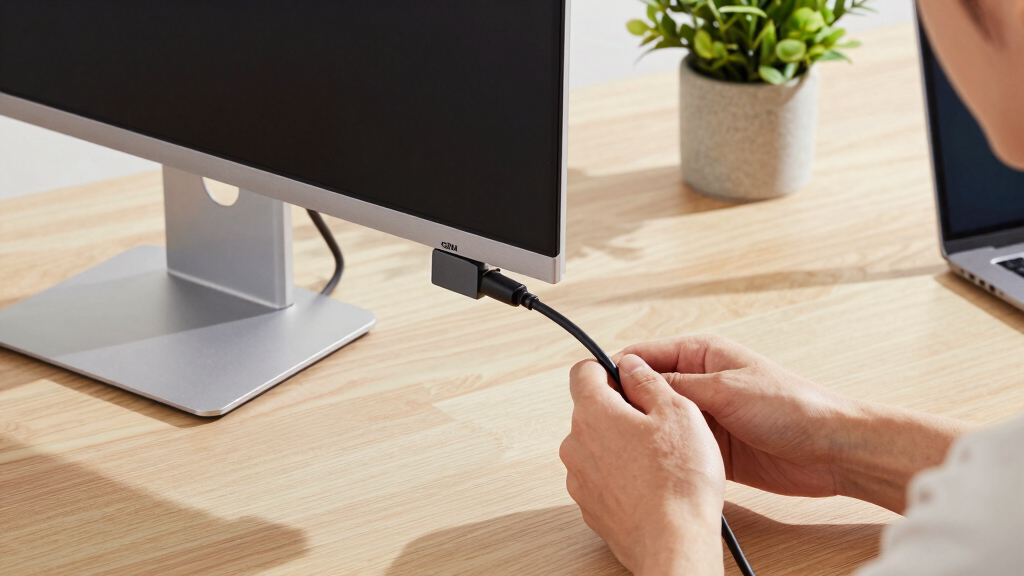
To determine the best monitors with USB-C Power Delivery 90W, I evaluated each model based on performance, build quality, and usability. Priority was given to power delivery capability, display quality, and compatibility with common workflows, especially for MacBook and professional use. I also considered ergonomic features, connectivity options, and overall value. The ranking reflects a balance of these factors, favoring models that deliver reliable charging combined with high-quality visuals and user comfort. Additional features like color accuracy and adjustable stands helped differentiate premium options from more basic models.| monitor with usb c power delivery 90w | Stand Adjustments |
|---|---|
| Dell Pro P2725qe 27 Inch 4K IP | — |
| BenQ MA270UP 27” 4K Monitor fo | Height, tilt, swivel, pivot |
| BenQ MA320UP 32” 4K Monitor fo | Height, tilt, swivel, pivot |
| ASUS ProArt Display 27” 1440P | — |
| Dell 27 Plus 4K USB-C Monitor | — |
| BenQ MA320U 32” 4K IPS Monitor | Height, tilt, swivel, pivot |
| Dell P2725QE 27" 4K UHD IPS Mo | Tilt, swivel, pivot, height |
| BenQ MA270U 27-Inch 4K UHD IPS | Height, tilt, swivel, pivot |
Factors to Consider When Choosing Monitor With Usb C Power Delivery 90w
Choosing a monitor with USB-C Power Delivery 90W involves considering both technical specifications and practical use factors. Beyond basic charging and display quality, it’s important to think about how the monitor fits into your workspace, your workflow needs, and future-proofing. Understanding these considerations can help you avoid common pitfalls like overpaying for unnecessary features or selecting a model incompatible with your devices.Power Delivery and Compatibility
Ensure the monitor consistently provides 90W of power if you need to charge a MacBook or other high-power laptops. Some models may advertise 90W but deliver less under load or with certain peripherals connected. Check for compatibility with your device’s charging requirements to avoid slow charging or power issues. Also, verify that the monitor supports the latest USB-C standards for broader device compatibility.
Display Quality and Size
Higher resolution and color accuracy matter if you work in creative or professional fields. While 27-inch screens are common, larger displays like 32 inches can boost productivity but may require more desk space. Consider your workspace and whether you prefer a sharper image (4K) or faster refresh rates for smoother visuals. Balancing size and resolution ensures a comfortable viewing experience without unnecessary eye strain or clutter.
Ergonomics and Adjustability
Look for monitors with adjustable height, tilt, and swivel features to customize your setup. Ergonomic comfort reduces fatigue during long work sessions. Quality stands also contribute to stability and ease of use. Avoid models with fixed positions if you spend hours working at your desk, as flexibility can significantly improve your overall experience.
Additional Features and Connectivity
Consider whether the monitor offers extra ports like USB-A hubs, HDMI, or SD card readers, which can expand your workstation. HDR support and wide color gamuts are valuable for media professionals but may add cost. Ensure the monitor’s connectivity options align with your other devices to minimize cable clutter and maximize compatibility.
Price and Long-term Value
Higher price often correlates with better build quality, color accuracy, and additional features. However, it’s worth assessing whether you truly need those premium extras. For casual users or basic office work, a more affordable model may suffice. Conversely, professionals who rely on color fidelity and precise displays should consider investing in higher-end options to future-proof their setup.
Frequently Asked Questions
Can I use a monitor with 90W USB-C power delivery with any laptop?
Most laptops that support USB-C charging can work with a monitor offering 90W power delivery, but it’s essential to verify your device’s maximum charging capacity. Some ultrabooks or gaming laptops may require more or less than 90W, so check your device specifications. Compatibility depends on both the cable and the port standards, so using the original or certified cables is recommended to ensure reliable power transfer.
Is 90W power delivery enough for heavy-duty laptops or gaming setups?
While 90W is sufficient for many ultrabooks and standard productivity laptops, high-performance gaming laptops or workstations with dedicated GPUs may require more power, often 120W or higher. If you use such devices, a monitor with only 90W might charge slowly or fail to provide enough power for demanding tasks. In those cases, consider dedicated chargers or higher wattage monitors if available.
Will a 4K monitor with 90W USB-C PD support my creative work?
Yes, many 4K monitors with 90W support are suitable for creative tasks if they also offer good color accuracy, wide color gamuts, and HDR support. For professional editing, look for models with factory calibration or AdobeRGB support. Keep in mind that display size and resolution play a significant role in your workflow, so choose one that matches your workspace and needs.
Are these monitors compatible with multiple devices?
Most monitors with USB-C Power Delivery 90W also support other inputs like HDMI or DisplayPort, making them versatile for different devices. If you plan to connect multiple laptops, desktops, or tablets, check the specific connectivity options and whether the monitor can switch between sources seamlessly. Multi-device setups benefit from monitors with multiple ports and easy input switching.
Should I prioritize color accuracy over size or resolution?
It depends on your primary use. For creative work such as photo editing or design, color accuracy and calibration are critical, even if it means choosing a slightly smaller or lower-resolution screen. For general productivity or multimedia consumption, size and resolution might take precedence. Balancing these factors based on your workflow ensures you get the best value and performance for your needs.
Conclusion
For general office use and everyday productivity, the Dell Pro P2725qe offers a reliable mix of 4K clarity and consistent power delivery, making it the best overall pick. Creative professionals or those needing precise color support should consider the ASUS ProArt PA278CGV for its calibration and professional features. Buyers on a budget can look at the BenQ MA270U, which balances affordability with essential performance. Meanwhile, those seeking larger screens or specialized color workflows should explore the 32-inch options like the BenQ MA320UP. Ultimately, your choice should align with your device compatibility, workspace, and specific needs—whether professional, casual, or somewhere in between.