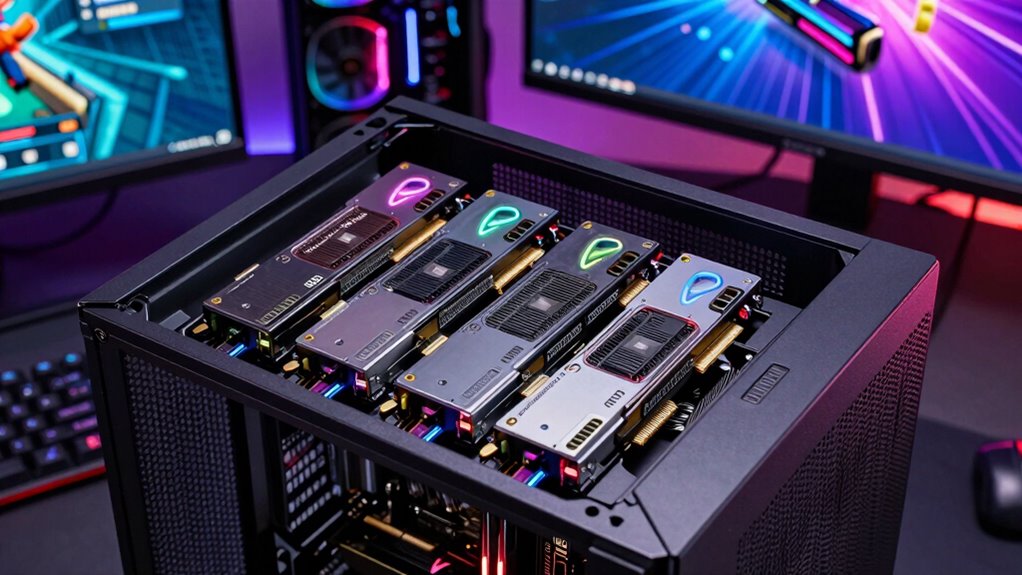

For streamers seeking high-quality capture solutions, a PCIe capture card offers a reliable, low-latency way to record or stream gameplay directly from your gaming PC. The AVerMedia GC573 Live Gamer 4K stands out as the best overall choice thanks to its 4K60 recording and excellent compatibility. For those prioritizing ultra-low latency, the Elgato 4K Capture Card with HDMI 2.1 delivers impressive performance with minimal delay. Meanwhile, budget-conscious users might lean towards more affordable options like the PCIE Video Capture Card, HDMI Capture Card for Streaming. This category presents tradeoffs between resolution, latency, compatibility, and price—continue reading for a detailed breakdown of each pick.
Listen free for 30 days with Audible
Thousands of audiobooks and originals — cancel anytime.
Start your free trialAs an affiliate, we earn on qualifying purchases.
Complete the kit


Key Takeaways
- High-end options like the AVerMedia Live Gamer 4K 2.1 and Elgato 4K Pro excel in 4K60 and 8K passthrough, ideal for premium streamers.
- Latency is a key factor; cards with HDMI 2.1 support ultra-low latency, crucial for real-time gaming and streaming.
- Compatibility with current consoles and PCs varies; ensure your choice supports your setup without extra adapters.
- Price ranges widely; premium models offer more features but may be overkill for casual or beginner streamers.
- Build quality and driver stability are essential for consistent streaming, especially for long sessions.
| AVerMedia GC573 Live Gamer 4K Internal Capture Card |  | Best Overall for 4K Streaming with Next-Gen Console Compatibility | Video Format: 4K60 HDR10 | Pass-through: Zero-lag | Frame Rate: Up to 240 fps | VIEW ON AMAZON | See Our Full Breakdown |
| AVerMedia HDMI Capture Card for Streaming and Video Gaming, 4K60 Pass-Through with Ultra-Low Latency on PS5, PS4 Pro, Xbox Series X/S, Xbox One X, Switch – GC571 |  | Best for High-Resolution 4K Pass-Through and Easy Setup | Resolution: 4K60 pass-through, 4K30 capture | VRR Support: Yes | Latency: Ultra-low | VIEW ON AMAZON | See Our Full Breakdown |
| PCIE Video Capture Card, HDMI Capture Card for Streaming, Gaming & Recording |  | Best Budget-Friendly 1080P Capture Solution | Video Capture Resolution: 1080p | Latency: Ultra-low | Operating System Support: Windows, Linux | VIEW ON AMAZON | See Our Full Breakdown |
| Elgato 4K Capture Card with HDMI 2.1, 4K144 Ultra-Low Latency |  | Best for Ultra-High-Frame 4K Streaming and Recording | Resolution & Frame Rate: Up to 4K144 HDR10 | Latency: Ultra-low | HDR Support: HDR10 | VIEW ON AMAZON | See Our Full Breakdown |
| AVerMedia Live Gamer 4K 2.1 PCIe Capture Card for 4K60 Streaming and Recording |  | Best for Versatile 4K60 Gaming and Streaming | Video Capture Resolution: 4K60 | Supported Devices: PS5, PS4 Pro, Xbox Series X/S, Xbox One X | Latency: Ultra-low | VIEW ON AMAZON | See Our Full Breakdown |
| 4K HDMI Video Capture Card, 1080P 60FPS Game Capture Device for Streaming |  | Best Budget-Friendly 1080p Capture for Streaming | Resolution: 1080p 60FPS | Input Support: 4K30/60Hz, 1080p120/144Hz | Output Support: up to 2K30Hz | VIEW ON AMAZON | See Our Full Breakdown |
| 4K Internal Capture Card, PCIe Capture Card, HDMI, 4K60 Passthrough, Ultra-Low Latency for Streaming & Recording |  | Best High-Resolution PCIe Capture for Serious Streamers | Resolution: 4K60 | Passthrough: HDMI 4K60 | Frame Rate: 240fps at 1080p | VIEW ON AMAZON | See Our Full Breakdown |
| Elgato 4K Pro Internal Capture Card, 8K60 Passthrough |  | Best High-End 8K/4K Capture for Professional Streaming | Resolution: 8K60, 4K60 | Frame Rate: 240fps at 1080p | Connectivity: HDMI 2.1 | VIEW ON AMAZON | See Our Full Breakdown |
| pcie capture card for streaming pc | Compatibility | Latency | Resolution |
|---|---|---|---|
| AVerMedia GC573 Live Gamer 4K | PS5, PS4 Pro, Xbox Series X/S, Xbox One X | — | — |
| AVerMedia HDMI Capture Card fo | PCIe x1, x4, x8, x16 | Ultra-low | 4K60 pass-through, 4K30 capture |
| PCIE Video Capture Card | — | Ultra-low | — |
| Elgato 4K Capture Card with HD | Windows 10, macOS 11, iPadOS 17+ | Ultra-low | — |
| AVerMedia Live Gamer 4K 2.1 PC | — | Ultra-low | — |
| 4K HDMI Video Capture Card | Windows, Mac OS | — | 1080p 60FPS |
| 4K Internal Capture Card | PS4, PS5, Xbox, OBS, YouTube | Near-zero | 4K60 |
| Elgato 4K Pro Internal Capture | Multiple platforms | — | 8K60, 4K60 |
More Details on Our Top Picks
AVerMedia GC573 Live Gamer 4K Internal Capture Card
This option stands out for its ability to capture and stream 4K60 HDR10 video with zero-lag pass-through, making it ideal for gamers using PS5 or Xbox Series X/S who want high-quality streams. Compared to the Elgato 4K Capture Card, the GC573 supports higher frame rates up to 240 fps, enabling smoother gameplay recordings. Its internal PCIe setup ensures minimized latency, but it demands a powerful PC to handle the demanding 4K HDR streaming, and it lacks bundled accessories, which could increase setup costs. This pick makes the most sense for serious streamers with high-end PCs who prioritize top-tier video quality and low latency.Pros:- Supports 4K60 HDR10 video with zero-lag pass-through
- Captures high-frame content up to 240 fps
- Compatible with major consoles and streaming software
Cons:- Requires a high-performance PC for 4K HDR streaming
- Limited to internal PCIe installation
Best for: High-end gaming PC users who stream next-gen console gameplay in 4K HDR and need ultra-low latency.
Not ideal for: Casual streamers or those with modest hardware, as it demands a powerful PC and internal installation.
- Video Format:4K60 HDR10
- Pass-through:Zero-lag
- Frame Rate:Up to 240 fps
- Compatibility:PS5, PS4 Pro, Xbox Series X/S, Xbox One X
- Software Compatibility:OBS, Streamlabs, XSplit
- Installation:Internal PCIe
Our verdict“This card is best suited for advanced users seeking premium 4K quality and low latency for next-gen console streaming.”
AVerMedia HDMI Capture Card for Streaming and Video Gaming, 4K60 Pass-Through with Ultra-Low Latency on PS5, PS4 Pro, Xbox Series X/S, Xbox One X, Switch – GC571
This card shines for its support of 4K60 pass-through and 4K30 capture, making it suitable for gamers who want crisp visuals without sacrificing performance. Unlike the Elgato 4K60, which emphasizes ultra-low latency and 144 fps recording, the GC571 offers broader compatibility with HDMI sources and supports VRR for tear-free gameplay. Its plug-and-play setup is a major advantage for users who dislike complex configurations, but it requires a PCIe slot and is limited to HDMI sources, meaning it can’t handle other input types. This makes it an excellent choice for console gamers who prioritize high-resolution pass-through with minimal fuss.Pros:- Supports 4K60 pass-through and 4K30 capture
- VRR support for tear-free gaming
- Plug-and-play installation across PCIe slots
Cons:- Requires a PCIe slot in the PC
- Limited to HDMI input sources
Best for: Console gamers seeking high-quality 4K pass-through with easy PCIe installation.
Not ideal for: Streamers who need flexible input options beyond HDMI or use non-PCIe systems, as compatibility is limited.
- Resolution:4K60 pass-through, 4K30 capture
- VRR Support:Yes
- Latency:Ultra-low
- Compatibility:PCIe x1, x4, x8, x16
- Input Source:HDMI
- Installation:PCIe
Our verdict“This card makes the most sense for console players who want reliable 4K pass-through and straightforward setup.”
PCIE Video Capture Card, HDMI Capture Card for Streaming, Gaming & Recording
This capture card offers a straightforward way to digitize video at 1080P with ultra-low latency, standing out for its broad OS compatibility including Linux, unlike the other options that focus on 4K. It’s ideal for streamers who don’t need 4K resolution but still want reliable, low-latency video recording. Compared to the Elgato 4K, it’s a more affordable choice but sacrifices resolution, making it less suitable for high-end streaming. Its lack of 4K support and limited input options make it less appealing for those seeking future-proof features, though its ease of use and compatibility make it perfect for entry-level or budget-conscious users.Pros:- Supports high-quality 1080P capture with low latency
- Plug and play with no driver installation needed
- Compatible with Windows and Linux
Cons:- Limited to 1080P resolution
- No advanced features or 4K support
Best for: Beginners or budget-conscious streamers needing 1080P capture with broad OS support.
Not ideal for: Advanced streamers or those wanting 4K resolution, as it’s limited to 1080P and has no advanced features.
- Video Capture Resolution:1080p
- Latency:Ultra-low
- Operating System Support:Windows, Linux
- Input Support:Various video formats including CVBS, S-video
- Interface:PCIe x1
- Installation:PCIe
Our verdict“This is a solid choice for newcomers or those on a budget who need reliable 1080P capture and low latency.”
Elgato 4K Capture Card with HDMI 2.1, 4K144 Ultra-Low Latency
The Elgato 4K X makes a compelling case for streamers demanding the highest frame rates at 4K resolution, supporting 4K144 HDR10 with ultra-low latency. While it’s more demanding on system requirements compared to the AVerMedia GC573, it offers HDMI 2.1 support with VRR and uncompressed passthrough, making it perfect for synchronized gaming and broadcasting. Its compact size and broad device compatibility expand its appeal, though the price point and system demands might deter casual users or those with older hardware. This card suits professional or enthusiast streamers who prioritize ultra-high frame rates without sacrificing image quality.Pros:- Supports 4K144 HDR10 at ultra-low latency
- HDMI 2.1 with VRR for tear-free gameplay
- Compact, portable design compatible with various systems
Cons:- Requires a compatible and powerful system for optimal performance
- Price is generally higher than other options
Best for: Enthusiasts and professionals needing 4K streaming at 144 fps with ultra-low latency and HDMI 2.1 support.
Not ideal for: Casual or budget-conscious streamers, as system requirements and price may be prohibitive.
- Resolution & Frame Rate:Up to 4K144 HDR10
- Latency:Ultra-low
- HDR Support:HDR10
- HDMI Version:HDMI 2.1
- Compatibility:Windows 10, macOS 11, iPadOS 17+
- Size:112 x 72 x 18 mm
Our verdict“This card is best for high-end streamers who demand ultra-high frame rates at 4K with minimal latency.”
AVerMedia Live Gamer 4K 2.1 PCIe Capture Card for 4K60 Streaming and Recording
This PCIe card supports 4K60 streaming and recording with very low latency, making it suitable for gamers on PS5 or Xbox Series X/S who want high fidelity and minimal delay. Compared with the GC573, it emphasizes broad device compatibility and high refresh rate support up to 240Hz, but it offers fewer details about its features and may lack some of the advanced HDR or pass-through features. Its PCIe interface ensures low latency, yet it’s a less detailed option for those who need specific features like HDR support or ultra-high frame rates. It suits gamers who want a straightforward PCIe solution for 4K60 gameplay without extra frills.Pros:- Supports 4K60 recording and streaming
- Ultra-low latency PCIe interface
- High refresh rate support up to 240Hz
Cons:- Limited detailed feature set compared to higher-end cards
- Less emphasis on advanced HDR or multi-format support
Best for: Gamers seeking reliable 4K60 capture and streaming in a PCIe form factor, especially on consoles with high refresh rates.
Not ideal for: Users needing specific features like HDR pass-through or ultra-high frame rate recording beyond 240Hz support.
- Video Capture Resolution:4K60
- Supported Devices:PS5, PS4 Pro, Xbox Series X/S, Xbox One X
- Latency:Ultra-low
- Refresh Rate Support:Up to 240Hz
- Interface:PCIe
- Supported OS:Windows 10/11
Our verdict“This card is ideal for gamers who prioritize straightforward 4K60 capture and low latency in a PCIe interface.”
4K HDMI Video Capture Card, 1080P 60FPS Game Capture Device for Streaming
This capture card excels at delivering high-quality 1080p 60FPS streams with ease, making it a solid choice for streamers who prioritize simplicity and affordability. Compared to the Elgato 4K Pro, it offers a more straightforward setup and works well with a variety of devices, but it falls short for those wanting 4K or ultra-low latency features. Its plug-and-play design means less hassle, and the HDMI loop-out supports seamless gaming sessions. However, the output maxes out at 2K30Hz, which could be limiting for future upgrades. This pick makes the most sense for budget-conscious streamers who don’t need 4K or high-end features but want reliable performance on a tight budget.
Pros:- Supports high-quality 1080p 60FPS video capture
- Plug-and-play with no driver installation needed
- Compatible with Windows and Mac OS
- Includes HDMI loop-out for seamless gaming
Cons:- Does not support 4K120Hz/144Hz input
- Microphone input only accepts 3.5mm TRS headsets
- Output limited to 2K30Hz, which may restrict future upgrades
Best for: Streamers seeking an easy-to-use, budget-friendly capture device for 1080p gameplay and streaming.
Not ideal for: Pros who want 4K recording or ultra-low latency for competitive gaming, as this device doesn’t support those features.
- Resolution:1080p 60FPS
- Input Support:4K30/60Hz, 1080p120/144Hz
- Output Support:up to 2K30Hz
- Connection:USB 3.0
- Compatibility:Windows, Mac OS
- Microphone Input:3.5mm TRS
Our verdict“Ideal for casual streamers and gamers who want reliable 1080p at a low price, but not suited for high-end 4K or low latency needs.”
4K Internal Capture Card, PCIe Capture Card, HDMI, 4K60 Passthrough, Ultra-Low Latency for Streaming & Recording
This PCIe card targets streamers who need native 4K60 resolution with minimal latency, making it a significant upgrade over USB options like the 4K HDMI Video Capture Card. It offers near-zero latency passthrough, ideal for competitive gaming and professional streams. The ability to record at 240fps at 1080p provides smooth motion recreation, surpassing many external devices in speed. The main tradeoff is that it requires a PCIe slot, which isn’t compatible with all systems, and the setup can be more complex. Compared with the Elgato 4K Pro, this model delivers higher resolution and lower latency, but at the cost of a more involved installation process. This pick makes the most sense for users with high-end PCs wanting top-tier quality for streaming and recording.
Pros:- Supports native 4K60 resolution for high-quality streaming and recording
- Near-zero latency passthrough ensures seamless gameplay
- High-speed 240fps recording at 1080p captures fast motion smoothly
- Compatible with multiple platforms and setups
Cons:- Requires PCIe slot, limiting compatibility to high-end desktops
- Setup complexity may challenge beginners
- No specific pricing info available, potentially expensive
Best for: Advanced streamers and content creators with PCIe slots who demand 4K60 and ultra-low latency performance.
Not ideal for: Casual users or those with compact, non-upgradable systems, as the PCIe requirement and setup complexity may be prohibitive.
- Resolution:4K60
- Passthrough:HDMI 4K60
- Frame Rate:240fps at 1080p
- Compatibility:PS4, PS5, Xbox, OBS, YouTube
- Latency:Near-zero
- Warranty:Lifetime
Our verdict“Best suited for experienced users with high-performance PCs who need professional-grade 4K60 streaming with minimal latency.”
Elgato 4K Pro Internal Capture Card, 8K60 Passthrough
The Elgato 4K Pro stands out for those seeking the highest resolutions, supporting 8K60 and 4K60 with excellent frame rates up to 240fps. Its HDMI 2.1 connectivity offers flexibility for future-proof setups, and the low latency makes it suitable for synchronized multi-platform streams. Compared to the PCIe 4K60 card, it adds the advantage of 8K support, appealing to creators aiming for cutting-edge quality. Its primary drawback is the need for high-end hardware, which can increase the total cost and complexity of setup. Additionally, beginners may find the advanced features and hardware requirements daunting. This device makes the most sense for professional broadcasters or content creators pushing for the highest possible resolutions and frame rates.
Pros:- Supports high-resolution streaming at 8K60 and 4K60
- High frame rate recording up to 240fps at 1080p
- Versatile compatibility with streaming apps and platforms
- HDMI 2.1 ensures future-proof connectivity
Cons:- Requires compatible high-end hardware for optimal use
- Setup and configuration can be complex for beginners
- Potentially higher cost due to advanced features
Best for: High-end streamers, professionals, and tech enthusiasts aiming for 8K/4K60 quality with ultra-low latency.
Not ideal for: Casual streamers or users with limited hardware budgets, as it demands powerful hardware and complex setup processes.
- Resolution:8K60, 4K60
- Frame Rate:240fps at 1080p
- Connectivity:HDMI 2.1
- Features:VRR passthrough, ultra-low latency
- Compatibility:Multiple platforms
Our verdict“Ideal for top-tier broadcasters and creators who need the highest resolutions and frame rates with minimal latency, but not for budget-conscious or novice users.”
How We Picked
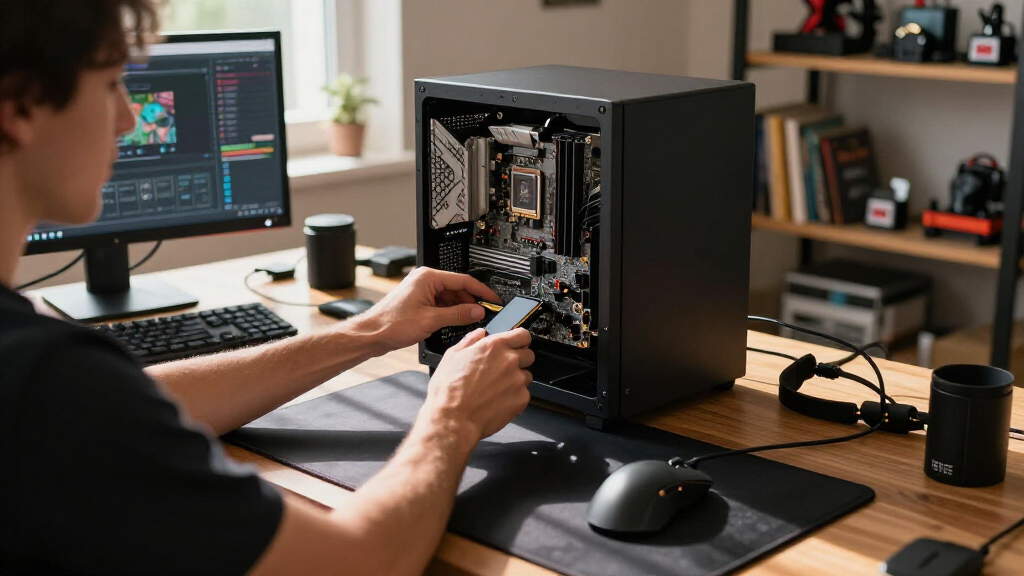
I evaluated these PCIe capture cards based on performance metrics like resolution support, latency, and compatibility with popular streaming setups. Ease of installation and driver stability also played a significant role, as reliable operation is critical during live streams. I prioritized products that offer a clear balance between features and value, considering user reviews and industry reputation. The ranking reflects a mix of top-tier performance, affordability, and suitability for different user needs, from beginners to professional streamers.| pcie capture card for streaming pc | Compatibility | Latency |
|---|---|---|
| AVerMedia GC573 Live Gamer 4K | PS5, PS4 Pro, Xbox Series X/S, Xbox One X | — |
| AVerMedia HDMI Capture Card fo | PCIe x1, x4, x8, x16 | Ultra-low |
| PCIE Video Capture Card | — | Ultra-low |
| Elgato 4K Capture Card with HD | Windows 10, macOS 11, iPadOS 17+ | Ultra-low |
| AVerMedia Live Gamer 4K 2.1 PC | — | Ultra-low |
| 4K HDMI Video Capture Card | Windows, Mac OS | — |
| 4K Internal Capture Card | PS4, PS5, Xbox, OBS, YouTube | Near-zero |
| Elgato 4K Pro Internal Capture | Multiple platforms | — |
Factors to Consider When Choosing Pcie Capture Card For Streaming Pc
Choosing the right PCIe capture card depends on several factors beyond just specs. It’s important to consider your streaming resolution goals, latency requirements, and compatibility with your existing hardware. Budget is also a key consideration—premium models deliver higher resolutions and lower latency, but may not be necessary for all users. Additionally, ease of use, driver support, and build quality can significantly impact your streaming experience. Being aware of these broader considerations helps avoid common pitfalls like overspending on features you don’t need or selecting a card incompatible with your setup.Resolution and Frame Rate Support
Determine what resolution and frame rate your streaming setup requires. For example, if you want 4K streaming, ensure the card explicitly supports 4K60 or higher. Some lower-priced options max out at 1080p60, which might suffice for casual streams but won’t meet the demands of high-end content creation. Keep in mind that higher resolutions demand more from your graphics card and CPU, so balance your choice with your PC’s overall capability.
Latency and Pass-through Support
Low latency is vital for real-time gameplay without noticeable delay. HDMI 2.1 support generally enables ultra-low latency and higher bandwidth, which benefits gamers who need immediate response. If your streaming involves live gameplay, prioritize capture cards with minimal delay and pass-through support, especially if you use a gaming monitor or console in your setup. Beware that some cheaper cards may introduce lag, impacting gameplay synchronization.
Compatibility and Connectivity
Check whether the capture card is compatible with your operating system, GPU, and gaming consoles. Some cards work seamlessly with Windows and popular streaming software, while others may require additional drivers or software tweaks. Also, verify that your PC’s PCIe slot matches the card’s interface—most are PCIe 3.0 or 4.0, but some older systems might struggle. Consider whether you need HDMI, DisplayPort, or other inputs, and ensure the card supports your preferred devices.
Price and Value
High-end cards with 4K60 and 8K passthrough command a premium price, but they offer future-proofing and top-tier performance. Conversely, budget options can handle 1080p or 1440p streams well but may lack advanced features like low latency or high refresh rate support. Think about your streaming goals and whether investing in a more capable card aligns with your long-term plans. Sometimes, spending a bit more upfront can save you from needing an upgrade later.
Ease of Use and Driver Support
A reliable, straightforward installation process reduces frustration during setup. Look for cards with well-supported drivers and active firmware updates—especially important for avoiding bugs or compatibility issues over time. User reviews can reveal common issues, so consider feedback about stability and software interface. For beginners, a plug-and-play design and robust customer support can make a significant difference.
Frequently Asked Questions
Can I use a PCIe capture card to stream from my console?
Yes, many PCIe capture cards support HDMI pass-through, allowing you to connect your console directly to the card and then to your monitor. This setup enables you to stream gameplay without noticeable lag. Ensure the card supports the resolution and refresh rate of your console, and check for compatibility with your streaming software. Some cards also support 4K pass-through, providing high-quality input for your streams.
Is a PCIe capture card better than an external one for streaming?
PCIe capture cards generally offer lower latency and higher stability compared to external options because they connect directly to your motherboard’s PCIe slot. This makes them ideal for professional-quality streams, especially at higher resolutions like 4K. However, they require opening your PC and installing hardware, which can be complex for beginners. External capture devices are more portable and easier to set up but might introduce slightly more delay.
What is the difference between 4K and 8K passthrough in capture cards?
4K passthrough allows your gaming device to output at 4K resolution with minimal latency, which is crucial for high-quality streaming. 8K passthrough, supported by some premium cards, enables passing through 8K signals—useful if you plan to upgrade or want future-proofing. However, 8K passthrough doesn’t automatically mean better streaming quality; it depends on your display and gaming hardware. For most streamers, 4K passthrough strikes the right balance between quality and performance.
Do I need a special motherboard slot for these PCIe capture cards?
Most PCIe capture cards are compatible with standard PCIe x4 or x16 slots, which are common on modern motherboards. For optimal performance, using a PCIe x4 or higher slot ensures sufficient bandwidth. Check your motherboard’s manual to identify available slots and their bandwidth. Installing the card in a slot with lower bandwidth might limit performance or cause compatibility issues, especially with high-resolution 4K input.
Are there any compatibility issues I should be aware of?
Compatibility issues can arise with certain motherboards, graphics cards, or operating systems. It’s important to verify that your system’s hardware and software are supported by the capture card. Driver stability is also critical; some cards may have limited or unstable drivers on older OS versions. Reading user reviews about specific compatibility problems can help prevent surprises during setup or live streaming.
Conclusion
For most users, the AVerMedia GC573 Live Gamer 4K offers the best overall experience thanks to its balance of high resolution, low latency, and reliable performance. Budget streamers or those just starting out may prefer a more affordable option like the PCIE Video Capture Card, HDMI Capture Card for Streaming, which handles 1080p well. Professional streamers or those aiming for future-proofing should consider the Elgato 4K Capture Card with HDMI 2.1 or the Elgato 4K Pro for 8K passthrough and ultra-low latency. Your choice depends on your specific needs, budget, and hardware setup—matching the right card to your streaming goals ensures a smoother experience.
NFL season / tailgating Picks
team gear
As an affiliate, we earn on qualifying purchases.