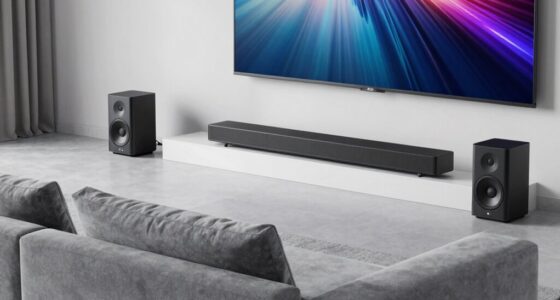
Choosing a router for SteamVR wireless streaming is less about headline speed and more about keeping a dependable connection between your PC and headset. My leading pick is the TP-Link Archer AXE75, whose Wi-Fi 6E 6 GHz band can give a compatible headset a less crowded wireless route. The GL.iNet Flint 3 is the more capable premium choice, with tri-band Wi-Fi 7 and five 2.5G ports, while the TP-Link Archer AX3000 is a sensible Wi-Fi 6 option if you want to keep the setup straightforward.

Get home appliances delivered free — and shop member deals
- Fast, free delivery on millions of items
- Access to Prime Big Deal Days deals on October 6–7
- Prime Video, Amazon Music and more included
The tradeoff is that newer wireless standards and extra bands do not automatically fix a weak layout, interference, or a PC connected over congested Wi-Fi. A wired Ethernet connection from the gaming PC to the router is still a strong starting point. I rank these options by their wireless-band flexibility, wired connectivity, and how clearly their feature set serves a dedicated VR setup—not by internet speed claims alone. Check that your headset supports the band you plan to use, especially 6 GHz, before choosing a router around it.
Complete the kit



Key Takeaways
- Best fit for a compatible 6 GHz headset: TP-Link Archer AXE75 offers Wi-Fi 6E tri-band operation and a dedicated 6 GHz option.
- Most capable hardware: GL.iNet Flint 3 pairs Wi-Fi 7 with five 2.5G ports, but many SteamVR setups will not need that much wired capacity.
- Practical Wi-Fi 6 choice: TP-Link Archer AX3000 has 2,402 Mbps listed on 5 GHz and standard gigabit Ethernet ports.
- Check your headset first: a 6 GHz router only helps wirelessly if the headset supports 6 GHz and local rules allow its use.
- Wired PC connection matters: connect the streaming PC to the router by Ethernet where possible, then keep the headset’s wireless path clear.
| TP-Link Archer AXE75 Tri-Band Wi-Fi 6E Router |  | Best Overall for a Compatible 6 GHz Headset | Wi-Fi generation: Wi-Fi 6E | Bands: Tri-band: 6 GHz, 5 GHz, 2.4 GHz | Maximum data rate: Up to 5,400 Mbps combined | VIEW ON AMAZON | See Our Full Breakdown |
| GL.iNet Flint 3 Tri-Band Wi-Fi 7 Router with 5 x 2.5G Ports |  | Best Premium Hardware and Wired Flexibility | Wi-Fi standard: Wi-Fi 7 (802.11be) | Bands: Tri-band, including 6 GHz | Wireless speed: Up to 9 Gbps | VIEW ON AMAZON | See Our Full Breakdown |
| TP-Link Archer AX3000 Dual-Band Wi-Fi 6 Gigabit Router | 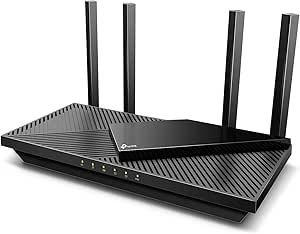 | Best Practical Wi-Fi 6 Value | Wi-Fi generation: Wi-Fi 6 | Bands: Dual-band, 2.4 GHz and 5 GHz | Maximum data rate: Up to 2,976 Mbps combined | VIEW ON AMAZON | See Our Full Breakdown |
| NETGEAR Nighthawk AX3000 WiFi 6 Dual-Band Router (RAX36) |  | Best for a Simple Wi-Fi 6 Upgrade | Wi-Fi generation: Wi-Fi 6 (802.11ax) | Bands: Dual-band | Wireless speed: Up to 3 Gbps | VIEW ON AMAZON | See Our Full Breakdown |
| ASUS RT-AX1800S Dual-Band Wi-Fi 6 Router |  | Best for a Basic AiMesh-Friendly Setup | Wi-Fi standard: Wi-Fi 6 (802.11ax) | Bands: Dual-band | Maximum data transfer rate: 1,800 Mbps | VIEW ON AMAZON | See Our Full Breakdown |
| router for steamvr wireless streaming | Bands | Ports | Wi-Fi generation |
|---|---|---|---|
| TP-Link Archer AXE75 Tri-Band | Tri-band: 6 GHz, 5 GHz, 2.4 GHz | Five gigabit ports | Wi-Fi 6E |
| GL.iNet Flint 3 Tri-Band Wi-Fi | Tri-band, including 6 GHz | Five 2.5G ports | — |
| TP-Link Archer AX3000 Dual-Ban | Dual-band, 2.4 GHz and 5 GHz | Five; gigabit LAN | Wi-Fi 6 |
| NETGEAR Nighthawk AX3000 WiFi | Dual-band | — | Wi-Fi 6 (802.11ax) |
| ASUS RT-AX1800S Dual-Band Wi-F | Dual-band | One Gigabit WAN; four Gigabit LAN | — |
More Details on Our Top Picks
TP-Link Archer AXE75 Tri-Band Wi-Fi 6E Router
I put the Archer AXE75 first because its Wi-Fi 6E tri-band design gives a compatible headset a 6 GHz band to use, alongside 5 GHz and 2.4 GHz. That extra band can be useful when household devices crowd the usual 5 GHz channels. It is not a promise of better streaming by itself: your headset must support 6 GHz, and router placement and local radio conditions still shape the connection.
Compared with the Archer AX3000, the AXE75’s main advantage for VR is band flexibility rather than a higher listed 5 GHz rate; both list 2,402 Mbps on 5 GHz. The AXE75 also supports EasyMesh and VPN features, but those are secondary to a clear wireless path for the headset. Its five ports are gigabit, not multi-gigabit, so I would choose the Flint 3 instead if wired multi-gig networking or Wi-Fi 7 is central to the plan.
The AXE75 is my strongest all-round recommendation when the headset can use 6 GHz and the PC can be wired to the router. Its 512 MB of memory and dual-core processor are modest against the Flint 3’s hardware, and some HomeShield features require a premium service. Skip it if your headset only supports 5 GHz or if you need faster-than-gigabit wired ports; in those cases, its most distinctive advantage may go unused.
Pros:- Tri-band Wi-Fi 6E includes a 6 GHz band for compatible headsets.
- Lists 2,402 Mbps on both 6 GHz and 5 GHz.
- EasyMesh can help extend coverage with compatible equipment.
- Includes VPN client and server features.
Cons:- The 6 GHz advantage depends on headset compatibility and radio conditions.
- All five ports are gigabit rather than multi-gigabit.
- Some HomeShield functions require a premium service.
Best for: SteamVR players with a 6 GHz-capable headset who want tri-band flexibility and can connect the gaming PC over Ethernet.
Not ideal for: People whose headset cannot use 6 GHz, or buyers who need multi-gigabit Ethernet ports.
- Wi-Fi generation:Wi-Fi 6E
- Bands:Tri-band: 6 GHz, 5 GHz, 2.4 GHz
- Maximum data rate:Up to 5,400 Mbps combined
- 6 GHz / 5 GHz:2,402 Mbps each
- 2.4 GHz:574 Mbps
- Ports:Five gigabit ports
- Processor and memory:1.0 GHz dual-core; 512 MB
- Other features:EasyMesh, VPN client/server, WPA3
Our verdict“I recommend the AXE75 first when a compatible headset can use its 6 GHz band and the PC can connect by Ethernet.”
GL.iNet Flint 3 Tri-Band Wi-Fi 7 Router with 5 x 2.5G Ports
The Flint 3 is the hardware-forward pick: it combines tri-band Wi-Fi 7, a band set that includes 6 GHz, and five 2.5G ports. That wired capacity makes it a better match than the AXE75 for a home with several multi-gig devices or a PC that already has a multi-gig Ethernet adapter. Its listed wireless speed reaches 9 Gbps, but a headline total across bands is not a forecast of SteamVR throughput to one headset.
Compared with the AXE75, Flint 3 offers a newer Wi-Fi generation and faster wired ports, while the AXE75 remains a more restrained choice if the goal is simply to add 6 GHz for a compatible headset. The Flint 3’s VPN support, AdGuard Home, and parental controls broaden its role as a household router, but they do not directly make VR streaming smoother. Its 1 GB of DDR4 memory and 8 GB eMMC are useful platform details, not a substitute for a clear headset connection.
This is the pick I would make for a buyer building a higher-capacity network around a VR PC, particularly when multi-gig wired links matter beyond gaming. It is harder to justify if the PC and router will use ordinary gigabit Ethernet and the headset only needs a stable 5 GHz connection. The manufacturer recommends a firmware update during initial setup, and real wireless results will still depend on the room, devices, and network conditions.
Pros:- Tri-band Wi-Fi 7 includes 6 GHz.
- Five 2.5G ports suit multi-gig wired devices.
- Includes WireGuard and OpenVPN support.
- AdGuard Home and parental controls add household network tools.
Cons:- Its extra Wi-Fi and port capacity may go unused in a basic VR setup.
- Advertised combined wireless speed does not predict one headset’s streaming rate.
- A firmware update is recommended during setup.
Best for: Buyers building a premium home network who want Wi-Fi 7, 6 GHz support, and multiple 2.5G wired connections.
Not ideal for: A simple single-PC SteamVR setup where gigabit Ethernet and the headset’s existing Wi-Fi support are already sufficient.
- Wi-Fi standard:Wi-Fi 7 (802.11be)
- Bands:Tri-band, including 6 GHz
- Wireless speed:Up to 9 Gbps
- Ports:Five 2.5G ports
- Coverage:Up to 2,000 square feet
- Device capacity:Over 100 devices
- Memory and storage:1 GB DDR4; 8 GB eMMC
- VPN:WireGuard and OpenVPN, up to 680 Mbps listed
Our verdict“I would choose Flint 3 for Wi-Fi 7 and multi-gig wired expansion, not just to chase a higher advertised wireless number.”
TP-Link Archer AX3000 Dual-Band Wi-Fi 6 Gigabit Router
The Archer AX3000 is a grounded choice for a SteamVR setup that does not need a dedicated 6 GHz band. Its listed 5 GHz data rate is 2,402 Mbps, and Wi-Fi 6 features such as OFDMA and MU-MIMO are intended to manage multiple connected devices more efficiently. For a household where phones and laptops share the network, that can make it a more flexible choice than a barebones older router, though it does not isolate the headset from congestion as a separate band might.
Against the AXE75, the AX3000 gives up tri-band 6 GHz operation but keeps the same listed 5 GHz rate. That makes it a more straightforward match when the headset is 5 GHz-only. It also has five ports and USB 3.0, while the Flint 3 is the clear step up for 2.5G Ethernet and Wi-Fi 7. The AX3000’s four external antennas and beamforming are useful coverage features, but placement still matters more than antenna count alone.
I would shortlist it for a PC that can connect through gigabit Ethernet and a headset using 5 GHz, especially when the aim is to avoid buying a router whose newer bands will go unused. It requires a separate modem for most internet providers, and some HomeShield security or parental-control features are paid. Those are household-network considerations rather than SteamVR advantages, so weigh them separately from the streaming setup.
Pros:- Lists 2,402 Mbps on 5 GHz.
- OFDMA and MU-MIMO support multiple connected devices.
- Four external antennas and beamforming support home coverage.
- Includes gigabit ports, USB 3.0, and VPN features.
Cons:- Dual-band design has no 6 GHz option.
- A separate modem is required for most internet providers.
- Some HomeShield tools require a paid service.
Best for: Players who want a capable dual-band Wi-Fi 6 router for a 5 GHz headset and a wired gaming PC.
Not ideal for: People seeking a separate 6 GHz band or multi-gigabit Ethernet for a more expandable network.
- Wi-Fi generation:Wi-Fi 6
- Bands:Dual-band, 2.4 GHz and 5 GHz
- Maximum data rate:Up to 2,976 Mbps combined
- 5 GHz / 2.4 GHz:2,402 Mbps / 574 Mbps
- Antennas:Four fixed external antennas
- Ports:Five; gigabit LAN
- USB:USB 3.0
- Features:OFDMA, MU-MIMO, beamforming, VPN, QoS
Our verdict“I would pick the AX3000 when 5 GHz is enough and the AXE75’s 6 GHz band would not be used.”
NETGEAR Nighthawk AX3000 WiFi 6 Dual-Band Router (RAX36)
The NETGEAR Nighthawk RAX36 keeps its proposition simple: Wi-Fi 6, dual-band operation, four gigabit Ethernet ports, and a listed coverage area of up to 2,000 square feet. For SteamVR, the useful part is the option to wire the PC into the router while the headset connects wirelessly. The four-port layout is enough for a modest desk setup, though it gives less wired room than the five-port TP-Link models.
Compared with the Archer AX3000, the RAX36 lists up to 3 Gbps total wireless speed and a 1.7 GHz quad-core processor, while the TP-Link lists its band-by-band rates and includes USB 3.0, beamforming, and additional network tools. Neither router offers 6 GHz, so the AXE75 is the clearer choice if a compatible headset can use that band. The RAX36’s internal antennas may suit a buyer who prefers a less antenna-heavy exterior, but the specifications do not establish that it will outperform external-antenna rivals in a particular room.
This router makes the most sense when its straightforward Wi-Fi 6 setup and coverage claim fit the home, and the gaming PC can be connected by Ethernet. Its listed internet service plan compatibility goes up to 1 Gbps, and a modem is not included. I would skip it if multi-gig ports, 6 GHz, or a larger household device capacity are central to the decision.
Pros:- Wi-Fi 6 with listed wireless speed up to 3 Gbps.
- Four gigabit Ethernet ports support a wired PC connection.
- Listed coverage reaches up to 2,000 square feet.
- Uses a 1.7 GHz quad-core processor.
Cons:- Dual-band design has no 6 GHz band.
- A separate modem is required for internet service.
- Listed compatible internet plans go up to 1 Gbps.
Best for: A buyer seeking a conventional Wi-Fi 6 router with four gigabit ports for a PC-and-headset arrangement.
Not ideal for: Players who want 6 GHz, multi-gigabit wired connections, or more than four Ethernet ports.
- Wi-Fi generation:Wi-Fi 6 (802.11ax)
- Bands:Dual-band
- Wireless speed:Up to 3 Gbps
- Coverage:Up to 2,000 square feet
- Device capacity:Up to 25 devices
- Processor:1.7 GHz quad-core
- Ethernet:Four 1 Gbps ports
- Security:WPA3
Our verdict“I would choose the RAX36 for a simple Wi-Fi 6 setup, but favor the AXE75 for 6 GHz or the Flint 3 for multi-gig ports.”
ASUS RT-AX1800S Dual-Band Wi-Fi 6 Router
The ASUS RT-AX1800S is the modest, familiar choice in this group. It offers dual-band Wi-Fi 6, four external antennas, four gigabit LAN ports, and one gigabit WAN port. MU-MIMO and OFDMA are intended to handle several connected devices efficiently; for a VR player, the practical setup is to reserve Wi-Fi for the headset and connect the PC to one of those LAN ports.
It differs from the Archer AX3000 mainly in listed capacity: the ASUS reaches 1,800 Mbps maximum, compared with the TP-Link’s 2,976 Mbps combined and 2,402 Mbps listed for 5 GHz. Neither has 6 GHz, but the TP-Link is the stronger match if the headset needs more 5 GHz headroom or the household has heavier simultaneous use. ASUS counters with AiMesh compatibility, AiProtection Classic, and Instant Guard VPN, making it a reasonable fit for someone already building around ASUS networking equipment.
This router is best for a straightforward, low-complexity network where the buyer values ASUS features more than higher listed throughput. The supplied specifications do not include a coverage figure, so I would not choose it over the NETGEAR RAX36 specifically for a large room or home based on reach. Its 256 MB of RAM and dual-core processor also place it below the more capable Flint 3 platform. If dedicated 6 GHz is the priority, move up to the AXE75 rather than expecting this dual-band model to provide it.
Pros:- Wi-Fi 6 includes MU-MIMO and OFDMA.
- Four Gigabit LAN ports and one Gigabit WAN port.
- AiMesh compatibility can support a compatible multi-router setup.
- Includes AiProtection Classic and Instant Guard VPN.
Cons:- Listed maximum data rate is lower than the Archer AX3000’s.
- Dual-band design has no 6 GHz option.
- No coverage figure is provided in the supplied specifications.
Best for: A SteamVR player wanting a basic Wi-Fi 6 router with gigabit LAN ports and ASUS AiMesh compatibility.
Not ideal for: Buyers prioritizing 6 GHz, higher listed wireless capacity, or documented coverage for a larger area.
- Wi-Fi standard:Wi-Fi 6 (802.11ax)
- Bands:Dual-band
- Maximum data transfer rate:1,800 Mbps
- Ports:One Gigabit WAN; four Gigabit LAN
- Antennas:Four external antennas
- Processor and memory:Dual-core; 256 MB RAM
- Security:AiProtection Classic; WPA-Enterprise; WPA2-Enterprise
- Mesh and VPN:AiMesh; ASUS Instant Guard
Our verdict“I would choose the RT-AX1800S for an ASUS-centered basic network, not for maximum VR wireless headroom.”
How We Picked
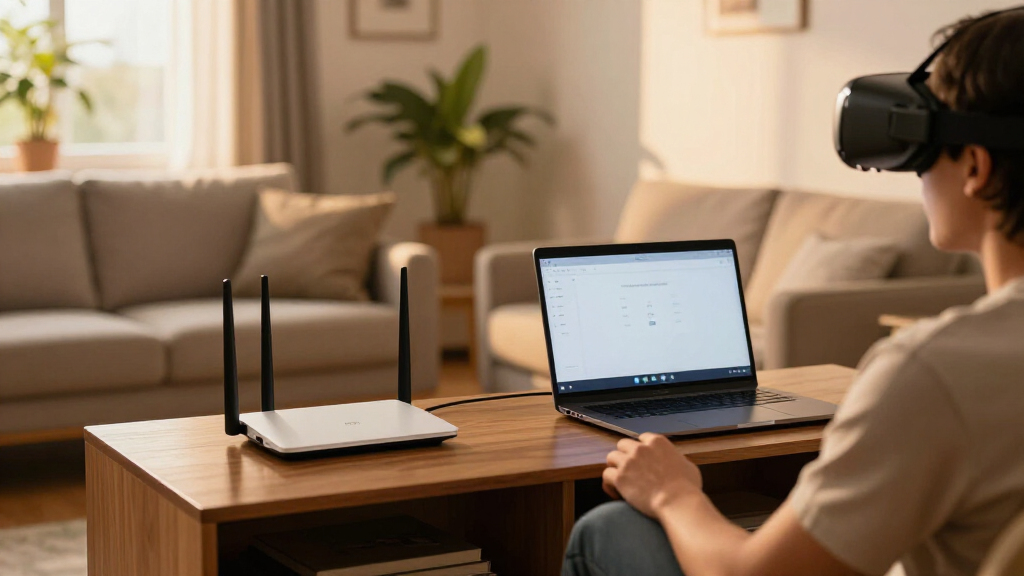
I ranked these five routers for the job they are being asked to do: carry a steady, local wireless stream from a gaming PC to a SteamVR headset. That makes band choice, Ethernet connections, and the ability to keep headset traffic away from everyday household congestion more relevant than a router’s maximum advertised rate on its own. I gave particular weight to tri-band options because a separate band can provide more room for a headset, though it does not guarantee lower latency or eliminate interference.
I also compared the practical setup details. A PC connected to the router through Ethernet avoids adding a wireless hop to the stream, and adequate coverage helps when the headset and PC are in different parts of a room or home. Port count and port speed matter most when a network has several wired devices or multi-gigabit equipment; for one gaming PC, gigabit Ethernet is often enough. Wi-Fi generation alone is not a measure of VR performance, since actual results depend on headset support, distance, walls, channel conditions, router placement, and PC configuration.
The order reflects distinct buyer priorities rather than a claim that one router will perform best in every home. The AXE75 ranks first for its accessible 6 GHz band and tri-band setup. Flint 3 follows for its newer Wi-Fi 7 specification and unusually generous multi-gigabit ports, while the AX3000 offers a simpler dual-band alternative. The NETGEAR RAX36 and ASUS RT-AX1800S round out the list as Wi-Fi 6 choices with fewer reasons to pay for extra band capacity. I did not treat internet-provider speed, VPN throughput, security subscriptions, or coverage figures as proof of better SteamVR streaming.
| router for steamvr wireless streaming | Wi-Fi generation | Bands | Ports |
|---|---|---|---|
| TP-Link Archer AXE75 Tri-Band | Wi-Fi 6E | Tri-band: 6 GHz, 5 GHz, 2.4 GHz | Five gigabit ports |
| GL.iNet Flint 3 Tri-Band Wi-Fi | — | Tri-band, including 6 GHz | Five 2.5G ports |
| TP-Link Archer AX3000 Dual-Ban | Wi-Fi 6 | Dual-band, 2.4 GHz and 5 GHz | Five; gigabit LAN |
| NETGEAR Nighthawk AX3000 WiFi | Wi-Fi 6 (802.11ax) | Dual-band | — |
| ASUS RT-AX1800S Dual-Band Wi-F | — | Dual-band | One Gigabit WAN; four Gigabit LAN |
Factors to Consider When Choosing Router For Steamvr Wireless Streaming
A SteamVR router should be chosen around the local link between PC and headset. I would check the headset’s supported Wi-Fi bands, plan a wired PC connection, and then decide whether a separate 6 GHz band or multi-gig Ethernet solves a real constraint in the room.Start with headset band support
Wi-Fi 6E and Wi-Fi 7 routers can include 6 GHz, but a headset must support that band to connect to it. If it does, 6 GHz may give the headset a less crowded option than 5 GHz, depending on neighboring networks, distance, and local wireless rules. The Archer AXE75 is the targeted pick here for Wi-Fi 6E, while Flint 3 brings Wi-Fi 7 and tri-band operation. A dual-band router such as the Archer AX3000, RAX36, or ASUS RT-AX1800S can still be a suitable choice for headsets using 5 GHz; do not buy a newer standard solely for its name.
Wire the gaming PC to the router
A wired Ethernet connection from the PC to the router removes one wireless leg from the stream. That leaves the headset’s wireless connection as the part to tune, rather than making both PC and headset compete over Wi-Fi. All five routers offer a way to wire the PC, though port speed differs: the Flint 3 has five 2.5G ports, and the others listed here use gigabit ports. For a single gaming PC, gigabit is often a practical starting point; multi-gig ports matter more when the PC and other network equipment can use them.
Treat advertised wireless rates as ceilings, not VR results
Combined router data rates add figures across bands that a single headset generally does not use at once. They do not tell you the bitrate a particular SteamVR setup will sustain or how stable it will feel. Distance, walls, interference, channel width, headset capability, PC encoding, and the streaming application all affect the result. That is why I favor band flexibility and a clean physical layout over choosing a router from its largest speed figure alone. Place the router in or near the play area where practical, with fewer obstructions between router and headset.
Match port count and household features to your network
Extra ports can tidy a gaming desk with a PC, console, and wired access point; faster ports are useful only when connected equipment supports them. Flint 3 is the clear multi-gig option, while the AXE75, Archer AX3000, RAX36, and ASUS provide gigabit connections. VPN, parental controls, security packages, USB, and mesh support may help with broader home networking, but they are not direct measures of SteamVR stream quality. I would treat paid security functions and modem requirements as separate ownership decisions.
Check the room before buying more router
Router placement and the play space can matter more than upgrading between two capable models. A router tucked behind a television or inside a cabinet can face a harder wireless path than one placed openly near the room. If the PC and headset are far apart, first see whether moving the router or adding a compatible access point is feasible. The AXE75 and Flint 3 provide additional bands, while EasyMesh on the AXE75 or AiMesh compatibility on the ASUS may help with network expansion; mesh links still need sound placement and do not guarantee a dedicated VR path.
Frequently Asked Questions
What matters most in a router for SteamVR wireless streaming?
I would prioritize a stable connection in the room where the headset is used, compatibility with the headset’s Wi-Fi bands, and Ethernet from the gaming PC to the router. A newer Wi-Fi generation can add capacity or another band, but it cannot compensate for a weak signal, obstructed placement, or a busy channel. Router specifications are a starting point, not a guarantee of streaming performance.
Do I need a Wi-Fi 6E or Wi-Fi 7 router for SteamVR?
No. A dual-band Wi-Fi 6 router can serve a headset that connects over 5 GHz, especially when the gaming PC uses Ethernet. Wi-Fi 6E or Wi-Fi 7 may be useful if the headset supports 6 GHz and that band is less congested in your space. I would confirm headset compatibility before choosing the AXE75 or Flint 3 specifically for 6 GHz.
Should my gaming PC connect to the router by Ethernet?
Yes, it is a sensible setup where practical. Ethernet avoids making the PC use a second wireless connection for the same streaming arrangement, leaving Wi-Fi for the headset. The routers in this roundup all provide Ethernet ports, though only the Flint 3 offers 2.5G ports. A gigabit wired link is enough for many home setups; faster ports help only when the PC and other network equipment support them.
Will a 6 GHz band always make wireless VR smoother?
No. A 6 GHz band can offer a less crowded route in some environments, but it depends on the headset supporting it and on the signal reaching the play area. Walls, distance, competing networks, and router placement still matter. If a 6 GHz signal is weak where the headset is used, a well-placed 5 GHz connection may be a better fit than relying on the band label alone.
Is a router’s advertised combined speed the speed I will get in SteamVR?
No. Combined wireless figures typically add capacity across bands and are not a promise of the rate available to one headset. The actual stream depends on the headset radio, signal quality, local interference, router configuration, PC performance, and streaming software. I use listed rates to compare product classes, then give greater weight to usable band support, wired PC connectivity, and room layout.
Conclusion
For a 6 GHz-capable headset, my first recommendation is the TP-Link Archer AXE75: it adds tri-band Wi-Fi 6E without requiring a buyer to move to Wi-Fi 7. Choose the GL.iNet Flint 3 if you also want Wi-Fi 7 and five 2.5G ports for a broader multi-gig network. For a more conventional 5 GHz setup, the TP-Link Archer AX3000 is the balanced Wi-Fi 6 option; the NETGEAR RAX36 suits a simpler four-port configuration, and the ASUS RT-AX1800S makes most sense for a basic ASUS-centered network. Whichever I chose, I would connect the PC by Ethernet, check the headset’s band support, and place the router close to the play space.
Cold & flu season Picks
humidifiers
As an affiliate, we earn on qualifying purchases.