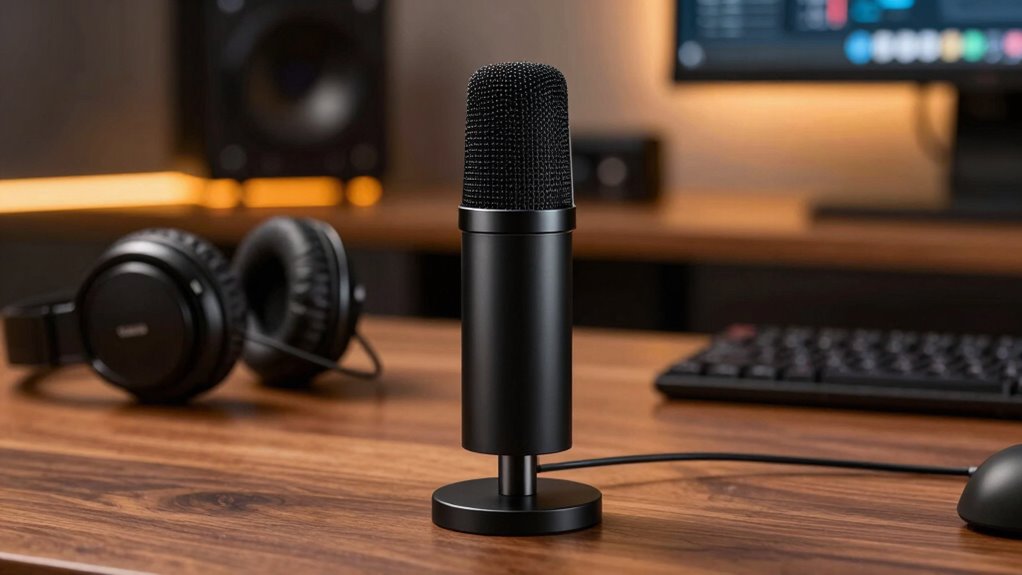

Choosing the right streaming microphone is key to achieving clear, professional audio that keeps your audience engaged. Look for mics that focus on voice clarity and minimize background noise, like cardioid patterns or noise-canceling features. Proper setup, placement, and environment also matter. Investing in quality equipment and optimizing settings make a big difference. If you want to learn how to boost your audio quality even further, there’s plenty more to explore.

Get home appliances delivered free — and shop member deals
- Fast, free delivery on millions of items
- Access to Prime Big Deal Days deals on October 6–7
- Prime Video, Amazon Music and more included
Key Takeaways
- Choose microphones with cardioid or supercardioid polar patterns to focus on your voice and reduce background noise.
- Opt for condenser microphones for natural, clear voice reproduction ideal for streaming.
- Use microphones with built-in noise-canceling features to improve sound clarity in noisy environments.
- Properly position your mic 6-12 inches from your mouth at a slight angle for optimal audio quality.
- Combine quality equipment with effective soundproofing and acoustic treatment for professional streaming audio.
Are you looking to improve your audio quality for streaming? If so, choosing the right microphone can make a vital difference. The key is finding a device that enhances your voice clarity and minimizes unwanted background noise through effective noise reduction techniques. When your voice sounds clear and natural, your audience stays engaged, and your message comes through without distractions. A good streaming microphone doesn’t just pick up sound; it captures your voice in a way that feels authentic and professional.
Your microphone should prioritize voice clarity, which means it accurately reproduces your voice without muddying or overly accentuating certain frequencies. Many high-quality mics are designed with this in mind, offering crisp, transparent sound that makes your speech sound natural. The right microphone also helps you avoid having to speak loudly or forcefully, which can lead to fatigue. Instead, it captures your voice at a comfortable volume, making your streams sound more polished and easier to listen to over extended periods. Proper microphone setup can significantly enhance your overall audio quality and listener experience. Ensuring your environment is acoustically treated can also reduce unwanted echoes and reverberations, further improving sound clarity.
Noise reduction is equally important. Streaming environments are rarely perfectly silent, and background noises—like keyboard clicks, fans, or pets—can detract from your presentation. Look for microphones equipped with noise-canceling features or cardioid polar patterns, which focus on sound coming directly from your mouth while rejecting noise from the sides and rear. This focused pickup pattern considerably reduces ambient noise, giving your audio a cleaner, more professional quality. Some microphones also include built-in filters or software options that further diminish background sounds, making your voice stand out clearly against any environmental noise. Additionally, proper microphone placement and sound isolation techniques can significantly improve your overall audio quality and listener experience. Using soundproofing methods such as isolating your microphone from noisy surfaces can further enhance sound clarity and reduce distractions.
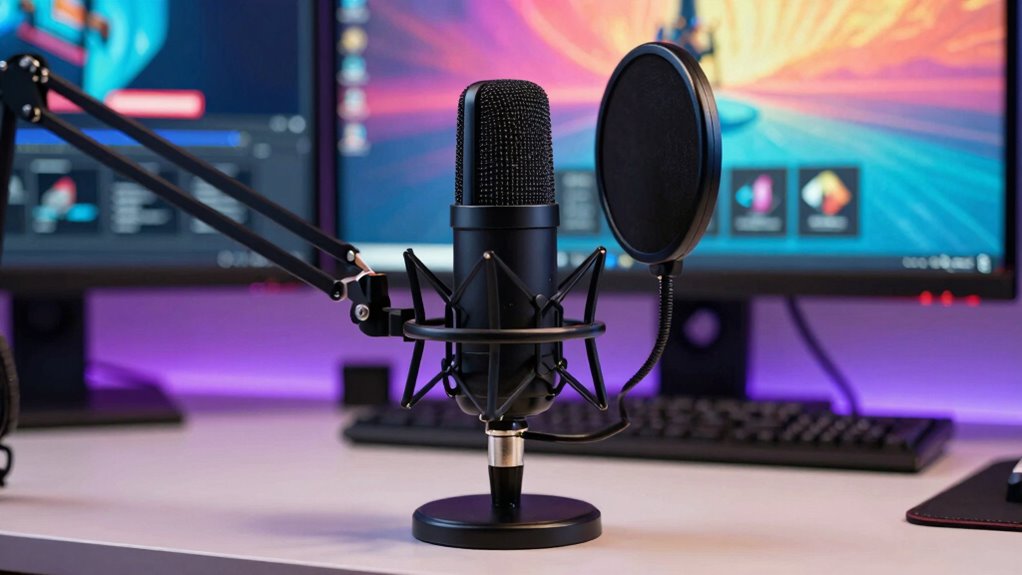
Setting up your microphone properly is essential for maximizing its noise reduction capabilities and voice clarity. Position it close to your mouth—about 6 to 12 inches away—at a slight angle to avoid plosive sounds. Using a pop filter can prevent harsh “p” and “b” sounds from causing distortion, ensuring your audio remains smooth and consistent. Additionally, configuring your streaming software to adjust gain levels appropriately helps prevent distortion or background noise from becoming overwhelming. sound isolation techniques such as foam panels or reflective surfaces can further enhance your audio environment, reducing unwanted echoes and reverberations. Proper microphone placement and sound isolation techniques can significantly improve your overall audio quality and listener experience. Remember, investing in quality audio equipment tailored for streaming can make a noticeable difference in your broadcast’s professionalism.
USB streaming microphone with noise cancellation
As an affiliate, we earn on qualifying purchases.
As an affiliate, we earn on qualifying purchases.
Frequently Asked Questions
How Do I Connect a Streaming Microphone to My Computer?
To connect your streaming microphone to your computer, plug it into the appropriate port, usually USB or XLR, depending on your mic type. Once connected, position the microphone correctly for ideal sound—place it close to your mouth and use proper microphone placement. Adding a pop filter helps reduce unwanted noise. Check your computer’s sound settings to guarantee the microphone is selected as the default input device for clear, professional audio.
What Is the Average Price Range for Quality Streaming Microphones?
You can expect to spend between $100 and $300 on a quality streaming microphone. Good options often feature versatile microphone polar patterns like cardioid or omnidirectional, which help focus on your voice and reduce background noise. Many professional mics also require phantom power, so make certain your setup supports it if needed. Investing within this range ensures clear audio, ideal for streaming, podcasts, or recording.
Can Streaming Microphones Be Used for Music Recording?
Yes, streaming microphones can be used for music production and vocal recording, but their suitability depends on the mic’s quality and features. Many high-quality models capture vocals and instruments effectively, offering clear sound and good sensitivity. While some mics are optimized for speech, others work well for music. You should choose a microphone that suits your specific needs, ensuring it provides the sound quality necessary for professional vocal recording or music production.
What Maintenance Does a Streaming Microphone Require?
Your streaming microphone requires minimal maintenance, but staying attentive boosts its durability. Regularly clean the grille with a soft, dry cloth to prevent dust buildup, and avoid exposing it to extreme temperatures or moisture. Keep it in a safe, stable spot when not in use. These simple maintenance tips guarantee your mic stays durable, delivers clear sound, and remains ready for your next broadcast or recording session.
Are There Wireless Streaming Microphone Options Available?
Yes, wireless streaming microphone options are available, offering you wireless convenience and freedom of movement. These mics typically come with rechargeable batteries, so you should keep an eye on the battery life to avoid interruptions during your streams. Many models provide long-lasting battery life, making them ideal for extended sessions. Just make certain you choose a reliable brand with good connectivity to guarantee clear audio without drops or lag.
Conclusion
Choosing the right streaming microphone can make all the difference in your audio quality. Remember, you get what you pay for, and investing in a good mic is investing in your content’s success. Clear, professional sound keeps your audience engaged and coming back for more. Don’t settle for less—because as the saying goes, “You only get one chance to make a first impression.” Make it count with the perfect microphone for your streaming setup.
Fall Picks
fall essentials
As an affiliate, we earn on qualifying purchases.