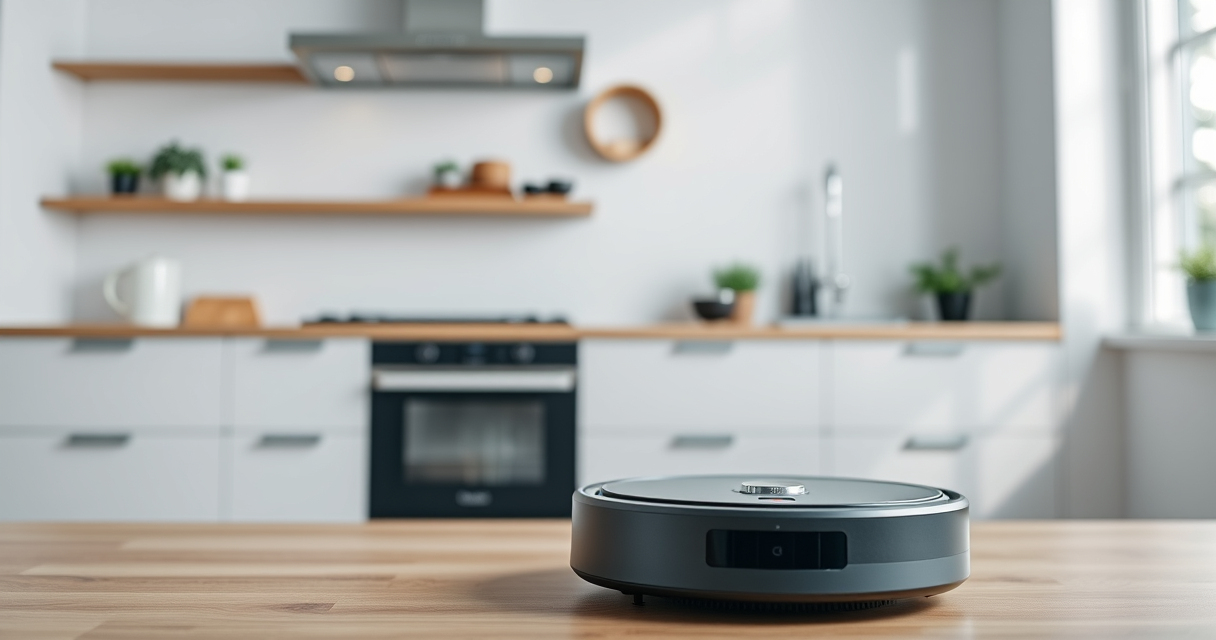
If your Roborock Q7 M5+ robot vacuum isn’t connecting to Wi-Fi, it can be frustrating and hinder your cleaning routine. This guide provides practical, safe steps to troubleshoot and fix Wi-Fi connection issues, ensuring your device stays connected for seamless operation.

Get home appliances delivered free with Prime
- Fast, free delivery on millions of items
- Prime Video, Amazon Music and more included
- Member-only deals all year
Before starting, ensure your Wi-Fi network is working correctly on other devices. A stable internet connection is essential for the Roborock app to communicate with your vacuum. Follow these steps carefully to restore your vacuum’s Wi-Fi connection.
Key Takeaways
| Check Wi-Fi Signal | Ensure your Wi-Fi network is stable and within range. |
| Restart Devices | Reboot your vacuum, router, and smartphone. |
| Update Firmware | Make sure your Roborock app and device firmware are current. |
| Reset Wi-Fi Settings | Reconfigure Wi-Fi on your vacuum using the app. |
Ensure Wi-Fi Signal and Compatibility
- Check that your Wi-Fi network is 2.4 GHz, as Roborock devices typically do not support 5 GHz networks.
- Make sure your router is close enough to your vacuum for a strong signal, ideally within 10-15 feet.
Restart Your Devices
- Power off your Roborock vacuum and unplug your Wi-Fi router.
- Wait 30 seconds, then turn the router back on and wait until it fully reboots.
- Reboot your smartphone or tablet.
- Turn your Roborock vacuum back on.
Reconfigure Wi-Fi Connection
- Open the Roborock app and select your device.
- Navigate to device settings, then choose ‘Wi-Fi Settings’ or ‘Reconnect Wi-Fi.’
- Select your Wi-Fi network and enter the password carefully.
- Follow on-screen prompts to complete the connection process.
Update Firmware and App
- Ensure your Roborock app is updated to the latest version from your app store.
- Check for firmware updates within the app under device settings, and install if available.
Reset Wi-Fi Settings (if needed)
- On the vacuum, press and hold the power button for 10 seconds to perform a soft reset.
- In the app, go to device settings and select ‘Forget Wi-Fi’ or ‘Reset Network.’
- Repeat the Wi-Fi configuration steps to reconnect.
The Products in This Guide

roborock Q7 M5+ Robot Vacuum and Mop
- ✔ Max Suction: 10000Pa
- ✔ Navigation: PreciSense LiDAR
- ✔ Self-Emptying Duration: 7-9 weeks

4 Pack Washable Filter
- ✔ Pack Size: 4 Filters
- ✔ Compatibility: Multiple Roborock models
- ✔ Filter Type: True HEPA
roborock Q7 M5+ Robot Vacuum and Mop
The Roborock Q7 M5+ offers strong suction and PreciseSense LiDAR navigation, making it a top choice for pet owners and busy households. Its self-emptying feature reduces maintenance, and app control offers convenience.
Pros:
- Powerful 10000Pa suction
- Self-emptying dustbin
- Dual anti-tangle system
- PreciseLiDAR navigation
Cons:
- Relies on stable Wi-Fi
- Higher price point
- Requires app for full functionality
Best for: Pet owners and users needing a thorough, self-sufficient cleaning robot
Not ideal for: Homes with unreliable Wi-Fi or minimal smart home integration
Bottom line: A high-performance vacuum ideal for tech-savvy households with stable Wi-Fi.
4 Pack Washable Filter
The 4 Pack Washable Filter ensures your Roborock Q7 stays in top shape, with easy cleaning and replacement. It maintains optimal filtration and prolongs your device’s lifespan.
Pros:
- Compatible with multiple models
- Washable and reusable
- Effective HEPA filtration
- Easy to install
Cons:
- Requires regular cleaning
- Not OEM, but high quality
- Replacement needed every few months
Best for: Maintaining optimal filtration and reducing filter costs
Not ideal for: Users seeking OEM parts only
Bottom line: A cost-effective, washable HEPA filter for cleaner air and better vacuum performance.
Frequently Asked Questions
Why isn’t my Roborock connecting to Wi-Fi?
Common reasons include weak Wi-Fi signals, incorrect passwords, or outdated firmware. Follow the troubleshooting steps to resolve these issues.
Can I connect Roborock to a 5 GHz Wi-Fi network?
No, Roborock devices typically require a 2.4 GHz network for proper connection. Check your router settings to ensure compatibility.
How do I reset my Roborock’s Wi-Fi settings?
Press and hold the power button for about 10 seconds to soft reset, then reconfigure Wi-Fi through the app.
What should I do if reconfiguring Wi-Fi doesn’t work?
Try restarting your router and device, updating the app and firmware, or performing a factory reset on the vacuum.
Stay Connected, Keep Cleaning
Wi-Fi connectivity issues can be frustrating, but with these step-by-step solutions, you can restore your Roborock’s connection quickly. Regular updates and proper placement of your router help ensure seamless operation and continued cleaning performance.
Affiliate disclosure: As an Amazon Associate we earn from qualifying purchases. Prices and availability are accurate as of the time of publishing.
Fall yard work Picks
leaf blowers
As an affiliate, we earn on qualifying purchases.