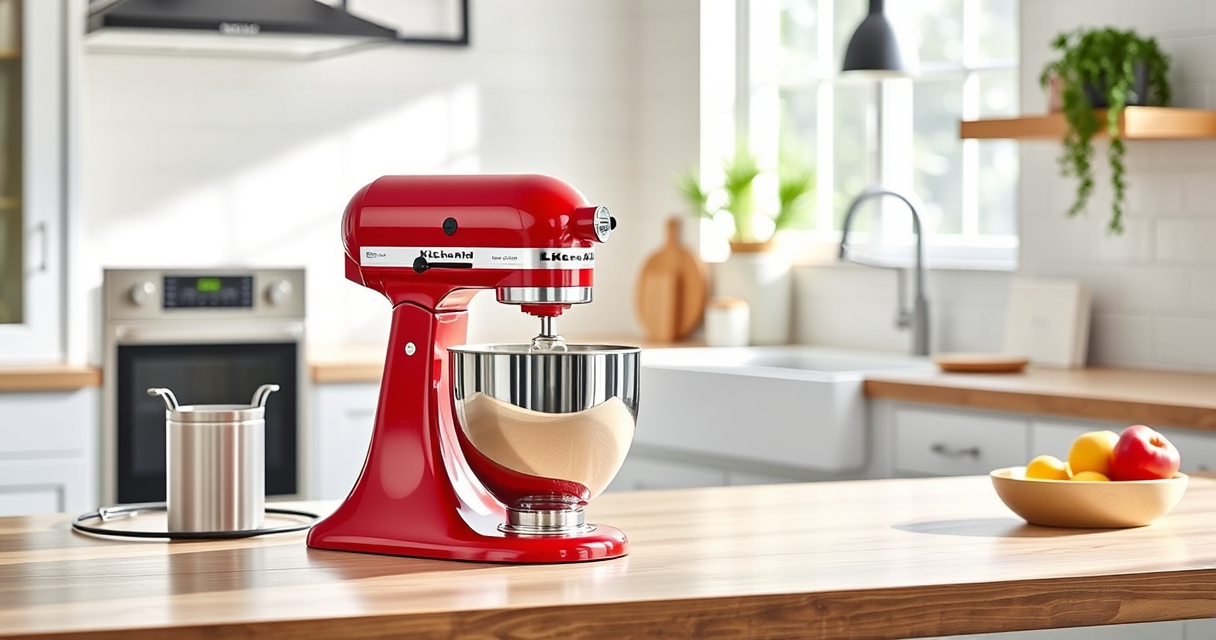

If your KitchenAid Artisan Series 5 Quart Tilt Head Stand Mixer is making a grinding noise, it can signal a mechanical issue that needs attention. This guide provides clear, step-by-step instructions to identify and fix the problem safely, ensuring your mixer runs smoothly again.
Regular maintenance and proper use can prevent many common issues, but when noises persist, troubleshooting is essential to avoid further damage.
Key Takeaways
| Identify the noise source | Grinding sounds often indicate gear or transmission issues. |
| Check the attachment and bowl | Loose or improperly installed attachments can cause grinding noises. |
| Inspect the gears | Worn or damaged gears are common culprits and may need replacement. |
| Ensure proper lubrication | Lack of lubrication can lead to increased gear friction and noise. |

KitchenAid Artisan Series 5 Quart Tilt Head Stand Mixer with Pouring Shield KSM150PS, Milkshake
Built to take it all on with the durable and built-to-last metal construction, and 59 touchpoints around the...
As an affiliate, we earn on qualifying purchases.
Step 1: Unplug and Prepare the Mixer
- Unplug your KitchenAid Artisan stand mixer from the power outlet to ensure safety.
- Remove any attachments, such as the flat beater, dough hook, or wire whip.
- Clear your workspace and gather necessary tools, like a screwdriver, replacement parts (if needed), and lubricant.
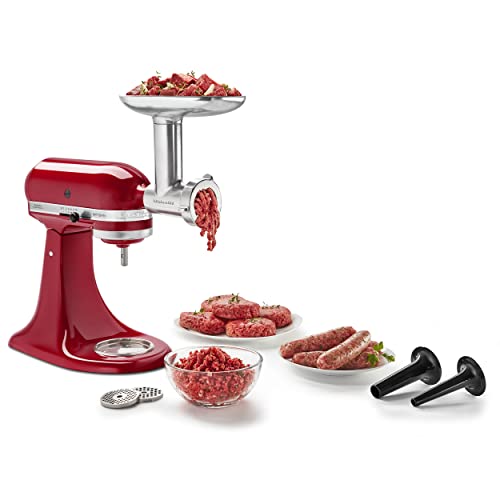
KitchenAid Stand Mixer Attachment, Food Grinder KSMMGA, Metal Food Grinder
Connect to any household KitchenAid Stand Mixer power hub and use the power of the motor to run...
As an affiliate, we earn on qualifying purchases.
Step 2: Access the Gears and Transmission
- Tilt the mixer head back to access the gear housing. Lock it in place to prevent accidental movement.
- Locate the gear cover on the underside of the head. Unscrew and carefully remove the cover.
- Inspect the gears for visible damage, wear, or debris.
Step 3: Inspect and Replace Worn Gears
- Check for cracked, chipped, or worn teeth on the gears.
- If damaged, replace the gears with genuine replacement parts designed for your model.
- Clean the gear housing thoroughly before installing new gears.
Step 4: Lubricate the Gears
If gears appear intact but still make noise, apply a food-grade lubricant to the gear teeth. Use sparingly to avoid excess buildup, which can cause further issues.
Step 5: Reassemble and Test
- Replace the gear cover and tighten screws securely.
- Return the tilt-head to its locked position.
- Reconnect the power and run the mixer at low and high speeds to test for noise. Observe if the grinding sound persists.
The Products in This Guide

KitchenAid Artisan Series 5 Quart Tilt Head Stand Mixer
- ✔ Bowl Material: Stainless Steel
- ✔ Power: 275W
- ✔ Weight: 26 lbs

KitchenAid Stand Mixer Attachment
- ✔ Power: N/A (uses mixer power)
- ✔ Size: Fits standard attachments
- ✔ Color: Metal finish
KitchenAid Artisan Series 5 Quart Tilt Head Stand Mixer
The KitchenAid Artisan Series 5 Quart Tilt Head Stand Mixer is built with durable metal construction and offers 10 speeds for versatile tasks. Its tilt-head design provides easy access for maintenance and attachment changes. This model is ideal for heavy mixing and frequent use.
Pros:
- Sturdy metal build
- Easy tilt-head access
- Multiple speed options
- Large 5-quart bowl
Cons:
- Can be heavy to lift
- Price may be higher than basic mixers
- Gears may require maintenance over time
Best for: Home bakers and those who need a powerful, reliable mixer for frequent use.
Not ideal for: Minimal space for storage or portability; best for stationary use.
Bottom line: A dependable mixer built to handle large batches and heavy-duty tasks.
KitchenAid Stand Mixer Attachment
Transform your KitchenAid mixer into a powerful food processor with this metal food grinder attachment. It offers multiple grinding plates and sausage stuffer tubes, making it ideal for fresh, homemade foods.
Pros:
- Multiple grinding options
- Sturdy metal build
- Large food tray
- Easy to attach
Cons:
- Requires separate purchase
- Cleaning can be time-consuming
- Best used with chilled ingredients
Best for: Grinding meat, vegetables, and making sausage fillings at home.
Not ideal for: Not suitable for dry or tough ingredients without pre-chilling.
Bottom line: A versatile attachment that enhances your KitchenAid’s functionality.
Frequently Asked Questions
Can grinding noises be caused by misaligned gears?
Yes, misaligned or worn gears are common causes of grinding sounds in KitchenAid mixers. Inspect and replace or lubricate as needed.
Is it safe to open the gear housing myself?
Yes, but ensure the mixer is unplugged, and follow safety precautions. If unsure, consult a professional or refer to the user manual.
How often should I lubricate the gears?
Lubricate the gears if you notice increased noise or resistance. Regular lubrication can prolong gear life and maintain smooth operation.
When should I replace the gears?
Replace gears if you see cracks, chips, or excessive wear. Continuing to use damaged gears can cause further damage to your mixer.
Keep Your KitchenAid Running Smoothly
Regular maintenance and prompt troubleshooting can extend the life of your KitchenAid Artisan stand mixer. By inspecting and replacing worn gears, lubricating moving parts, and ensuring proper assembly, you can eliminate grinding noises and enjoy seamless mixing for years to come.
Affiliate disclosure: As an Amazon Associate we earn from qualifying purchases. Prices and availability are accurate as of the time of publishing.