TL;DR

Get home appliances delivered free with Prime
- Fast, free delivery on millions of items
- Prime Video, Amazon Music and more included
- Member-only deals all year
Prebuilt AI workstations have become more appealing because vendors offer validated, optimized systems that save you time and reduce risk. DIY still offers maximum control, but it often costs more and takes longer today. Your choice depends on your priorities for speed, support, and customization.
Imagine firing up your AI project and having everything run smoothly—without the headaches of sourcing parts or troubleshooting. It’s a tempting thought. But when you’re staring at the options—build your own or buy a prebuilt—things get muddy fast.
This decision is now more nuanced than ever. In 2026, the price gap has closed, and prebuilt systems pack value in reliability, testing, and support. Whether you’re a hobbyist, researcher, or business, understanding the real tradeoffs can save you time, money, and frustration.
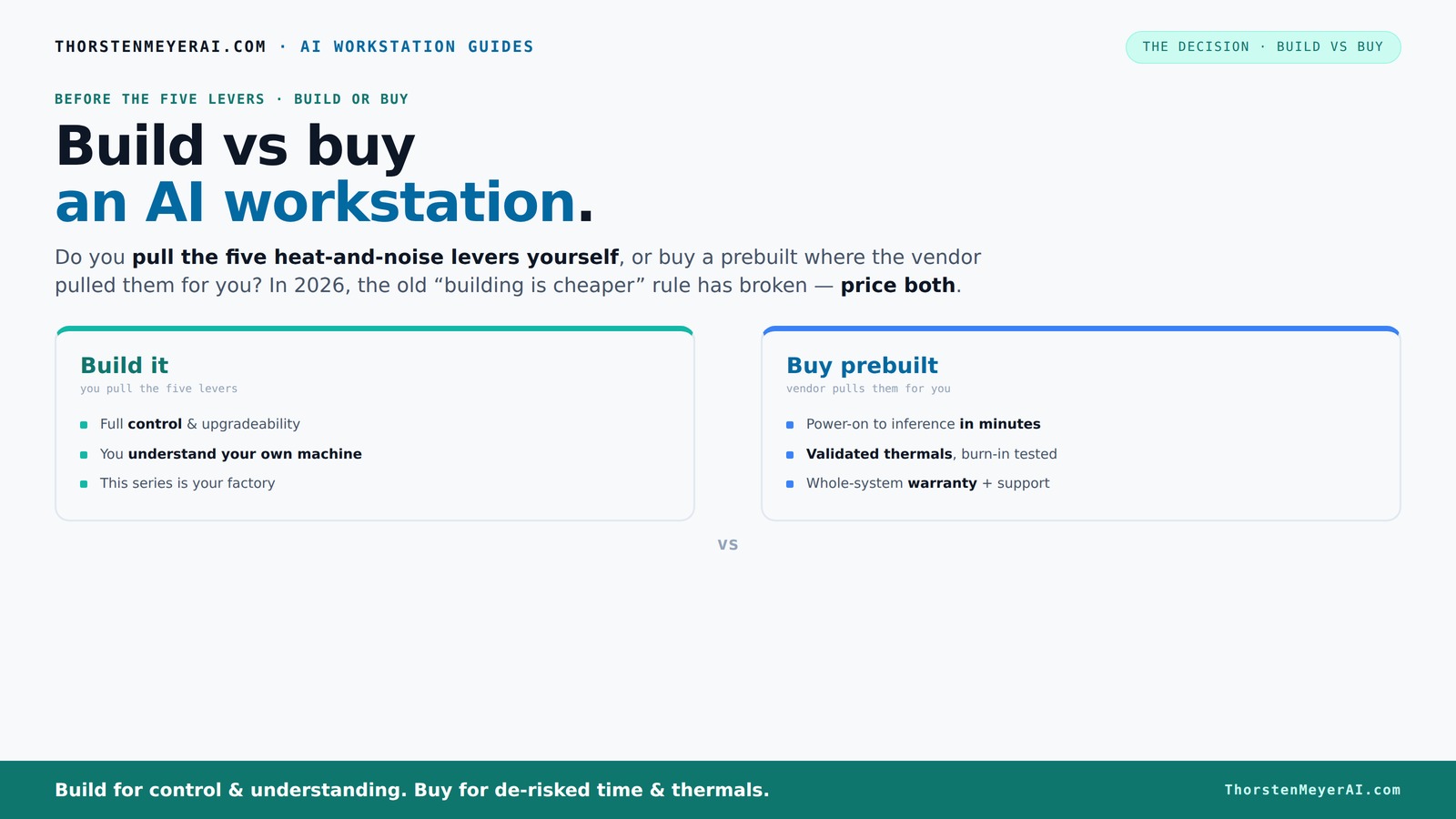
Build vs buy
an AI workstation.
The real question behind this whole series: do you pull the five heat-and-noise levers yourself, or buy a prebuilt where the vendor pulled them for you? And in 2026, the old “building is cheaper” rule has broken. Match your situation in Part 3.
Key Takeaways
- In 2026, prebuilt AI workstations often cost less or comparable to DIY builds due to bulk purchasing and validation, breaking the traditional price rule.
- Prebuilts save time, reduce troubleshooting, and include support and warranties, making them ideal for quick deployment and risk reduction.
- Building offers maximum control, customization, and learning, but requires thermal expertise and time investment.
- Thermal management and noise reduction are critical for AI workloads—prebuilts often include factory-optimized solutions that are hard to replicate DIY.
- Always compare the total cost—parts, labor, support, and future upgrades—before making your decision.
As an affiliate, we earn on qualifying purchases.
Why 2026 Changes Everything About Building vs Buying
Building your own AI workstation used to be cheaper, full stop. But now, component shortages and prices have flipped the script. GPUs, RAM, SSDs—everything has surged in cost, pushing DIY builds well above what prebuilt vendors can offer.
Major manufacturers—like Dell, Lambda, and Puget—buy in bulk, validate their systems, and test under load before shipping. This means you often get a system that’s ready to go, with fewer surprises, at a price that can match or beat the DIY route. Learn more about build vs buy a prebuilt AI workstation.
So, the age-old rule of "build cheaper" no longer holds. Instead, you need to compare costs directly, factoring in time, effort, and support, not just parts.
The Five Levers of Heat, Noise, and Performance—And Who Controls Them
Running an AI workstation at full throttle is like managing a furnace. The key to quiet, cool performance? Five levers: undervolting the GPU, matching the cooler, optimizing airflow, tuning fans, and choosing the right placement. For tips on GPU undervolting and sound-dampening PC cases, check out these guides.
If you buy a prebuilt, the vendor pulls these levers—testing, tuning, and validating to keep your system cool and silent under load. They often include water-cooling or custom airflow solutions to cut noise and heat.
Building it yourself means you’re responsible for every adjustment—selecting a quiet GPU, undervolting it with tools like this guide, choosing a case with sound-dampening features, and setting fans just right.
It’s a tradeoff: you gain full control, but must invest time and expertise to get it right.
Prebuilt vs DIY: Which Saves You Time and Hassle?
| Prebuilt AI Workstation | DIY Build |
|---|---|
| Arrives ready to run. Just install your software and go. | Requires sourcing parts, assembling, BIOS setup, driver updates, and testing. |
| Includes validated thermals, support, and warranty. | Depends on your skills for stability; no official warranty. |
| Often cheaper due to bulk buying and factory testing. | Potentially cheaper if you already own tools and hardware, but labor adds up. |
| Minimal troubleshooting—vendor support handles issues. | Challenging troubleshooting with compatibility and thermal issues. |
For example, a professional AI workstation from Lambda can be delivered with CUDA, TensorFlow, and Docker pre-installed, ready for inference. Building the same setup from scratch might take days and multiple troubleshooting sessions. Consider exploring home entertainment and tech gadgets for more on optimizing your home setup.
When Buying a Prebuilt Makes Sense
If you value plug-and-play convenience, prebuilt systems offer a compelling package. They arrive with the OS, AI stacks, and optimized thermals tested out of the box. You might also want to visit bestmodern toilet for home improvement ideas, including tech integrations.
For instance, a BIZON workstation configured with dual GPUs, water cooling, and custom airflow can be shipped, tested, and supported for years. If your workload involves large models or multi-GPU training, the reliability and warranty justify the premium.
Plus, vendors like Lambda and Puget have specialized in AI hardware, making sure your system runs smoothly under sustained workloads—something hard to guarantee building yourself without deep thermal expertise.
When Building Your Own AI Workstation Is Still Worth It
If you enjoy tinkering or need a system tailored exactly to your needs, DIY remains attractive. You can pick specific GPUs, RAM capacity, or storage layout that prebuilt vendors might not offer. For more insights on custom builds, see build vs buy a prebuilt AI workstation.
For example, a researcher might want a single high-VRAM GPU, custom cooling, and an open case for future upgrades. Building it gives you transparency, control, and the ability to tweak or upgrade parts on your schedule.
Plus, if you already own tools, or want to learn about thermal management, building can be a rewarding experience—and often cheaper if you compare component prices carefully.
Cost Breakdown: Is Building Cheaper or Not?
While building your own system can seem cheaper, recent market shifts have narrowed or even reversed this assumption. You need to include component prices, labor time, support, and potential troubleshooting.
For example, a DIY build might cost around $1,250 in parts, but add 10–20 hours of work and potential debugging. A prebuilt from Lambda or Puget might cost $1,300–$1,400, but with support, validation, and a warranty included.
Recent market data indicates that component prices have surged due to supply chain issues, making bulk procurement by vendors a significant cost advantage. This means that even if you compare only parts, the total cost of DIY can be higher than expected once you factor in your time, effort, and potential troubleshooting. Therefore, it's crucial to do a detailed cost analysis tailored to your specific configuration, considering both tangible and intangible costs, to determine which route truly saves money for your particular situation.
Key Things to Think About Before You Decide
- Speed of deployment: ready-to-run vs custom build time.
- Support needs: warranty, troubleshooting, future upgrades.
- Performance tuning: thermal management, noise levels.
- Long-term flexibility: component upgrades, part choices.
- Budget constraints: initial cost vs total cost of ownership.
Your Next Step: Decide Based on Your Priorities
Are you racing against a deadline? Do you want a system that’s ready to deploy tomorrow? Or do you prefer the satisfaction of building exactly what you want, with full control over every component?
If speed and support matter most, a prebuilt from a trusted vendor is probably your best bet. But if you’re eager to learn, customize, and future-proof your system, building might be more satisfying—and potentially more cost-effective in the long run.
Frequently Asked Questions
Is a prebuilt AI workstation worth the extra cost?
For many, yes. Prebuilts save time, reduce troubleshooting, and come with support and warranties. If you need a system up and running fast, they often deliver better value than building yourself, especially with current component prices.
How much more expensive is a prebuilt compared to building it yourself?
It varies, but recent market data shows prebuilts can cost roughly the same or even less than DIY builds when you factor in bulk purchasing and validation. Always compare specific configurations before deciding.
Which option offers better GPU performance for AI workloads?
Performance depends more on GPU choice and thermal management than on build type. Both options can house high-end GPUs like the RTX 4090 or A100, but prebuilts often include factory-optimized cooling for sustained workloads.
Are prebuilts more reliable than DIY builds?
Prebuilts come tested, validated, and supported, reducing the risk of compatibility or thermal issues. DIY builds depend on your skill, but with proper research and tuning, they can be just as stable.
Will a prebuilt AI workstation be easier to upgrade later?
Generally, yes. Vendors often design for future upgrades, but some OEMs use proprietary parts, making certain upgrades trickier. DIY systems usually offer more transparency for future component swaps.
Conclusion
The choice isn’t just about saving money; it’s about what you value more: speed, support, and a ready-to-run system, or control, customization, and the joy of building your own. Both paths have their merits, but in 2026, the best choice depends on your specific needs and patience.
Remember, the right system powers your AI ambitions—whether it’s prebuilt or built by you. So pick the route that fuels your passion and fits your workflow. Your perfect AI workstation is out there—just choose how you want to get it.
Fall yard work Picks
leaf blowers
As an affiliate, we earn on qualifying purchases.