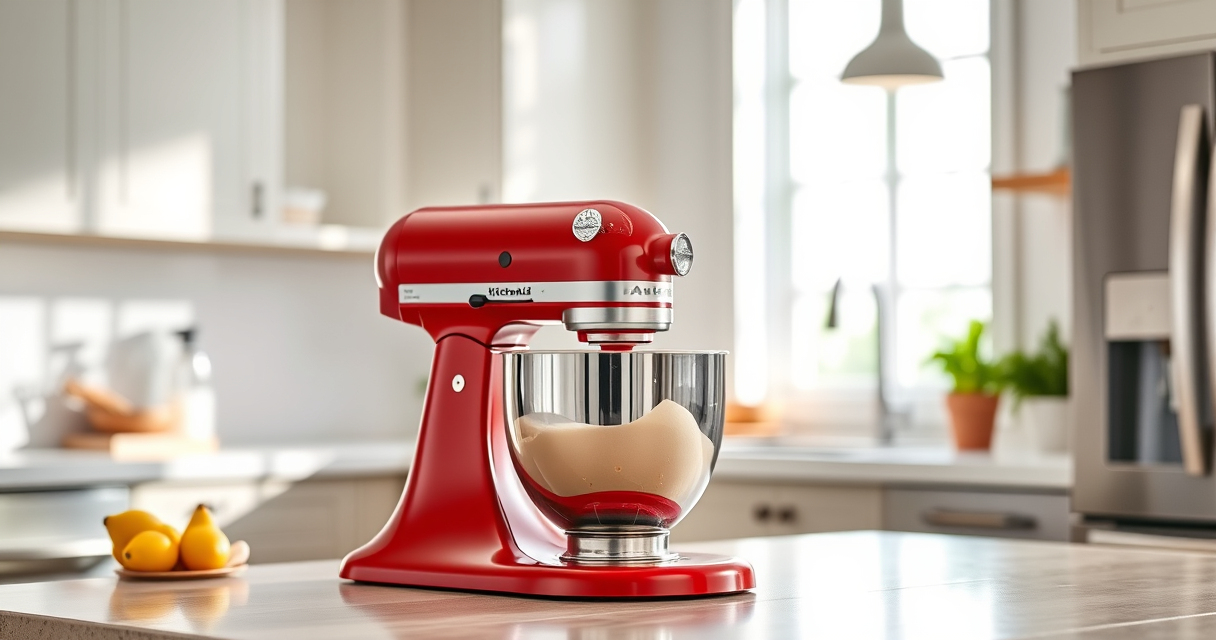

If your KitchenAid Artisan Series 5 Quart Tilt Head Stand Mixer is making a persistent grinding noise, it can be both annoying and a sign of underlying issues. Fortunately, many common problems are fixable with basic troubleshooting and maintenance. This guide will walk you through practical, safe steps to identify and resolve the noise, helping your mixer run smoothly again.

Get home appliances delivered free with Prime
- Fast, free delivery on millions of items
- Prime Video, Amazon Music and more included
- Member-only deals all year
Before diving into repairs, ensure you have the necessary tools and a clean workspace. Always unplug the mixer before working on it to prevent accidents. Let’s start with understanding what might be causing the grinding sound and how to fix it efficiently.
Key Takeaways
| Identify the source of the noise | Grinding often comes from worn gears or debris in the gear housing. |
| Regular maintenance helps prevent issues | Cleaning and lubricating moving parts can reduce noise. |
| Check for obstructions or debris | Foreign objects or dough residue can cause grinding sounds. |
| Replace worn parts if needed | Worn gears or bearings should be replaced for optimal performance. |
| Safety first | Always unplug the mixer before servicing to avoid electrical hazards. |
1. Unplug and Disassemble the Mixer
- Ensure the mixer is unplugged from the power outlet.
- Remove the attachment (e.g., flat beater, dough hook) and the stainless steel bowl.
- Using a screwdriver, carefully remove the tilt-head locking arm, and then lift the head to access the internal components.
2. Inspect the Gears and Internal Components
- Examine the gear housing and drive gear for signs of wear, damage, or debris.
- Look for any foreign objects that may have fallen inside and clean out any dough or residue.
- Check the condition of the gears, bearings, and drive shaft for smooth movement.
3. Clean and Lubricate Moving Parts
Use a soft cloth or brush to remove dust, debris, and old grease. If your model allows, apply a food-grade lubricant sparingly to the gears and drive shaft to ensure smooth operation. Avoid over-lubricating, as excess grease can attract dirt and cause further issues.
4. Replace Worn or Damaged Parts
If you notice any gears or bearings that are chipped, cracked, or excessively worn, replace them with genuine replacement parts. Refer to your model’s manual for the correct part numbers and replacement procedures. Installing new gears can often resolve grinding noises caused by worn components.
5. Reassemble and Test the Mixer
- Carefully reassemble the mixer in reverse order, ensuring all screws and locking arms are securely in place.
- Plug in the mixer and run it at a low speed to check for any unusual noises or vibrations.
- Gradually increase the speed to ensure the grinding noise has been eliminated and the mixer operates smoothly.
The Products in This Guide

KitchenAid Artisan Series 5 Quart Tilt Head Stand Mixer
- ✔ Color options: Multiple
- ✔ Bowl material: Stainless steel
- ✔ Speed settings: 10

KitchenAid Stand Mixer Attachment
- ✔ Material: Metal
- ✔ Includes: Multiple grinding plates
- ✔ Power source: KitchenAid mixer hub
KitchenAid Artisan Series 5 Quart Tilt Head Stand Mixer
The KitchenAid Artisan Series 5 Quart Tilt Head Stand Mixer is built with durable metal construction and offers 10 speeds for a variety of mixing tasks. Its tilt-head design provides easy access to the bowl, making it convenient for cleaning and ingredient addition. With over 20 color options, it’s both a functional and stylish addition to any kitchen.
Pros:
- Durable metal construction
- Easy tilt-head access
- Multiple color options
- Powerful motor suitable for large batches
Cons:
- Can be heavy to move
- Requires regular maintenance
- May be noisy if gears wear out
Best for: Home bakers and cooking enthusiasts needing a reliable, powerful mixer for large batches
Not ideal for: For those seeking a lightweight or less expensive option
Bottom line: A durable, versatile mixer that’s built to last and handle heavy baking loads.
KitchenAid Stand Mixer Attachment
The KitchenAid Stand Mixer Attachment Food Grinder offers a practical addition to your mixer, allowing you to grind fresh meat, vegetables, and more. Its sturdy metal construction and multiple grinding plates make it a valuable tool for home cooks seeking to prepare homemade ingredients easily.
Pros:
- Powerful metal grinder
- Multiple grinding plates
- Easy to attach and clean
- Processes large quantities
Cons:
- Requires separate purchase
- Needs pre-chilling for best results
- May need frequent cleaning
Best for: Cooking enthusiasts who want to expand their mixer’s capabilities
Not ideal for: For users who only need basic mixing functions
Bottom line: A durable attachment that transforms your mixer into a complete food processing station.
Frequently Asked Questions
Why does my KitchenAid mixer make grinding noises?
Grinding noises often indicate worn gears, debris in the gear housing, or insufficient lubrication. Regular maintenance and inspection can help identify the cause.
How often should I clean and lubricate my mixer?
It’s a good idea to clean your mixer after heavy use and apply food-grade lubricants to moving parts every 6-12 months, depending on usage frequency.
Can I fix the grinding noise myself?
Yes, many issues can be addressed with basic disassembly, cleaning, and part replacement. However, if you’re uncomfortable, consult a professional or authorized service center.
What parts are most likely to wear out?
Gears, bearings, and drive shafts are common wear points. Worn or damaged parts should be replaced with genuine components to restore proper function.
Is it safe to work on my mixer?
Always unplug the mixer before servicing. Follow the manufacturer’s instructions carefully, and avoid working on electrical components unless qualified.
Keep Your KitchenAid Running Smoothly
With proper maintenance and timely repairs, your KitchenAid Artisan Stand Mixer can provide years of reliable service. Regularly inspecting internal components, cleaning, and replacing worn parts will prevent unwanted grinding noises and ensure your mixer performs at its best. If issues persist despite troubleshooting, consider professional repairs or replacement parts to keep your baking and cooking on track.
Affiliate disclosure: As an Amazon Associate we earn from qualifying purchases. Prices and availability are accurate as of the time of publishing.
NFL season / tailgating Picks
team gear
As an affiliate, we earn on qualifying purchases.