
TL;DR

Get home appliances delivered free — and shop member deals
- Fast, free delivery on millions of items
- Access to Prime Big Deal Days deals on October 6–7
- Prime Video, Amazon Music and more included
Smart home Halloween lighting uses connected bulbs, strips, fixtures, and controllers to create seasonal colors and coordinated effects. Start with lights suited to each location, verify platform and outdoor compatibility, then test a scene and schedule before trick-or-treating begins.
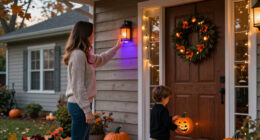
A purple porch can look like a haunted house after sunset—but one smart bulb in the wrong fixture can turn that effect into a soggy, unreachable headache. Smart home Halloween lighting works best when you match the light to the location first and add effects second.
You can start with one color-changing bulb in a porch fixture or build a larger display with window strips, outdoor-rated lights, motion triggers, and music-reactive effects. The trick is not buying the most features. It’s choosing lights that work with your home, setting up a scene you can control, and keeping cords and walkways safe.
This guide walks you through the choices that matter: what to buy, how to coordinate colors and schedules, how to handle compatibility, and what to test before Halloween night. You’ll get a display that looks deliberate without needing to troubleshoot it while a line of costumed kids waits at your door.
Use bulbs for existing fixtures, strips for selected surfaces, and outdoor-rated products where lights face the weather.
Check the exact model’s hub, network, platform, and feature support before buying.
Save a restrained color scene and schedule it before Halloween night, then test it from outside.
Keep motion and music effects optional, with a steady scene ready as a fallback.
Secure cords, preserve clear walkways, and use a licensed electrician for electrical changes.
Choose the right lights for each part of your display
Smart home Halloween lighting works best when you match each fixture to its location: use bulbs in existing lamps, strips along windows or eaves, and fixtures rated for exposed outdoor use. That simple division helps you avoid buying an indoor light for a rainy porch or trying to light a wide window with one small bulb.
A color-changing bulb is an easy starting point. Screw one into a suitable porch fixture, choose amber or purple, and you have a clear seasonal signal with little setup. For instance, a warm orange porch light paired with a purple lamp in the front window creates a welcoming contrast instead of flooding the whole house in one flat color.
LED strips give you more coverage. They can trace a window frame, run along a covered shelf, or outline an indoor Halloween display. Addressable strips can show different colors along their length, but the effects vary by model and app. A moving purple-and-green pattern may look striking behind a window; along an eave, a slower, steadier color often looks cleaner from the sidewalk.
For a yard or exposed porch, check the specific product’s outdoor rating and installation instructions. “Smart” describes connectivity, not weather protection. Look at where the product can be mounted, how its power supply must be protected, and whether your outlet location suits the instructions. If it’s not rated for the conditions, keep it indoors.
- Bulbs: lamps and compatible porch fixtures.
- Strips: windows, indoor displays, and approved exterior locations.
- Outdoor fixtures: exposed spaces where the product is rated for the conditions.
Think of your lights as paint: a few chosen colors define the scene more clearly than every available color at once. Start with the surfaces you want people to notice, then add only the lights that support that view.
outdoor smart color changing bulbs
As an affiliate, we earn on qualifying purchases.
As an affiliate, we earn on qualifying purchases.
Build a color scene that looks spooky, not chaotic
Smart home Halloween lighting creates a more polished display when you limit the palette, set brightness deliberately, and use one or two effects rather than switching everything at once. A saved scene lets you repeat those choices with one tap instead of adjusting each bulb while guests are arriving.
Pick a visual idea before you open the app. A haunted-house look might use deep purple inside and dim amber by the door; a friendly pumpkin theme could use orange in the porch fixture and soft white along the walkway. For instance, if you put a bright red animation in every window, the house can look more like a shop display than a spooky home. One vivid window makes the effect feel intentional.
Most lighting apps let you save colors, brightness, and effects as a scene. Try a gradual fade for a quiet evening, or a flicker effect near a paper-free display designed to look like a candlelit room. Not every model offers the same effects, and “candle” modes can look different across brands, so preview them after dark before choosing one.
Brightness matters as much as color. A strip at full strength can wash out decorations and shine into a neighbor’s window; a dimmer setting lets the shapes and shadows do their work. Stand on the sidewalk and look at the house from the angle visitors will see. Adjust what reads well from there, not just what looks vivid on your phone.
A good Halloween scene is a recipe you can repeat: choose a small palette, set the brightness, save the effect, and test the view from outside.
Once your scene feels right, name it clearly—“Halloween welcome,” for example. That makes it easier for everyone in the household to turn on the intended setting without guessing which of five similar app presets is the right one.
Set up the lights in five steps before trick-or-treating
Set up smart home Halloween lighting in advance by checking compatibility, placing the lights, creating one scene, scheduling it, and testing the whole routine. Doing those jobs on a calm afternoon gives you time to fix a missing hub or awkward cord before the doorbell starts ringing.
- Check the exact model. Confirm its app, Wi-Fi or hub needs, supported voice assistants, and any Matter support on the packaging or current compatibility list.
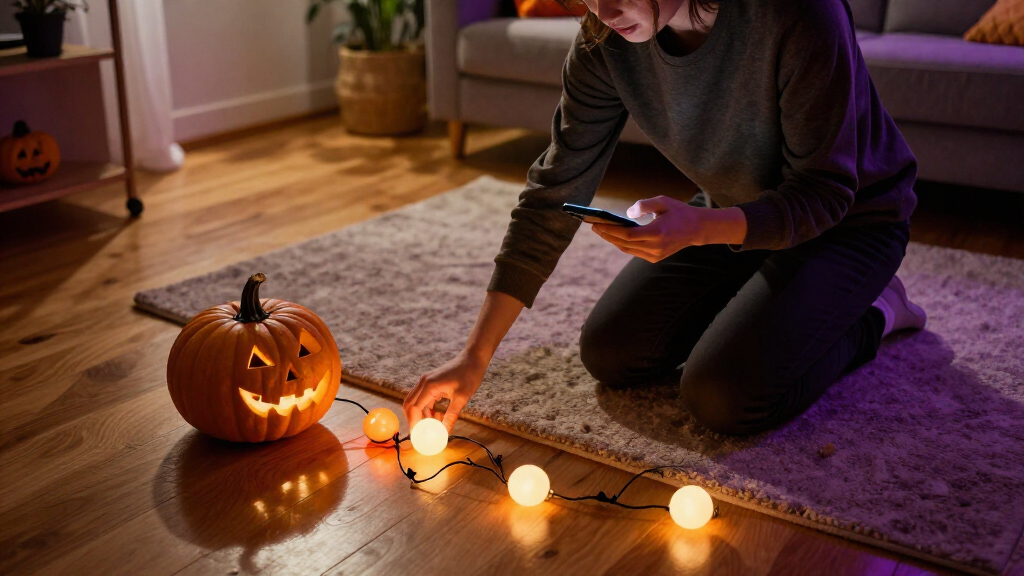
- Map the display. Choose which light covers the porch, windows, or indoor decorations. Check outlet access and keep cords out of paths and doorways.
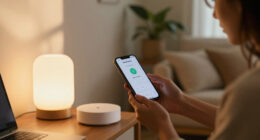
- Install and connect. Follow the product instructions, including outdoor placement and mounting guidance. Give each light a clear name, such as “porch bulb” or “front window strip.”
- Create the scene and schedule. Set your chosen colors and brightness, then schedule the display for the hours you expect visitors.
- Test the routine. Trigger the scene from the app, try any sensor or voice control, and check the result from outside.
For example, a family expecting trick-or-treaters from 5:30 to 8:30 p.m. could schedule a welcoming orange-and-purple scene to turn on shortly before dusk and switch off after the last expected visitors. A separate dimmer late-evening setting can keep the window display on without lighting the porch all night.
Test what happens after a power interruption, too. Some products may not restore the same scene or schedule in the way you expect. A quick test—turning the light off at its source, restoring power, and checking the app—can reveal whether your plan depends on a behavior the product doesn’t provide.
The schedule is a helper, not a substitute for a working switch or a person who can check the display. Keep the controls easy to reach, and save a plain, steady-color option in case a more elaborate effect stops responding.
Check compatibility before you buy or automate
Smart home Halloween lighting only works smoothly with your setup when the product supports the control method and features you plan to use. A bulb that connects to its own app may not offer every scene through your voice assistant, and Matter support does not automatically mean every feature works on every platform.
Products may connect through Wi-Fi, Bluetooth, a hub, or another supported protocol. Some work directly with a phone; others need a bridge plugged into your router. That difference matters if you’re buying several bulbs on the day before Halloween and discover the starter kit needs a hub you don’t own.
Before you buy, check the exact model’s current compatibility list. Look for the platform you use—such as Alexa, Google Home, Apple Home, or Matter—and verify the feature you care about, not just basic on-and-off control. According to the supplied smart-lighting facts, Matter aims to help compatible devices work across participating platforms, but support still depends on the product and its features [1].
Also think about what happens when your internet goes down. Some basic controls or local automations may still work, while remote access, cloud features, and some routines may depend on the internet. Offline behavior varies, so check the manufacturer’s details. If reliable lighting matters, avoid making the whole display depend on a cloud-based music effect or a phone that has to stay nearby.
A traditional wall switch creates another common snag. Switching it off cuts power to the smart bulb, so the app and voice controls cannot reach it until you restore power. If someone in your household uses the wall switch out of habit, label it or explain that the bulb needs to stay powered for scheduled control.
Compatibility is feature-specific. A device may turn on through one platform but lack its color effects or advanced routines there. Confirm the exact combination before you build your Halloween plan around it.
Add motion or music without making the display fragile
Motion sensors and music effects add excitement when the lights, sensors, app, and smart-home platform support the same routine. They also create more points to test, so use them to accent a dependable base scene rather than making the entire display rely on a complex chain of devices.
A motion sensor near the entry could trigger a porch light to brighten when visitors approach. A window display could stay purple while an amber lamp shifts brighter as the doorbell rings. For instance, if a sensor points toward the sidewalk, passing cars or pedestrians might trigger it repeatedly; adjust placement and sensitivity if the app allows, and test it from the path visitors will use.
Music synchronization can make a display pulse with a Halloween playlist, but the method varies. Some products use an app and a phone microphone; others require an accessory or specific light model. Check whether the phone needs to remain nearby, whether an app permission is required, and whether the feature is included with the product.
Keep the experience comfortable for neighbors and guests. Fast flashing patterns can be unpleasant, especially at close range, and loud music may carry farther than you expect. A slow fade or gentle pulse often gives you the theatrical feeling without turning the front yard into a strobe show.
Build in layers: first confirm that a steady scene works; then add one motion trigger or music effect. If the automation fails, return to the saved scene instead of losing the whole display. That fallback matters when visitors are waiting and your phone is in a pocket, not open to the right app screen.
For a small porch, one motion-activated color change may be enough. A larger yard can support more coordinated effects, but each extra device should earn its place by adding a clear visual or practical benefit.
Keep outdoor lights and walkways safe after dark
Outdoor smart lights are suitable only when their product rating and installation instructions match the location and weather exposure. Keep power connections protected as directed, secure cords, and leave every path, stair, doorway, and exit clear.
Before mounting anything, check the fixture, power source, and route the cord will take. A strip designed for indoor use should not be moved under an eave just because the eave looks sheltered; follow the manufacturer’s stated conditions. Likewise, do not leave a connector or power supply exposed unless its instructions allow that placement.
Imagine a child in a vampire cape hurrying up your front steps. A loose cord across the landing is a trip hazard, and a bright strip can make stair edges harder to see if it throws glare in the wrong direction. Secure cords away from foot traffic, keep decorations out of the route, and check that the porch light still makes the steps easy to see.
Use only the mounting method the product instructions allow, and avoid blocking doors or exits with seasonal décor. If the display involves new electrical wiring, a new outlet, or changes to a fixture, hire a licensed electrician. Electrical work can require permits and must meet local code; switch off power before any permitted fixture work, use appropriate PPE, and do not work on live wiring.
Outdoor safety and visual impact belong together. A well-placed amber light can guide visitors while purple strips make the windows spooky; a tangle of extension cords and blown-out colors can make the same entry harder to navigate. Walk the route yourself in the dark before Halloween night, carrying a treat bag if you want to test the view at visitor height.
If weather changes, follow the product’s guidance rather than assuming the installation is fine because it worked the night before. Smart controls do not make an unsuitable fixture safe for rain or other exposure.
Frequently Asked Questions
What smart lights work best for Halloween?
Choose based on location: color-changing bulbs suit lamps and compatible porch fixtures, strips work well around windows or indoor displays, and exposed areas call for products rated for those conditions. Check each model’s effects and platform support before buying.
Can smart lights flicker like Halloween candles?
Many color-changing products offer flicker or candle-like effects, but the available modes vary by model and app. Preview the effect after dark; a gentle flicker can suggest candlelight without overwhelming a window display.
Do smart Halloween lights need Wi-Fi or a hub?
It depends on the product: some connect directly through Wi-Fi or Bluetooth, while others need a hub or bridge. Check the exact model’s setup requirements, and find out which controls still work if the internet connection drops.
Can I use Alexa, Google Home, Apple Home, or Matter?
Only if the specific model supports that platform. Check the current compatibility list and confirm that the features you want—such as color scenes or automations—work there, not just basic on-and-off control.
Can a motion sensor turn on my Halloween lights?
Often, if the lights, sensor, and smart-home platform support the same automation. Test the sensor from the visitor path and adjust its placement so passing traffic does not trigger the display all evening.
Are smart lights safe to use outside?
Use outdoor lights only when their rating and instructions suit the location and weather exposure. Keep cords secured and walkways clear, and hire a licensed electrician for new wiring or fixture changes.
Conclusion
Build your display around the right light for the right location, then keep the colors and controls simple enough to work when the doorbell rings. Verify compatibility, follow outdoor instructions, and test the scene from the sidewalk before the big night.
When dusk settles and the windows glow purple against a warm amber porch, the best setup is the one you can enjoy—not troubleshoot.
Fall yard work Picks
leaf blowers
As an affiliate, we earn on qualifying purchases.