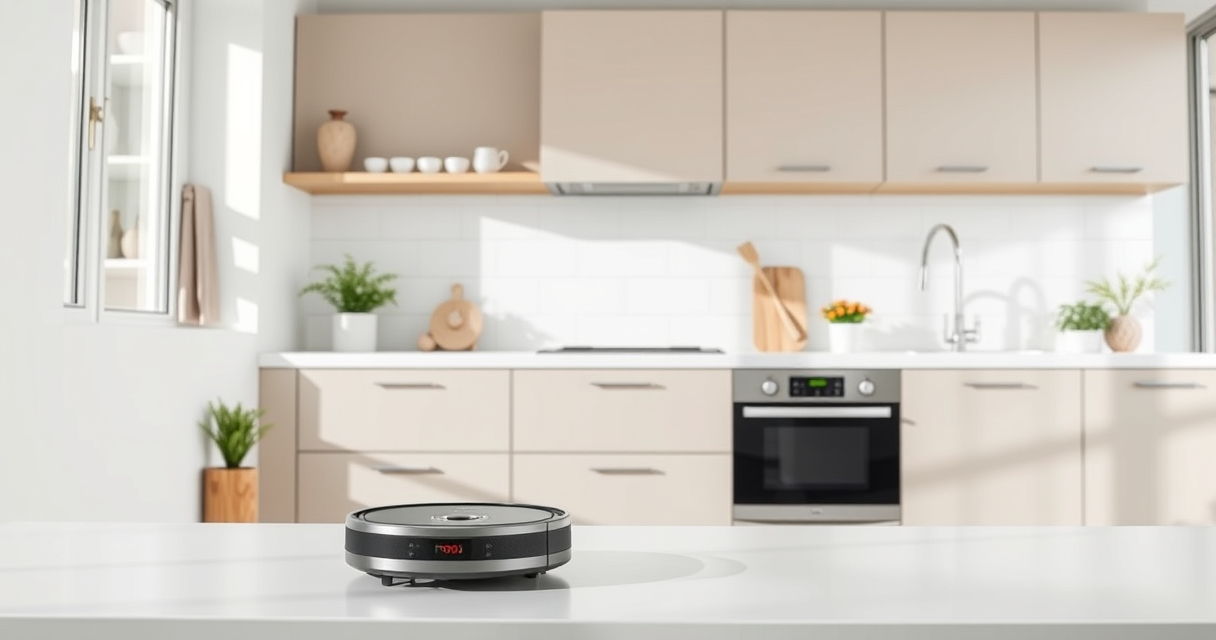
Roborock robot vacuums like the Q10 S5+ are designed to deliver both powerful suction and efficient mopping. However, users sometimes encounter issues where the device stops mopping or doesn’t do it effectively. This guide provides clear, step-by-step troubleshooting tips to help you resolve common problems and keep your robot performing at its best.
Before diving into complex fixes, ensure your device is properly set up, and the mop components are in good condition. With patience and careful checking, you’ll restore your Roborock’s mopping function quickly and safely.
Key Takeaways
| Check the mop cloth | Ensure the mop cloth is clean, properly attached, and not worn out. |
| Inspect water and sensor levels | Verify the water tank is filled correctly and sensors are clean. |
| Review settings and app commands | Make sure mopping is enabled in the app and no restrictions are set. |
| Clear obstructions | Remove any obstacles that might hinder the mop’s movement or contact. |
| Update firmware if needed | Keep your device’s software current to fix bugs and improve performance. |

roborock Q10 S5+ Robot Vacuum and Mop, 10,000Pa Suction
- Long-Lasting Self-Emptying: 70 days of maintenance-free cleaning
- Powerful 10,000Pa Suction: Effortlessly lifts pet hair and debris
- Anti-Tangle Dual System: Minimizes hair tangling for smooth operation
As an affiliate, we earn on qualifying purchases.
Ensure Proper Mop Cloth Installation and Condition
- Power off your Roborock Q10 S5+ and remove it from the charging dock.
- Locate the mop cloth area, usually at the bottom of the device.
- Check the mop cloth for dirt, wear, or damage. Replace it if it’s heavily stained or frayed.
- Attach a clean, properly fitted mop cloth, ensuring it’s securely fastened.
- For best results, use washable microfiber mop pads compatible with your model, such as the VIEWALL 6 Pack Reusable Mop Pads.
Verify Water Tank and Sonic Mopping System
- Open the water tank compartment and ensure it is filled with clean water up to the indicated level.
- Confirm the water tank is securely attached to prevent leaks or disconnections.
- Check the Sonic Mopping system, like VibraRise 2.0, to see if it activates when mopping begins.
- Clean the water inlet and sensors gently with a soft, dry cloth to prevent blockages.
Check App Settings and Mopping Restrictions
Open the Roborock app and verify that mopping is enabled for the current cleaning schedule. Look for any restrictions or zones that might prevent mopping in certain areas. Ensure the mode is set to include mopping, not just vacuuming. If updates are pending, install the latest firmware to fix bugs that could impact mopping performance.
Remove Obstructions and Clean Sensors
- Inspect the underside of the robot for hair, debris, or other obstructions that could hinder the mop contact or movement.
- Clear any stuck debris from the brushes, wheels, and sensors.
- Wipe sensors gently with a dry microfiber cloth to ensure they can detect surfaces and obstacles accurately.
Perform Firmware Update and Reset if Necessary
If all physical checks are satisfactory but mopping still fails, consider updating your device’s firmware via the app. Sometimes, a simple reset helps resolve software glitches that cause mopping issues. To reset, follow the manufacturer instructions for your model, typically involving holding specific buttons or using the app.
Additional Tips for Optimal Mopping
- Use high-quality, washable microfiber mop pads designed for Roborock, like the VIEWALL 6 Pack Reusable Mop Pads.
- Replace mop pads every 1-3 months depending on usage.
- Regularly clean the water tank and sensors to prevent buildup.
- Ensure your floors are free of loose cords or small objects that could obstruct the mopping path.
The Products in This Guide

roborock Q10 S5+ Robot Vacuum and Mop
- ✔ Weight: 4.8 kg
- ✔ Dimensions: 350mm x 96mm
- ✔ Charging Time: Approx. 6 hours

4 Pack Washable Filter
- ✔ Weight: Approx. 50g each
- ✔ Color: White
- ✔ Warranty: None
roborock Q10 S5+ Robot Vacuum and Mop
The Roborock Q10 S5+ Robot Vacuum and Mop offers 10,000 Pa of suction, obstacle avoidance, and sonic mopping, making it an excellent choice for thorough cleaning. Its self-emptying station and dual anti-tangle design reduce maintenance, allowing busy households to enjoy hands-free operation.
Pros:
- High 10,000 Pa suction power
- Effective obstacle avoidance
- Self-emptying station for 70 days
- Dual anti-tangle system
Cons:
- Higher price point
- Bulkier design may require more storage space
- Requires regular filter maintenance
Best for: Pet owners and busy households seeking robust cleaning automation
Not ideal for: Users on a tight budget or with limited storage space
Bottom line: A high-powered, feature-rich robot vacuum suited for comprehensive cleaning needs.
4 Pack Washable Filter
This 4-pack of washable HEPA filters ensures your Roborock maintains optimal suction and filtration. Easy to install and clean, these filters are a cost-effective way to keep your device running smoothly.
Pros:
- Cost-effective 4-pack
- Washable and reusable
- Compatible with multiple models
- Maintains high filtration efficiency
Cons:
- Requires regular cleaning
- Not OEM, but compatible
Best for: Pet owners and allergy sufferers needing reliable filtration
Not ideal for: Users seeking OEM-certified filters
Bottom line: Reliable, cost-effective filters to keep your vacuum performing at its best.
Frequently Asked Questions
Why is my Roborock not mopping even though it seems to be working?
Common causes include a misaligned or dirty mop cloth, water tank issues, or mopping restrictions in the app. Follow the troubleshooting steps to identify the problem.
How often should I replace or wash the mop pads?
It’s recommended to wash microfiber mop pads every 1-3 months, depending on usage, and replace them when they show signs of wear or dirt buildup.
My water tank is full, but the robot isn’t spraying water or mopping.
Check if the water inlet is clogged or if the water tank is properly attached. Cleaning the inlet and ensuring a secure fit can resolve this issue.
Can I use third-party filters or mop pads?
Yes, compatible third-party filters and mop pads are available, but ensure they meet quality standards to avoid damaging your device or voiding warranty.
What should I do if updating firmware doesn’t fix the mopping problem?
Try resetting the device according to the manufacturer’s instructions, and then perform a fresh firmware update. If issues persist, contact customer support.
Keep Your Roborock Mopping Smoothly
Regular maintenance and proper setup are key to ensuring your Roborock Q10 S5+ performs its best in mopping. By checking the mop cloth, water system, sensors, and settings regularly, you can prevent most common issues. Remember, using quality accessories like washable mop pads and filters enhances performance and longevity. With these tips, your robot will maintain spotless floors effortlessly, saving you time and effort in your cleaning routine.
Affiliate disclosure: As an Amazon Associate we earn from qualifying purchases. Prices and availability are accurate as of the time of publishing.