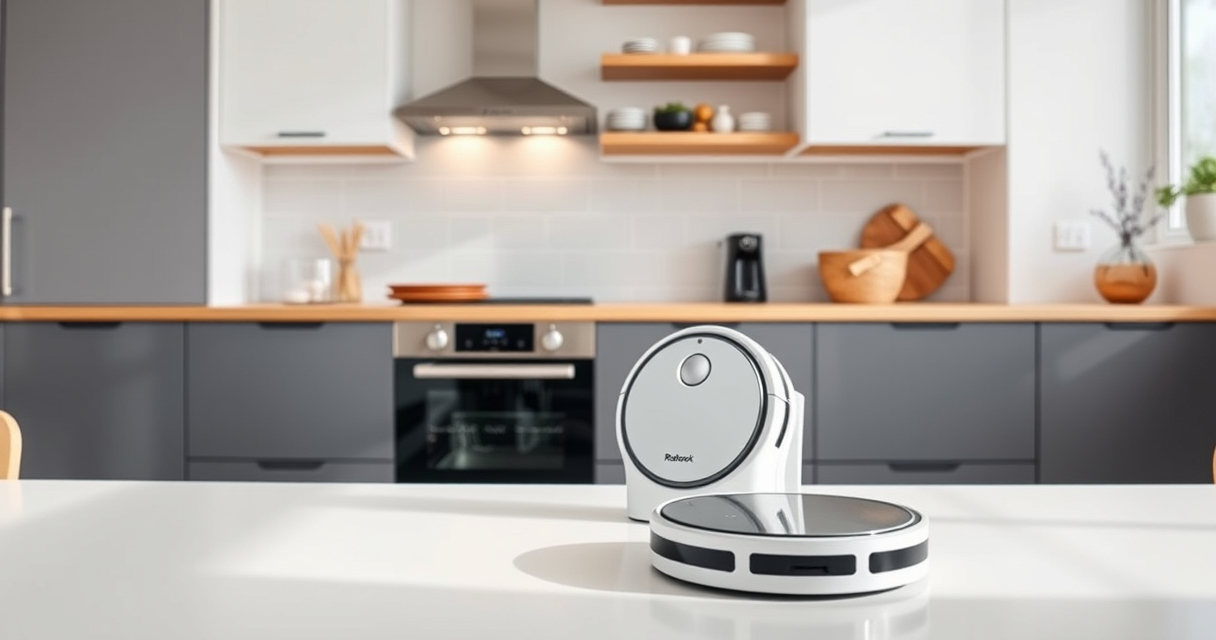
Roborock robot vacuums, like the Q7 M5+ model, are powerful tools for maintaining a clean home. However, like all tech, they may encounter issues or require regular maintenance to perform optimally. This guide provides clear, practical steps to troubleshoot common problems and care tips to extend the lifespan of your Roborock.

Get home appliances delivered free — and shop member deals
- Fast, free delivery on millions of items
- Access to Prime Big Deal Days deals on October 6–7
- Prime Video, Amazon Music and more included
Whether your device isn’t charging properly, the suction power is weak, or the mop isn’t working as it should, you’ll find detailed, safe instructions here. Regular maintenance can prevent many issues, ensuring your robot vacuum stays effective and reliable for up to 7-9 weeks between self-emptying cycles.
Key Takeaways
| Self-Emptying Efficiency | The 2.7L sealed dust bag allows for 7-9 weeks of hands-free cleaning. |
| Powerful Suction | Up to 10,000Pa suction lifts pet hair and debris deep from surfaces. |
| Anti-Tangle Design | Dual anti-tangle system reduces hair jams, saving time. |
| Routine Maintenance | Regular cleaning of filters and brushes ensures optimal performance. |
| Troubleshooting Steps | Follow clear, step-by-step procedures to resolve common issues. |
Preparing Your Roborock for Troubleshooting
- Ensure the robot is powered off and unplugged from any charging dock before inspecting or cleaning components.
- Gather necessary tools such as a soft brush, microfiber cloth, and replacement filters if needed.
- Consult your user manual for specific model details and safety instructions.
Proper preparation helps prevent damage and makes troubleshooting safer and more effective.
Common Issue 1: Robot Not Charging or Powering On
- Inspect the charging contacts on both the robot and dock for dust or debris. Clean gently with a dry microfiber cloth.
- Ensure the charging dock is plugged into a working outlet and the power indicator is on.
- Place the robot firmly on the dock, ensuring it’s aligned correctly.
- If still unresponsive, try resetting: press and hold the power button for 10 seconds.
If problems persist, check the power cable and consider replacing the charging dock or contacting support.
Issue 2: Weak Suction Power or Poor Cleaning Performance
- Power off the device and remove the main brush and side brushes, inspecting for tangled hair or debris.
- Clean the filters thoroughly: wash the washable HEPA filter (if applicable) and ensure it’s completely dry before reinstallation.
- Check the suction inlet for blockages and clear any obstructions.
- Ensure the dustbin is properly sealed and fitted.
Regular cleaning of these parts maintains strong suction power and cleaning efficiency.
Issue 3: Mop Not Dispensing or Not Moving Properly
- Verify the water tank is filled and correctly installed.
- Check the mop cloth for dirt or damage; replace if necessary.
- Clean the mop pad and ensure it’s attached securely.
- Inspect the mop’s spinning mechanism for blockages or wear.
Replace mop pads every 1-3 months for optimal mopping performance, and ensure the robot’s mopping mode is activated in the app.
Routine Maintenance for Longevity
- Clean the brushes weekly, removing tangled hair and debris.
- Wash or replace filters regularly to maintain suction and air quality.
- Empty and clean the dustbin and water tank after each use.
- Update the firmware via the app for the latest fixes and features.
Consistent care not only prevents issues but also extends the life of your Roborock vacuum and mop.
The Products in This Guide

roborock Q7 M5+ Robot Vacuum and Mop
- ✔ Weight: 7.7 kg
- ✔ Dimensions: 350 x 96 mm
- ✔ Charging Time: Approx. 6 hours

4 Pack Washable Filter
- ✔ Material: HEPA
- ✔ Washable: Yes
- ✔ Pack Size: 4
roborock Q7 M5+ Robot Vacuum and Mop
The Roborock Q7 M5+ Robot Vacuum and Mop combines powerful suction, advanced navigation, and long-lasting self-emptying capabilities. Its dual anti-tangle system and PreciSense LiDAR ensure thorough cleaning with less user intervention.
Pros:
- Up to 7-9 weeks self-emptying
- 10000Pa strong suction
- Effective pet hair management
- App control and scheduling
Cons:
- Higher initial cost
- Requires periodic filter cleaning
- Limited mop pad options
Best for: Pet owners and busy households seeking reliable, long-term cleaning
Not ideal for: Users seeking ultra-lightweight or budget-friendly models
Bottom line: A robust, low-maintenance robot vacuum ideal for pet-friendly homes.
4 Pack Washable Filter
This 4-pack of washable HEPA filters ensures your Roborock maintains high air quality and suction efficiency. Easy to install and clean, they are compatible with multiple models including Q7, Q7+, and Q5 Max+.
Pros:
- Cost-effective 4-pack
- Easy to clean and reuse
- Maintains high filtration standards
- Compatible with multiple models
Cons:
- Not OEM, may vary slightly in fit
- Requires periodic washing
- Filter lifespan depends on usage
Best for: Homeowners wanting to keep filters fresh without frequent replacements
Not ideal for: Users seeking OEM-certified filters
Bottom line: A practical, reusable filter pack that keeps your vacuum performing at its best.
Frequently Asked Questions
How often should I clean the filters and brushes?
It is recommended to clean the filters and brushes weekly to maintain optimal suction and picking up pet hair efficiently.
Why is my Roborock not returning to the dock?
Check for obstructions along the path, ensure the dock is powered and accessible, and verify the robot’s navigation sensors are clean.
Can I use any mop pad with my Roborock?
Use mop pads designed for your specific model, like the VIEWALL 6 Pack or 8 Pack for compatible Roborock models. Avoid generic pads that may not fit properly.
What should I do if my robot is making strange noises?
Power off and inspect the brushes and wheels for debris or tangled hair. Clean thoroughly and check for any damage or worn parts.
How do I update my Roborock firmware?
Use the Roborock app to connect to your device and follow the prompts to download and install any available updates.
Maintaining Your Roborock for Peak Performance
Regular troubleshooting and routine maintenance are key to ensuring your Roborock Q7 M5+ continues to deliver powerful cleaning. By keeping filters clean, brushes free of tangles, and components in good condition, you maximize its lifespan and effectiveness. Follow these practical steps, and your robotic vacuum will serve your home efficiently for years to come.
Affiliate disclosure: As an Amazon Associate we earn from qualifying purchases. Prices and availability are accurate as of the time of publishing.
Cold & flu season Picks
humidifiers
As an affiliate, we earn on qualifying purchases.