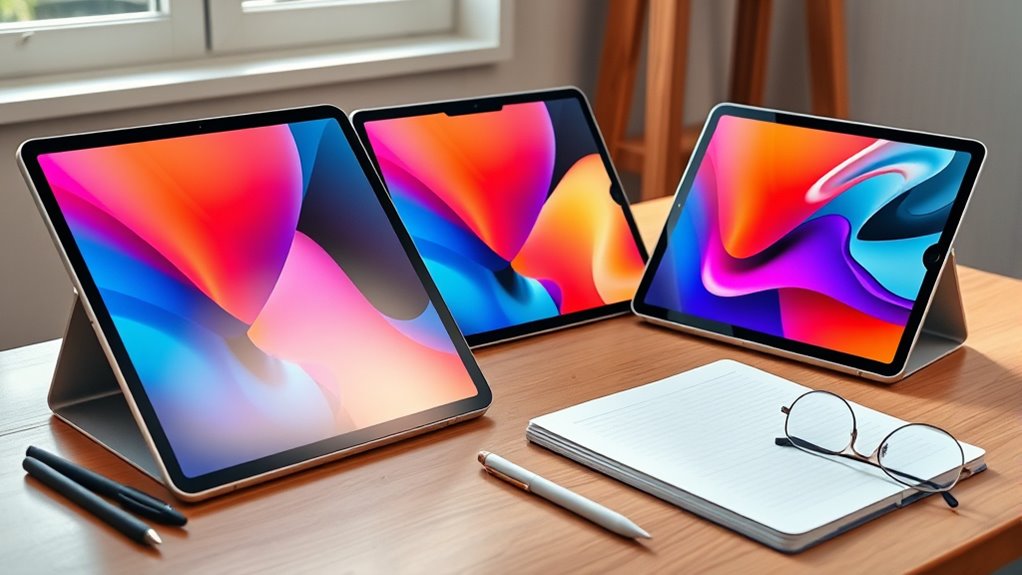

If you’re a student trying to decide between the iPad Pro and the iPad Air, the honest answer is that most students don’t need the Pro — but a few absolutely do. The Air lineup now carries the same-generation M4 chip as much pricier tablets, which makes the choice less about raw power and more about display quality, budget, and screen size. My top pick for most students is the Apple iPad Air 11-inch (M4), which handles note-taking, streaming, and coursework with headroom to spare at a price that leaves room in a student budget for an Apple Pencil. For students who want a bigger canvas for split-screen research and digital textbooks, the 13-inch iPad Air (M4) is the smarter large-screen buy than the Pro. And if money isn’t a concern and you’re in a design, film, or engineering program that demands the absolute best display and chip, the iPad Pro 13-inch (M5) justifies its premium — barely. Here’s how all five options stack up.

Get home appliances delivered free with Prime
- Fast, free delivery on millions of items
- Prime Video, Amazon Music and more included
- Member-only deals all year
Complete the kit



Key Takeaways
- The iPad Air M4 matches or beats the performance needs of 95% of students, making the Pro a luxury rather than a necessity for most coursework.
- The iPad Pro’s Ultra Retina XDR display with 120Hz ProMotion is its real advantage over the Air — not its chip — and that matters most for art, design, and media students.
- Renewed Premium models like the M3 iPad Air 13-inch with 5G offer the best price-to-capability ratio if you need cellular data on campus without a warranty risk tolerance.
- The 11-inch Air is the best pick for portability and backpack-friendly weight; the 13-inch models are better as desk-first machines for dorm or library use.
- Budget for accessories: an Apple Pencil and keyboard case add $200+ to any of these, and the Air’s $200+ savings over the Pro covers most of that.
- Storage of 128–256GB is workable for most students thanks to iCloud, but heavy video or design files push you toward higher tiers.
| Apple iPad Air 11-inch (M4) with Liquid Retina Display, 128GB, Wi-Fi 7, Touch ID, Space Gray |  | Best Overall for Students | Display: 11-inch Liquid Retina, True Tone, P3 wide color | Processor: Apple M4 chip | Storage: 128GB (configurable up to 1TB) | VIEW ON AMAZON | See Our Full Breakdown |
| Apple iPad Air 13-inch (M4) with Liquid Retina Display, 256GB, 12MP Front/Back Camera, Wi-Fi 7, Touch ID, Space Gray |  | Best Big Screen for the Money | Display: 13-inch Liquid Retina, True Tone | Processor: Apple M4 chip | Storage: 256GB (configurable up to 1TB) | VIEW ON AMAZON | See Our Full Breakdown |
| 2025 Apple iPad Air with M3 Chip (13-inch, Wi-Fi + Cellular, 256GB) – Space Gray (Renewed Premium) |  | Best Budget Pick with Cellular | Brand: Apple | Display Size: 13-inch Liquid Retina with True Tone | Processor: Apple M3 | VIEW ON AMAZON | See Our Full Breakdown |
| Apple iPad Pro 13-inch (M5) with Ultra Retina XDR Display, 256GB, Space Black |  | Best Premium Pick for Creative Majors | Display: 13-inch Ultra Retina XDR, 120Hz ProMotion | Processor: Apple M5 chip | Storage: 256GB | VIEW ON AMAZON | See Our Full Breakdown |
| Apple 11-inch iPad Air M2 Chip 128GB Wi-Fi Only – Purple (Renewed Premium) |  | Best for First-Time iPad Students | Brand: Apple | Display Size: 11-inch Liquid Retina | Chip: Apple M2 | VIEW ON AMAZON | See Our Full Breakdown |
| ipad pro vs ipad air for student | Storage | Connectivity | Color | Processor |
|---|---|---|---|---|
| Apple iPad Air 11-inch | 128GB (configurable up to 1TB) | Wi-Fi 7 with Apple N1 | Space Gray | Apple M4 chip |
| Apple iPad Air 13-inch | 256GB (configurable up to 1TB) | Wi-Fi 7 with Apple N1 | Space Gray | Apple M4 chip |
| 2025 Apple iPad Air with M3 Ch | 256GB | Wi-Fi + Cellular (5G) | Space Gray | Apple M3 |
| Apple iPad Pro 13-inch | 256GB | Wi-Fi 7 with Apple N1 | Space Black | Apple M5 chip |
| Apple 11-inch iPad Air M2 Chip | 128GB | Wi-Fi 6E only | Purple | — |
More Details on Our Top Picks
Apple iPad Air 11-inch (M4) with Liquid Retina Display, 128GB, Wi-Fi 7, Touch ID, Space Gray
This is the model I’d hand to most students without hesitation, and the reason is simple: it delivers current-generation performance at a mid-tier price. The M4 chip is the same silicon Apple puts in its flagship hardware, so nothing in a typical semester — even video editing for a class project — will make this tablet break a sweat. Compared with the Pro, you’re giving up the Ultra Retina XDR display and ProMotion, and for note-taking and reading that tradeoff is easy to accept.
The 11-inch size is the quiet winner here. It fits in a standard sleeve, weighs little enough to hold one-handed during a lecture, and still splits the screen between a textbook PDF and your notes. The 13-inch Air offers more workspace but demands a bag rethink and two-handed use. Where this model shows weakness is storage: 128GB fills up fast once you accumulate lecture recordings and offline media, so iCloud or an external SSD becomes part of the plan. Wi-Fi 7 is a nice future-proofing touch for campus networks, though the lack of a cellular option in this configuration means you’ll be tethered to campus Wi-Fi or a phone hotspot between classes.
Pros:- M4 chip delivers flagship-tier performance that will stay fast for years of coursework
- 11-inch size is ideal for carrying between classes and one-handed note-taking
- Supports Apple Pencil and Magic Keyboard for a full laptop-style setup
- Wi-Fi 7 keeps you ready for faster campus networks
Cons:- 128GB storage is tight for media-heavy coursework without cloud reliance
- No cellular connectivity in this configuration
- 60Hz display feels less fluid than the Pro when scrolling long documents
Best for: Students who want a do-everything tablet for notes, streaming, and light creative work without paying Pro prices
Not ideal for: Students who store large video or design files locally, or who need cellular data away from Wi-Fi
- Display:11-inch Liquid Retina, True Tone, P3 wide color
- Processor:Apple M4 chip
- Storage:128GB (configurable up to 1TB)
- Front Camera:12MP with Center Stage
- Back Camera:12MP Wide, 4K video
- Connectivity:Wi-Fi 7 with Apple N1
- Biometrics:Touch ID
- Color:Space Gray
Our verdict“The best balance of price, power, and portability for the widest range of students — this is the default pick unless you have a specific reason to go bigger or more premium.”
Apple iPad Air 13-inch (M4) with Liquid Retina Display, 256GB, 12MP Front/Back Camera, Wi-Fi 7, Touch ID, Space Gray
Compared with the 11-inch Air above, this model makes its case with one bold move: a 13-inch display at an Air price. That extra screen real estate changes how you work. Two documents side by side become genuinely readable, sheet music is legible at a distance on a piano stand, and digital textbooks stop feeling like zoomed-in phone screens. The iPad Pro also comes in 13 inches, but it charges a hefty premium for a nicer panel — and for reading, writing, and research, this display is more than good enough.
The doubled storage to 256GB is a meaningful bump over the base Air, especially for students in film, architecture, or any program generating big files. What you accept in exchange is a tablet that behaves more like a portable desktop than a handheld. At this size, one-handed lecture use is out, and you’ll want a case with a stand or a Magic Keyboard — which further raises the total cost. Battery life holds up through a full day of classes, but the larger panel drains faster when streaming. If your iPad mostly lives on a desk and travels occasionally, this is the better Air; if it lives in your hands, stick with the 11-inch.
Pros:- 13-inch display transforms split-screen studying and textbook reading
- 256GB storage handles media-heavy programs comfortably
- Same M4 chip as the smaller Air with identical accessory support
- Undercuts the 13-inch iPad Pro by a wide margin
Cons:- Large and heavier — less comfortable for handheld note-taking
- Premium price for an Air, and accessories push the total cost higher
- No cellular option in this configuration
Best for: Students who treat their iPad as a primary study machine and want maximum workspace without Pro pricing
Not ideal for: Students who prioritize portability or mostly consume content rather than produce it
- Display:13-inch Liquid Retina, True Tone
- Processor:Apple M4 chip
- Storage:256GB (configurable up to 1TB)
- Cameras:12MP front, 12MP back
- Connectivity:Wi-Fi 7 with Apple N1
- Biometrics:Touch ID
- Battery Life:All-day
- Color:Space Gray
Our verdict“The smartest way to get a big-screen iPad as a student, giving you Pro-sized workspace at a price that keeps an Apple Pencil within reach.”
2025 Apple iPad Air with M3 Chip (13-inch, Wi-Fi + Cellular, 256GB) – Space Gray (Renewed Premium)
This is the option I’d point budget-conscious students toward, particularly those who need 5G connectivity on campus or during commutes. Cellular is the feature that quietly costs a fortune on new iPads, and buying the M3 generation renewed gets you both the big screen and mobile data for noticeably less than a fresh M4 Air. The M3 chip remains a genuinely fast processor — the M4’s advantage shows up in benchmarks far more than in a student’s actual workflow.
Compared with the 13-inch M4 Air, you give up a little peak performance, Wi-Fi 7, and — the real catch — any warranty coverage. Amazon’s Renewed Premium inspection means it arrives in like-new condition, but if something fails after the return window, you’re on your own. That risk is the price of admission for the savings, and it’s why this pick suits careful owners rather than students who toss their tablet into a crowded backpack unprotected. Pair it with a rugged case and the risk shrinks considerably. For anyone weighing iPad Air versus Pro on a strict budget, this reframes the question: why pay Pro money when last year’s Air with 5G costs less than a new base Air?
Pros:- 5G cellular connectivity, rare at this price point, keeps you online anywhere on or off campus
- M3 chip still handles multitasking and creative apps with ease
- 13-inch display plus 256GB storage matches the new Air’s core experience
- Renewed Premium inspection delivers like-new condition at a lower price
Cons:- No warranty included, shifting all risk to the buyer
- Renewed stock can have minor cosmetic blemishes
- Older generation means slightly less longevity before it feels dated
Best for: Budget-minded students who need cellular data and a large screen and can accept a no-warranty renewed unit
Not ideal for: Students who want full manufacturer warranty protection or plan to keep the tablet running flawlessly for 6+ years
- Brand:Apple
- Display Size:13-inch Liquid Retina with True Tone
- Processor:Apple M3
- Generation:7th Generation (2025)
- Storage:256GB
- Connectivity:Wi-Fi + Cellular (5G)
- Condition:Renewed Premium, professionally inspected
- Warranty:None
- Color:Space Gray
Our verdict“The value play of this lineup — big screen, cellular data, and strong performance for less, as long as you can live without a warranty.”
Apple iPad Pro 13-inch (M5) with Ultra Retina XDR Display, 256GB, Space Black
Here’s the flagship, and I’ll be blunt: for most students it’s overkill. But for the right student — a design, illustration, film, or engineering major whose coursework lives in Procreate, LumaFusion, or CAD apps — the Ultra Retina XDR display is the reason to pay up. Tandem OLED delivers deep blacks, extreme brightness, and the 120Hz ProMotion smoothness the Air lacks. When you’re drawing for hours or color-grading footage, that panel isn’t a luxury; it’s your working surface.
Compared with the 13-inch Air, the differences stack up beyond the display: the M5 chip pushes through exports faster, the LiDAR scanner opens up accurate AR measuring for architecture students, and Apple Pencil Pro support adds haptic feedback the Air can’t match. What you don’t get is proportional value. The Pro costs hundreds more, and in everyday note-taking or streaming you’d be hard-pressed to tell it apart from the Air. Its 1.28-pound weight and large footprint also make it the least backpack-friendly option here. This pick makes sense only when your program demands it or the budget genuinely doesn’t hurt — otherwise the Air bankrolls your accessories instead.
Pros:- Ultra Retina XDR display with 120Hz ProMotion is unmatched for drawing and video work
- M5 chip chews through exports and heavy creative workloads faster than any Air
- LiDAR scanner enables precise AR measuring for technical fields
- Apple Pencil Pro and Magic Keyboard support for a professional setup
Cons:- Premium price that far exceeds the Air for modest real-world gains in typical student use
- Large size and weight reduce portability between classes
- Locked into the Apple ecosystem with limited cross-platform flexibility
Best for: Creative and technical students in design, film, or architecture programs who need the best display and sustained performance
Not ideal for: Students on a budget, or whose workload is notes, reading, streaming, and standard apps
- Display:13-inch Ultra Retina XDR, 120Hz ProMotion
- Processor:Apple M5 chip
- Storage:256GB
- Cameras:12MP front, 12MP back with LiDAR Scanner
- Connectivity:Wi-Fi 7 with Apple N1
- Battery Life:All-day
- Weight:1.28 pounds
- Color:Space Black
Our verdict“A spectacular tablet that only makes sense for students whose coursework genuinely leverages its display and power — everyone else should buy an Air and pocket the difference.”
Apple 11-inch iPad Air M2 Chip 128GB Wi-Fi Only – Purple (Renewed Premium)
Not every student needs this year’s chip — some just need a capable iPad for notes, slides, and streaming without draining a semester’s savings. This renewed M2 Air fills that role. The M2 remains quick enough for everything a typical student does, and the 90-day Amazon Renewed Guarantee gives it a safety net the no-warranty M3 renewal above lacks. It even ships with the power adapter and cable, a small but appreciated inclusion at this price.
The compromises are real, though. Compared with the M4 Air at the top of this list, you get slower peak performance, Wi-Fi 6E instead of Wi-Fi 7, and the tightest storage tier here at 128GB with no cellular option. The purple finish is a fun differentiator if standard gray bores you. This model is best suited to students testing whether an iPad fits their study workflow — a first-year trying digital note-taking, or someone supplementing a laptop rather than replacing it. If you already know you’ll push creative software or keep the tablet through a full degree, spending up to an M4 Air buys meaningful longevity. But as an affordable entry point, this stands out as the lowest-risk way into a modern, genuinely fast iPad.
Pros:- M2 chip still delivers smooth multitasking and note-taking performance
- 90-day Amazon Renewed Guarantee offers genuine buyer protection
- Includes power adapter and USB-C cable out of the box
- Lowest entry price into a modern iPad Air
Cons:- Wi-Fi only, with no cellular option
- 128GB storage fills quickly for media-heavy users
- Renewed units may show minor cosmetic imperfections and have shorter long-term support runway
Best for: First-time iPad owners and casual users who want a fast, modern tablet at the lowest sensible price
Not ideal for: Power users, creative majors, or students planning to keep the same tablet for an entire degree
- Brand:Apple
- Display Size:11-inch Liquid Retina
- Chip:Apple M2
- Generation:6th Generation (2024)
- Storage:128GB
- Connectivity:Wi-Fi 6E only
- Condition:Renewed Premium
- Warranty:90-Day Amazon Renewed Guarantee
- Color:Purple
Our verdict“The smartest low-cost entry into iPad ownership for students — not the fastest or most future-proof, but the easiest one to justify.”
How We Picked
I judged every model here through one specific filter: student value, not raw spec sheets. That meant asking three questions for each tablet. First, does the chip actually matter for typical student workloads — note-taking in Notability, split-screen research, lecture streaming, light photo editing — or is it overkill? The M-series chips have reached a point where even the “older” M2 handles all of that smoothly, which reshaped how I ranked the lineup. Second, what does each model cost relative to what a student gives up or gains? A $300 price gap matters more to a student than a benchmark score. Third, I weighed portability and battery life, because a tablet that lives in a backpack needs to be light and last through a full day of classes. I also factored in the renewed market, since buying last year’s chip in like-new condition is one of the smartest moves a budget-limited student can make — provided the tradeoffs (warranty, cosmetic wear) are stated honestly. Display quality became the tiebreaker between Air and Pro, since that’s where Apple actually differentiates the two lines.
| ipad pro vs ipad air for student | Processor | Connectivity | Color |
|---|---|---|---|
| Apple iPad Air 11-inch | Apple M4 chip | Wi-Fi 7 with Apple N1 | Space Gray |
| Apple iPad Air 13-inch | Apple M4 chip | Wi-Fi 7 with Apple N1 | Space Gray |
| 2025 Apple iPad Air with M3 Ch | Apple M3 | Wi-Fi + Cellular (5G) | Space Gray |
| Apple iPad Pro 13-inch | Apple M5 chip | Wi-Fi 7 with Apple N1 | Space Black |
| Apple 11-inch iPad Air M2 Chip | — | Wi-Fi 6E only | Purple |
Factors to Consider When Choosing Ipad Pro Vs Ipad Air For Students
Before choosing between an iPad Pro and an iPad Air for school, it helps to understand where the two lines actually differ — and where Apple’s marketing suggests bigger gaps than most students will ever notice.Air vs Pro: The Differences That Matter
The display is the single biggest real difference. The Pro’s Ultra Retina XDR panel offers tandem OLED, higher brightness, deeper contrast, and 120Hz ProMotion; the Air uses a very good but standard 60Hz LCD. For reading and writing, the Air’s screen is fine. For illustration, video editing, or anyone sensitive to scrolling smoothness, the Pro’s panel is transformative. Chips matter less than you’d think — an M2, M3, or M4 all handle student workloads comfortably, so don’t pay for silicon you won’t stress. The Pro also adds a LiDAR scanner, Thunderbolt-level speeds, and Pencil Pro features, none of which matter for typical coursework.
Choosing the Right Screen Size
Eleven inches suits students who carry the tablet everywhere and write by hand in lecture; thirteen inches suits desk-first users who split-screen research and write papers on a keyboard. The 13-inch models also pair better with the Magic Keyboard as a laptop alternative, while the 11-inch wins on weight, bag space, and one-handed comfort. If you hesitate, ask whether you’ll use it more in your hands or on a table — that answer picks your size.
Storage and Connectivity
128GB works for cloud-reliant students; 256GB is the safer floor for anyone recording lectures, editing video, or storing design files locally. Cellular connectivity is genuinely useful if your campus Wi-Fi is unreliable or you commute, but it adds real cost — which is exactly why the renewed M3 Air with 5G earns its spot above. Otherwise, phone hotspots cover occasional gaps for free.
Is Renewed Worth It?
Renewed Premium iPads are professionally inspected and typically indistinguishable from new. The tradeoffs are warranty length and cosmetic risk, not performance. A 90-day guarantee (like the M2 Air here) is a reasonable safety net; no warranty at all demands a protective case and careful habits. Renewed makes the most sense for one-generation-old chips, where the discount is largest and the performance loss smallest.
Frequently Asked Questions
Is the iPad Pro worth it for students, or is the Air enough?
For the large majority of students, the iPad Air is the better buy. It runs the same family of M-series chips as the Pro, handles note-taking, streaming, research, and even light creative work without strain, and costs several hundred dollars less. The Pro earns its premium in two situations: when your program depends on the superior XDR display for color-critical work like illustration or video editing, or when you regularly run heavy apps like LumaFusion or CAD software where the faster chip shortens exports. If neither applies to you, that price gap is better spent on an Apple Pencil, a good keyboard case, and iCloud storage — the accessories that actually change how an iPad works for school.
Which iPad size is better for taking notes in class?
The 11-inch models are generally better for in-class note-taking because they’re lighter, easier to hold one-handed for extended periods, and fit comfortably in a small sleeve or bag pocket. Writing with an Apple Pencil on an 11-inch screen feels closer to writing on a standard notebook. The 13-inch models excel when the iPad sits on a desk — split-screen research, drafting essays with a keyboard, or reading dense textbooks — but they’re awkward to cradle during a lecture. A useful rule: if the iPad will move with you all day, choose 11 inches; if it lives mostly at a desk and supplements a laptop, 13 inches pays off.
How much storage does a student actually need on an iPad?
128GB is workable for students who lean on iCloud and mostly handle documents, slides, and streamed media — most day-to-day coursework takes up surprisingly little space. However, if you record lectures, store video projects, work with design files, or download offline media for commutes, 256GB is the safer choice. Fill 128GB and you’ll spend time managing storage instead of studying. Note that iPads can’t be upgraded later, so when in doubt, buy one tier up or budget for a iCloud+ subscription, which is usually cheaper than the storage upgrade itself.
Are renewed iPads a good idea for students?
They can be one of the smartest ways to stretch a student budget. Renewed Premium units are professionally inspected and typically arrive in like-new condition with fully functional hardware, and buying a one-generation-old chip saves a meaningful amount while sacrificing little real-world performance — an M2 or M3 Air still handles everything a student throws at it. The caveats are warranty coverage and cosmetic condition: the 90-day Amazon Renewed Guarantee offers decent protection, while no-warranty options demand more care. Pair any renewed iPad with a sturdy case, treat battery health as the main long-term variable, and the savings can fund your Pencil and keyboard.
Can an iPad replace a laptop for school?
For many students, yes — with conditions. Paired with a Magic Keyboard or similar case, an iPad Air handles essay writing, research, presentations, and note-taking admirably, and its battery life and instant wake beat most laptops. It struggles with specialized software: some engineering, statistics, and programming courses require desktop applications that either don’t exist on iPadOS or run in limited forms, and exam-proctoring software is a common stumbling block. Check your program’s software requirements before committing. The safest setup for most students is an iPad as the primary everyday device with access to a computer lab or shared laptop for the exceptions.
Conclusion
After comparing all five, my recommendations split cleanly by student type. Most students should buy the iPad Air 11-inch (M4) — it nails the balance of price, portability, and performance that coursework actually demands. Desk-first students and heavy readers should choose the iPad Air 13-inch (M4), which delivers Pro-sized workspace without the Pro invoice. Budget-limited students who need cellular data get the best overall value from the renewed M3 Air with 5G, provided they accept the warranty gamble and protect the tablet well. Creative and technical majors — illustration, film, architecture — are the only group I’d steer toward the iPad Pro 13-inch (M5), where the XDR display and extra power directly serve their coursework. And first-time iPad owners or casual users should start with the renewed M2 Air, the lowest-risk way to find out whether an iPad fits their study routine. Whichever you pick, budget for an Apple Pencil and a decent case — those accessories shape the daily experience more than the chip inside ever will.
Fall Picks
fall essentials
As an affiliate, we earn on qualifying purchases.