For a multi-story home with VR headsets, I’d start with the NETGEAR Orbi 770 Series as the best overall balance of Wi-Fi 7 capability and whole-home mesh coverage. The TP-Link Deco 7 Pro BE67 is a strong alternative for buyers seeking a tri-band Wi-Fi 7 setup, while the TP-Link Deco X50-PoE suits homes where wired access points can be installed near play areas. The main tradeoff is between newer wireless features and the more reliable performance of wired backhaul; older Wi-Fi 6 and dual-band systems can cover basic needs but may leave less capacity for VR and other busy household devices. Placement, floor construction, and your internet plan matter as much as the mesh label. Read on for the full comparison and a guide to choosing a setup for your home.

Get home appliances delivered free with Prime
- Fast, free delivery on millions of items
- Prime Video, Amazon Music and more included
- Member-only deals all year
Complete the kit


Key Takeaways
- Wired backhaul changes the equation: The Deco X50-PoE can suit homes with Ethernet or compatible PoE cabling, while wireless-only setups depend more heavily on node placement and signal between floors.
- Wi-Fi 7 is not an automatic VR fix: Orbi 770, 870, 970, Deco BE95, BE67, BE3600, and Orbi 370 offer newer-generation options, but a strong headset connection still depends on coverage and backhaul.
- Tri-band designs can help when nodes communicate wirelessly: The Deco XE70 Pro and BE67 offer an extra band compared with older dual-band systems, giving buyers more flexibility in busy, multi-node homes.
- Three-pack coverage is not a guarantee: Stairwells, reinforced floors, and long layouts can weaken node-to-node links, so a well-placed two-node system may outperform three poorly placed nodes.
- Budget models trade capacity for simplicity: Deco X20, Deco S4, Deco M5, amazon.com/dp/B083L22XLF?tag=tweedot-20&ascsubtag=dc-965221″ target=”_blank” rel=”nofollow sponsored noopener”>Tenda Nova MW5G, Tenda Nova MX12, and eero 6+ can fit less demanding households, but buyers should weigh their wireless backhaul and device-load needs.
| TP-Link Deco X50-PoE Mesh WiFi 6 System (3-Pack) | 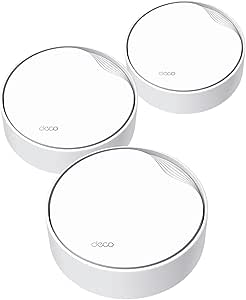 | Best for Wired, Ceiling-Mounted Nodes | Wi-Fi standard: Wi-Fi 6 (802.11ax) | Maximum wireless speed: Up to 3 Gbps | Bands: Dual-band, 2.4 GHz and 5 GHz | VIEW ON AMAZON | See Our Full Breakdown |
| NETGEAR Orbi 370 Series WiFi 7 Mesh System, 3-Pack |  | Best Entry to Wi-Fi 7 | Wi-Fi standard: Wi-Fi 7 | Bands: Dual-band | Maximum speed: Up to 5 Gbps | VIEW ON AMAZON | See Our Full Breakdown |
| Tenda Nova MW5G AC1200 Dual-Band Mesh Wi-Fi System, 3-Pack |  | Best Basic Mesh for Smaller VR Homes | Wi-Fi generation: Wi-Fi 5 (802.11ac) | Maximum data rate: Up to 1,200 Mbps | Bands: Dual-band | VIEW ON AMAZON | See Our Full Breakdown |
| TP-Link Deco 7 Elite BE95 Quad-Band Wi-Fi 7 Mesh System |  | Best Premium for High-Demand VR Homes | Wi-Fi standard: Wi-Fi 7 (802.11be) | Bands: Quad-band | Advertised combined speed: BE33000 | VIEW ON AMAZON | See Our Full Breakdown |
| NETGEAR Orbi 770 Series WiFi 7 Mesh System, 3-Pack |  | Best for Broad Multi-Story Coverage | Wi-Fi standard: Wi-Fi 7 | System type: Tri-band mesh | Package: 3-pack with router and satellites | VIEW ON AMAZON | See Our Full Breakdown |
| NETGEAR Orbi 970 Series WiFi 7 Mesh System, 3-Pack | 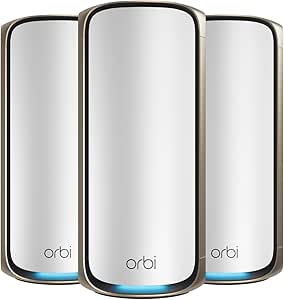 | Best for Maximum Coverage and Capacity | System configuration: 1 router and 2 satellites | WiFi standard: WiFi 7 | Maximum speed: Up to 27 Gbps | VIEW ON AMAZON | See Our Full Breakdown |
| TP-Link Deco X20 Wi-Fi 6 Mesh System (3-Pack) |  | Best Value for Wired-Backhaul Setups | Wi-Fi standard: Wi-Fi 6 (802.11ax) | Frequency band: Dual-band | Data transfer rate: 1,800 Mbps | VIEW ON AMAZON | See Our Full Breakdown |
| NETGEAR Orbi 870 Series WiFi 7 Mesh System, 3-Pack |  | Best Balanced Premium WiFi 7 Pick | System type: Tri-band WiFi 7 mesh system | Included devices: 1 router and 2 satellites | Maximum coverage: Up to 9,000 sq. ft. | VIEW ON AMAZON | See Our Full Breakdown |
| TP-Link Deco 7 Pro BE67 Tri-Band Wi-Fi 7 Mesh System, 3-Pack |  | Best for Wired VR Stations | Model: Deco 7 Pro BE67 | Wi-Fi standard: Wi-Fi 7 | Bands: Tri-band | VIEW ON AMAZON | See Our Full Breakdown |
| Tenda Nova MX12 AX3000 Wi-Fi 6 Mesh System, 3-Pack |  | Best for Broad WiFi 6 Coverage on a Simpler Setup | Model: Nova MX12 | Wi-Fi standard: Wi-Fi 6 (802.11ax) | Wireless bands: Dual-band 2.4 GHz and 5 GHz | VIEW ON AMAZON | See Our Full Breakdown |
| Amazon eero 6+ Mesh Wi-Fi System, 3-Pack |  | Best for Simple Gigabit-Wide Coverage | Wi-Fi standard: Wi-Fi 6 | Maximum supported internet speed: Up to 1 Gbps | Coverage: Up to 4,500 sq. ft. | VIEW ON AMAZON | See Our Full Breakdown |
| TP-Link Deco S4 Whole Home Mesh Wi-Fi System (2-Pack) |  | Best for Smaller Multi-Story Homes | Pack size: 2 units | Coverage: Up to 3,800 sq. ft. | Wi-Fi speed class: AC1900 | VIEW ON AMAZON | See Our Full Breakdown |
| TP-Link Deco XE70 Pro Tri-Band Wi-Fi 6E Mesh System, 3-Pack |  | Best for High-Capacity VR Homes | System type: Tri-band Wi-Fi 6E mesh system | Pack size: 3 units | Maximum Wi-Fi speed: Up to 4.9 Gbps | VIEW ON AMAZON | See Our Full Breakdown |
| TP-Link Deco M5 Mesh Wi-Fi System, 3-Pack | 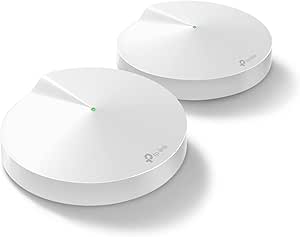 | Best for Ethernet-Backhaul Coverage | Coverage: Up to 5,500 sq. ft. | Pack size: 3 units | Wi-Fi standard: 802.11a/b/g/n/ac | VIEW ON AMAZON | See Our Full Breakdown |
| TP-Link Deco 7 BE3600 Wi-Fi 7 Whole Home Mesh System (Renewed, 3-Pack) |  | Best Renewed Wi-Fi 7 Option | Model: Deco 7 BE3600 | Wi-Fi generation: Wi-Fi 7 | Data transfer rate: Up to 3,600 Mbps | VIEW ON AMAZON | See Our Full Breakdown |
| mesh system for multi story vr home | Coverage | Wi-Fi standard |
|---|---|---|
| TP-Link Deco X50-PoE Mesh WiFi | Up to 6,500 sq. ft. | Wi-Fi 6 (802.11ax) |
| NETGEAR Orbi 370 Series WiFi 7 | Up to 6,000 sq. ft. | Wi-Fi 7 |
| Tenda Nova MW5G AC1200 Dual-Ba | Up to 3,500 sq. ft. | — |
| TP-Link Deco 7 Elite BE95 Quad | — | Wi-Fi 7 (802.11be) |
| NETGEAR Orbi 770 Series WiFi 7 | — | Wi-Fi 7 |
| NETGEAR Orbi 970 Series WiFi 7 | Up to 10,000 sq. ft. | — |
| TP-Link Deco X20 Wi-Fi 6 Mesh | Up to 5,800 sq. ft. | Wi-Fi 6 (802.11ax) |
| NETGEAR Orbi 870 Series WiFi 7 | — | — |
| TP-Link Deco 7 Pro BE67 Tri-Ba | Up to 8,100 sq. ft. | Wi-Fi 7 |
| Tenda Nova MX12 AX3000 Wi-Fi 6 | Up to 7,000 sq. ft. | Wi-Fi 6 (802.11ax) |
| Amazon eero 6+ Mesh Wi-Fi Syst | Up to 4,500 sq. ft. | Wi-Fi 6 |
| TP-Link Deco S4 Whole Home Mes | Up to 3,800 sq. ft. | — |
| TP-Link Deco XE70 Pro Tri-Band | — | — |
| TP-Link Deco M5 Mesh Wi-Fi Sys | Up to 5,500 sq. ft. | 802.11a/b/g/n/ac |
| TP-Link Deco 7 BE3600 Wi-Fi 7 | — | — |
More Details on Our Top Picks
TP-Link Deco X50-PoE Mesh WiFi 6 System (3-Pack)
I’d choose the Deco X50-PoE when a multi-story VR setup calls for nodes placed high or out of sight. Its PoE+ power option can simplify ceiling or wall installations, while the three-unit kit is rated for up to 6,500 sq. ft. and 150 devices. That combination gives it an advantage over the Tenda Nova MW5G for larger, device-heavy homes, and its two 2.5 Gbps ports per unit give wired equipment more headroom than ordinary gigabit connections.
The tradeoff is installation: PoE+ needs a compatible switch, which is not included, and less technical buyers may find setup less straightforward than the app-guided NETGEAR Orbi 370. It’s Wi-Fi 6 rather than Wi-Fi 7, so I’d favor it for flexible node placement and wired backhaul potential, not for the newest wireless generation. You’ll also need a separate ISP modem.
Pros:- PoE+ support allows flexible ceiling or hidden node placement
- Rated to cover up to 6,500 sq. ft. and support up to 150 devices
- Two 2.5 Gbps Ethernet ports per unit can reduce wired bottlenecks
- AI-driven mesh optimization and app management
Cons:- PoE+ switch is required for PoE installation and is not included
- Wi-Fi 6 lacks the newer wireless features of Wi-Fi 7 alternatives such as the NETGEAR Orbi 370
- Requires an external modem and setup may be challenging for non-technical buyers
Best for: VR households with multiple floors, accessible Ethernet cabling, and a plan to mount mesh nodes on ceilings or walls.
Not ideal for: Buyers who want a plug-and-play Wi-Fi 7 system or do not want to purchase and configure a PoE+ switch.
- Wi-Fi standard:Wi-Fi 6 (802.11ax)
- Maximum wireless speed:Up to 3 Gbps
- Bands:Dual-band, 2.4 GHz and 5 GHz
- PoE support:PoE+
- Ethernet ports per unit:2 × 2.5 Gbps and 2 × Gigabit Ethernet
- Coverage:Up to 6,500 sq. ft.
- Maximum device capacity:Up to 150 devices
- Security:WPA, WPA2, WPA3, and TP-Link HomeShield
Our verdict“Choose the Deco X50-PoE if you can use PoE+ and want flexible, wired-friendly node placement across a multi-story VR home.”
NETGEAR Orbi 370 Series WiFi 7 Mesh System, 3-Pack
The Orbi 370 is my pick for households that want to move to Wi-Fi 7 without choosing a system built around very high device counts or expansive coverage claims. Its router-and-two-satellite layout is rated for up to 6,000 sq. ft. and 70 devices, with speeds up to 5 Gbps. That makes it a more modest fit than the NETGEAR Orbi 770, which offers greater stated coverage, speed, and device capacity, but the 370 still supports Wi-Fi 6 and Wi-Fi 5 clients already in the home.
For VR across floors, the three-node layout and Enhanced Backhaul are useful starting points, though actual results depend on placement and building materials. It’s dual-band, so it lacks the extra band of the Orbi 770, and the stated capacity may be limiting in a busy home with many connected devices. Setup is app-guided, but NETGEAR Armor becomes a separate subscription after its 30-day trial; this model is also intended for US use.
Pros:- Wi-Fi 7 support while remaining compatible with Wi-Fi 6 and Wi-Fi 5 devices
- Three-piece system rated for up to 6,000 sq. ft.
- Expandable with additional satellites
- App-guided setup and automatic firmware updates
Cons:- Dual-band design has fewer bands than the tri-band NETGEAR Orbi 770
- Rated capacity of 70 devices is lower than the Deco X50-PoE and Orbi 770
- NETGEAR Armor requires a subscription after its 30-day trial, and the system is US-only
Best for: Households seeking a three-node Wi-Fi 7 system for a multi-story home with moderate device counts and cable or fiber service.
Not ideal for: Large, device-dense VR homes that need more than 70 connected devices, or buyers outside the United States.
- Wi-Fi standard:Wi-Fi 7
- Bands:Dual-band
- Maximum speed:Up to 5 Gbps
- System configuration:One router and two satellites
- Coverage:Up to 6,000 sq. ft.
- Device capacity:Up to 70 devices
- Backhaul:Enhanced Backhaul
- Internet compatibility:Cable or fiber plans up to 2.5 Gbps
Our verdict“Pick the Orbi 370 if you want an app-guided, three-node Wi-Fi 7 upgrade for a moderately connected multi-story home.”
Tenda Nova MW5G AC1200 Dual-Band Mesh Wi-Fi System, 3-Pack
The Tenda Nova MW5G suits buyers who need a straightforward three-node mesh for a smaller multi-story home and don’t need Wi-Fi 7 speeds. It covers a stated area of up to 3,500 sq. ft. and supports as many as 80 devices, with seamless roaming intended to keep devices on the mesh as people move between floors. Compared with the TP-Link Deco X50-PoE, it gives up Wi-Fi 6, PoE+ placement flexibility, and the larger coverage rating, but offers gigabit Ethernet and guest networking for simpler everyday setups.
Its main limit for VR is the Wi-Fi 5 generation and 1,200 Mbps maximum data rate: demanding wireless traffic or fast internet service can outgrow its capacity sooner than with the Wi-Fi 6 or Wi-Fi 7 picks here. Its coverage figure is also not a guarantee through dense floors or walls. I’d treat it as a basic home mesh choice, not a performance-first system for several simultaneous VR users.
Pros:- Three mesh units provide a rated coverage area of up to 3,500 sq. ft.
- Seamless roaming supports movement between nodes
- Supports up to 80 devices
- Gigabit Ethernet and guest network support
Cons:- Wi-Fi 5 and a maximum rate of 1,200 Mbps trail the Wi-Fi 6 and Wi-Fi 7 systems in this roundup
- Smaller stated coverage than the Deco X50-PoE and both Orbi systems
- Real coverage and performance depend on building layout and conditions
Best for: Budget-conscious households with a smaller multi-story layout, a moderate VR workload, and mostly Wi-Fi 5-era needs.
Not ideal for: Homes with several simultaneous wireless VR users, thick floor construction, or a need for newer Wi-Fi standards and wider coverage.
- Wi-Fi generation:Wi-Fi 5 (802.11ac)
- Maximum data rate:Up to 1,200 Mbps
- Bands:Dual-band
- Pack size:3 units
- Coverage:Up to 3,500 sq. ft.
- Maximum device capacity:Up to 80 devices
- Ethernet:Gigabit LAN bandwidth; 6 ports total
- Security:WPA, WPA-PSK, and WPA2-PSK
Our verdict“Choose the Tenda Nova MW5G for basic mesh coverage in a smaller multi-story home, but look to a newer system for demanding VR traffic.”
TP-Link Deco 7 Elite BE95 Quad-Band Wi-Fi 7 Mesh System
For a large, device-heavy VR home where wired options and wireless capacity matter more than simplicity, the Deco 7 Elite BE95 is the premium choice in this group. Its quad-band Wi-Fi 7 design supports advertised combined speeds of BE33000, and its two 10G WAN/LAN ports plus two 2.5G ports give a home network room for fast wired links. Support for more than 200 devices also sets it apart from the NETGEAR Orbi 770, which is rated for up to 100.
The extra hardware only pays off when the internet connection, clients, and home layout can make use of it; the listed data does not specify a coverage area. For multi-story VR, the option of simultaneous wired and wireless backhaul is useful if you can wire some nodes, while wireless placement still needs care. The system is more involved than the app-guided Orbi 370, requires a modem for most providers, and some HomeShield feature details are limited.
Pros:- Quad-band Wi-Fi 7 with support for 320 MHz channels and Multi-Link Operation
- Two 10G WAN/LAN ports and two 2.5G ports
- Supports more than 200 devices
- Offers simultaneous wired and wireless backhaul, VPN support, and app management
Cons:- A modem is required for most internet providers
- No coverage-area figure is supplied in the provided product data
- Some HomeShield feature details are limited or require checking with TP-Link
Best for: Owners of large, high-device-count homes who can use fast Ethernet, want Wi-Fi 7, and have demanding VR and wired-network needs.
Not ideal for: Buyers seeking a simple, low-complexity mesh kit, or those whose devices and internet service cannot use its high-speed ports and Wi-Fi 7 capabilities.
- Wi-Fi standard:Wi-Fi 7 (802.11be)
- Bands:Quad-band
- Advertised combined speed:BE33000
- Device capacity:More than 200 devices
- Ports:2 × 10G WAN/LAN, 2 × 2.5G, and 1 × USB 3.0
- Backhaul:Simultaneous wired and wireless
- Security:WPA-PSK, WPA2-PSK, WPA3-PSK, and TP-Link HomeShield
- VPN:VPN client and server support
Our verdict“Choose the Deco 7 Elite BE95 when your multi-story VR home can take advantage of Wi-Fi 7, high-speed wired ports, and capacity for more than 200 devices.”
NETGEAR Orbi 770 Series WiFi 7 Mesh System, 3-Pack
The Orbi 770 is the strongest match here for buyers who want a modern wireless mesh spread across a large home without moving to the more elaborate Deco 7 Elite BE95. Its three-piece, tri-band Wi-Fi 7 system is rated for up to 8,000 sq. ft., 100 devices, and speeds up to 11 Gbps. That gives it broader stated coverage and more device capacity than the dual-band Orbi 370, making it a more natural fit for VR equipment and other connected devices across several floors.
Its stated range is a planning guide, not a promise that every headset will get the same connection through every floor; satellite placement and building materials still matter. Unlike the BE95, the supplied data does not list high-speed Ethernet ports or wired backhaul details, so I’d compare those needs before buying. App-guided setup and built-in security features help, but NETGEAR Armor is subscription-based after its 30-day trial, and this model is intended for the United States.
Pros:- Tri-band Wi-Fi 7 with speeds up to 11 Gbps
- Three-piece system rated for up to 8,000 sq. ft.
- Supports up to 100 connected devices
- App-guided setup, automatic firmware updates, and built-in security features
Cons:- NETGEAR Armor requires a separate subscription after the 30-day trial
- Actual coverage depends on building materials, layout, and satellite placement
- US-only availability and no port details supplied in the product data
Best for: Families with a large multi-story home who want tri-band Wi-Fi 7, broad stated coverage, and capacity for several dozen connected devices.
Not ideal for: Buyers outside the United States, homes requiring more than 100 connected devices, or users prioritizing the high-speed port selection listed for the Deco 7 Elite BE95.
- Wi-Fi standard:Wi-Fi 7
- System type:Tri-band mesh
- Package:3-pack with router and satellites
- Maximum coverage:Up to 8,000 sq. ft.
- Maximum speed:Up to 11 Gbps
- Maximum device capacity:Up to 100 devices
- Internet compatibility:Cable and fiber plans up to 2.5 Gbps
- Security:Advanced Router Protection, automatic firmware updates, and a 30-day NETGEAR Armor trial
Our verdict“Pick the Orbi 770 if broad stated coverage and tri-band Wi-Fi 7 matter more than the BE95’s specified high-speed wired ports.”
NETGEAR Orbi 970 Series WiFi 7 Mesh System, 3-Pack
For a large, multi-story VR home with many connected devices, the Orbi 970’s three-unit system offers the biggest stated coverage area in this group: up to 10,000 sq. ft. Its quad-band dedicated backhaul is designed to keep traffic between router and satellites from competing as much with device traffic, a useful advantage when a headset is far from the main router. Compared with the Orbi 870, it claims more coverage, capacity, and peak speed; the 870 may be a better fit if those extra margins are unnecessary. The 10 Gig internet port and 2.5 Gig LAN ports suit fast wired connections, but they add little for homes with ordinary broadband. Actual VR performance still depends on satellite placement, walls, and internet service. Armor protection becomes subscription-based after its trial, and this system is for US use only.
Pros:- Stated coverage up to 10,000 sq. ft. from a router and two satellites
- Quad-band dedicated backhaul helps separate mesh-link traffic from device traffic
- WiFi 7 with advertised speeds up to 27 Gbps
- 10 Gig internet and 2.5 Gig LAN ports support multi-gig wired connections
Cons:- Actual coverage and speed vary with layout, placement, devices, and internet plan
- NETGEAR Armor requires a separate subscription after the 30-day trial
- Designed for use in the US only
Best for: Owners of large, multi-story homes who want WiFi 7, dedicated wireless backhaul, and headroom for many devices alongside VR equipment.
Not ideal for: Smaller homes or buyers with standard-speed broadband who would not benefit from the wide coverage and multi-gig ports, as well as anyone outside the US.
- System configuration:1 router and 2 satellites
- WiFi standard:WiFi 7
- Maximum speed:Up to 27 Gbps
- Coverage:Up to 10,000 sq. ft.
- Maximum connected devices:Up to 200
- Wireless backhaul:Quad-band Enhanced Dedicated Backhaul
- Ports:10 Gig internet; 10 Gig and 2.5 Gig LAN
- Internet compatibility:Cable and fiber; plans up to 10 Gbps
- Regional compatibility:For use in the US only
Our verdict“Choose the Orbi 970 when a large VR household needs the widest stated coverage and high-capacity WiFi 7, not when a smaller system would suffice.”
TP-Link Deco X20 Wi-Fi 6 Mesh System (3-Pack)
The Deco X20 is the practical pick for a multi-story home where Ethernet can connect the mesh units and the goal is dependable whole-home coverage rather than bleeding-edge speed. Its three nodes cover up to 5,800 sq. ft. on paper, and wired backhaul support gives a VR headset or gaming PC a more direct route through the house when cabling is available. Compared with the WiFi 7 Deco 7 Pro BE67, the X20 has less speed and port capacity, but its six Gigabit Ethernet ports can still serve common wired devices. The dual-band design means wireless backhaul shares radio capacity with client traffic, so satellite placement matters more than with the Orbi 970’s dedicated quad-band approach. A modem is generally needed, and some HomeShield features require a premium service.
Pros:- Three-unit system lists coverage up to 5,800 sq. ft.
- Wired backhaul can reduce reliance on a wireless link between floors
- Six Gigabit Ethernet ports total across the three units
- App management, parental controls, and Alexa compatibility
Cons:- Dual-band wireless backhaul shares capacity with device traffic
- Gigabit Ethernet ports do not support multi-gig wired speeds
- A modem is required for most internet service providers, and some HomeShield features are premium
Best for: Budget-conscious households with Ethernet between floors that need broad WiFi 6 coverage, app management, and ports for wired devices.
Not ideal for: VR households seeking WiFi 7, multi-gig wired connections, or the strongest wireless-backhaul capacity for satellites placed far from the router.
- Wi-Fi standard:Wi-Fi 6 (802.11ax)
- Frequency band:Dual-band
- Data transfer rate:1,800 Mbps
- Coverage:Up to 5,800 sq. ft.
- Maximum connected devices:150
- Ethernet ports:6 total; 2 per unit
- Ethernet port bandwidth:10/100/1000 Mbps
- Wired backhaul:Supported
- Pack size:3 units
Our verdict“Pick the Deco X20 if you can wire its nodes and want a straightforward WiFi 6 mesh, but choose a WiFi 7 option for greater speed and multi-gig ports.”
NETGEAR Orbi 870 Series WiFi 7 Mesh System, 3-Pack
The Orbi 870 lands between the massive reach of the Orbi 970 and more modest WiFi 6 systems: its router and two satellites list coverage up to 9,000 sq. ft. and support for 150 devices. For a multi-story VR home, tri-band WiFi 7 and 2.5 Gig LAN ports provide a strong mix of wireless capacity and wired options without aiming as high as the 970’s 27 Gbps ceiling. Its stated maximum is 21 Gbps, and a 10 Gig internet port leaves room for a fast cable or fiber plan. Compared with the Deco 7 Pro BE67, the Orbi claims broader coverage, while the Deco offers more port variety per unit and a stated 10 Gbps wired backhaul. The Orbi is US-only, and its actual reach depends on the home; Armor also requires a subscription after the trial.
Pros:- Three-unit system lists coverage up to 9,000 sq. ft.
- Tri-band WiFi 7 with advertised speeds up to 21 Gbps
- 10 Gig internet port and 2.5 Gig LAN ports
- App-guided setup, automatic firmware updates, and built-in router protection
Cons:- Coverage and speed depend on home layout, placement, devices, and internet plan
- Armor requires a separate subscription after its 30-day trial
- Designed for use in the US only
Best for: Households with multiple floors that want a premium WiFi 7 mesh and a 10 Gig internet port, without needing the Orbi 970’s highest stated capacity.
Not ideal for: Buyers outside the US, homes with modest internet plans, or users who need advertised wired-backhaul details and a wider selection of per-node ports.
- System type:Tri-band WiFi 7 mesh system
- Included devices:1 router and 2 satellites
- Maximum coverage:Up to 9,000 sq. ft.
- Maximum devices:Up to 150
- Maximum speed:Up to 21 Gbps
- Ports:10 Gig internet port and 2.5 Gig LAN ports
- Compatibility:Cable or fiber internet; WiFi 6 and WiFi 5 devices
- Security:Advanced Router Protection and automatic firmware updates
- Region:US only
Our verdict“Choose the Orbi 870 for broad multi-story coverage and WiFi 7 capacity when the Orbi 970’s higher specifications are more than your household needs.”
TP-Link Deco 7 Pro BE67 Tri-Band Wi-Fi 7 Mesh System, 3-Pack
For a multi-story VR home with Ethernet runs or a wired play area, the Deco 7 Pro BE67 stands out for its port selection: each unit includes 10 Gbps and 2.5 Gbps WAN/LAN ports, plus a 1 Gbps port and USB 3.0. That makes it easier to place a node near a PC or other wired equipment and use a fast wired link between floors. It lists coverage up to 8,100 sq. ft. and capacity for 200 devices, while its tri-band WiFi 7 reaches up to 14 Gbps. Compared with the Orbi 870, it claims a lower peak speed and coverage area, but provides explicit support for wired backhaul up to 10 Gbps and richer port options per unit. A modem is sold separately, and some HomeShield features require premium service.
Pros:- Tri-band WiFi 7 with advertised combined speeds up to 14 Gbps
- Up to 10 Gbps wired backhaul support
- Each unit has 10 Gbps, 2.5 Gbps, and 1 Gbps WAN/LAN ports plus USB 3.0
- Lists capacity for up to 200 devices and coverage up to 8,100 sq. ft.
Cons:- Coverage and speed claims depend on the home, placement, devices, and internet service
- Modem is sold separately
- Some HomeShield security features require a premium service
Best for: VR households with Ethernet between floors or a wired headset-PC setup that want WiFi 7 and flexible multi-gig ports on every node.
Not ideal for: Buyers who need the largest stated coverage area or want a mesh kit that includes a modem.
- Model:Deco 7 Pro BE67
- Wi-Fi standard:Wi-Fi 7
- Bands:Tri-band
- Maximum combined speed:Up to 14 Gbps
- Coverage:Up to 8,100 sq. ft.
- Device capacity:Up to 200 devices
- Ports per unit:10 Gbps WAN/LAN, 2.5 Gbps WAN/LAN, 1 Gbps WAN/LAN, USB 3.0
- Wired backhaul:Up to 10 Gbps
- System size:3 units
Our verdict“Choose the Deco 7 Pro BE67 when wired VR stations and multi-gig backhaul matter more than the greater stated reach of the Orbi 870 or 970.”
Tenda Nova MX12 AX3000 Wi-Fi 6 Mesh System, 3-Pack
The Tenda Nova MX12 is aimed at homes that want three-node coverage without moving to WiFi 7. Its stated reach of up to 7,000 sq. ft. and capacity of more than 160 devices make it a plausible fit for a multi-story household with several headsets, phones, and smart-home devices, though the dual-band design does not list dedicated backhaul. That distinction matters when satellites connect wirelessly across floors: unlike the Orbi 970, the MX12 does not specify a separate band for mesh traffic, so placement can affect capacity for VR use. Its advertised 2,976 Mbps is also far below the WiFi 7 systems here. App or web management and seamless roaming keep setup flexible, but MX12 nodes cannot join Tenda MW-series systems, and firmware updates must be installed manually.
Pros:- Three-unit system lists coverage up to 7,000 sq. ft.
- Advertised capacity of more than 160 devices
- Seamless roaming with MU-MIMO and OFDMA
- Can be managed through the Tenda Wi-Fi app or web interface
Cons:- Dual-band system does not specify dedicated backhaul for wireless satellite links
- Incompatible with Tenda MW-series mesh units
- Latest firmware must be updated manually
Best for: Households seeking a three-node WiFi 6 system with broad stated coverage and support for many devices, without needing WiFi 7 or multi-gig ports.
Not ideal for: VR users relying on wireless satellites across several floors who need dedicated backhaul, or owners looking to expand an existing Tenda MW-series mesh.
- Model:Nova MX12
- Wi-Fi standard:Wi-Fi 6 (802.11ax)
- Wireless bands:Dual-band 2.4 GHz and 5 GHz
- Maximum advertised speed:2,976 Mbps
- 2.4 GHz speed:574 Mbps
- 5 GHz speed:2,402 Mbps
- Coverage:Up to 7,000 sq. ft.
- Device capacity:Over 160 devices
- Package quantity:3 units
Our verdict“Choose the MX12 for broad WiFi 6 coverage and simple node management, but favor a tri-band WiFi 7 system for demanding wireless VR links between floors.”
Amazon eero 6+ Mesh Wi-Fi System, 3-Pack
For a multi-story VR home where I want straightforward setup and enough capacity for headsets, computers, and smart-home gear, the eero 6+ three-pack is a balanced pick. Its stated coverage reaches 4,500 sq. ft., and Wi-Fi 6 with a 160 MHz channel gives gigabit-plan households more bandwidth headroom than the older Deco M5. TrueMesh is designed to help route around weak spots, which matters when floors and walls disrupt a direct signal. The app-led setup and built-in Thread and Zigbee hub also make it convenient beyond VR. Compared with the tri-band Deco XE70 Pro, though, it lacks a dedicated 6 GHz band and has a lower stated device ceiling. I’d also factor in that some security and network-management features require a separate subscription.
Pros:- Three units and stated coverage up to 4,500 sq. ft. suit many multi-floor layouts
- Wi-Fi 6 and a 160 MHz channel support gigabit-plan bandwidth
- TrueMesh is designed to help reduce dead spots and dropped connections
- Built-in Thread and Zigbee hub adds compatible smart-home device support
Cons:- Some security and network-management features require a separate subscription
- Dual-band Wi-Fi lacks the 6 GHz band offered by the Deco XE70 Pro
- The stated 75+ device capacity is lower than the XE70 Pro’s 200-device figure
Best for: Households with a gigabit internet plan, several connected devices, and a preference for app-guided setup across multiple floors.
Not ideal for: VR households seeking Wi-Fi 6E or tri-band capacity, or buyers who want advanced security features without a separate subscription.
- Wi-Fi standard:Wi-Fi 6
- Maximum supported internet speed:Up to 1 Gbps
- Coverage:Up to 4,500 sq. ft.
- Device capacity:75+ devices
- Package quantity:3-pack
- Smart home hub:Built-in Thread and Zigbee hub
- Compatibility:Backward-compatible with previous-generation eero devices
Our verdict“Choose the eero 6+ if you want app-guided gigabit-capable mesh with smart-home support, but look to the Deco XE70 Pro for 6 GHz and a higher device ceiling.”
TP-Link Deco S4 Whole Home Mesh Wi-Fi System (2-Pack)
The Deco S4 two-pack is the practical choice for a compact, multi-story home where a pair of nodes can cover the main floor and an upper level without paying for a third unit the layout may not need. Its 3,800 sq. ft. stated coverage and one-network-name roaming are aimed at keeping devices connected as occupants move between floors. Compared with the three-unit Deco M5, the S4 has fewer nodes and less placement flexibility, but it offers router and access point modes plus Ethernet backhaul for a wired link between floors. That backhaul can be useful when thick floors weaken wireless connections. Its AC1900 class is an older standard than the Wi-Fi 6 eero 6+, so I’d favor those newer systems for a busy home with demanding VR and many simultaneous devices. Most providers also require a separate modem.
Pros:- Two units cover a stated area of up to 3,800 sq. ft.
- Seamless roaming keeps the home on one network name
- Ethernet backhaul can link nodes across floors by wire
- Router and access point modes offer setup flexibility
Cons:- AC1900 is an older Wi-Fi class than the Wi-Fi 6 eero 6+
- Two units provide less placement flexibility than three-unit systems such as the Deco M5
- Most internet providers require a separate modem
Best for: People in smaller two-story homes who want a two-node mesh, simple roaming, and the option to wire nodes together.
Not ideal for: Large multi-story homes, high-density households, or VR users who want newer Wi-Fi 6 or 6E capability.
- Pack size:2 units
- Coverage:Up to 3,800 sq. ft.
- Wi-Fi speed class:AC1900
- Device capacity:Up to 75 devices
- Ethernet ports:2 per unit; 4 total
- Network modes:Router or access point
- Features:Seamless roaming, parental controls, guest Wi-Fi, Ethernet backhaul
Our verdict“Pick the Deco S4 for a smaller multi-story home that needs basic mesh and wired backhaul, not for a demanding VR setup that calls for newer Wi-Fi.”
TP-Link Deco XE70 Pro Tri-Band Wi-Fi 6E Mesh System, 3-Pack
When several people share a multi-story home and VR traffic competes with streaming, calls, and downloads, the Deco XE70 Pro has the strongest stated capacity in this group: tri-band Wi-Fi 6E, support for up to 200 devices, and coverage advertised up to 7,200 sq. ft. The 6 GHz band adds a newer wireless lane for compatible devices, while wired backhaul gives me a way to connect floors without relying entirely on node-to-node wireless links. Each unit’s 2.5 Gbps port also offers more headroom than the Gigabit-only ports on the Deco M5. Compared with the Wi-Fi 7 Deco 7 BE3600, the XE70 Pro uses an older generation, but its listed coverage, 6 GHz band, and port details make it the more clearly specified high-capacity option here. Actual coverage and speed still depend on layout and network conditions.
Pros:- Tri-band Wi-Fi 6E includes a 6 GHz band for compatible devices
- Advertised coverage reaches up to 7,200 sq. ft.
- Supports up to 200 connected devices
- Each unit has a 2.5 Gbps port, two Gigabit ports, and wired or wireless backhaul
Cons:- HomeShield premium security features may require a paid service
- Coverage and speeds can vary with home layout and network conditions
- Wi-Fi 6E benefits depend on having compatible client devices
Best for: Large households with compatible Wi-Fi 6E devices, multiple active users, and the option to use wired backhaul between floors.
Not ideal for: Buyers with mostly older devices or modest internet needs who would not benefit from the 6 GHz band and higher-capacity hardware.
- System type:Tri-band Wi-Fi 6E mesh system
- Pack size:3 units
- Maximum Wi-Fi speed:Up to 4.9 Gbps
- Advertised coverage:Up to 7,200 sq. ft.
- Maximum connected devices:200
- Ports per unit:1 x 2.5 Gbps, 2 x Gigabit
- Backhaul:Wired and wireless
- Security protocols:WPA-PSK, WPA2-PSK, WPA3
Our verdict“Choose the Deco XE70 Pro when a large, device-dense VR home can use its 6 GHz band and backhaul options; simpler households may not need its extra capacity.”
TP-Link Deco M5 Mesh Wi-Fi System, 3-Pack
The Deco M5 three-pack earns its place for homes where node placement across floors matters more than having the newest wireless standard. It advertises coverage up to 5,500 sq. ft., and each unit has two Gigabit Ethernet ports, so wired backhaul is an option when an Ethernet run can bridge a floor and reduce reliance on wireless links. Compared with the two-unit Deco S4, the M5 gives a larger three-node layout and more total ports; compared with the Wi-Fi 6 eero 6+, however, its 802.11ac generation is older and its stated maximum data rate is 1,300 Mbps. Built-in HomeCare security and parental controls add value, though availability of listed services can vary. For a VR home with newer high-bandwidth clients, I’d favor the Deco XE70 Pro if the budget and device needs justify Wi-Fi 6E.
Pros:- Three units advertise coverage up to 5,500 sq. ft.
- Six Gigabit Ethernet ports allow wired backhaul and device connections
- Seamless roaming keeps devices on one Wi-Fi network name
- Includes HomeCare security and parental controls, subject to service availability
Cons:- 802.11ac is older than the Wi-Fi 6 eero 6+ and Wi-Fi 6E Deco XE70 Pro
- Listed maximum data transfer rate is 1,300 Mbps
- Most internet connections require a separate modem
Best for: Owners of multi-story homes with Ethernet wiring who want three nodes, wired backhaul, and included parental-control features.
Not ideal for: VR households prioritizing Wi-Fi 6 or 6E, higher wireless throughput, or a system with a newer Wi-Fi generation.
- Coverage:Up to 5,500 sq. ft.
- Pack size:3 units
- Wi-Fi standard:802.11a/b/g/n/ac
- Frequency band:Dual-band, 2.4 GHz and 5 GHz
- Maximum data transfer rate:1,300 Mbps
- Ethernet ports:2 Gigabit ports per unit; 6 total
- Security protocols:WPA-PSK, WPA2-PSK
- Voice assistant compatibility:Amazon Alexa
Our verdict“The Deco M5 suits a wired multi-story home seeking three-node coverage and included controls, but it is a less compelling fit for VR users who need newer Wi-Fi.”
TP-Link Deco 7 BE3600 Wi-Fi 7 Whole Home Mesh System (Renewed, 3-Pack)
The renewed Deco 7 BE3600 brings Wi-Fi 7 to a three-unit mesh, making it the generation-focused pick for a multi-story VR home whose owner wants newer client support without stepping up to a more elaborate system such as the Deco XE70 Pro. Its stated combined speed reaches 3,600 Mbps, and AI-driven mesh optimization is intended to help manage connections as devices move around the home. Parental controls and HomeShield security add household tools. The key difference from the XE70 Pro is that the supplied details do not specify a 6 GHz band, coverage area, or maximum device count, so I can’t rank it as confidently for large, crowded homes. The renewed condition and 90-day limited warranty are substantial tradeoffs compared with a new system. I’d choose it only if Wi-Fi 7 is a priority and that condition is acceptable.
Pros:- Wi-Fi 7 generation with stated combined speeds up to 3,600 Mbps
- Three units provide mesh nodes for distribution across floors
- AI-driven mesh optimization is included
- Parental controls and TP-Link HomeShield security are listed
Cons:- Renewed condition may not suit buyers who want a new system
- Limited 90-day warranty
- Provided specifications do not state coverage area or maximum device capacity
Best for: Buyers who specifically want a three-node Wi-Fi 7 mesh and are comfortable purchasing a renewed system with a limited warranty.
Not ideal for: Households that need clearly stated coverage and device-capacity figures, or buyers who prefer a new system and longer warranty coverage.
- Model:Deco 7 BE3600
- Wi-Fi generation:Wi-Fi 7
- Data transfer rate:Up to 3,600 Mbps
- Pack size:3 units
- Number of ports:6
- Special features:AI-driven mesh optimization, parental controls, TP-Link HomeShield security
- Warranty:90-day limited warranty
- Condition:Renewed
Our verdict“Consider the renewed Deco 7 if Wi-Fi 7 and a three-node layout matter more than a new condition, longer warranty, or clearly stated coverage figures.”

How We Picked
I ranked these systems around the demands of multi-story VR use: dependable coverage between floors, capacity for simultaneous household traffic, and practical options for connecting nodes or a headset by Ethernet. I also considered generation and band design, setup and management complexity, pack configuration, and whether the system can adapt to wired access points or a changing home layout. These factors matter more here than peak speed claims alone, since VR can be affected by a weak link between mesh nodes even when the internet connection is fast.
The ranking favors systems that combine newer wireless capabilities with useful placement or backhaul flexibility, then weighs those strengths against complexity and likely needs. The Orbi 770 leads as a balanced Wi-Fi 7 option; the Deco BE67 and Orbi 870/970 models appeal to buyers prioritizing higher-end capability, while the X50-PoE earns a distinct place for wired installations. Older Wi-Fi 6, Wi-Fi 5, and dual-band choices remain relevant for smaller budgets or lighter use, but rank lower for a home where VR, multiple floors, and concurrent devices all matter.
Factors to Consider When Choosing Mesh System For Multi Story Vr Homes
Before choosing a system, I’d map the path from the router’s internet connection to the VR play space. The best fit depends on where the headset is used, what separates the floors, and whether you can run Ethernet—not just the system’s advertised speed.
Prioritize the Link Between Floors
A mesh system has to move data from the main router to each satellite as well as to your devices. If the nodes communicate over a weak wireless link, a powerful headset connection at the nearest node may not solve the real bottleneck. Place nodes near open stairways or central landings rather than inside cabinets or at the far end of a floor. Concrete, metal lath, radiant barriers, and dense masonry can make floor-to-floor links harder, so home construction should shape your layout plan. When possible, use Ethernet backhaul to avoid asking a wireless signal to cross several obstacles. A three-pack only helps if its nodes can maintain useful links to one another.
Decide Whether VR Needs a Wired Connection
For stationary PC VR or a play area close to a mesh node, Ethernet from that node to the PC can remove one wireless segment from the connection. Wireless VR still depends on a stable local Wi-Fi link, so wiring the main router alone may not address a distant upstairs room. Check the headset and PC requirements before assuming a router feature will improve latency. A mesh system with Ethernet ports can offer more placement choices, while PoE models make sense when compatible cabling and power equipment are already available or planned. Avoid buying PoE hardware simply for the label if you have no practical route for running cable. A carefully located wired access point can be a better use of effort than upgrading every radio in the house.
Match Bands and Wi-Fi Generation to Your Traffic
Newer Wi-Fi generations and extra bands can provide more capacity, but they do not erase distance or interference. Tri-band systems can be useful when wireless mesh nodes need additional spectrum for their connections, especially in a busy home. Dual-band systems may work well when the layout is compact, the node links are strong, or Ethernet connects the nodes. Check which Wi-Fi standards the headset, PC, and other key devices actually support; a network upgrade cannot give an older client newer radio capabilities. Also account for televisions, cloud backups, video calls, and downloads that may run during VR sessions. Choose for the combined household load rather than the largest number on a packaging panel.
Plan Node Count Around Layout, Not Floor Count
More nodes can improve coverage, but each node also needs a suitable position and a strong connection back to the network. A long, narrow home may need a different arrangement from a compact three-floor house, even if both have the same square footage. Start by identifying dead zones and the VR play area, then place nodes with some overlap rather than clustering them in one room. A node placed too far from the main unit can repeat a poor signal instead of repairing it. If you need to cover a detached space or a room behind thick walls, check whether the system supports a practical wired extension. Leave room to move a satellite during setup, since small placement changes can affect the inter-node link.
Check Wired Ports, Setup, and Ongoing Management
Port counts and port speeds matter when you want to connect a PC, console, network switch, or wired access point near a play area. Confirm the exact model’s port layout rather than assuming every unit in a product family has identical connections. App-based setup can simplify installation, but households that need detailed controls should check which settings are available and whether any advanced features require a separate service. Keep the router and satellites in open, ventilated locations where you can reach reset buttons and cables. Firmware updates and a clear device list can make troubleshooting easier when a VR connection becomes unreliable. Choose an interface you will be comfortable using, not only the one with the shortest initial setup.
Spend on the Bottleneck, Not the Biggest Spec Sheet
A premium Wi-Fi 7 system is most compelling when you have compatible devices, heavy simultaneous traffic, or plans to keep the network for several years. If the main problem is a weak signal through a concrete floor, changing node placement or adding wired backhaul may help more than moving to a higher wireless tier. A budget Wi-Fi 6 system can be a sensible fit for a smaller household with moderate traffic and a straightforward layout. Renewed hardware may reduce the upfront commitment, but check warranty coverage, return terms, and the included power supplies before relying on it for a central home network. Set aside time for placement and updates as part of the purchase. The right spend is the one that fixes the actual weak link in your home.
Frequently Asked Questions
Will a Wi-Fi 7 mesh system automatically reduce VR lag across multiple floors?
No. Wi-Fi 7 can add capacity and newer connection options, but the headset still needs a strong link to its access point and the mesh nodes need a reliable path to the main router. A satellite placed across a dense floor may become the limiting link regardless of its generation. I would first identify whether the problem is headset-to-node Wi-Fi, node-to-node backhaul, or the internet connection. Ethernet backhaul or a better node position can address the first two more directly than a spec upgrade alone. Check client compatibility before paying for capabilities your headset cannot use.
Should I run Ethernet to the VR room or rely on a wireless mesh satellite?
If you can run Ethernet without major disruption, it often gives a mesh satellite a more dependable connection to the rest of the home. That is especially useful when floors or walls interfere with wireless backhaul. You can also connect a VR PC by Ethernet to a nearby satellite, though the satellite’s own link still matters unless it is wired back to the main unit. Wireless mesh is easier to install and may be sufficient in an open layout with a clear node path. Decide based on the actual route and room placement, rather than assuming either method is always superior.
Is a three-pack necessary for a two- or three-story home?
Not automatically. Floor count alone does not reveal how far signals must travel or what materials they must cross, and extra satellites placed too far apart can perform poorly. A two-pack may cover a compact layout if the main router and satellite sit in useful central positions. A larger or more obstructed home may need three nodes, particularly when the VR play area is far from the internet entry point. Map the rooms and likely node locations before choosing pack size, and confirm that each satellite can maintain a good connection to the network.
Can I mix different mesh models or add a different brand later?
Mesh systems generally work best when their nodes belong to a supported product family, and compatibility rules vary by manufacturer and model. A different brand may connect as a separate access point, but that does not guarantee unified roaming, management, or mesh backhaul. Before adding hardware, check the maker’s compatibility list and whether the exact generation can join the existing network. A wired access point can sometimes extend coverage without matching the mesh brand, but it may require separate settings or network names. Planning the system as one compatible set reduces setup surprises.
How should I choose between a premium system and a wired PoE mesh setup?
I would choose based on whether your home can use Ethernet and whether you want wireless capacity or installation flexibility most. A premium wireless system suits buyers who want newer radios and can place satellites where their inter-node links remain strong. A PoE approach makes more sense when compatible cabling can put access points near the VR area or across floors without relying on wireless backhaul. It may involve extra planning, switches, or cabling work, so the hardware alone is not the whole setup. If cabling is impractical, prioritize a wireless system and node placement that fit the home instead.
Conclusion
For most buyers, I’d choose the NETGEAR Orbi 770 Series as the best overall pick because it brings Wi-Fi 7 capability to a three-node setup without making the highest-end models the default answer. The TP-Link Deco 7 BE3600 Renewed or Deco X20 can suit value-focused households with more modest traffic, while the Orbi 970 is the best premium direction for buyers who want a high-end platform and can make use of its capabilities. Beginners who want a familiar, app-led setup may prefer the Amazon eero 6+, provided its dual-band design fits their layout and load. For wired installations, I’d shortlist the Deco X50-PoE; for buyers who want tri-band Wi-Fi 7, compare the Deco BE67 with Orbi options. If the floors block signals, prioritize wiring or node placement before paying for a faster system.