
If you’re searching for a monitor that delivers crisp, clear text, the pixel density—measured as pixels per inch (PPI)—is a key factor. The LG 27UP650K-W 27-inch 4K UHD IPS stands out as the top overall choice for sharpness, thanks to its high resolution and excellent pixel density. For those on a tighter budget, the Samsung 27″ S3 Series FHD Monitor offers decent clarity at a lower resolution, but sacrifices some text sharpness. Meanwhile, creative professionals may prefer monitors like the ASUS ProArt PA248QV for color accuracy and detailed text rendering. Each option involves tradeoffs between resolution, size, and price, impacting how crisp text appears. Continue reading for a detailed comparison and guidance to find the best fit for your needs.
Complete the kit


Key Takeaways
- High-resolution 4K monitors consistently deliver the sharpest text due to increased pixel density.
- Larger screens with high PPI provide better readability without sacrificing image clarity.
- IPS panels tend to produce crisper text with better color accuracy compared to VA or TN panels.
- Budget models may compromise on resolution or pixel density, affecting text crispness.
- Professional-grade monitors prioritize color accuracy and resolution, often at a premium price.
| LG 27UP650K-W 27-inch 4K UHD IPS Computer Monitor |  | Best Overall for Crisp Text and Versatile Use | Display Size: 27 inches | Resolution: 3840 x 2160 (4K UHD) | Color Gamut: 95% DCI-P3 | VIEW ON AMAZON | See Our Full Breakdown |
| LG 27US500-W Ultrafine 27-Inch 4K UHD HDR10 IPS Monitor |  | Best for Color-Accurate Creative Work | Display Size: 27 inches | Resolution: 3840×2160 (4K UHD) | Contrast Ratio: 1000:1 | VIEW ON AMAZON | See Our Full Breakdown |
| Samsung 27″ S3 (S32GF) Series FHD High Resolution Monitor |  | Best for Versatile Everyday Use and Smooth Motion | Display Size: 27 inches | Resolution: FHD (1920×1080) | Refresh Rate: 120Hz | VIEW ON AMAZON | See Our Full Breakdown |
| Dell 27 Plus QHD Monitor – S2725DSM |  | Best for Gaming and Fast Response in a Professional Size | Display Size: 27 inches | Resolution: 2560×1440 (QHD) | Refresh Rate: 144Hz | VIEW ON AMAZON | See Our Full Breakdown |
| CUNPU 24-inch 4K UHD Professional USB-C Monitor with Color Accuracy |  | Best Compact High-Res Monitor for Creative Professionals | Size: 24 inches | Resolution: 3840 x 2160 (4K UHD) | Pixel Density: 185 PPI | VIEW ON AMAZON | See Our Full Breakdown |
| Acer KB242Y 23.8 Inch IPS Full HD Monitor |  | Best Budget Choice for Crisp Text with Fast Response | Size: 23.8 inches | Resolution: 1920 x 1080 (Full HD) | Panel Type: IPS | VIEW ON AMAZON | See Our Full Breakdown |
| Dell 24 Monitor SE2426H – 23.8-inch FHD (1920×1080), 144Hz, 1ms, IPS, AMD FreeSync, Tilt |  | Best for High-Refresh-Rate Clarity in a Slim Design | Size: 23.8 inches | Resolution: 1920 x 1080 (FHD) | Technology: IPS | VIEW ON AMAZON | See Our Full Breakdown |
| Samsung 27-Inch ViewFinity S7 (S70D) Series 4K UHD Monitor with HDR10, Multiple Ports, Easy Setup Stand, Eye Care (2024) | 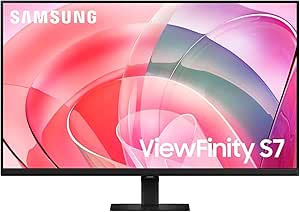 | Best for Detail-Rich Visuals and Creative Use | Display Size: 27 inches | Resolution: 3840 x 2160 (4K UHD) | HDR: HDR10 | VIEW ON AMAZON | See Our Full Breakdown |
| Philips 22 Inch Full HD VA LED Monitor with 100Hz, Adaptive Sync, Flicker-Free, VESA, Tilt Adjustment | 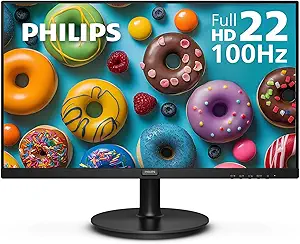 | Best Compact Monitor with Eye Comfort for Crisp Text | Size: 21.5 inches | Resolution: 1920×1080 | Panel Type: VA | VIEW ON AMAZON | See Our Full Breakdown |
| ASUS ProArt PA248QV 24-Inch WUXGA Professional Monitor |  | Best for Precise Color and Professional Text Clarity | Size: 24 inches | Resolution: 1920 x 1200 (WUXGA) | Color Coverage: 100% sRGB/Rec.709 | VIEW ON AMAZON | See Our Full Breakdown |
| LG 32UR550K-B 32-inch 4K UHD HDR Monitor with Adjustable Stand |  | Best Overall for Versatile 4K Text Clarity | Size: 32 inches | Resolution: 3840 x 2160 (4K UHD) | HDR: HDR10 | VIEW ON AMAZON | See Our Full Breakdown |
| Philips 27″ Full HD VA LED Monitor, 100Hz, VESA, Eye Care, 271V8LB |  | Best Value for Budget-Friendly Crisp Text | Size: 27 inches | Resolution: 1920×1080 | Panel Type: VA | VIEW ON AMAZON | See Our Full Breakdown |
| Samsung 27″ ViewFinity S7 (S70H) 4K UHD Monitor |  | Best for High-Resolution, Color-Critical Work | Size: 27 inches | Resolution: 3840×2160 (4K UHD) | Panel Type: IPS | VIEW ON AMAZON | See Our Full Breakdown |
| ASUS ProArt PA278QV 27 Inch 1440p QHD Professional Monitor |  | Best for Creative Accuracy and Ergonomics | Size: 27 inches | Resolution: 2560 x 1440 (QHD) | Color Gamut: 100% sRGB, Rec. 709 | VIEW ON AMAZON | See Our Full Breakdown |
| Dell 27 Monitor S2725QS 4K UHD IPS, 120Hz, FreeSync Premium |  | Best for Fast, Vivid 4K Performance | Size: 27 inches | Resolution: 3840 x 2160 (4K UHD) | Panel Type: IPS | VIEW ON AMAZON | See Our Full Breakdown |
| monitor for crisp text ppi | Resolution | Size | Refresh Rate | Panel Type |
|---|---|---|---|---|
| LG 27UP650K-W 27-inch 4K UHD I | 3840 x 2160 (4K UHD) | — | — | — |
| LG 27US500-W Ultrafine 27-Inch | 3840×2160 (4K UHD) | — | — | — |
| Samsung 27" S3 | FHD (1920×1080) | — | 120Hz | IPS |
| Dell 27 Plus QHD Monitor | 2560×1440 (QHD) | — | 144Hz | — |
| CUNPU 24-inch 4K UHD Professio | 3840 x 2160 (4K UHD) | 24 inches | — | — |
| Acer KB242Y 23.8 Inch IPS Full | 1920 x 1080 (Full HD) | 23.8 inches | Up to 120Hz | IPS |
| Dell 24 Monitor SE2426H | 1920 x 1080 (FHD) | 23.8 inches | 144Hz | — |
| Samsung 27-Inch ViewFinity S7 | 3840 x 2160 (4K UHD) | — | — | — |
| Philips 22 Inch Full HD VA LED | 1920×1080 | 21.5 inches | 100Hz | VA |
| ASUS ProArt PA248QV 24-Inch WU | 1920 x 1200 (WUXGA) | 24 inches | — | IPS |
| LG 32UR550K-B 32-inch 4K UHD H | 3840 x 2160 (4K UHD) | 32 inches | 60Hz | — |
| Philips 27" Full HD VA LED Mon | 1920×1080 | 27 inches | 100Hz | VA |
| Samsung 27" ViewFinity S7 | 3840×2160 (4K UHD) | 27 inches | — | IPS |
| ASUS ProArt PA278QV 27 Inch 14 | 2560 x 1440 (QHD) | 27 inches | — | IPS |
| Dell 27 Monitor S2725QS 4K UHD | 3840 x 2160 (4K UHD) | 27 inches | 120Hz | IPS |
More Details on Our Top Picks
LG 27UP650K-W 27-inch 4K UHD IPS Computer Monitor
The LG 27UP650K-W stands out for its vibrant 4K UHD resolution and impressive color coverage, making it ideal for tasks requiring sharp, detailed text and accurate colors. Compared with the CUNPU 24-inch 4K UHD Professional, it offers a larger screen with a more comfortable 27-inch size, though it’s limited to a 60Hz refresh rate, which might disappoint gamers seeking ultra-smooth motion. Its adjustable ergonomic stand and HDR support make it versatile for both work and entertainment. However, its absence of built-in speakers and a relatively modest 60Hz refresh rate are tradeoffs for its crisp display. This monitor makes the most sense for professionals needing vivid, detailed visuals with flexible ergonomics.
Pros:- Vivid 4K UHD display with high color accuracy and HDR support
- Ergonomic stand with height, tilt, and pivot adjustments
- Supports multitasking with multiple connectivity options
Cons:- Limited to 60Hz refresh rate, not ideal for fast-paced gaming
- No built-in speakers, requiring external audio solutions
Best for: Creative professionals and detailed digital workers who prioritize high pixel density and color accuracy
Not ideal for: Gamers seeking ultra-smooth motion or users needing built-in audio for multimedia playback
- Display Size:27 inches
- Resolution:3840 x 2160 (4K UHD)
- Color Gamut:95% DCI-P3
- HDR:DisplayHDR 400
- Response Time:5ms GtG
- Connectivity:2x HDMI, DisplayPort 1.4, 3.5mm Out
Our verdict“This model is best for professionals who need crisp text, accurate colors, and versatile ergonomics over high-refresh-rate gaming.”
LG 27US500-W Ultrafine 27-Inch 4K UHD HDR10 IPS Monitor
The LG 27US500-W excels in delivering vibrant visuals with a generous 90% DCI-P3 color gamut and HDR10 support, making it a strong candidate for creative professionals focused on accurate color reproduction. When compared to the CUNPU 24-inch 4K UHD, it offers a larger 27-inch screen with similar high resolution, though it lacks the pixel density of a 24-inch model, which could impact fine detail work. Its ergonomic tilt stand allows flexible positioning, but the monitor’s limited connectivity (only HDMI and DisplayPort) may restrict workflow setups. It also lacks built-in speakers, similar to other high-end creative displays. This monitor makes sense for users who prioritize consistent, vivid colors for editing or digital design.
Pros:- Large 27-inch 4K UHD display with wide color coverage
- Supports HDR10 for enhanced visual depth
- Ergonomic stand with tilt adjustment for comfortable working posture
Cons:- Limited connectivity options; no USB hub
- No built-in speakers, requiring external audio devices
Best for: Photographers and digital artists needing high color fidelity and a large workspace
Not ideal for: Gamers or multimedia consumers who desire high refresh rates or integrated audio
- Display Size:27 inches
- Resolution:3840×2160 (4K UHD)
- Contrast Ratio:1000:1
- HDR:HDR10
- Color Gamut:90% DCI-P3
- Stand:Ergonomic, tilt
Our verdict“This monitor is ideal for professionals whose work depends on color accuracy and detailed visuals, rather than fast motion or media playback.”
Samsung 27″ S3 (S32GF) Series FHD High Resolution Monitor
The Samsung 27″ S3 (S32GF) provides a 27-inch IPS panel with a Full HD resolution, which might seem modest compared to 4K options but offers a 120Hz refresh rate for smooth motion, ideal for casual gaming, media, and general work. Compared to the LG 27UP650K-W, it sacrifices resolution for faster refresh rates, which benefits users prioritizing fluid visuals over pixel-perfect text. Its eye care features—flicker-free tech and blue light reduction—are beneficial for long hours of use. The slim design and modern look make it adaptable to various setups. However, its lower resolution limits its use for detailed text or professional color work. This monitor best suits those needing smooth visuals without the need for ultra-high resolution.
Pros:- 120Hz refresh rate for smooth visuals
- IPS panel with wide viewing angles
- Eye care features reduce fatigue for long sessions
Cons:- Limited to FHD resolution, not ideal for detailed text or color work
- No mention of built-in speakers or extensive ergonomic features
Best for: Casual gamers, video watchers, and office workers seeking a balance of smooth motion and decent display quality
Not ideal for: Creative professionals or users requiring crisp, detailed text or color accuracy
- Display Size:27 inches
- Resolution:FHD (1920×1080)
- Refresh Rate:120Hz
- Panel Type:IPS
- Features:Flicker Free, Eye Saver Mode
Our verdict“This monitor is well-suited for users who prioritize fluid motion and casual use over pixel perfection or high color fidelity.”
Dell 27 Plus QHD Monitor – S2725DSM
The Dell S2725DSM brings a 27-inch size with a 144Hz refresh rate and a rapid 1ms response time, making it a strong choice for gamers who also want a professional-sized display. While many 4K monitors excel in crisp text, this QHD model balances sharpness with high refresh rates, which can sometimes mean slightly less pixel density than a 4K display. When compared with the LG 27UP650K-W, it offers smoother motion at the expense of resolution, which might impact fine detail for text-heavy tasks. Its ergonomic stand and built-in speakers add convenience, but the absence of a USB hub or extensive ports limits connectivity options. This pick is best for users who want fast, smooth visuals for gaming or quick workflows, rather than pixel-perfect detail for creative editing.
Pros:- High 144Hz refresh rate with 1ms response time for smooth gameplay
- Adjustable stand with ergonomic features
- Built-in dual speakers for audio convenience
Cons:- Lower resolution of 2560×1440 may limit fine text clarity
- Limited connectivity options; no USB hub mentioned
Best for: Gamers and fast-paced workflow users who need quick response and high refresh rates
Not ideal for: Creative professionals requiring precise color calibration or ultra-high resolution
- Display Size:27 inches
- Resolution:2560×1440 (QHD)
- Refresh Rate:144Hz
- Response Time:1ms MPRT
- Connectivity:HDMI, DisplayPort
Our verdict“This monitor is ideal for gamers and users needing quick response and smooth visuals over detailed text or high-fidelity color work.”
CUNPU 24-inch 4K UHD Professional USB-C Monitor with Color Accuracy
The CUNPU 24-inch 4K UHD Professional offers an impressive pixel density of 185 PPI, delivering sharp, print-like clarity in a compact 24-inch size. Its professional-grade color coverage—covering sRGB, Adobe RGB, and DCI-P3—makes it ideal for color-critical tasks. Compared to larger monitors like the LG 27UP650K-W, it sacrifices size for higher pixel density, making text and detailed work exceptionally crisp. The single USB-C connection simplifies desk setup by providing video, data, and power delivery, which is a major advantage for streamlined workflows. Nonetheless, its smaller size may not suit all workspace needs, and external speakers are recommended for better audio. This monitor suits creative and technical professionals who need pixel-perfect visuals in a compact form.
Pros:- High pixel density of 185 PPI for sharp, detailed visuals
- Outstanding color accuracy covering multiple color gamuts
- Single USB-C cable reduces clutter and simplifies connection
Cons:- Limited to 24 inches, which might be too small for some workflows
- Built-in speakers deliver basic audio, not high quality
Best for: Photographers, designers, and video editors requiring high pixel density and color accuracy in a small workspace
Not ideal for: Users needing a larger display or those prioritizing built-in speakers and extensive ports
- Size:24 inches
- Resolution:3840 x 2160 (4K UHD)
- Pixel Density:185 PPI
- Color Coverage:sRGB, Adobe RGB, DCI-P3
- Connectivity:USB-C, HDMI, DisplayPort
- Built-in Speakers:Yes
Our verdict“This monitor is perfect for professionals who need crisp text and color fidelity in a compact, efficient package.”
Acer KB242Y 23.8 Inch IPS Full HD Monitor
The Acer KB242Y stands out for delivering a vibrant IPS display at a very accessible price point, making it ideal for users who prioritize crisp text and accurate colors without breaking the bank. Its 1ms response time and 120Hz refresh rate support smooth visuals, comparable to higher-end gaming monitors like the Dell SE2426H, but with fewer connectivity options and no built-in speakers. While it excels in color and motion clarity, the absence of additional ports or audio features limits its versatility. This monitor is best suited for students, casual professionals, and casual gamers who need sharp text and lively visuals but don’t require extensive extras or high-end ergonomics.
Pros:- Vivid IPS display with excellent color accuracy
- Fast 1ms response time for smooth visuals
- High refresh rate up to 120Hz for gaming
Cons:- No built-in speakers or audio output
- Limited connectivity options (HDMI & VGA only)
Best for: Budget-conscious students and casual users who want vibrant, crisp text with smooth motion
Not ideal for: Creative professionals needing color calibration or multiple connectivity options, or gamers seeking extensive features
- Size:23.8 inches
- Resolution:1920 x 1080 (Full HD)
- Panel Type:IPS
- Refresh Rate:Up to 120Hz
- Response Time:1ms VRB
- Brightness:250 nits
Our verdict“This monitor offers excellent value for users seeking crisp text and vibrant visuals without extra bells and whistles.”
Dell 24 Monitor SE2426H – 23.8-inch FHD (1920×1080), 144Hz, 1ms, IPS, AMD FreeSync, Tilt
The Dell SE2426H makes a compelling case for those who want a sharp display with a high refresh rate, surpassing the Acer in motion smoothness thanks to its 144Hz rate, ideal for fast-paced gaming or video editing. Its IPS panel ensures wide viewing angles and accurate colors, similar to the Acer but with the added benefit of a higher refresh rate. However, it offers limited connectivity—only HDMI ports—and lacks built-in speakers or extensive ergonomic features. This monitor is best for gamers or streamers who prioritize crisp text and fluid motion but don’t need multiple ports or audio options.
Pros:- High 144Hz refresh rate for ultra-smooth motion
- Wide viewing angles with IPS technology
- Eye comfort certification reduces blue light
Cons:- Limited connectivity options, only HDMI ports
- No built-in speakers or advanced ergonomic features
Best for: Gamers and streamers who want a crisp, fluid display with wide viewing angles
Not ideal for: Creative professionals or users needing multiple connectivity options and speaker features
- Size:23.8 inches
- Resolution:1920 x 1080 (FHD)
- Technology:IPS
- Refresh Rate:144Hz
- Response Time:1ms
- Tilt:Yes
Our verdict“Ideal for fast-paced gaming or streaming where crisp, fluid visuals are a priority.”
Samsung 27-Inch ViewFinity S7 (S70D) Series 4K UHD Monitor with HDR10, Multiple Ports, Easy Setup Stand, Eye Care (2024)
The Samsung ViewFinity S7 offers a stunning 4K UHD resolution and HDR10 support, making it the top choice for creative professionals who need sharp, detailed text and vibrant imagery. Its multiple ports, including HDMI, DisplayPort, and USB options, provide versatile connectivity that surpasses the Dell and Acer models. Its matte finish and TÜV-certified eye care features help reduce eye strain during long editing sessions. Compared to the smaller, Full HD options, this monitor’s high resolution makes crisp text even more defined, but its larger size and premium price may be overkill for basic tasks. This model is perfect for designers, photographers, and video editors who demand high detail and color accuracy.
Pros:- Vivid 4K UHD display with HDR10 for high detail
- Multiple connectivity options for flexible device pairing
- Easy tool-free setup and TÜV eye care certification
Cons:- No built-in speakers or audio features
- Premium price point may be prohibitive for some
Best for: Creative professionals and digital artists needing high resolution for crisp text and detailed visuals
Not ideal for: Casual users or budget buyers who don’t require 4K resolution, or those with limited desk space
- Display Size:27 inches
- Resolution:3840 x 2160 (4K UHD)
- HDR:HDR10
- Ports:HDMI, DisplayPort, USB-A, USB-B
- Stand:Easy Setup Stand
- Eye Care Certification:TÜV-certified
Our verdict“This monitor excels for users who need exceptionally detailed, crisp text and vibrant visuals for professional work.”
Philips 22 Inch Full HD VA LED Monitor with 100Hz, Adaptive Sync, Flicker-Free, VESA, Tilt Adjustment
The Philips 22 Inch VA LED Monitor offers a smaller footprint while still delivering a crisp Full HD display with a high contrast ratio of 3000:1, making text sharp and easy to read. Its 100Hz refresh rate and Adaptive-Sync support provide smooth motion, comparable to the other smaller models but with a focus on contrast and eye comfort. Features like flicker-free technology and LowBlue Mode reduce eye strain during long reading or editing sessions. Unlike larger 24-inch monitors, its compact size makes it ideal for tight spaces, but this can also limit multitasking and workspace expansion. It’s a good fit for users who prioritize crisp text in a smaller form factor with eye-friendly features.
Pros:- Vivid contrast with VA panel for sharp text
- Flicker-Free and LowBlue Mode for eye comfort
- Adjustable tilt for ergonomic viewing
Cons:- Smaller 22-inch size limits multitasking
- Brightness may be insufficient in very bright environments
Best for: Professionals and students needing a space-saving, crisp display with eye-friendly features
Not ideal for: Power users who require larger screens for multitasking or extensive workspace
- Size:21.5 inches
- Resolution:1920×1080
- Panel Type:VA
- Contrast Ratio:3000:1
- Refresh Rate:100Hz
- Tilt:Yes
Our verdict“This monitor is well-suited for those seeking a compact, crisp display with eye care features.”
ASUS ProArt PA248QV 24-Inch WUXGA Professional Monitor
The ASUS ProArt PA248QV is a standout for professionals who need extremely accurate and crisp text rendering, thanks to its 100% sRGB/Rec.709 coverage and Delta E<2 calibration. Its WUXGA resolution (1920x1200) slightly surpasses standard Full HD, providing more vertical space and sharper detail for editing and reading. The extensive ergonomic features, including tilt, pivot, swivel, and height adjustments, make long work sessions more comfortable. Compared to the Samsung ViewFinity, the ProArt emphasizes color precision over high resolution, making it ideal for photo editing or detailed design work. The main drawback is its higher price, which may be a barrier for casual or budget-conscious users.
Pros:- Exceptional color accuracy with 100% sRGB/Rec.709
- Ergonomic stand with multiple adjustments
- Calman verified for reliable color performance
Cons:- Higher price point
- Not designed for gaming or fast motion
Best for: Designers, photographers, and professionals in need of pixel-perfect text clarity and color accuracy
Not ideal for: Casual users or gamers who don’t need color calibration or extensive ergonomic options
- Size:24 inches
- Resolution:1920 x 1200 (WUXGA)
- Color Coverage:100% sRGB/Rec.709
- Color Accuracy:Delta E < 2
- Panel Type:IPS
- Stand Features:Tilt, pivot, swivel, height-adjustable
Our verdict“This monitor is ideal for professionals who require precise, crisp text and color fidelity for creative tasks.”
LG 32UR550K-B 32-inch 4K UHD HDR Monitor with Adjustable Stand
This monitor stands out for its vibrant 4K UHD resolution combined with HDR10 support, offering crisp text and detailed imagery that surpasses many 27-inch options like the Samsung ViewFinity S7 in size and immersion. Its wide color coverage and adjustable stand make it ideal for prolonged reading, multimedia editing, and casual gaming. While the 60Hz refresh rate limits high-end gaming performance, the multiple ergonomic adjustments and connectivity options make it flexible for different setups. The absence of built-in speakers is a minor tradeoff given its focus on visual fidelity. Compared to smaller, less feature-rich models, the LG 32UR550K-B provides a sizable, detailed display that elevates text clarity and overall image sharpness for demanding users.
Pros:- Vivid 4K UHD with HDR10 support enhances text sharpness and color vibrancy
- Multiple ergonomic adjustments improve long-term comfort
- Dual HDMI and DisplayPort enable flexible connectivity
Cons:- Limited to 60Hz, not suitable for high-refresh-rate gaming
- No built-in speakers, requiring external audio devices
Best for: Creative professionals and multitaskers who prioritize large, crisp text and vibrant visuals in a versatile workspace
Not ideal for: High-performance gamers seeking faster refresh rates or those needing built-in audio for multimedia consumption
- Size:32 inches
- Resolution:3840 x 2160 (4K UHD)
- HDR:HDR10
- Refresh Rate:60Hz
- Color Coverage:90% DCI-P3
- Inputs:HDMI x2, DisplayPort 1.4
Our verdict“This monitor is perfect for users who need a large, detailed display with excellent color and crisp text for creative or professional use.”
Philips 27″ Full HD VA LED Monitor, 100Hz, VESA, Eye Care, 271V8LB
The Philips 271V8LB offers a compelling balance of affordability and visual quality, with a 27-inch VA panel delivering rich contrast and wide viewing angles that improve text clarity over standard TN panels. Its 100Hz refresh rate makes for smoother scrolling and casual multimedia use, competing well against higher-priced 27-inch models like the Samsung ViewFinity S7. While its Full HD resolution limits sharpness compared to 4K monitors, the eye care features and bezel-free design support multi-monitor setups that enhance productivity. The limited connectivity options and modest brightness are tradeoffs for its budget-friendly price point, making it a smart choice for everyday use but less suited for detailed professional work requiring pixel-perfect clarity.
Pros:- Wide contrast and viewing angles improve text clarity
- Eye care features reduce eye strain during extended use
- Sleek, bezel-free design supports multi-monitor setups
Cons:- Limited to 1080p resolution, less crisp for detailed text
- Basic connectivity options without DisplayPort
Best for: Budget-conscious users needing a reliable, sharp display for everyday tasks and multi-monitor arrangements
Not ideal for: Creative professionals or power users requiring 4K resolution or advanced color accuracy
- Size:27 inches
- Resolution:1920×1080
- Panel Type:VA
- Refresh Rate:100Hz
- Contrast Ratio:3000:1
- Connectivity:HDMI 1.4, VGA
Our verdict“This monitor provides a bright, contrast-rich experience for everyday use at an attractive price point, ideal for multi-screen setups.”
Samsung 27″ ViewFinity S7 (S70H) 4K UHD Monitor
The Samsung ViewFinity S7 excels with its 4K UHD IPS panel, providing exceptional detail and color accuracy, making it ideal for photo editing, graphic design, or any task demanding crisp text and precise visuals. Its wide 178° viewing angles and HDR10 support ensure consistent, vibrant images across viewing positions, outperforming many 27-inch 4K monitors like the Dell S2725QS in color fidelity. The inclusion of Samsung Display Manager and eye comfort technology further enhances usability for long work sessions. The lack of built-in speakers is a minor inconvenience, considering its focus on professional-grade visuals. However, the premium features come with a higher price, which might deter budget-conscious buyers, especially if 4K is not strictly necessary.
Pros:- High-resolution 4K display offers crisp, detailed visuals
- Excellent color accuracy and wide viewing angles
- HDR10 support enhances dynamic range for richer visuals
Cons:- Higher price compared to similar 27-inch displays
- No built-in speakers included
Best for: Creative professionals and detail-oriented users needing precise color and sharp text fidelity
Not ideal for: Casual users or gamers who prioritize higher refresh rates or integrated audio
- Size:27 inches
- Resolution:3840×2160 (4K UHD)
- Panel Type:IPS
- HDR:HDR10
- Viewing Angle:178°
- Connectivity:HDMI, DisplayPort
Our verdict“This monitor is a top pick for users who require impeccable detail and color accuracy in a 4K format for professional tasks.”
ASUS ProArt PA278QV 27 Inch 1440p QHD Professional Monitor
The ASUS ProArt PA278QV provides a compelling option for those needing crisp text with high color fidelity at a lower resolution than 4K. Its 2560×1440 QHD resolution strikes a balance between sharpness and performance, especially compared to 1080p models like the Philips 271V8LB. The professional-grade color calibration and 100% sRGB coverage make it suitable for detailed editing work. Its extensive ergonomic features and Calman-verified precision offer comfort and trustworthiness for prolonged use. However, the absence of built-in speakers and a higher price tag relative to basic monitors are points to consider. This pick makes the most sense for creative professionals who prioritize color accuracy and ergonomic flexibility over ultra-high resolution.
Pros:- Excellent color accuracy with 100% sRGB and professional calibration
- Multiple ergonomic adjustments for comfort
- Wide connectivity options including USB hub
Cons:- No built-in speakers, requiring external audio
- Higher price compared to consumer-focused 1080p displays
Best for: Creative professionals and editors who need accurate color and sharp text in a manageable resolution
Not ideal for: Gamers or casual users seeking 4K resolution or integrated audio features
- Size:27 inches
- Resolution:2560 x 1440 (QHD)
- Color Gamut:100% sRGB, Rec. 709
- Panel Type:IPS
- Calibration:Calman Verified, Delta E < 2
- Connectivity:DisplayPort, HDMI, DVI-D, USB hub
Our verdict“This monitor suits creative workflows demanding color fidelity and ergonomic comfort over ultra-high resolution.”
Dell 27 Monitor S2725QS 4K UHD IPS, 120Hz, FreeSync Premium
The Dell S2725QS delivers vibrant 4K visuals with its IPS panel, complemented by a 120Hz refresh rate and FreeSync Premium, making it a versatile choice for both work and entertainment. Its high refresh rate ensures smoother text rendering and casual gaming, outperforming typical 60Hz monitors like the LG 32UR550K-B for motion clarity. The blue light reduction technology helps reduce eye strain during long hours, a benefit over standard 4K displays. However, being limited to 27 inches, it may not satisfy users seeking a larger workspace for crisp text. Its resolution demands a capable graphics card for optimal performance, and the lack of built-in speakers may be inconvenient for multimedia use. Still, the combination of speed and color accuracy makes it a noteworthy contender.
Pros:- Vivid 4K with accurate colors and high refresh rate
- Smooth performance with 120Hz and FreeSync Premium
- Enhanced eye comfort with blue light reduction
Cons:- Requires powerful hardware to utilize 4K and high refresh rate effectively
- No built-in speakers, needing external audio devices
Best for: Multimedia enthusiasts and creative users needing fast, detailed visuals with vibrant colors
Not ideal for: Users seeking a larger display for extensive multitasking or those with limited GPU resources
- Size:27 inches
- Resolution:3840 x 2160 (4K UHD)
- Panel Type:IPS
- Refresh Rate:120Hz
- Response Time:0.03ms
- Connectivity:HDMI, DisplayPort, USB-C
Our verdict“This monitor is well-suited for users who want crisp, fast visuals for both work and play in a 27-inch form factor.”

How We Picked
These monitors were evaluated primarily based on their pixel density (PPI), resolution, and screen size, since these factors directly influence text crispness. Usability features like anti-glare coatings and adjustable stands were also considered, as they improve the reading experience. Build quality and color accuracy mattered for professional users, while value and affordability impacted budget-friendly options. The ranking reflects a balance between high resolution, size, and performance to help buyers find monitors that excel in delivering sharp text without unnecessary compromises.Factors to Consider When Choosing Monitor For Crisp Text Ppi
Choosing a monitor for crisp text involves understanding several key factors. While resolution is obvious, pixel density (PPI) often makes a bigger difference in perceived sharpness, especially on larger screens. Additionally, panel type, size, and calibration options can affect text clarity and eye comfort. It’s important to avoid common pitfalls like choosing a high-resolution display with a small screen, which can make text appear tiny, or opting for a large monitor with low resolution, resulting in pixelation. Balancing these elements ensures you get a monitor that makes reading and detailed work comfortable and precise.Resolution and Pixel Density
The core of crisp text is high resolution paired with a suitable screen size, which together determine pixel density. A 4K monitor on a 27-inch screen offers a PPI of roughly 163, providing sharp, detailed text. Lower resolutions like Full HD on larger screens reduce pixel density, making text less clear. For the clearest text, aim for at least 150 PPI, which typically requires a 27-inch 4K display or similar configuration. Be cautious of overscaling on high-resolution screens, which can sometimes cause blurriness—native resolution is usually best for sharpness.
Panel Type
IPS panels are generally preferred for text clarity because they provide wider viewing angles and more consistent color reproduction. VA panels can produce good contrast but may sometimes have slight compromises in sharpness at certain angles. TN panels are usually faster but tend to have poorer color and viewing angles, which can affect perceived text clarity. For long reading or detailed work, prioritizing IPS technology ensures more stable and crisp text display, especially at higher resolutions.
Size and Ergonomics
Screen size impacts how effectively high PPI translates into perceived sharpness. Larger screens with high resolution—like 32 inches at 4K—offer expansive workspaces while maintaining crisp text, but can be overwhelming if not ergonomically adjustable. Smaller screens, such as 24 inches, can also deliver excellent text clarity at lower resolutions, but might feel cramped for multitasking. Adjustable stands and features like tilt or height adjustment are important for reducing eye strain and optimizing text legibility during extended use.
Color Accuracy and Calibration
While not directly influencing crispness, color accuracy and proper calibration enhance overall readability, especially for professional work involving detailed text and graphics. Monitors with factory calibration or easy calibration options help maintain consistent sharpness and contrast. For everyday use, a monitor that offers good factory calibration suffices, but creative professionals should look for models with higher color fidelity, ensuring that text appears clear and true to life across different viewing conditions.
Budget and Future-proofing
Higher resolution and better panel technology generally come at a premium, but investing more can significantly improve text sharpness and overall experience. Cheaper models might cut corners with resolution or panel quality, resulting in less crispness. Consider your future needs—if you plan to do detailed editing or extensive reading, allocating funds toward a 4K IPS monitor with adjustable ergonomics makes sense. Conversely, if your budget is tight, a Full HD monitor with good calibration can still deliver decent text clarity for casual or office work.
Frequently Asked Questions
Is a 4K monitor worth it for better text clarity?
Yes, a 4K monitor typically offers significantly higher pixel density compared to lower resolutions, resulting in sharper, more detailed text. This is especially noticeable on larger screens where lower resolutions can make text appear blurry or pixelated. However, to fully benefit from 4K, your operating system and software should support scaling well, so that text and UI elements are comfortably sized without appearing too tiny. For users who spend a lot of time reading or editing text, investing in a 4K monitor can improve comfort and reduce eye strain.
Can a larger monitor with a lower resolution still produce crisp text?
While larger screens generally enhance visibility, a lower resolution on a big monitor reduces pixel density, which can cause text to appear less sharp and somewhat pixelated. For example, a 32-inch Full HD display has a PPI of around 68, which is quite low for crisp text, especially at close viewing distances. To get sharp text on larger screens, higher resolutions like 4K are preferable. Balancing size and resolution is key—ideally, opt for a high-resolution panel on larger screens to maintain the desired level of crispness.
Are IPS panels always better for text clarity than VA or TN?
Generally, IPS panels are preferred for text clarity because of their superior viewing angles and consistent color reproduction, which help maintain sharpness regardless of viewing position. VA panels can also produce good contrast but sometimes have slight compromises in sharpness at certain angles. TN panels are typically faster but tend to have inferior color accuracy and viewing angles, which can impact perceived text clarity. For prolonged reading or detailed work, IPS remains the most reliable technology for crisp, stable text display.
How important is screen size versus resolution for text crispness?
Screen size and resolution work together to determine pixel density, which directly affects text sharpness. A high-resolution display on a small screen yields high PPI, making text very crisp. Conversely, a large screen with low resolution results in lower PPI, causing text to appear less sharp. For optimal clarity, aim for a balance—like a 27-inch 4K monitor—where the pixel density ensures crisp text without making UI elements too tiny. Larger screens with high resolution, such as 32 inches at 4K, also provide ample workspace with sharp text.
What features should I look for in a monitor to reduce eye strain during long reading sessions?
Features like flicker-free technology, low blue light modes, matte anti-glare coatings, and adjustable brightness levels help reduce eye strain during extended use. These features minimize glare and flickering that can cause fatigue or discomfort. Additionally, ergonomic stands that allow height, tilt, and swivel adjustments help position the monitor for optimal viewing angles, reducing neck and eye strain. A monitor with good pixel density also reduces the need to squint or strain to read small, unclear text.
Conclusion
For general office work and everyday reading, the LG 27UP650K-W 27-inch 4K UHD IPS offers a balanced mix of high resolution and size for crisp text at a reasonable price, making it ideal for most users. Creative professionals or those needing color fidelity should consider the ASUS ProArt PA248QV for its calibrated display and excellent detail. Budget buyers can opt for the Samsung 27″ S3 Series FHD Monitor, which provides decent clarity without breaking the bank. Serious multitaskers or those doing detailed editing should prioritize high PPI models like 4K IPS screens, while casual users can settle for lower resolutions but still enjoy acceptable text sharpness. Tailor your choice based on your specific needs and budget for the best reading experience.