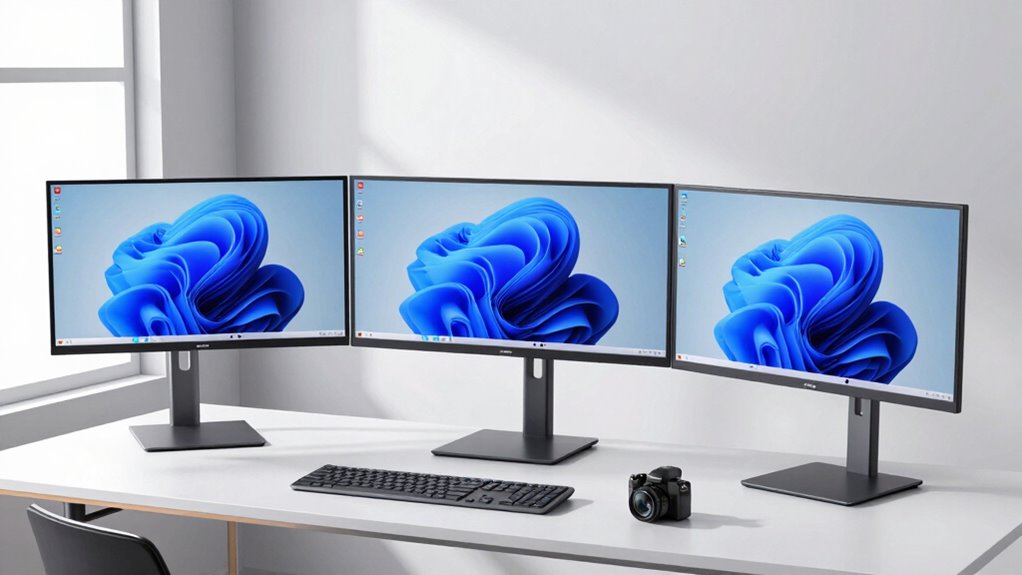

Finding the right monitor stand for ultrawide monitors can be challenging due to size, weight, and flexibility needs. The best options offer sturdy support, smooth adjustability, and enough space for large screens. The VIVO Heavy Duty Aluminum Tension Arm stands out for its capacity to handle up to 49 inches and 44 lbs, making it ideal for massive ultrawides. Meanwhile, the HUNAUO Dual Monitor Stand offers excellent versatility for mid-sized setups with integrated USB hubs. A common tradeoff is balancing stability with ease of adjustment, especially for very large screens. Keep reading to see how these stands compare to help you choose the perfect fit.

Get home appliances delivered free — and shop member deals
- Fast, free delivery on millions of items
- Access to Prime Big Deal Days deals on October 6–7
- Prime Video, Amazon Music and more included
Complete the kit


Key Takeaways
- Heavy-duty mounts like the VIVO Aluminum Tension Arm excel in supporting large ultrawide screens with substantial weight.
- Adjustability features such as height, tilt, and rotation are vital for ergonomic comfort, especially for oversized monitors.
- Dual arms provide better space management and multi-monitor flexibility, but may come with higher complexity and cost.
- Build quality and materials significantly impact stability and durability, influencing long-term value.
- Compatibility with VESA mounts and mounting options (clamp vs. grommet) are crucial to fitting different desk setups.
| Dual Ultrawide Monitor Mount for 24-57” Screens, Max Load 59.4 lbs per Arm |  | Best Overall for Heavy-Duty Dual Ultrawide Setups | Supported Screen Size: 24-57 inches | Max Load per Arm: 59.4 lbs | VESA Patterns: 75 x 75 mm / 100 x 100 mm | VIEW ON AMAZON | See Our Full Breakdown |
| HUNAUO Dual Monitor Stand for 13-40 inch Monitors with USB, Height Adjustable, VESA Mount, Clamp/Grommet Base |  | Best for Small to Mid-Size Ultrawide Setups with Integrated USB | Supported Screen Size: 13-40 inches | Max Weight per Arm: 26.4 lbs | VESA Compatibility: 75×75mm or 100×100mm | VIEW ON AMAZON | See Our Full Breakdown |
| VIVO Dual Vertically Stacked Ultra-Wide Monitor Desk Mount for up to 49 inch Screens, Heavy Duty Adjustable Stand, Black |  | Best for Vertical Ultrawide Monitors up to 49 Inches | Compatibility: Up to 49 inch ultrawide | Weight Capacity: 44 lbs per screen | VESA Compatibility: 75x75mm or 100x100mm | VIEW ON AMAZON | See Our Full Breakdown |
| VIVO Single Monitor Arm Desk Mount for 13-38 inch Screens |  | Best for Small to Mid-Size Ultrawide Monitors | Screen Size Compatibility: 13-38 inches | Weight Capacity: 22 lbs | VESA Compatibility: 75x75mm or 100x100mm | VIEW ON AMAZON | See Our Full Breakdown |
| ErGear Heavy Duty Monitor Arm for 13-49″ Ultrawide Screens, 37.4 lbs Capacity, Full Motion Desk Mount with Dual C-Clamp & Grommet Mount |  | Best Heavy-Duty Support for Large Ultrawides | Screen Size Compatibility: 13-49 inches | VESA Compatibility: 75x75mm / 100x100mm | Weight Capacity: 37.4 lbs | VIEW ON AMAZON | See Our Full Breakdown |
| Single Monitor Stand for 27-43 Inch Curved Monitors with Adjustable Motion and Tempered Glass Base |  | Best for Heavy, Large Monitors with Full Motion Needs | Supported Monitor Size: 27-43 inches | Weight Capacity: 77 lbs | Tilt: -15° to 10° | VIEW ON AMAZON | See Our Full Breakdown |
| VIVO Freestanding Dual Ultrawide Monitor Stand with Glass Base and Adjustable Arms |  | Best for Dual Ultrawide Monitors with Versatile Adjustments | Monitor Size Compatibility: 13″ to 38″ | Weight Capacity: 22 lbs per monitor | VESA Compatibility: 75x75mm or 100x100mm | VIEW ON AMAZON | See Our Full Breakdown |
| VIVO Single Monitor Desk Stand, Holds Screens up to 32 inch and 38 inch Ultrawide, Adjustable Height, Tilt, Swivel, Rotation, Black |  | Best for Compact Ultrawide Monitors up to 38 inches | Maximum Screen Size: 38 inches | Weight Capacity: 22 lbs | VESA Compatibility: 75x75mm, 100x100mm | VIEW ON AMAZON | See Our Full Breakdown |
| VIVO Heavy Duty Ultrawide Monitor Tension Arm for up to 40 inch Screens, Holds 26.4 lbs, Black, STAND-V100O |  | Best for Heavy-Duty Ultrawide Monitors and Professional Use | Screen Size Support: up to 40 inches | Weight Capacity: 26.4 lbs | VESA Pattern: 75x75mm or 100x100mm | VIEW ON AMAZON | See Our Full Breakdown |
| HUANUO FlowLift™ Dual Monitor Stand for 13–32″ Screens, Fully Adjustable Desk Mount with C-Clamp & Grommet Base |  | Best for Flexible Dual Monitors in Moderate Sizes | Monitor Size Range: 13–32 inches | Monitor Weight Range: 4.4–19.8 lbs | VESA Compatibility: 75x75mm or 100x100mm | VIEW ON AMAZON | See Our Full Breakdown |
| HUANUO Monitor Stand, Freestanding VESA Mount for 13-34 Inch Screens, Supports Up to 44lbs, 5 Height Options, Swivel and 360° Rotation |  | Best Versatile Adjustable Stand for Moderate Ultrawides | Monitor Size Support: 13-34 inches | Weight Capacity: 44 lbs | VESA Patterns: 75x75mm, 100x100mm | VIEW ON AMAZON | See Our Full Breakdown |
| VIVO Heavy Duty Aluminum Ultrawide Monitor Tension Arm for up to 49 inch Screens, Holds 44 lbs, Black |  | Best Heavy-Duty Mount for Large Ultrawides and Gaming Setups | Screen Size Capacity: up to 49 inches | Weight Capacity: 44 lbs | VESA Pattern: 75x75mm or 100x100mm | VIEW ON AMAZON | See Our Full Breakdown |
| monitor stand for ultrawide monitor | Weight Capacity | VESA Compatibility |
|---|---|---|
| Dual Ultrawide Monitor Mount f | — | — |
| HUNAUO Dual Monitor Stand for | — | 75×75mm or 100×100mm |
| VIVO Dual Vertically Stacked U | 44 lbs per screen | 75x75mm or 100x100mm |
| VIVO Single Monitor Arm Desk M | 22 lbs | 75x75mm or 100x100mm |
| ErGear Heavy Duty Monitor Arm | 37.4 lbs | 75x75mm / 100x100mm |
| Single Monitor Stand for 27-43 | 77 lbs | — |
| VIVO Freestanding Dual Ultrawi | 22 lbs per monitor | 75x75mm or 100x100mm |
| VIVO Single Monitor Desk Stand | 22 lbs | 75x75mm, 100x100mm |
| VIVO Heavy Duty Ultrawide Moni | 26.4 lbs | — |
| HUANUO FlowLift™ Dual Monitor | — | 75x75mm or 100x100mm |
| HUANUO Monitor Stand | 44 lbs | — |
| VIVO Heavy Duty Aluminum Ultra | 44 lbs | — |
More Details on Our Top Picks
Dual Ultrawide Monitor Mount for 24-57” Screens, Max Load 59.4 lbs per Arm
This dual mount stands out for its robust support of ultrawide monitors from 24 to 57 inches, making it ideal for professionals who need multiple large screens. Compared with the VIVO Dual Vertically Stacked Ultra-Wide Mount, it offers a broader size range and higher weight capacity per arm, though at the cost of potentially requiring additional adapters for certain monitors. Its adjustable swivel, tilt, and rotation ensure ergonomic comfort, but the maximum load limit of 59.4 lbs per arm may restrict very heavy or unusually large ultrawides. The quick-release VESA plates simplify installation, making it a practical choice for busy environments. Overall, this mount suits users with large, heavy ultrawide displays needing a fully adjustable, space-efficient solution.
Pros:- Supports a wide range of ultrawide monitor sizes up to 57 inches
- Fully adjustable for ergonomic viewing angles
- Easy to install with quick-release VESA plates
Cons:- May need additional steel adapters for some monitors
- Maximum weight limit per arm could be restrictive for very heavy screens
Best for: Professionals or content creators with multiple large ultrawide monitors requiring high weight support and flexible positioning.
Not ideal for: Light users with smaller or lighter monitors, as the mount’s heavy-duty design may be overkill and less adaptable for modest setups.
- Supported Screen Size:24-57 inches
- Max Load per Arm:59.4 lbs
- VESA Patterns:75 x 75 mm / 100 x 100 mm
- Desk Thickness Compatibility:0.39 to 1.77 inches (grommet), 0.39 to 1.97 inches (clamp)
Our verdict“This mount is best suited for users with large, heavy ultrawide monitors who prioritize durability and flexibility.”
HUNAUO Dual Monitor Stand for 13-40 inch Monitors with USB, Height Adjustable, VESA Mount, Clamp/Grommet Base
This stand offers a compelling blend of adjustability and integrated features, supporting monitors from 13 to 40 inches and up to 26.4 lbs each. Compared to the VIVO Single Monitor Arm, it provides dual support with added height adjustment and USB ports, making it ideal for clutter-free workspaces. Its full motion flexibility allows precise ergonomic positioning, though it might be bulky for smaller desks, and assembly can challenge less experienced users. Its support for moderate-sized ultrawide monitors makes it a versatile choice for office setups that value connectivity and organization.
Pros:- Supports large and heavy monitors securely
- Adjustable height and full motion for ergonomic comfort
- Includes built-in USB ports for device connectivity
Cons:- May be bulky for small desks
- Assembly complexity for some users
Best for: Office workers or enthusiasts with medium-sized ultrawide monitors seeking integrated USB ports and flexible ergonomics.
Not ideal for: Users with very large or heavy ultrawide screens, as the weight capacity caps at 26.4 lbs per arm and size limit at 40 inches.
- Supported Screen Size:13-40 inches
- Max Weight per Arm:26.4 lbs
- VESA Compatibility:75×75mm or 100×100mm
- Height Adjustment:Up to 21.1 inches
Our verdict“This stand makes the most sense for users who want a flexible, feature-rich dual monitor setup with integrated connectivity.”
VIVO Dual Vertically Stacked Ultra-Wide Monitor Desk Mount for up to 49 inch Screens, Heavy Duty Adjustable Stand, Black
This mount excels at supporting large ultrawide screens up to 49 inches and 44 lbs each, especially for users who prefer a vertical orientation or need high adjustability. Compared with the ErGear Heavy Duty Mount, it offers highly adjustable tilt, swivel, and rotation, plus detachable VESA plates for easier installation. Its vertical stacking design is ideal for maximizing desk space or creating a multi-monitor stack, but its weight and size demand a sturdy desk surface and may be complex to assemble. It suits those who want flexible, space-efficient mounting for sizeable ultrawides, with the tradeoff of increased complexity during setup.
Pros:- Supports ultrawide monitors up to 49 inches and 44 lbs
- Highly adjustable tilt, swivel, rotation, and height
- Easy to install with detachable VESA plates and no drilling
Cons:- Heavy-duty design may require sturdy desk support
- Assembly instructions can be complex for some users
Best for: Professionals or gamers needing large, vertically oriented ultrawide monitors with full motion flexibility.
Not ideal for: Users with smaller desks or monitors outside the 49-inch size limit who prefer a simpler, less heavy-duty mount.
- Compatibility:Up to 49 inch ultrawide
- Weight Capacity:44 lbs per screen
- VESA Compatibility:75x75mm or 100x100mm
- Mounting Options:C-clamp or grommet
Our verdict“Ideal for users with large ultrawide screens seeking maximum adjustability and space-saving vertical orientation.”
VIVO Single Monitor Arm Desk Mount for 13-38 inch Screens
This single arm supports monitors from 13 to 38 inches, including some ultrawide models, with a 22 lbs weight limit. Compared with dual setups like the HUNAUO Dual Mount, it offers a straightforward, space-efficient solution for those with smaller ultrawide screens. It provides full tilt, swivel, and rotation, along with a sturdy clamp or grommet mount, but its maximum height adjustment of 16 inches may not suit very tall desks or users. It’s an excellent choice for compact workspaces that require flexible positioning on a budget, though it’s limited to lighter monitors.
Pros:- Supports a wide range of monitor sizes including ultrawides
- Fully adjustable for ergonomic positioning
- Easy to install with included hardware
Cons:- Limited height adjustment for tall desks
- Supports only monitors up to 22 lbs
Best for: Home office users with smaller ultrawide monitors or those seeking a simple, single-arm solution.
Not ideal for: Setup requiring support for very large, heavy ultrawide monitors or multi-screen configurations.
- Screen Size Compatibility:13-38 inches
- Weight Capacity:22 lbs
- VESA Compatibility:75x75mm or 100x100mm
- Height Adjustment:Up to 16 inches
Our verdict“This arm is best for users with modest ultrawide screens who need flexible, straightforward monitor support.”
ErGear Heavy Duty Monitor Arm for 13-49″ Ultrawide Screens, 37.4 lbs Capacity, Full Motion Desk Mount with Dual C-Clamp & Grommet Mount
This heavy-duty arm supports ultrawide screens up to 49 inches with a substantial 37.4 lbs capacity, making it suitable for large, curved, or super-wide monitors. When compared with the HUNAUO Dual Stand, it offers similar full motion flexibility but emphasizes durability and stability for heavier setups. Its dual mounting options—clamp and grommet—provide versatility, but the installation process can be complex, and the weight of larger monitors demands careful mounting and sturdy desks. This mount is ideal for long-term, professional use where stability and support for sizable ultrawides are priorities.
Pros:- Supports ultrawide and curved monitors up to 49 inches
- Heavy-duty construction with 37.4 lbs capacity
- Full motion adjustments for ergonomic comfort
Cons:- Requires specific desk thickness for optimal mounting
- Installation can be challenging for some users
Best for: Power users and professionals with large, heavy ultrawides or curved monitors in need of rock-solid stability.
Not ideal for: Users with lighter or smaller monitors, or those with limited desk support, due to its weight and mount complexity.
- Screen Size Compatibility:13-49 inches
- VESA Compatibility:75x75mm / 100x100mm
- Weight Capacity:37.4 lbs
- Mounting Options:C-clamp, Grommet
Our verdict“This mount is best for users with large, heavy ultrawide monitors who need maximum stability and durability.”
Single Monitor Stand for 27-43 Inch Curved Monitors with Adjustable Motion and Tempered Glass Base
This freestanding arm excels in supporting large, curved monitors up to 43 inches, with a sturdy steel build and a wide tempered glass base that provides exceptional stability. Compared with the VIVO Single Monitor Desk Stand, this model offers more comprehensive tilt, swivel, and rotation adjustments, making it ideal for optimizing viewing angles. However, its size and weight make it less suitable for small desks or users who need portability. The full motion capabilities help reduce neck strain and improve ergonomics, but the heavy construction can be cumbersome to reposition frequently. The sleek black finish and cable management add to its professional look, fitting well in both gaming and professional environments.
Pros:- Supports very large monitors up to 43 inches and 77 lbs
- Full range of motion for tilt, swivel, and rotation
- Sturdy steel construction with a wide tempered glass base
Cons:- Heavy and large, making it difficult to move or reposition
- May not fit small or cluttered desks comfortably
Best for: Buyers with large, curved monitors who prioritize stability and full motion adjustment in a permanent setup
Not ideal for: Users with small desks or those needing a lightweight, portable solution due to its size and weight
- Supported Monitor Size:27-43 inches
- Weight Capacity:77 lbs
- Tilt:-15° to 10°
- Swivel:±45°
- Rotation:360°
- Base Material:Tempered glass
Our verdict“This stand is best suited for users with large, heavy monitors who need maximum stability and full motion flexibility.”
VIVO Freestanding Dual Ultrawide Monitor Stand with Glass Base and Adjustable Arms
This stand supports two ultrawide monitors up to 38 inches and 22 lbs each, with adjustable arms that provide tilt, swivel, rotation, and height for a highly customizable workspace. Compared to the single monitor stand, this model offers dual support, making it ideal for multitasking setups. Its tempered glass base ensures stability and adds a modern aesthetic. The main tradeoff is that the base may occupy significant desk space, and careful placement is required to maintain stability, especially with larger monitors. It’s a solid choice for professionals or gamers who need a dual-monitor configuration but may not be suitable for very small desks or lightweight setups.
Pros:- Supports dual ultrawide monitors up to 38 inches and 22 lbs each
- Adjustable arms for tilt, swivel, height, and rotation
- Stable tempered glass base enhances support and aesthetics
Cons:- Requires ample desk space due to large base
- Placement needs careful balancing to avoid tipping
Best for: Professionals or gamers who demand dual ultrawide screens with flexible positioning
Not ideal for: Users with limited desk space or those needing a more compact stand for single monitors
- Monitor Size Compatibility:13″ to 38″
- Weight Capacity:22 lbs per monitor
- VESA Compatibility:75x75mm or 100x100mm
- Base Dimensions:17″ x 12.8″
- Base Material:Tempered glass
- Adjustments:Tilt, swivel, rotation, height
Our verdict“Ideal for multitaskers who want a stable, adjustable dual ultrawide setup with a modern look.”
VIVO Single Monitor Desk Stand, Holds Screens up to 32 inch and 38 inch Ultrawide, Adjustable Height, Tilt, Swivel, Rotation, Black
This stand offers a versatile solution for monitors up to 38 inches, with a focus on ergonomic adjustability through tilt, swivel, and rotation. Compared to larger, more heavy-duty mounts like the STAND-V100O, this model is easier to install and suited for a wider range of desk sizes, making it ideal for users who need flexibility without excessive bulk. However, it’s limited to 22 lbs weight capacity, which rules out very heavy or large ultrawide screens. Its straightforward design and cable management features make it accessible for most users, but those with larger monitors or heavier setups should consider more robust options.
Pros:- Supports ultrawide monitors up to 38 inches
- Adjustable tilt, swivel, and rotation for ergonomic comfort
- Easy installation with cable management
Cons:- Limited to 22 lbs maximum weight
- Not suitable for very large or heavy ultrawides
Best for: Home users or office workers with monitors up to 38 inches seeking flexible, easy-to-install support
Not ideal for: Heavy, large ultrawide monitors over 22 lbs or users needing ultra-heavy-duty mounts
- Maximum Screen Size:38 inches
- Weight Capacity:22 lbs
- VESA Compatibility:75x75mm, 100x100mm
- Tilt Range:+15° to -15°
- Swivel:90°
- Rotation:360°
Our verdict“A practical choice for those with moderately large ultrawides seeking flexible, straightforward adjustment.”
VIVO Heavy Duty Ultrawide Monitor Tension Arm for up to 40 inch Screens, Holds 26.4 lbs, Black, STAND-V100O
This mount supports ultrawide screens up to 40 inches and a hefty 26.4 lbs, making it ideal for demanding setups such as gaming or professional workstations. Compared to the lighter dual-arm models, the STAND-V100O offers full articulation with tilt, swivel, and rotation, plus a significant height adjustment. Its robust construction requires a sturdy desk and careful installation, but it provides unmatched support for heavy, large screens. The cable management and detachable VESA plate add convenience, though its complexity may be daunting for casual users or those with less sturdy desks. It’s best suited for users needing maximum support and flexibility in a heavy-duty mount.
Pros:- Supports up to 40-inch ultrawide screens and 26.4 lbs
- Full motion with tilt, swivel, rotation, and height adjustment
- Detachable VESA plate for easy mounting
Cons:- Heavy-duty design requires a very sturdy desk
- Installation can be complex and time-consuming
Best for: Gamers, content creators, or professionals with ultra-wide monitors up to 40 inches and heavy weight requirements
Not ideal for: Users with lightweight monitors or limited desk support, due to installation complexity and weight
- Screen Size Support:up to 40 inches
- Weight Capacity:26.4 lbs
- VESA Pattern:75x75mm or 100x100mm
- Tilt Range:+90° to -90°
- Swivel:180°
- Height Adjustment:10.8 inches
Our verdict“Best suited for users with large, heavy ultrawide monitors needing maximum support and flexibility.”
HUANUO FlowLift™ Dual Monitor Stand for 13–32″ Screens, Fully Adjustable Desk Mount with C-Clamp & Grommet Base
The HUANUO FlowLift™ offers excellent adjustability for dual monitors up to 32 inches, with full tilt, swivel, and rotation. It stands out for helping organize workspace by lifting monitors off the desk surface, freeing space for other accessories. Compared to the dual ultrawide mounts, this model is more suitable for standard-sized screens, making it a good fit for office settings or home workstations. Its compatibility with both C-clamp and grommet mounting options adds versatility, but it’s recommended mainly for wooden desks, which limits its use on glass or plastic surfaces. The installation process can be tricky if the desk has cross beams, but once set up, it delivers ergonomic comfort and space efficiency.
Pros:- Supports monitors up to 32 inches and 19.8 lbs
- Full adjustability for ergonomic positioning
- Helps clear desk space and improve organization
Cons:- Recommended mainly for wooden desks, less stable on glass or plastic
- Installation can be challenging on cross-beamed desks
Best for: Office workers or home users with 13-32 inch monitors seeking adjustable, space-saving support
Not ideal for: Users with very large ultrawides or glass desks, due to size or material limitations
- Monitor Size Range:13–32 inches
- Monitor Weight Range:4.4–19.8 lbs
- VESA Compatibility:75x75mm or 100x100mm
- Tilt:+85°/-50°
- Swivel:±90°
- Rotation:360°
- Maximum Height Adjustment:15.75 inches
Our verdict“An adaptable, space-saving dual monitor solution ideal for moderate-sized screens in home or office environments.”
HUANUO Monitor Stand, Freestanding VESA Mount for 13-34 Inch Screens, Supports Up to 44lbs, 5 Height Options, Swivel and 360° Rotation
This HUANUO stand shines for users who want a flexible, no-drill solution for mid-sized monitors. Its five height settings and full 360° rotation make it ideal for ergonomic adjustments, especially compared to the more rigid VIVO Single Monitor Arm, which offers fewer tilt options. The support for monitors up to 44 lbs ensures stability for larger ultrawides within its size range. However, the vertical orientation can be limited by off-center VESA patterns, and it only works with monitors that have compatible VESA patterns, unlike some mounts that include adapters. It’s well-suited for office setups where flexibility and workspace tidiness matter, but less so for very large or ultra-wide displays.
Pros:- Supports monitors up to 44 lbs, accommodating heavy ultrawides
- Adjustable height with five options for ergonomic positioning
- No drilling required, simplifying installation
- Includes cable management to keep workspace tidy
Cons:- Vertical orientation may be compromised if VESA mounting is off-center
- Limited to VESA 75x75mm or 100x100mm patterns, reducing compatibility with some ultrawides
Best for: Professionals seeking a sturdy, adjustable stand for 13-34 inch ultrawide monitors with easy setup.
Not ideal for: Users with larger, 35+ inch ultrawides or monitors with non-standard VESA patterns, as compatibility is limited.
- Monitor Size Support:13-34 inches
- Weight Capacity:44 lbs
- VESA Patterns:75x75mm, 100x100mm
- Height Options:9.27 to 15.26 inches
- Rotation:360°
- Tilt:+10°/-15°
Our verdict“This stand is ideal for users who want a flexible, no-fuss solution for mid-sized ultrawide monitors with multiple adjustment options.”
VIVO Heavy Duty Aluminum Ultrawide Monitor Tension Arm for up to 49 inch Screens, Holds 44 lbs, Black
This VIVO tension arm stands out for those who need to support very large ultrawide monitors up to 49 inches, making it a strong choice over the HUANUO stand for users with expansive screens. Its tension-based adjustment mechanism allows for smooth, precise ergonomic positioning with tilt, swivel, and a significant 11-inch height adjustment, surpassing the flexibility of many typical mounts. It also offers a 180° swivel and full 360° rotation, ideal for multi-angle work or gaming. The detachable VESA plate simplifies mounting, but its weight and size mean it requires a sturdy desk and may be overkill for smaller ultrawides. Assembly can be complex, and the mount’s bulk might not suit minimalistic setups.
Pros:- Supports ultra-wide screens up to 49 inches and 44 lbs
- Smooth, tension-based adjustments for precise ergonomic positioning
- Integrated cable management for a clean workspace
- Detachable VESA plate for quick mounting and removal
Cons:- Requires a sturdy, thick desk for optimal stability, limiting portability
- Assembly can be complex for those inexperienced with heavy-duty mounts
- Heavy and large, which might overwhelm smaller setups
Best for: Gamers and professionals with large, 49-inch ultrawide monitors who need maximum flexibility and stability.
Not ideal for: Users with smaller, standard-sized ultrawides or those with delicate desks that can’t handle heavy mounts, due to its weight and size.
- Screen Size Capacity:up to 49 inches
- Weight Capacity:44 lbs
- VESA Pattern:75x75mm or 100x100mm
- Desk Thickness:up to 3.2 inches with C-clamp, 1.4 inches with grommet mount
- Tilt Range:+50° to -20°
- Height Adjustment:11 inches
Our verdict“This mount suits users with large ultrawides needing robust, flexible adjustments and professional-grade stability.”

How We Picked
These monitor stands were evaluated based on support capacity, adjustability, build quality, ease of installation, and suitability for ultrawide screens. I prioritized products that can handle the size and weight of large ultrawide monitors, ensuring stability is never compromised. Versatility in movement and mounting options was also key, as users seek ergonomic customization. The ranking weighs the value offered for different budgets, balancing premium features against affordability. This approach ensures that each stand’s role is clear—whether for heavy-duty use, simplicity, or multi-monitor setups.Factors to Consider When Choosing Monitor Stand For Ultrawide Monitors
Choosing the right monitor stand for an ultrawide monitor involves understanding several key factors. Size compatibility is obvious, but support capacity and stability are equally critical to prevent accidents. Adjustability features like height, tilt, and rotation enhance ergonomic comfort, especially during long work sessions. The mounting method—clamp or grommet—can affect compatibility with your desk setup. Material quality influences durability, while price often reflects the stand’s load capacity and features. Considering these factors can prevent costly mistakes and ensure your ultrawide remains secure and comfortable to use.Support Capacity and Stability
Ultrawide monitors tend to be larger and heavier, so support capacity is non-negotiable. Look for stands rated to hold at least 30 lbs, with many heavy-duty options supporting 40 lbs or more. Metal construction and sturdy mounting arms enhance stability, reducing wobble and risk of slipping. Overloading a stand not only damages the mount but can also cause accidents or damage your monitor. Always verify the weight limit aligns with your monitor’s weight to avoid future issues.
Adjustability and Ergonomics
Flexible height, tilt, swivel, and rotation features allow you to set your monitor at the most comfortable position. For ultrawide screens, adjustable arms can help in reducing neck strain and improving viewing angles. However, more complex adjustments often come with higher prices and potential stability tradeoffs. Consider whether you need full motion or just height adjustment, and pick a stand that offers ease of use without sacrificing support.
Mounting Options and Compatibility
Most ultrawide monitor stands are VESA-compatible, but the mounting method impacts how well they fit your desk. Clamp mounts are generally easier to install and remove, suitable for desks with limited clearance. Grommet mounts offer more stability but require a desk hole. Confirm that your desk can accommodate the chosen mounting style and that the VESA pattern matches your monitor’s specifications to avoid compatibility issues.
Build Material and Durability
Heavy-duty steel or aluminum stands tend to last longer and support larger screens more reliably than plastic options. The choice of material impacts not just durability but also the overall stability, especially when adjusting or repositioning your monitor. Cheaper stands might wobble or bend over time, leading to potential damage. Investing in quality materials pays off in peace of mind and long-term reliability.
Price and Overall Value
While premium stands offer advanced features and higher load capacities, they come at a higher cost. Conversely, budget options may suffice for smaller ultrawides or lighter screens but might lack durability or adjustability. Consider your specific monitor size and weight, workspace needs, and ergonomic preferences to determine if the extra investment is justified. Sometimes, paying more upfront results in better support and fewer replacements later.
Frequently Asked Questions
Can I mount an ultrawide monitor on a dual monitor stand?
Many dual monitor stands are designed for standard-sized displays and may not support ultrawide monitors due to size and weight limitations. If you choose to adapt a dual stand, ensure it has a large enough VESA plate and supports the weight of your ultrawide. However, for maximum stability and support, a dedicated ultrawide stand with a higher load capacity is generally a better choice to prevent wobbling and accidental falls.
Are clamp mounts safer than grommet mounts for ultrawide monitors?
Both clamp and grommet mounts can be secure if properly installed. Clamps are often easier to install and remove and are less invasive, making them suitable for most desks. Grommet mounts tend to be more stable for heavy ultrawides, especially if your desk can accommodate the required hole. The key is proper installation and ensuring the mount’s weight capacity matches your monitor to prevent any safety issues.
What should I do if my ultrawide monitor wobbles on the stand?
If your monitor wobbles, check the mounting screws and tighten them as needed. Ensure the stand is positioned on a flat, stable surface and that the support arms are fully extended and locked in place. Wobbling can also indicate that the stand isn’t rated for your monitor’s weight—consider upgrading to a higher-capacity model for better stability. Regularly inspecting the mount for signs of wear or looseness helps maintain safety over time.
Do all ultrawide monitors support VESA mounting?
Most modern ultrawide monitors do support VESA mounting, but some ultra-large or specialized models might not include VESA holes due to their design. Always verify your monitor’s specifications before purchasing a stand. If your ultrawide lacks VESA compatibility, you may need an alternative solution like a custom mount or a stand with adjustable support.
How do I choose the right support capacity for my ultrawide monitor?
Select a stand rated to hold at least 20-30% more than your monitor’s weight for safety margin. Check the weight of your ultrawide, including any stand or VESA mount hardware, and compare it to the stand’s maximum capacity. Overloading a stand can cause instability or even damage, so prioritizing support capacity ensures safety and longevity. When in doubt, opting for a higher capacity stand provides added security for larger, heavier models.
Conclusion
For most users seeking a reliable, all-around solution, the VIVO Heavy Duty Aluminum Tension Arm offers excellent support for large ultrawides with a sturdy build. Budget-conscious buyers or those with mid-sized monitors might prefer the HUNAUO Dual Monitor Stand, which balances features with affordability. Those looking for premium flexibility and maximum ergonomic adjustment should consider high-end models with full motion capabilities. Beginners or casual users will find simple, easy-to-install options sufficient, while professionals needing maximum stability should prioritize heavy-duty, high-capacity mounts. Tailor your choice to your monitor size, workspace, and ergonomic needs for the best experience.
NFL season / tailgating Picks
team gear
As an affiliate, we earn on qualifying purchases.