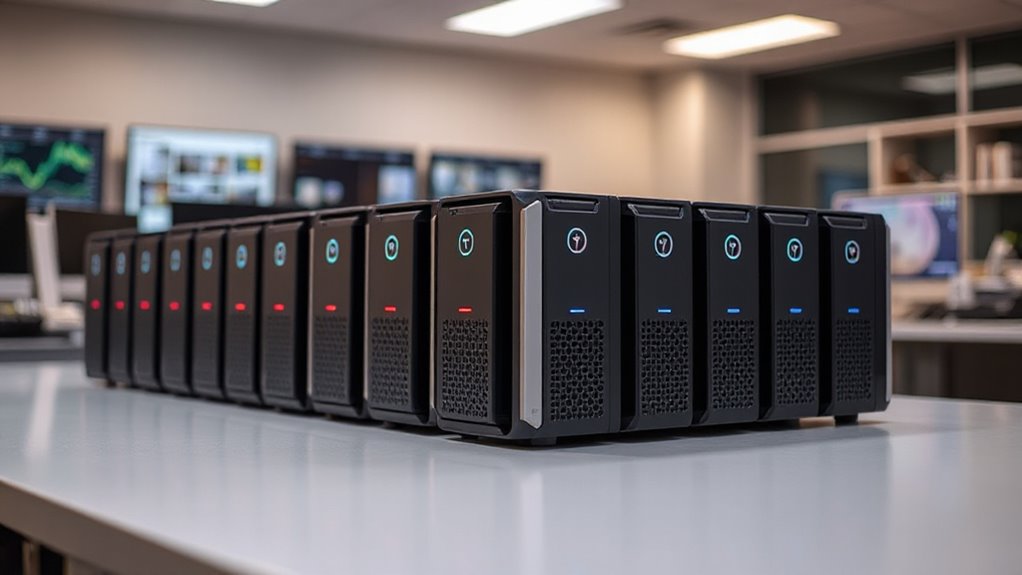
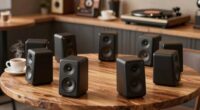
When searching for a NAS for photo backup, the key considerations are capacity, ease of use, and performance. The Synology DS225+ stands out as the best overall pick for its balance of features and reliability, making it suitable for most users. For those prioritizing budget and simplicity, the UGREEN NAS DH2300 offers great value, while the UGREEN NAS DXP2800 caters to advanced users needing more customization and speed. The main tradeoffs involve balancing cost against performance and features—more capable models come with higher complexity and price, while budget options might lack advanced features. Continue reading for a detailed breakdown of each option and which suits your specific needs.

Get home appliances delivered free — and shop member deals
- Fast, free delivery on millions of items
- Access to Prime Big Deal Days deals on October 6–7
- Prime Video, Amazon Music and more included
Complete the kit


Key Takeaways
- The best NAS for photo backup balances capacity, ease of use, and performance without overpaying for unnecessary features.
- Synology models tend to offer more user-friendly interfaces and reliable software, making them ideal for most users.
- Budget options like UGREEN DH2300 provide solid basic functionality but may lack advanced features needed for professional workflows.
- High-capacity or high-performance models, such as UGREEN DXP2800, are better suited for creators and remote workers handling large files.
- Understanding the tradeoff between simplicity and advanced features helps avoid overspending or underperforming for your photo backup needs.
| Synology BeeStation 4TB Personal Cloud Storage Device |  | Best Overall for Simple Photo Backup | Storage Capacity: 4TB | Device Type: Personal Cloud Storage | Connectivity: Web, Desktop, Mobile | VIEW ON AMAZON | See Our Full Breakdown |
| Synology DS225+ Private Cloud Media Server – 2-Bay NAS with Hardware Transcoding | 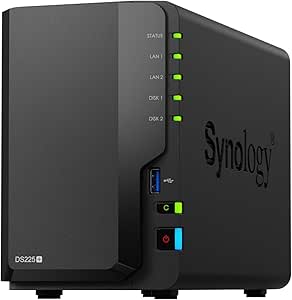 | Best for Versatile Media and Photo Backup | Brand: Synology | Model Number: DS225+ | Number of Bays: 2 | VIEW ON AMAZON | See Our Full Breakdown |
| Synology DS124 Personal Backup & File Hub – 1-Bay Diskless NAS |  | Best for Personal Backup with Full Data Ownership | Model: DS124 | Type: Diskless NAS | Number of Bays: 1 | VIEW ON AMAZON | See Our Full Breakdown |
| UGREEN NAS DH2300 2-Bay Personal Storage for Beginners & Home Use |  | Best for Entry-Level Photo Backup and Ease of Use | Storage Capacity: Up to 64TB | Number of Bays: 2 | Processor: High-performance processor | VIEW ON AMAZON | See Our Full Breakdown |
| QNAP TS-216G-US 2-Bay 2.5GbE Desktop NAS |  | Best Budget-Friendly NAS for Basic Photo Backup | Processor: ARM Cortex-A55 quad-core 2.0GHz | RAM: 4 GB DDR4 | Network Ports: 2.5GbE | VIEW ON AMAZON | See Our Full Breakdown |
| UGREEN NAS DXP2800 2-Bay for Advanced Home Users, Remote Workers & Creators |  | Best for Power Users Requiring High Performance and Flexibility | Processor: Intel N100 Quad-Core | RAM: 8GB DDR5 | Network: 2.5GbE | VIEW ON AMAZON | See Our Full Breakdown |
| nas for photo backup | Processor | Storage Capacity | Number of Bays | RAM |
|---|---|---|---|---|
| Synology BeeStation 4TB Person | — | 4TB | — | — |
| Synology DS225+ Private Cloud | Intel CPU | — | 2 | — |
| Synology DS124 Personal Backup | — | — | 1 | — |
| UGREEN NAS DH2300 2-Bay Person | High-performance processor | Up to 64TB | 2 | 4GB |
| QNAP TS-216G-US 2-Bay 2.5GbE D | ARM Cortex-A55 quad-core 2.0GHz | — | — | 4 GB DDR4 |
| UGREEN NAS DXP2800 2-Bay for A | Intel N100 Quad-Core | Up to 80TB | — | 8GB DDR5 |
More Details on Our Top Picks
Synology BeeStation 4TB Personal Cloud Storage Device
The Synology BeeStation stands out as the most straightforward choice for those prioritizing ease of use and reliable access to stored photos. Unlike the DS225+, which offers more advanced media features, the BeeStation prioritizes simplicity, making it ideal for families or individuals who want a plug-and-play experience. Its support for cloud backups and multi-device access ensures your photos are always available without technical fuss. However, limited to 4TB, it may not meet the needs of photographers with large collections. The lack of detailed performance specs means users must trust its basic network performance for remote backups and access. This model makes the most sense for users seeking a hassle-free, dedicated photo backup device without complexities or expansion needs.
Pros:- Simple setup with QR code scanning for quick deployment
- Accessible from multiple devices and locations
- Supports backups from popular cloud services
Cons:- Limited to 4TB capacity, which may be insufficient for large photo libraries
- Requires a network connection for remote access, potentially limiting usability offline
Best for: Families and casual users who want an easy, all-in-one cloud storage solution for photo backups.
Not ideal for: Professional photographers with extensive collections or those needing large-scale storage expansion.
- Storage Capacity:4TB
- Device Type:Personal Cloud Storage
- Connectivity:Web, Desktop, Mobile
- Features:File sharing, remote access, file editing, cloud backups
Our verdict“This is a strong pick for users seeking straightforward, reliable personal cloud storage for photos without added complexity.”
Synology DS225+ Private Cloud Media Server – 2-Bay NAS with Hardware Transcoding
The Synology DS225+ offers a more capable option for those who want to combine photo backup with media streaming and surveillance. Its dual bays support RAID configurations for redundancy, unlike the DS124, which is more limited in scalability. The hardware transcoding feature supports 4K media, making it suitable for multimedia-heavy households. However, its 2-bay design means storage expansion is limited unless you add drives or upgrade later, which can be a drawback for large photo archives. The setup and management require more technical knowledge than the BeeStation, making it less ideal for complete beginners. Compared with the DS124, the DS225+ delivers higher performance for multimedia, but at the cost of slightly increased complexity and expense.
Pros:- Supports 4K media streaming and hardware transcoding
- Fast transfer speeds at 282 MB/s
- Multi-layered data protection with RAID and snapshots
- Supports up to 30 IP cameras for surveillance
Cons:- Limited to 2 bays, restricting large storage options
- Requires technical knowledge for setup and management
- No included drives, increasing initial costs
Best for: Small households or hobbyists who want a combined photo backup, media streaming, and surveillance hub.
Not ideal for: Users seeking simple, single-purpose photo backups or those with minimal technical skills.
- Brand:Synology
- Model Number:DS225+
- Number of Bays:2
- Processor:Intel CPU
- Transfer Speed:282 MB/s
- Warranty:3 Years
Our verdict“Ideal for users wanting a compact, versatile NAS that combines photo backup with media and surveillance features, accepting the setup complexity.”
Synology DS124 Personal Backup & File Hub – 1-Bay Diskless NAS
The Synology DS124 is tailored for individuals who want full control over their photo backups without subscription fees. Its single bay design means you’ll need to purchase a hard drive separately, which offers flexibility but adds to initial setup. Compared to the BeeStation, which is pre-configured, the DS124 requires more hands-on management, making it suitable for tech-savvy users. Its AI-powered surveillance and remote access features make it a comprehensive home security and backup device. The limited scalability of one bay makes it less suitable for users with growing photo libraries; however, it excels in providing dedicated, private backup with full data ownership.
Pros:- Automatic backups from multiple devices
- Remote access to files from anywhere
- Built-in AI home surveillance
Cons:- Requires additional hard drive purchase
- Limited to 1 bay, less scalable for large collections
- No included drives, increasing initial costs
Best for: Tech-savvy individuals who prefer full control over their data and want a dedicated, private backup hub.
Not ideal for: Users seeking a plug-and-play solution or with large, expanding photo collections.
- Model:DS124
- Type:Diskless NAS
- Number of Bays:1
- Warranty:2 years
- Features:Backup, file sharing, home security, AI surveillance
Our verdict“Perfect for those who want a private, full-control backup solution with integrated surveillance features, accepting the need for manual setup.”
UGREEN NAS DH2300 2-Bay Personal Storage for Beginners & Home Use
The UGREEN NAS DH2300 is designed for beginners seeking a simple, secure way to back up photos and files at home. Its user-friendly setup, aided by straightforward RAID modes and security features, makes it accessible for non-technical users. While it supports capacities up to 64TB, which is generous for most personal photo collections, it lacks advanced server features like Docker or virtualization, limiting expandability and customization compared to higher-end models like the DS225+. The absence of Wi-Fi support means wired Ethernet is necessary, which could be inconvenient for some setups. Overall, this pick makes sense for those prioritizing security and ease over advanced functionalities.
Pros:- Easy to set up and operate for beginners
- Supports automatic backups from multiple devices
- AI-powered photo tagging and organization
- Strong security features including RAID and encryption
Cons:- Does not support Docker or virtual machines
- Requires wired Ethernet connection, Wi-Fi not built-in
- Performance depends on network and drives used
Best for: Home users and beginners who want a straightforward, secure NAS for photo backups with minimal fuss.
Not ideal for: Power users or professionals needing virtual machine support or extensive app ecosystems.
- Storage Capacity:Up to 64TB
- Number of Bays:2
- Processor:High-performance processor
- RAM:4GB
- File Transfer Speed:125MB/s
- Security Features:RAID modes, two-factor authentication, encrypted transfers
Our verdict“Great for beginners and casual users wanting a secure, simple NAS for photo backup without extra complexity.”
QNAP TS-216G-US 2-Bay 2.5GbE Desktop NAS
The QNAP TS-216G-US offers an affordable entry point for home users who want a simple NAS for photo storage and basic multimedia. Its quad-core ARM Cortex-A55 processor provides decent performance for everyday file transfers, but it lacks advanced features like hardware transcoding or extensive app ecosystems found in higher-tier models like the DS225+. The 2.5GbE ports enable faster local network sharing, beneficial for households with frequent large transfers. However, its limited 2-bay capacity constrains large photo libraries, and it may not handle heavy multi-user workloads well. This device makes sense for budget-conscious users who need a reliable, straightforward backup solution without advanced multimedia or surveillance features.
Pros:- Affordable price for basic home use
- Fast 2.5GbE network ports for quick local sharing
- Supports AI features like face and object recognition
Cons:- Limited to 2-bay storage, restricting growth
- No HDMI or advanced app ecosystem support
- Performance may be limited for large or multi-user workloads
Best for: Home users on a budget who need a dependable, simple NAS for photo backups and light multimedia streaming.
Not ideal for: Power users or those needing extensive app support or large-scale storage for growing photo collections.
- Processor:ARM Cortex-A55 quad-core 2.0GHz
- RAM:4 GB DDR4
- Network Ports:2.5GbE
- Use Case:Home NAS for file storage and multimedia streaming
Our verdict“Best suited for budget-minded households seeking reliable photo storage with faster local network speeds.”
UGREEN NAS DXP2800 2-Bay for Advanced Home Users, Remote Workers & Creators
The UGREEN NAS DXP2800 stands out for its robust hardware, making it a solid choice for users managing large photo libraries and demanding workflows. Compared with the Synology DS225+, this model offers a more powerful Intel N100 Quad-Core CPU and 8GB DDR5 RAM, which translate into smoother multi-tasking and faster processing of high-resolution images. Its support for up to 80TB of storage with flexible drive options caters to heavy-duty photo backups and creative projects. However, the need to purchase HDDs or SSDs separately and the technical setup required can be a hurdle for less experienced users. The inclusion of AI-powered surveillance features adds value for remote workers wanting integrated security, though it might be overkill for purely backup-focused needs. This pick makes the most sense for tech-savvy creators and remote professionals with substantial storage needs who want a future-proof, high-performance NAS.
Pros:- Powerful hardware capable of handling large files and demanding applications
- Supports up to 80TB with flexible drive configurations
- Includes AI-powered surveillance for integrated home security
- 8GB DDR5 RAM ensures smooth multitasking
Cons:- HDDs and SSDs must be purchased separately, adding to total cost
- Requires technical knowledge to set up and optimize
- No included drives, which could delay immediate use
Best for: Advanced home users, remote workers, and creators who need high capacity, powerful hardware, and integrated AI features.
Not ideal for: Beginners or those looking for a simple, plug-and-play backup solution without the need for additional hardware or technical setup.
- Processor:Intel N100 Quad-Core
- RAM:8GB DDR5
- Network:2.5GbE
- Storage Capacity:Up to 80TB
- Drive Bays:2 HDD + 2 M.2 NVMe
- Included Drives:None
Our verdict“This NAS is ideal for experienced users who need substantial storage capacity and high performance for photo backup and beyond.”
How We Picked
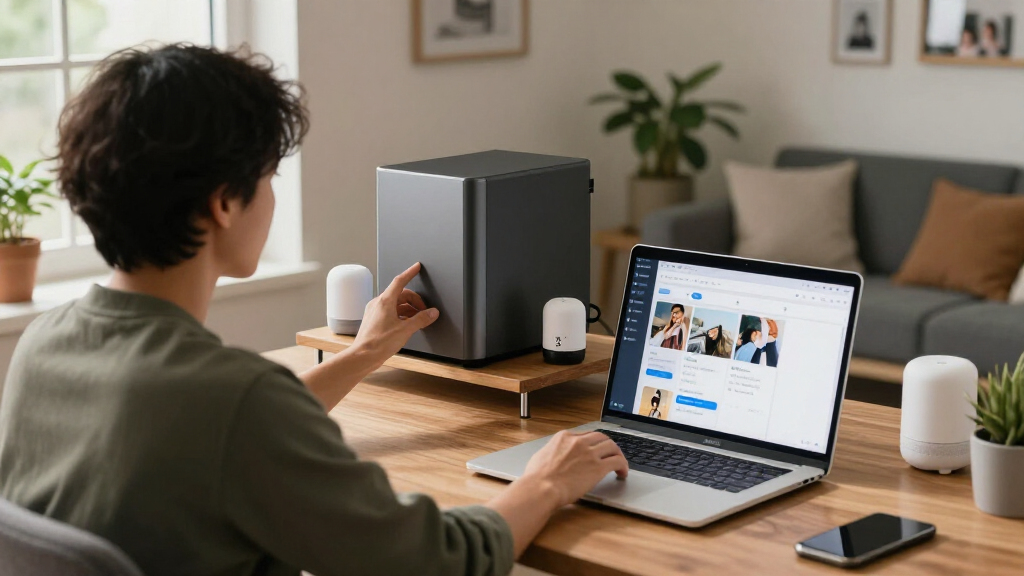
These NAS devices were selected based on a combination of performance, usability, build quality, and value specifically for photo backup. We prioritized models offering reliable storage capacity, straightforward setup, and smooth data management, since these are crucial for photographers and hobbyists. Devices with user-friendly interfaces and good software support ranked higher, as they minimize maintenance hassle. Cost-to-feature ratio was also a key factor, ensuring options for different budgets without sacrificing core functionality. Our ranking reflects a balance between beginner-friendly models and those suited for professional workflows, ensuring a range of choices for various user needs.| nas for photo backup | Processor |
|---|---|
| Synology BeeStation 4TB Person | — |
| Synology DS225+ Private Cloud | Intel CPU |
| Synology DS124 Personal Backup | — |
| UGREEN NAS DH2300 2-Bay Person | High-performance processor |
| QNAP TS-216G-US 2-Bay 2.5GbE D | ARM Cortex-A55 quad-core 2.0GHz |
| UGREEN NAS DXP2800 2-Bay for A | Intel N100 Quad-Core |
Factors to Consider When Choosing Nas For Photo Backup
Choosing the right NAS for photo backup involves considering several key factors beyond just storage capacity. First, evaluate the device’s ease of setup and user interface, especially if you’re not tech-savvy. Next, consider the scalability of storage—whether you might need to expand in the future. Performance matters, particularly in data transfer speeds and hardware specs, if you’re working with large files regularly. Reliability and software support are also critical to ensure your photos are safe and easily accessible. Lastly, balance your budget with these features to find a device that offers good value without unnecessary complexity or overspending.Capacity and Scalability
For photo backup, storage capacity is fundamental. Consider how many photos you typically store and whether you anticipate needing more space soon. Some NAS devices support easy expansion via additional drives or external drives, which can be a smart investment if your collection grows rapidly. Avoid models with limited capacity if you’re a professional or serious hobbyist, as they might require frequent upgrades. However, keep in mind that larger drives or expansion options often come with higher upfront costs.
Ease of Use and Software
A user-friendly interface can save you significant time and frustration, especially if you’re not highly technical. Look for NAS devices with intuitive management software and reliable mobile apps. This ensures you can upload, organize, and access your photos easily, whether you’re at home or on the go. Some brands, like Synology, excel here, providing seamless integration and frequent updates. Poor software support or complicated setup processes can turn a great device into a hassle, so prioritize brands with positive user reviews in this area.
Performance and Data Transfer Speeds
Fast data transfer speeds are essential when working with large photo files or multiple devices simultaneously. Hardware specifications like Gigabit or 2.5GbE Ethernet ports, SSD caching, and modern processors contribute directly to smoother backups and access. If you regularly move large batches of photos or use the NAS for editing workflows, investing in higher-performance models pays off. Conversely, for casual backup, a basic model with standard Ethernet may suffice, but avoid overly slow options that cause bottlenecks.
Build Quality and Reliability
Your photos are irreplaceable, so durability and data integrity are paramount. Look for NAS devices with good build quality, reliable drives, and features like RAID support to protect against drive failure. Devices with active monitoring and backup options offer extra peace of mind. Avoid cheap or poorly manufactured models that can fail prematurely or lack proper data safeguards, risking loss of your valuable images.
Budget and Value
Balancing cost against features is key. While budget models can be attractive, they might lack essential features like multiple drive bays, hardware transcoding, or advanced security. Conversely, premium devices offer extensive capabilities but might be overkill for simple photo storage. Consider how much you need now versus future-proofing your setup. Often, paying slightly more upfront for a reliable, scalable model leads to better long-term value, especially if you’re serious about protecting your photo archive.
Frequently Asked Questions
Can I use a consumer-grade NAS for professional photo storage?
Yes, many consumer-grade NAS devices are suitable for professional photo storage, especially models with multiple bays, RAID support, and good data protection features. However, professionals should look for options with faster processors, larger caches, and better software support to handle high-volume workflows efficiently. Keep in mind that higher-end models tend to offer more robust reliability and faster data access, which can be crucial for professional use.
How important is drive redundancy for photo backup NAS?
Drive redundancy, typically through RAID configurations, is vital for safeguarding your photos against drive failure. Since drives can fail unexpectedly, redundancy ensures your data remains safe without immediate manual backups. Even if you back up to the NAS, having a RAID setup adds an extra layer of security, reducing the risk of data loss. For critical photo archives, prioritizing a NAS with RAID support is a wise choice.
Should I prioritize speed over storage capacity in my NAS?
The decision depends on your workflow. If you frequently work with large files or edit photos directly from the NAS, faster transfer speeds are more beneficial. However, if your main goal is long-term storage and occasional access, capacity may be more important. Many models strike a balance, offering decent speeds without sacrificing significant storage. Consider your typical usage pattern before choosing between raw speed or capacity.
Is it better to buy a diskless NAS or one with drives included?
Buying a diskless NAS allows you to choose drives tailored to your needs, often providing better value and flexibility. It also enables upgrading storage gradually, which can be more cost-effective. However, it requires some technical knowledge to select and install the right drives. Pre-installed drives offer convenience and immediate setup but tend to be more expensive. Consider your comfort with hardware installation and your specific storage needs when choosing.
What features should I look for if I plan to use my NAS for remote access?
For remote access, prioritize models with robust security features, such as encryption and two-factor authentication. Look for devices with good mobile app support and remote management capabilities that make accessing your photos straightforward. Network speed, especially support for faster Ethernet connections, also impacts remote performance. Reliable software updates and support are essential to keep your data secure when accessed remotely.
Conclusion
For most casual photographers or hobbyists, the Synology DS225+ provides a reliable, easy-to-use solution with ample capacity. If you’re on a tight budget but still want solid performance, the UGREEN NAS DH2300 offers great value. Professionals or serious creators should consider the UGREEN NAS DXP2800 for its higher performance and expandability. Beginners will benefit from models with simpler interfaces, while advanced users need more sophisticated hardware and software features. Ultimately, selecting the right NAS depends on your specific needs, budget, and how much you prioritize ease of use versus performance and capacity.
Fall yard work Picks
leaf blowers
As an affiliate, we earn on qualifying purchases.