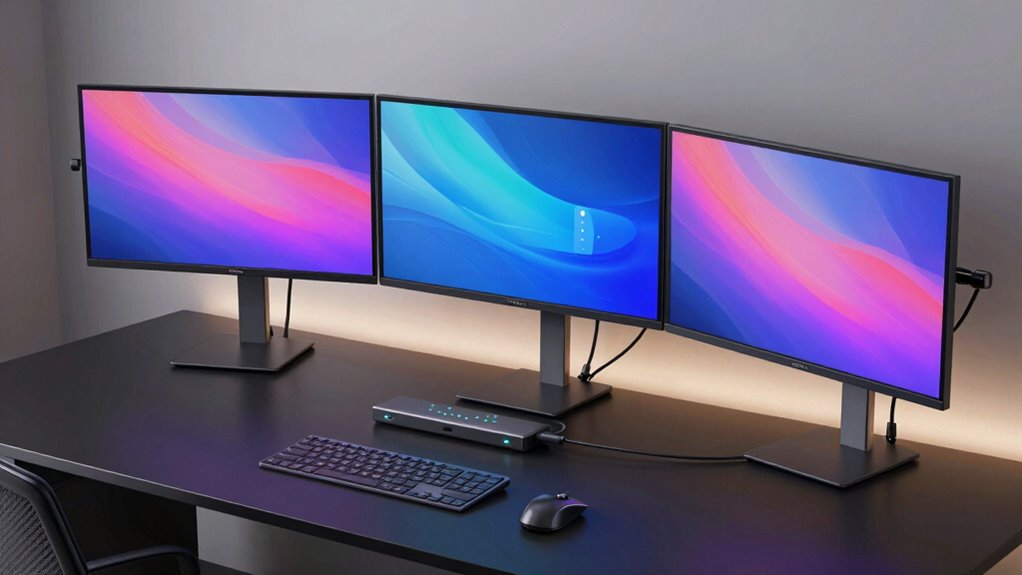

For anyone managing multiple high-performance devices, a Thunderbolt KVM switch offers the convenience of switching between computers while sharing peripherals and displays. The Cable Matters 20Gbps USB C KVM Switch stands out as the best overall due to its balance of speed and charging capabilities. The Sabrent Thunderbolt 4 KVM Switch impresses with ultra-fast 40Gbps data transfer and 8K support, making it ideal for demanding creative workflows. However, choosing the right switch involves considering factors like display support, number of ports, and power delivery, which can make the decision complex. Continue reading for a detailed breakdown of each model to find your perfect fit.

Get home appliances delivered free — and shop member deals
- Fast, free delivery on millions of items
- Access to Prime Big Deal Days deals on October 6–7
- Prime Video, Amazon Music and more included
Complete the kit


Key Takeaways
- The top picks vary mainly based on data transfer speeds, with Thunderbolt 4 options leading in performance.
- Display support ranges from 4K@60Hz to 8K@60Hz/144Hz, influencing choice for high-resolution workflows.
- Power delivery capability (up to 140W) is a key feature for reducing cable clutter and charging devices simultaneously.
- Multi-monitor support is often limited to two or three screens, which matters for professional setups.
- Budget models trade off on advanced features like multi-monitor support or ultra-fast data transfer, so choosing depends on your specific needs.
| Cable Matters 20Gbps USB C KVM Switch for 2 Computers, 140W PD Charging |  | Best Overall for High-Speed, Versatile Professional Setups | Hardware Interface: USB Type C | Additional Features: Fast Charging | Compatible Devices: Laptops, Computers, Monitors, Docking Stations | VIEW ON AMAZON | See Our Full Breakdown |
| MINIX K1 USB-C KVM Switch for 2 Computers, 4K@120Hz HDR, 100W PD, Aluminum Design |  | Best for High-Resolution, Multi-OS Home and Office Use | Monitor Support: 1 monitor | Computer Connections: 2 computers | Resolution: 4K@120Hz HDR | VIEW ON AMAZON | See Our Full Breakdown |
| Sabrent Thunderbolt 4 KVM Switch, 40Gbps, 4K@144Hz/8K@60Hz | 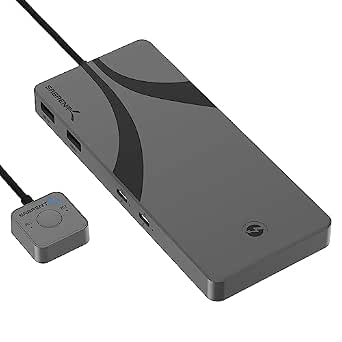 | Best for Ultra-High-Resolution, Thunderbolt 4 Power Users | Transfer Speed: 40Gbps | Display Output: 8K@60Hz or 4K@144Hz | USB Ports: 4 USB 3.0 ports | VIEW ON AMAZON | See Our Full Breakdown |
| Thunderbolt 4 KVM Switch for 3 Monitors and 2 Laptops – 4K@60Hz, DisplayLink USB-C Docking Station, Extended Triple Displays, 100W PD, USB 3.0/3.2, SD/TF, 1G Ethernet |  | Best for Multi-Monitor, Multi-Device Professional Environments | Monitor Support: 3 at 4K@60Hz | Laptops Supported: 2 | Power Delivery: 100W | VIEW ON AMAZON | See Our Full Breakdown |
| TESmart 2×2 Thunderbolt 4 KVM Switch Compatible with Apple Studio Display |  | Best for Dual High-Resolution Displays on Apple and Windows Devices | Display Support: Up to 5K@120Hz or 6K@60Hz | Number of Computers: 2 | Power Delivery: 60W | VIEW ON AMAZON | See Our Full Breakdown |
| Thunderbolt 4 KVM Switch for 3 Monitors and 2 Laptops with USB-C, 4K@60Hz, Extended Display, 100W PD, Ethernet, SD/TF |  | Best for Multi-Monitor Extended Workstations | Number of Monitors: 3 | Monitor Resolution: 4K@60Hz | Number of Laptops: 2 | VIEW ON AMAZON | See Our Full Breakdown |
| TESmart Thunderbolt 4 KVM Switch 2 Monitors 2 Computers 4K@60Hz HDMI+DisplayPort Dual Monitor for Laptop and Desktop |  | Best for Dual-Computer Setup with Versatile Switching | Resolution: 4K@60Hz | Video Inputs: HDMI 2.0, DisplayPort | USB Ports: 2x USB 3.2 Gen 2, 2x USB 3.2 Gen 1, 2x USB 1.1 | VIEW ON AMAZON | See Our Full Breakdown |
| thunderbolt kvm switch | Power Delivery | USB Ports | Compatibility |
|---|---|---|---|
| Cable Matters 20Gbps USB C KVM | — | — | — |
| MINIX K1 USB-C KVM Switch for | 100W PD 3.0 | — | Windows 10/11, macOS, Linux, Android |
| Sabrent Thunderbolt 4 KVM Swit | Supports PD3.0 up to 60W | 4 USB 3.0 ports | Thunderbolt 4, Windows, macOS |
| Thunderbolt 4 KVM Switch for 3 | 100W | Multiple USB 3.0/3.2 | Windows, MacOS, ChromeOS, Ubuntu |
| TESmart 2×2 Thunderbolt 4 KVM | 60W | USB 3.2 Gen 2 | — |
| Thunderbolt 4 KVM Switch for 3 | 100W | USB 3.0, USB 3.2, USB-C, USB-A | Windows 10+, macOS 11+, ChromeOS 100+, Ubuntu, Thunderbolt 3/4/5 |
| TESmart Thunderbolt 4 KVM Swit | 60W | 2x USB 3.2 Gen 2, 2x USB 3.2 Gen 1, 2x USB 1.1 | — |
More Details on Our Top Picks
Cable Matters 20Gbps USB C KVM Switch for 2 Computers, 140W PD Charging
This Cable Matters model stands out for combining high-speed data transfer, 8K video support, and powerful charging in a compact form. Compared to the Sabrent Thunderbolt 4 KVM Switch, it offers more universal compatibility with USB4 and Thunderbolt 4 devices but falls slightly short in raw display resolution for ultra-high-end applications due to bandwidth limits. Its main tradeoff lies in requiring specific cables and potential compatibility hiccups with certain docks or monitors. For users needing a balanced mix of high-speed data, video quality, and charging, this option provides a compelling package.
Pros:- Supports data transfer up to 20 Gbps and 8K video output
- Provides up to 140W power delivery for fast charging
- Compatible with a wide range of Thunderbolt 4 and USB4 docks and monitors
Cons:- Requires the included USB4 cables, limiting flexibility
- Bandwidth may limit multi-monitor performance compared to direct connections
Best for: Professionals working with high-resolution multi-display setups and fast data transfer needs, especially those using Thunderbolt 4 or USB4 equipment.
Not ideal for: Users with Thunderbolt 3-only devices or those seeking plug-and-play simplicity without cable compatibility concerns.
- Hardware Interface:USB Type C
- Additional Features:Fast Charging
- Compatible Devices:Laptops, Computers, Monitors, Docking Stations
- Total Usb Ports:2
- Data Transfer Rate:20 gigabits_per_second
- Number of Ports:2
Our verdict“This switch is ideal for power users needing fast data and high-resolution video with robust charging, but it demands careful cable and device compatibility management.”
MINIX K1 USB-C KVM Switch for 2 Computers, 4K@120Hz HDR, 100W PD, Aluminum Design
The MINIX K1 excels at delivering vibrant 4K@120Hz HDR visuals, making it a top choice for creative professionals and gamers. Unlike the Sabrent Thunderbolt 4 KVM Switch, which emphasizes high-end Thunderbolt connectivity and 8K support, the MINIX prioritizes compatibility across multiple operating systems, including Linux and Android, and offers a straightforward user experience. Its main limitation is the need for a separate HDMI 2.1 cable and a slight delay in display sync after switching. Overall, it caters well to users who want high-res gaming or media editing without the complexity of Thunderbolt-specific features.
Pros:- Supports 4K@120Hz HDR visuals for crisp, smooth images
- Provides 100W fast charging via USB-C PD
- Easy to switch with a simple button press
Cons:- Requires an HDMI 2.1 cable (not included) for monitor connection
- Display sync may take a few seconds after switching
Best for: Home users and professionals who need reliable 4K@120Hz performance across multiple OS environments, especially for media or gaming.
Not ideal for: Users needing ultra-high-end 8K support or those using monitors without HDMI inputs, as it lacks native DisplayPort support.
- Monitor Support:1 monitor
- Computer Connections:2 computers
- Resolution:4K@120Hz HDR
- Power Delivery:100W PD 3.0
- Ports:Dual USB-C, 2 USB-A
- Compatibility:Windows 10/11, macOS, Linux, Android
Our verdict“This switch offers excellent high-resolution gaming and media performance for multi-OS setups but needs additional cables and has minor sync delays.”
Sabrent Thunderbolt 4 KVM Switch, 40Gbps, 4K@144Hz/8K@60Hz
The Sabrent Thunderbolt 4 KVM switch sets a high bar with 40Gbps transfer speeds and support for 8K@60Hz displays, making it perfect for creative professionals or serious power users. While the Cable Matters USB-C KVM offers broader compatibility, the Sabrent’s specialized Thunderbolt focus provides superior raw throughput and display quality, though it requires an external power adapter and some setup complexity. It’s less suited for casual users due to its higher cost and the need for compatible Thunderbolt 4 equipment, but it excels in demanding workflows that need maximum resolution and speed.
Pros:- Supports 8K@60Hz and 4K@144Hz displays for stunning visuals
- High transfer speeds at 40Gbps for fast data sharing
- Built-in charging and durable aluminum build
Cons:- Requires external power supply, adding complexity
- Limited compatibility outside Thunderbolt 4 ecosystem
Best for: Creative professionals and tech enthusiasts who work with 8K content or require maximum data throughput and display fidelity.
Not ideal for: Casual users or those with non-Thunderbolt devices, as compatibility is limited and setup is more involved.
- Transfer Speed:40Gbps
- Display Output:8K@60Hz or 4K@144Hz
- USB Ports:4 USB 3.0 ports
- Power Delivery:Supports PD3.0 up to 60W
- Material:Aluminum
- Compatibility:Thunderbolt 4, Windows, macOS
Our verdict“This switch is tailored for high-end users needing top-tier display and data performance, but it demands compatible hardware and setup effort.”
Thunderbolt 4 KVM Switch for 3 Monitors and 2 Laptops – 4K@60Hz, DisplayLink USB-C Docking Station, Extended Triple Displays, 100W PD, USB 3.0/3.2, SD/TF, 1G Ethernet
This Thunderbolt 4 KVM switch supports three monitors at 4K@60Hz, making it ideal for multi-tasking professionals who need extended workspace. Compared with the TESmart 2×2 Thunderbolt 4 KVM, it offers triple monitor support and additional connectivity options like SD/TF card readers and Ethernet, but it requires installing DisplayLink drivers, which can complicate setup. Its heat output and lack of EDID emulation might affect some workflows, yet it provides ample power delivery and broad OS compatibility for complex professional setups.
Pros:- Supports three 4K monitors at 60Hz for extensive workspace
- Includes SD/TF card readers and 1G Ethernet for versatility
- Provides 100W power delivery to charge laptops
Cons:- Requires installation of DisplayLink driver for operation
- Casing can reach 60°C under full load, affecting longevity and noise levels
Best for: Designers, video editors, and engineers managing multiple screens and devices in a professional workspace.
Not ideal for: Casual users or those seeking plug-and-play simplicity, as setup and driver installation can be challenging.
- Monitor Support:3 at 4K@60Hz
- Laptops Supported:2
- Power Delivery:100W
- USB Ports:Multiple USB 3.0/3.2
- SD Card Reader:Yes
- Compatibility:Windows, MacOS, ChromeOS, Ubuntu
Our verdict“This switch excels in multi-monitor professional setups but needs technical setup and driver installation to function properly.”
TESmart 2×2 Thunderbolt 4 KVM Switch Compatible with Apple Studio Display
The TESmart 2×2 Thunderbolt 4 KVM switch offers support for 5K displays at 120Hz, making it suitable for users with high-resolution Apple Studio Displays or similar setups. Unlike the MINIX K1, which focuses on single 4K performance, this model emphasizes dual display management, ideal for creative professionals needing extended desktops. Its reliance on DisplayLink drivers and compatibility constraints with non-Apple displays may pose challenges, but its remote control and flexible switching options add convenience for advanced users with compatible hardware.
Pros:- Supports up to 5K@120Hz or 6K@60Hz for high-end visual fidelity
- Includes remote control and hotkey switching for convenience
- Offers Ethernet, USB, and audio sharing for comprehensive workstation control
Cons:- Requires compatible Thunderbolt displays and systems
- Complex setup with potential driver and compatibility issues
Best for: Creative professionals and power users who need to switch between two systems controlling dual 5K or high-end displays easily.
Not ideal for: Users with non-DisplayLink compatible displays or those seeking simple, driver-free solutions.
- Display Support:Up to 5K@120Hz or 6K@60Hz
- Number of Computers:2
- Power Delivery:60W
- USB Ports:USB 3.2 Gen 2
- Ethernet:1000Mbps
- Included Cables:2 Thunderbolt 4
Our verdict“This switch is perfect for demanding creative workflows with dual high-res displays but demands specific hardware and setup knowledge.”
Thunderbolt 4 KVM Switch for 3 Monitors and 2 Laptops with USB-C, 4K@60Hz, Extended Display, 100W PD, Ethernet, SD/TF
This Thunderbolt 4 KVM switch stands out for supporting three 4K monitors at 60Hz, making it ideal for users who need extensive desktop real estate. Compared with the TESmart Thunderbolt 4 KVM (B0DLGP1NDJ), it offers more USB ports and dual laptop support, but requires the installation of a DisplayLink driver, adding setup complexity. The aluminum casing and efficient heat dissipation ensure stable performance under heavy loads, though heat buildup might still pose challenges in poorly ventilated setups. Its compatibility with Windows, macOS, and ChromeOS broadens its appeal, yet Linux users will find it incompatible. For creative professionals or engineers managing complex multi-monitor workflows, this switch provides extensive connectivity options, but users must be prepared for driver dependence and heat considerations.
Pros:- Supports three 4K monitors at 60Hz for expansive display setups
- Enables smooth switching between two laptops with physical remote and controls
- Offers comprehensive connectivity including SD/TF card readers and Gigabit Ethernet
- Robust aluminum casing with good heat dissipation
Cons:- Requires installation of DisplayLink driver, adding complexity
- Heat can build up under full load, needing good ventilation
- Not compatible with Linux/Unix operating systems
Best for: Power users with multi-monitor workstations needing seamless switching between two high-performance laptops.
Not ideal for: Linux users or those seeking a plug-and-play solution without driver installations.
- Number of Monitors:3
- Monitor Resolution:4K@60Hz
- Number of Laptops:2
- USB Ports:USB 3.0, USB 3.2, USB-C, USB-A
- Power Delivery:100W
- Ethernet:Gigabit Ethernet
- SD Card Reader:Yes
- TF Card Reader:Yes
- Compatibility:Windows 10+, macOS 11+, ChromeOS 100+, Ubuntu, Thunderbolt 3/4/5
Our verdict“This switch is best suited for professionals who need extensive multi-monitor capabilities and are comfortable managing driver software and heat considerations.”
TESmart Thunderbolt 4 KVM Switch 2 Monitors 2 Computers 4K@60Hz HDMI+DisplayPort Dual Monitor for Laptop and Desktop
The TESmart Thunderbolt 4 KVM switch is designed for users who need crisp dual 4K@60Hz displays from both a laptop and a desktop. It excels in providing multiple switching methods, including keyboard hotkeys, a mouse wheel, and IR remote, which makes it highly convenient for frequent toggling. Compared to the Thunderbolt 4 KVM (B0GZS55KWX), it supports only two monitors but offers a broader array of input options (HDMI and DisplayPort), making it more flexible for mixed setups. However, it may encounter power handshake issues with some laptops, limiting its charging capacity to 60W, which can be a drawback for power-hungry devices. Its USB ports and gigabit Ethernet expand connectivity, but the reliance on specific video inputs and the need for batteries for the remote are minor inconveniences. This switch is best for users who value flexible switching options and high-resolution dual displays in a compact form.
Pros:- Supports crisp 4K@60Hz dual monitor output via HDMI and DisplayPort
- Multiple switching options including hotkeys, mouse wheel, and IR remote
- Includes multiple USB ports and gigabit Ethernet for versatile connectivity
- Compact design suitable for desktop or limited space setups
Cons:- Power handshake issues may limit charging to 60W, not ideal for high-power laptops
- DisplayPort connection requires specific setup; no USB-C video input
- IR remote batteries are not included, adding to accessory management
Best for: Creative professionals or multitaskers who prefer multiple switching methods and dual high-res displays for both laptops and desktops.
Not ideal for: Users with single-monitor setups or those requiring higher charging wattage for power-hungry laptops.
- Resolution:4K@60Hz
- Video Inputs:HDMI 2.0, DisplayPort
- USB Ports:2x USB 3.2 Gen 2, 2x USB 3.2 Gen 1, 2x USB 1.1
- Ethernet:Gigabit Ethernet (1000 Mbps)
- Power Delivery:60W
- Switching Methods:Keyboard hotkeys, front panel button, mouse wheel, IR remote
Our verdict“This switch is well-suited for users who need flexible switching methods and dual high-resolution displays from both laptops and desktops, but not for those requiring higher power delivery.”

How We Picked
These products were selected based on their compatibility with Thunderbolt standards, performance benchmarks, build quality, and ease of use. Priority was given to models supporting at least 4K resolution at 60Hz, fast data transfer rates (preferably 40Gbps or higher), and reliable power delivery. We also factored in the number of connected devices supported and overall value for price. The ranking reflects a balance between advanced features and user-friendly design, ensuring options for different budgets and professional needs.| thunderbolt kvm switch | Compatibility |
|---|---|
| Cable Matters 20Gbps USB C KVM | — |
| MINIX K1 USB-C KVM Switch for | Windows 10/11, macOS, Linux, Android |
| Sabrent Thunderbolt 4 KVM Swit | Thunderbolt 4, Windows, macOS |
| Thunderbolt 4 KVM Switch for 3 | Windows, MacOS, ChromeOS, Ubuntu |
| TESmart 2×2 Thunderbolt 4 KVM | — |
| Thunderbolt 4 KVM Switch for 3 | Windows 10+, macOS 11+, ChromeOS 100+, Ubuntu, Thunderbolt 3/4/5 |
| TESmart Thunderbolt 4 KVM Swit | — |
Factors to Consider When Choosing Thunderbolt Kvm Switch
Choosing a Thunderbolt KVM switch involves evaluating several key factors that impact your workflow and setup. While high data transfer speeds and resolution support are critical, other considerations like port variety, power delivery, and multi-monitor capabilities can significantly influence your experience. Understanding these factors helps prevent overspending on features you won’t use or missing out on critical performance aspects.Data Transfer Speeds and Resolution Support
Thunderbolt switches vary in maximum data transfer rates, from 20Gbps to 40Gbps, directly affecting how smoothly large files or high-bandwidth applications perform. Higher speeds support 8K or high-refresh-rate 4K displays, which is vital for video editing, 3D rendering, or gaming. Be cautious of models claiming high speeds that are limited in real-world performance or incompatible with your devices’ capabilities.
Display Support and Multi-Monitor Capabilities
Many Thunderbolt KVM switches support dual or even triple monitor setups, but the maximum resolution and refresh rate can differ. For professional workflows requiring multiple high-res screens, ensure the switch explicitly supports your desired configuration at the needed resolution. Some models may support only one monitor or lower refresh rates, which could hinder productivity or creative work.
Power Delivery (PD) and Charging
Power delivery is often overlooked but can simplify desk setups by charging connected laptops and peripherals through a single cable. While some switches offer up to 100W or 140W PD support, not all do, which may be a dealbreaker for power-hungry laptops. Also, verify that the PD feature is compatible with your device’s charging requirements to avoid underpowering or compatibility issues.
Connectivity and Ports
Beyond Thunderbolt ports, check for additional USB ports, Ethernet, SD card readers, or audio jacks. These expand the switch’s usefulness but can also introduce complexity or increase size. Ensure the port configuration aligns with your needs—if you require multiple USB peripherals or network access, select a model that offers those options without sacrificing performance or ease of use.
Build Quality and Ease of Use
Solid construction and intuitive controls make a significant difference in daily use. Look for switches with sturdy materials, straightforward switching mechanisms, and clear indicator lights. A poorly designed switch can lead to accidental disconnections or confusing setup, especially when managing multiple devices or monitors. Consider models with dedicated buttons or remote switching for convenience.
Frequently Asked Questions
Will a Thunderbolt KVM switch work with my older USB-C devices?
Thunderbolt KVM switches are designed for Thunderbolt-compatible devices, but many also support USB-C connections with compatible protocols. To ensure compatibility, check if the switch explicitly states support for your device’s Thunderbolt or USB-C version. Keep in mind that older devices might not leverage the full speed or features of newer switches, so always verify compatibility before purchasing.
Can I connect multiple monitors with a Thunderbolt KVM switch?
Many Thunderbolt switches support dual or triple monitor setups, but the actual number depends on the model’s specifications. Higher-end options typically support 4K at 60Hz or 8K at 60Hz, making them suitable for demanding professional tasks. Always confirm the maximum supported resolution and monitor count to match your workflow, especially if you rely on high-resolution displays for creative or technical work.
Is power delivery on a Thunderbolt KVM switch safe for my laptop?
Most modern Thunderbolt switches with PD support are designed to deliver safe, compatible power levels—usually up to 100W or 140W—matching common laptop charging needs. However, it’s essential to verify the switch’s PD output matches your device’s requirements. Using a switch with insufficient PD can lead to slow charging or no charging at all, while overly high wattage generally won’t harm your device due to built-in protections.
Do I need a Thunderbolt 4 switch or is Thunderbolt 3 enough?
Thunderbolt 4 switches are backward compatible with Thunderbolt 3 devices, but they also offer enhanced features like increased minimum performance standards, daisy chaining, and better multi-device support. If you want future-proofing and maximum compatibility, opting for Thunderbolt 4 is advisable, especially if you plan to upgrade your devices later. For existing Thunderbolt 3 setups, a high-quality Thunderbolt 3 switch may suffice, but you’ll miss out on some of the newer capabilities.
How important is build quality in a Thunderbolt KVM switch?
Build quality directly impacts reliability and longevity, especially in a professional or heavy-use environment. A well-constructed switch with premium materials and solid connectors reduces the risk of damage or connection issues. It also ensures stable operation when switching between multiple devices, minimizing interruptions or disconnections during critical tasks. Investing in a sturdy model can save time and frustration over the long term.
Conclusion
For most users seeking a balanced mix of performance and value, the Cable Matters 20Gbps USB C KVM Switch provides excellent all-around functionality. Professionals needing ultra-fast data transfer and high-resolution support should consider the Sabrent Thunderbolt 4 KVM Switch or the Thunderbolt 4 KVM Switch for 3 Monitors options. Beginners or those with limited setup space will benefit from simpler, more straightforward models like the TESmart 2×2 Thunderbolt 4 KVM Switch. Ultimately, your choice depends on your specific setup, resolution needs, and whether you prioritize speed, multi-monitor support, or budget constraints.
Cold & flu season Picks
humidifiers
As an affiliate, we earn on qualifying purchases.