AI-assisted editing tools can transform your travel photos by automating adjustments like exposure, contrast, and color correction, making them look vibrant and professional. They simplify complex tasks such as color grading, tone mapping, and lens distortion correction, saving you time and effort. These tools also offer real-time previews so you can experiment confidently. As AI continues to evolve, you’ll discover how to harness these innovations for even more stunning travel imagery—keep exploring to learn more.
Key Takeaways
- AI editing tools automate adjustments like exposure, contrast, and color correction for quick, professional travel photos.
- Advanced AI algorithms automatically fix lens distortion and enhance vibrancy, especially in drone and landscape images.
- AI-driven color grading and tone mapping allow creative experimentation and improve visual storytelling.
- These tools analyze images to suggest or apply subtle enhancements, ensuring consistent high-quality results.
- Future AI developments will make editing more intuitive, supporting better storytelling with vibrant, realistic travel visuals.

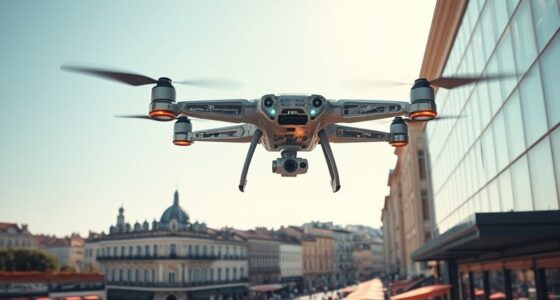
Travel photography has always been about capturing moments that tell a story, but now AI-assisted editing tools are revolutionizing the way you enhance your images. These advancements make it easier to elevate your photos, especially when working with drone photography and color correction techniques. Drones allow you to capture breathtaking aerial shots that showcase landscapes from perspectives you couldn’t achieve on foot. However, these images often require fine-tuning to bring out their full potential. AI-powered editing tools help streamline this process by automatically adjusting exposure, contrast, and sharpness, ensuring your drone shots are vibrant and clear.
AI tools simplify enhancing drone photos, automatically adjusting exposure, contrast, and sharpness for vibrant, professional results.
When working with drone images, you might notice colors that are dull or washed out, especially in varying lighting conditions. This is where AI-driven color correction techniques come into play. Instead of manually tweaking each slider, you can rely on AI algorithms to analyze your photo and suggest or apply *ideal* color adjustments. These tools can enhance sky colors, deepen shadows, and make foliage pop, giving your aerial photos a professional finish in a matter of seconds. They learn from vast datasets, so they understand how to make subtle improvements that make a big difference. This not only saves you time but also helps you achieve consistent quality across your travel photos.
AI-assisted editing also enables you to experiment more freely with your images. You can apply complex color grading or tone mapping without needing advanced skills, allowing your creative vision to come alive. For drone photography, this means you can accentuate the natural beauty of a sunset or the vibrant hues of a cityscape with minimal effort. Plus, many AI tools offer real-time previews, so you see the impact of adjustments instantly, making your workflow more efficient.
Another advantage is the ability to correct issues that often arise in drone photography, such as lens distortion or color imbalances. AI algorithms can automatically detect and fix these problems, giving you cleaner, more professional-looking images. By integrating AI-assisted editing into your travel photography routine, you not only save time but also gain the confidence to produce stunning visuals that do justice to the places you visit. As these tools continue to evolve, they’ll become even more intuitive, helping you tell your travel stories with clarity, vibrancy, and precision.
Furthermore, understanding the importance of contrast ratio can significantly improve the perceived depth and realism of your images, making them more engaging and visually appealing.
AI photo editing software for travel photos
As an affiliate, we earn on qualifying purchases.
As an affiliate, we earn on qualifying purchases.
Frequently Asked Questions
How Does AI Handle Color Correction for Different Lighting Conditions?
AI handles color correction by analyzing lighting conditions in your photos and applying lighting adaptation techniques. It guarantees color accuracy by adjusting tones to match natural hues, regardless of whether the scene is under sunlight, shade, or artificial light. You’ll notice your images look more balanced and true-to-life, as AI seamlessly corrects colors to match the scene’s original lighting, enhancing overall visual appeal without manual effort.
Can AI Detect and Enhance Specific Elements Like Skies or Water Bodies?
Yes, AI can detect and enhance specific elements like skies and water bodies. It uses sky enhancement techniques to improve cloud details and color vibrancy, making your skies more dramatic or natural. Water body detection helps AI identify lakes, rivers, or oceans, allowing you to sharpen reflections or improve clarity. This targeted editing saves you time and helps create stunning, professional-looking photos effortlessly.
What Are the Privacy Considerations When Using AI Editing Tools?
When using AI editing tools, you need to consider data privacy and user consent. Always ensure you’re aware of how your images and personal data are stored and used, as some platforms might share data with third parties. Before editing, review the privacy policies and obtain user consent when involving others in your photos. Protect your information by choosing trusted tools that prioritize your data privacy and transparency.
How Does AI Assist in Creating HDR or Panoramic Images?
Did you know that AI-generated panoramas can stitch up to 100 images seamlessly? AI assists in creating HDR or panoramic images by automating HDR compositing, blending multiple exposures to capture detail in shadows and highlights. It also simplifies creating AI-generated panoramas, aligning images accurately and reducing ghosting. This technology saves you time and enhances image quality, making your travel photos stunning with minimal effort.
Are There AI Tools That Automatically Organize Travel Photos?
Yes, there are AI tools that automatically organize your travel photos. They use features like photo tagging to categorize images by content, location, or date, making it easier to find specific shots later. Additionally, duplicate detection helps you remove or group similar photos, saving storage and reducing clutter. These tools streamline your organization process, letting you enjoy your travel memories without spending hours sorting through your collection.
Conclusion
By embracing AI-assisted editing, you open new creative horizons, transforming your travel photos into stunning works of art. These tools act like a skilled guide, helping you refine every shot with ease and precision. Just as a compass points true north, AI keeps your vision focused and clear. So, immerse yourself in these techniques confidently—your journey to breathtaking images is just a click away, waiting to be captured like a sunset’s fleeting glow.