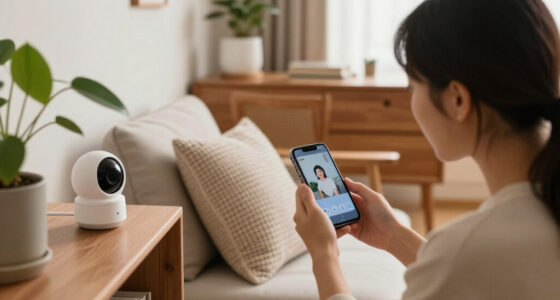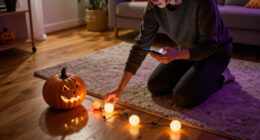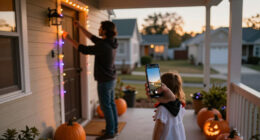
Use this guide to create a Halloween lighting scene with smart bulbs, plugs, or compatible outdoor lights, then control it from an app, schedule, or motion sensor. It is written for beginners who can use a smartphone app and want a setup that is easy to test and switch off. Allow 45-90 minutes, depending on how many lights you install and whether your devices already work on your home network.

Get home appliances delivered free — and shop member deals
- Fast, free delivery on millions of items
- Access to Prime Big Deal Days deals on October 6–7
- Prime Video, Amazon Music and more included

Brizled Smart Halloween String Lights, 300 LED, 98 ft, Orange and Purple, App and Voice Control
- ✔ Length: 98 ft
- ✔ LED count: 300
- ✔ Colors: Orange and purple

240 LED Smart Color-Changing String Lights, 92 ft
- ✔ Length: 92 ft
- ✔ LED count: 240
- ✔ Color options: 16 million

66-Foot 200-LED Color-Changing Smart String Lights with App and Remote
- ✔ Length: 66 ft
- ✔ LED count: 200
- ✔ Lighting: RGB color-changing
Difficulty: Beginner | Time: 45-90 minutes
What You’ll Need
Tools & Materials:
- Smart bulbs, smart plugs, or outdoor-rated smart lighting
- Phone or tablet with the lighting manufacturer’s app
- Wi-Fi credentials and access to the home network
- Lamps or fixtures suitable for the selected bulbs
- Outdoor extension cords and weather-rated covers, if permitted by the lighting instructions
- Optional: compatible motion sensor, smart speaker, or home hub
- Step stool or ladder for reachable indoor fixtures, if needed
Knowledge:
- Basic use of a smartphone
- Ability to identify whether a fixture is indoors or exposed to weather
- Basic familiarity with the home’s Wi-Fi network
Check each product’s instructions before installation. Outdoor devices must be rated for the location and conditions where they will be used; an indoor smart plug is not suitable outdoors. Do not exceed a plug’s stated power rating, use damaged cords, or place electrical connections where they can sit in water. If a fixture is hard-wired or requires electrical work, use a qualified electrician rather than modifying wiring.
Brizled Smart Halloween String Lights, 300 LED, 98 ft, Orange and Purple, App and Voice Control
For shoppers decorating specifically for Halloween, Brizled starts with the right visual brief: orange and purple LEDs across a 98-foot strand. That focused palette makes it easier to build a recognizable seasonal look than it is with a general-purpose RGB strand, where we have to select and tune colors in an app. With 300 LEDs, it also has the highest listed LED count in this group, which is appealing for a longer railing, porch edge, or multi-part display. The description does not specify LED spacing or brightness, however, so we should not assume the count guarantees a particular density or glow.Its biggest smart-home advantage over the other two picks is Alexa and Google Assistant support. The other products list Bluetooth app and remote control, while Brizled can also fit into a compatible voice-assistant routine. App features include timers, scheduling, countdown, dimming, music sync, group control, and family sharing, giving a household more ways to coordinate the display. The important compromise is that the colors are limited to orange and purple: buyers hoping to use one set for a broad range of holidays or everyday accent lighting will get more flexibility from the 92-foot RGB model.Brizled is described as waterproof and UL certified, which makes it a strong candidate for outdoor seasonal décor, but the supplied details do not state a specific water-resistance rating. We should therefore follow the product’s instructions and avoid treating the general claim as permission for unrestricted exposure. Compared with the 66-foot set’s stated IP44 rating, Brizled offers less precise published information about water protection, even as it provides more length, more LEDs, and voice control. That combination earns it the top spot for Halloween-focused smart decorating, with the color limitation and unspecified rating as real caveats.
Pros:
- Orange and purple are ready-made for a Halloween color scheme.
- Alexa and Google Assistant support add voice control beyond the Bluetooth app and remote options in the other picks.
- The 98-foot strand and 300 LEDs offer the most listed coverage and LED count in this comparison.
- Scheduling, timers, dimming, music sync, group control, and family sharing support flexible household use.
Cons:
- Color selection is limited to orange and purple, unlike the RGB options in the other two products.
- The waterproof claim is not accompanied by a specific water-resistance rating.
- Smart features require the app or a compatible voice assistant.
Best for: Halloween decorators who want an orange-and-purple display, a long strand, and Alexa or Google Assistant control.
Not ideal for: Buyers who need a broad RGB palette, a clearly specified outdoor ingress-protection rating, or smart control that does not rely on an app or compatible voice assistant.
Bottom line: We recommend Brizled first when Halloween colors and voice control matter more than a wide-ranging RGB palette.
“We recommend Brizled first when Halloween colors and voice control matter more than a wide-ranging RGB palette.”
240 LED Smart Color-Changing String Lights, 92 ft
If we want a Halloween setup that can shift beyond a fixed orange-and-purple scheme, this 92-foot strand is the most flexible alternative. It lists 16 million color choices, 40 scene modes, and app access to over 200 modes, making it better suited than Brizled to shoppers who want to experiment with color combinations or reuse the lights for other occasions. Its 240 LEDs spread across 92 feet offer substantial listed coverage, though Brizled has both a longer strand and more LEDs.The app and remote provide two ways to adjust the display, and the feature set includes music-reactive effects, adjustable brightness and sensitivity, memory, and a 4-, 6-, or 8-hour timer. Those functions help when we want a display to follow a schedule instead of staying on indefinitely. But this is still a Bluetooth-controlled option: the listing says app control requires a smartphone, so it should not be mistaken for a Wi-Fi-connected system with guaranteed control from anywhere. Unlike Brizled, it also does not list Alexa or Google Assistant compatibility.For outdoor decorating, the product description calls the strand waterproof and notes a 29V low-voltage, UL-listed plug. That is useful information, but no specific waterproof rating is supplied, so we have less precise protection guidance than with the 66-foot set’s IP44 specification. The 66-foot option may be easier to place where a shorter run is enough, while this one is a better fit when we need added reach and a larger creative palette. We rank it second because its combination of length, color choice, and effects is compelling, but its protection details and Bluetooth-only smart control leave questions for buyers prioritizing outdoor certainty or voice integration.
Pros:
- The 16-million-color palette and extensive scene options support varied seasonal displays.
- At 92 feet, it offers considerable coverage for larger decorating plans.
- App and remote control are paired with music sync, adjustable brightness, and sensitivity.
- The listing specifies a 29V low-voltage, UL-listed plug and timer and memory functions.
Cons:
- Bluetooth app control requires a smartphone and does not provide listed Alexa or Google Assistant support.
- The waterproof claim has no specific water-resistance rating in the supplied details.
- Its color flexibility requires more selection and setup than Brizled’s dedicated Halloween palette.
Best for: Buyers who want a long, reusable RGB strand with extensive color and scene choices for Halloween and other decorating.
Not ideal for: Shoppers who prefer dedicated orange-and-purple lights, voice-assistant control, or a stated water-resistance rating.
Bottom line: We favor this set when broad color customization and long coverage outweigh voice control and precise outdoor-rating information.
“We favor this set when broad color customization and long coverage outweigh voice control and precise outdoor-rating information.”
66-Foot 200-LED Color-Changing Smart String Lights with App and Remote
Not every Halloween display needs nearly 100 feet of lights. This 66-foot, 200-LED strand is the practical choice when we are outlining a smaller porch feature, window, or indoor display and would rather manage a shorter run. It offers customizable RGB colors, brightness, effects, and music synchronization, so it can still create more than one seasonal look. Compared with the 92-foot model, it gives up length and the larger stated color and scene counts, but its more limited scale can be an advantage in tighter spaces.Control comes through a Bluetooth app or remote, and the included timer and memory functions help preserve settings and automate a daily routine. That makes it straightforward to set a recurring Halloween display without reselecting an effect each time. The limitation is connectivity: unlike Brizled, this model does not list Alexa or Google Assistant, and Bluetooth app control means we should plan to use a phone within the connection’s practical range. The physical remote provides a useful alternative, but it does not make the lights part of a voice-controlled smart-home routine.Of the three, this is the only one with a specified IP44 water-resistance rating. That gives us clearer guidance than the other products’ general waterproof descriptions, but IP44 is not the same as full waterproofing, so exposed placement still calls for care. The 92-foot set is preferable for larger coverage and a broader stated color range; Brizled is the stronger Halloween-specific pick with voice control. We place this option third not because it lacks useful features, but because its shorter reach and Bluetooth-only smart control narrow its appeal. It makes the most sense when compact coverage and a clearly stated, limited water-resistance rating are priorities.
Pros:
- The 66-foot length is easier to size for compact porch, window, or indoor displays.
- RGB colors, adjustable brightness, effects, and music sync allow customization.
- App and remote controls are complemented by timer and memory functions.
- IP44 is a specific water-resistance rating, unlike the general outdoor claims on the other two products.
Cons:
- It is the shortest strand and has the lowest listed LED count in this comparison.
- IP44 means water resistance, not full waterproofing.
- Bluetooth app control is not listed as compatible with Alexa or Google Assistant.
Best for: Decorators working with a smaller area who want adjustable RGB lighting, a remote, and a stated IP44 rating.
Not ideal for: Buyers planning a large outdoor display, seeking voice-assistant integration, or needing lights described as fully waterproof.
Bottom line: We choose this set for a smaller Halloween display where a shorter run and clear IP44 guidance matter more than voice control or maximum coverage.
“We choose this set for a smaller Halloween display where a shorter run and clear IP44 guidance matter more than voice control or maximum coverage.”
As an Amazon Associate we earn from qualifying purchases.
Before You Start
Decide what you want the lights to do before placing devices: for example, glow orange and purple from dusk to bedtime, or turn on briefly when someone approaches the entry. Check that each smart device is compatible with your network, app, and any hub or voice assistant you plan to use. Many devices require a 2.4 GHz Wi-Fi connection during setup, even if your phone normally uses another band.
Keep walkways, steps, doors, and house numbers visible. Avoid flashing effects near roads or in places where they may disturb neighbors or people sensitive to flicker. Keep lights and cords away from hot bulbs, heaters, candles, and doorways where they could become trip hazards.
Step-by-Step Instructions
Step 1: Plan the lighting locations
Walk through the rooms and outdoor areas you want to decorate. Choose specific fixtures for the main scene, such as a porch light, a window lamp, and a living-room lamp. Mark which locations need color effects and which must stay bright enough for safe movement. Count the devices and check that each bulb fits its fixture and has the correct base and brightness range.
For outdoor areas, identify a protected, dry location for plugs and connections, following the product instructions. Keep cords out of walking routes and away from gates, doors, and areas where visitors may step.
Tip: Start with two or three lights rather than outfitting the whole home. A smaller scene is easier to test and coordinate.
Check: You have a device count, a location for each light, and a clear plan for keeping paths and entrances visible.
Step 2: Install the devices safely
Switch off the fixture at its wall switch before replacing a bulb. Let a recently used bulb cool, remove it, and fit the smart bulb according to its instructions. For a smart plug, connect it to the outlet first, then plug in only a lamp or light string that falls within the plug’s stated rating. Place outdoor equipment only where its weather rating allows, and secure cables so they cannot be pulled or tripped over.
Leave any fixture’s wall switch in the on position once a smart bulb is installed; cutting power at the switch can make the bulb unreachable in the app. Use the app or voice control to turn it off instead.
Tip: Do not put a smart bulb in a sealed or enclosed fixture unless its manufacturer allows that use. Heat can affect some bulbs.
Check: Each device is fitted securely, powered, undamaged, and placed in a location allowed by its instructions.
Step 3: Add each device to the app
Open the manufacturer’s app and sign in or create an account if required. Use the app’s add-device flow, then follow its prompts to pair each bulb, plug, or sensor. Connect to the required Wi-Fi network and allow location, Bluetooth, or local-network access only when the app needs it for setup. Give devices clear names such as “Porch,” “Front Window,” and “Hall Lamp” so you can select the right light later.
Pair devices one at a time if the app has trouble identifying several new products at once. Keep your phone near the device during pairing and do not unplug it until setup finishes.
Tip: If the app asks you to reset a device, follow that model’s reset instructions. Reset patterns vary; avoid guessing based on another product.
Check: Every device appears in the app with a recognizable name and responds when you switch it on and off.
Step 4: Build the Halloween scene
Create a room, group, or scene in the app and add the lights that should operate together. Choose colors such as orange, purple, or a dim warm white, then set brightness separately for each light. Keep porch steps, paths, and doorways bright enough to see; use decorative colors on walls, windows, or other surfaces where they will not hide hazards.
If the app offers effects, select a steady glow or a slow, gentle change. Preview the scene from the street or room entrance, and adjust any color or brightness that makes signs, faces, steps, or house numbers hard to see.
Tip: Color names and brightness controls vary by brand. If a color looks different on one bulb, adjust that bulb individually rather than changing the whole scene.
Check: One scene control activates the intended lights, and the result is visible without making the entrance or path difficult to navigate.
Step 5: Set a schedule or motion trigger
Choose a control method in the app. For a schedule, set the scene to start around dusk and turn off at a sensible bedtime; use sunset scheduling if available, or enter local times and review them after a seasonal clock change. For motion activation, pair a compatible sensor and set the scene, activation duration, and sensitivity. Aim the sensor at the approach, not at a road, moving branches, or a neighbor’s property.
Use a separate schedule or motion rule for lights that need to stay on for safety. If your system allows conditions such as time windows, restrict decorative effects to the hours you want them active.
Tip: Avoid setting a motion light to turn off so quickly that visitors are left in the dark while opening the door or walking away.
Check: The schedule shows the intended start and stop times, or the sensor is linked to the right scene and aimed at the intended area.
Step 6: Test the full setup
Run the scene manually from the app, then test its schedule or motion trigger using the app’s test function or by walking through the sensor’s detection area. Check the lights from the places where visitors will approach and from inside the home. Confirm that the porch, steps, house number, and path remain visible, and that the scene turns off when expected.
Test again after dark, when color and brightness are easier to judge. If a light does not respond, check its power and app status before changing automation settings. Make one adjustment at a time, then repeat the relevant test.
Tip: Do not rely on a schedule you have not tested. A manually working light can still have an incorrect time, location, or automation rule.
Check: The lights respond to manual control, the chosen automation runs as expected, and visitors can see the approach safely.
Common Mistakes to Avoid
- Using an indoor plug or unprotected connection outdoors. — Check the device’s outdoor rating and placement instructions before connecting it outside; keep connections out of standing water and weather exposure beyond their rating.
- Turning off power to a smart bulb at the wall switch. — Leave the switch on after installation and control the bulb through its app, automation, or compatible voice assistant.
- Making every light dim, flashing, or strongly colored. — Reserve decorative effects for display areas and keep entrances, steps, and paths lit for safe movement. Choose steady or slow effects.
- Creating a schedule without checking its time or location settings. — Review the home’s time zone and sunset location, then test the automation manually or with the app’s test control.
Troubleshooting
Problem: A bulb or plug does not appear during app setup.
Solution: Confirm it has power, move your phone closer, and check whether the device requires 2.4 GHz Wi-Fi or a hub. Restart the app and follow the device’s model-specific reset and pairing steps.
Problem: A smart bulb shows as offline or stops responding.
Solution: Check that its wall switch is on and the Wi-Fi router is working. Restore power, wait for the device to reconnect, then reopen the app. If it remains offline, follow the manufacturer’s reconnect procedure.
Problem: The scene works manually but not on schedule.
Solution: Check the automation’s enabled status, selected days, time zone, sunset location, and start and stop times. Save the rule again and test it using the app’s available test option.
Problem: A motion sensor misses visitors or triggers repeatedly.
Solution: Check its battery and connection, then adjust its direction, height, sensitivity, and activation duration according to its instructions. Keep it pointed away from moving branches, roads, and other sources of repeated motion.
What Success Looks Like
The setup is complete when every intended light responds in the app, the Halloween scene displays the selected colors and brightness, and the schedule or motion trigger activates the correct lights. At night, the entrance, house number, and walking route remain easy to see. Outdoor devices and connections are placed within their rated conditions, cords do not create trip hazards, and lights turn off when your rules say they should.
Next Steps
Check the setup once each evening during use, especially after a power or Wi-Fi interruption. Turn off or unplug outdoor equipment when instructed by its manufacturer or when conditions exceed its rating. After Halloween, remove temporary cords and decorations, return lights to their normal scene, and store devices dry and undamaged. If an electrical fixture needs repair or a connection shows heat damage, stop using it and contact a qualified electrician.
Frequently Asked Questions
Can I use a smart bulb in any lamp?
Only if the bulb’s base, size, wattage, and fixture conditions match the manufacturer’s instructions. Check enclosed-fixture restrictions and avoid fixtures that expose the bulb to unsuitable heat or moisture.
Do Halloween smart lights need internet access?
Remote app control and many cloud automations need internet access. Some systems support local control or schedules through a hub, but behavior varies by product. Check the device and hub documentation, and test the scene if your internet connection is unavailable.
How can I keep the porch visible while using colored lights?
Use a separate steady white light for the steps and doorway, or set those fixtures to a brighter warm white. Keep colored effects on walls, windows, or decorative areas instead of relying on them as the only light for walking.
Can I use a smart plug with a Halloween light string?
Yes, if the plug is rated for the location and the light string’s electrical load is within the plug’s limits. Follow both products’ instructions, avoid damaged cords, and do not connect strings in a way their manufacturer prohibits.
Halloween Picks
halloween
As an affiliate, we earn on qualifying purchases.