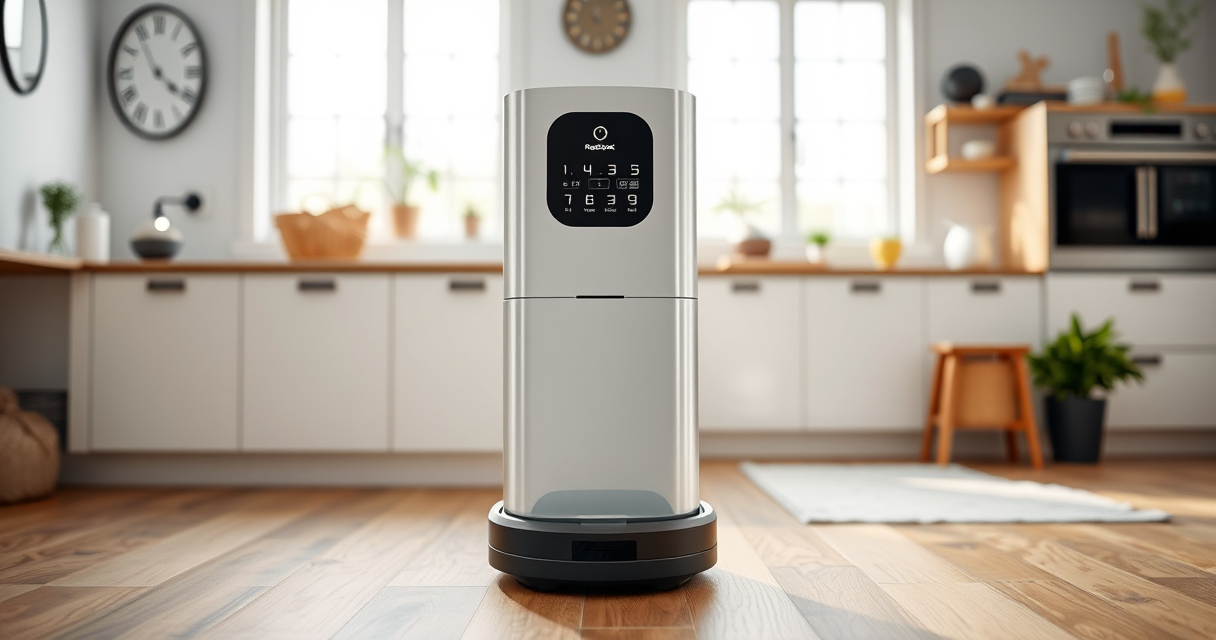

If your Roborock Q10 S5+ isn’t mopping as it should, it can be frustrating, especially when you rely on its dual functions for daily cleaning. This guide helps you identify common causes for mopping issues and provides safe, practical steps to fix them. Whether it’s a connectivity problem, a clogged mop, or a setting glitch, you’ll find clear instructions to get your robot back to cleaning floors effectively.

Get home appliances delivered free — and shop member deals
- Fast, free delivery on millions of items
- Access to Prime Big Deal Days deals on October 6–7
- Prime Video, Amazon Music and more included
Before diving into troubleshooting, ensure your device is updated with the latest firmware and that the mop cloth is properly installed and clean. Regular maintenance and correct settings are key to maintaining optimal mopping performance with your Roborock Q10 S5+.
Key Takeaways
| Check mop cloth | Ensure the mop cloth is clean, properly attached, and not worn out. |
| Verify settings | Make sure mopping is enabled in the app and the mop mode is active. |
| Inspect water tank | Check if the water tank is filled and correctly installed. |
| Clean nozzles & sensors | Remove any blockages or dirt from the mopping nozzles and sensors. |
1. Confirm Mop Cloth and Water Tank Setup
- Turn off your Roborock Q10 S5+ and remove the mop cloth. Inspect it for dirt, stains, or damage. Wash or replace if necessary.
- Ensure the microfiber mop pad (recommended: VIEWALL 6 Pack Reusable Mop Pads) is properly attached, flat, and securely in place.
- Check the water tank to confirm it’s filled with clean water, properly seated in its compartment, and free of blockages.
- Adjust the mop lifting feature if your model supports it, ensuring the device can lift and lower the mop freely.
2. Verify Cleaning Settings and App Configuration
- Open the Roborock app and select your device.
- Navigate to cleaning preferences; ensure that mopping is enabled and the mop mode is selected.
- Adjust water flow settings if available — sometimes setting it too low can prevent effective mopping.
- Start a cleaning cycle and observe if the device initiates mopping. If it doesn’t, proceed to check for hardware issues.
3. Inspect and Clean Mopping Nozzles & Sensors
- Locate the mopping nozzles on the underside of the robot. Remove any debris, hair, or mineral buildup that could block water flow.
- Use a soft brush or cloth to gently clean sensors and contact points.
- If your device has obstacle avoidance sensors related to mopping, ensure they are clean and unobstructed.
4. Test for Water Flow and Mop Movement
- Place the robot on a flat surface and manually activate the mopping function via the app.
- Observe if water is dripping from the nozzles and if the mop cloth moves smoothly across the floor.
- If no water flows, check the water tank connection, and consider replacing the filter or water delivery components if clogged.
5. Update Firmware and Perform a Reset
- Ensure your Roborock device has the latest firmware installed. Update through the app if necessary.
- Perform a soft reset by turning the device off and on again, or use the reset button as per the user manual.
- This can resolve software glitches that may prevent mopping functions from activating.
Tips and Warnings for Maintaining Your Roborock Q10 S5+
- Regularly wash and replace mop pads (consider the 4 Pack Washable Filter for optimal filtration).
- Avoid using harsh chemicals or mineral-heavy water that could clog nozzles or damage sensors.
- Always turn off the device before cleaning or replacing parts to prevent electrical issues.
- Consult the user manual for specific maintenance instructions for your model.
The Products in This Guide

roborock Q10 S5+ Robot Vacuum and Mop
- ✔ Model: Q10 S5+
- ✔ Color: Black
- ✔ Dimensions: not specified

4 Pack Washable Filter
- ✔ Type: Washable HEPA
- ✔ Fit: Multiple models
- ✔ Reusability: Yes
roborock Q10 S5+ Robot Vacuum and Mop
The Roborock Q10 S5+ Robot Vacuum and Mop combines powerful 10,000 Pa suction with advanced mopping capabilities, including VibraRise 2.0. Its self-emptying station offers up to 70 days of maintenance-free operation, making it ideal for busy households and pet owners. The dual anti-tangle system and obstacle avoidance enhance reliability and ease of use.
Pros:
- Powerful 10,000 Pa suction
- Self-emptying station for 70 days
- Advanced obstacle avoidance
- Dual anti-tangle brush design
Cons:
- Higher price point
- Requires regular mop cloth maintenance
- Water tank refilling needed for mopping
Best for: Large homes, pet owners, busy households needing reliable, hands-free cleaning
Not ideal for: Small apartments or users preferring simple vacuum-only setups
Bottom line: Roborock Q10 S5+ offers robust cleaning with smart mopping features for busy households.
4 Pack Washable Filter
The 4 Pack Washable Filter complements your Roborock Q10 S5+ by ensuring clean airflow and prolonging filter life. Easy to install and wash, these filters help maintain optimal suction and mopping performance.
Pros:
- Compatible with multiple Roborock models
- Washable and reusable
- High filtration efficiency
- Easy to install
Cons:
- Not OEM, may vary slightly in fit
- Requires regular cleaning
- Not suitable for Q5/Q5+ models
Best for: Pet owners and households seeking cost-effective filter replacements
Not ideal for: Users needing OEM parts or specific model compatibility
Bottom line: Effective filtering at a great price, keeping your Roborock performing its best.
Frequently Asked Questions
Why isn’t my Roborock Q10 S5+ mopping properly?
Common causes include a dirty or improperly attached mop cloth, clogged water nozzles, incorrect settings, or software glitches. Follow the troubleshooting steps outlined above to diagnose and fix the issue.
How often should I replace or wash the mop cloth?
Washing the microfiber mop cloth regularly ensures optimal mopping. Replacements are recommended every 1-3 months depending on usage and dirt levels.
My device is not dispensing water during mopping, what do I do?
Check the water tank for proper installation and refill if empty. Clean the water nozzles and filters to remove blockages. Confirm that mopping mode is enabled in the app.
Can I use other cleaning solutions besides water?
It’s best to use only water or manufacturer-recommended cleaning solutions. Harsh chemicals can damage the mop pads, nozzles, and sensors.
How do I update the firmware of my Roborock?
Open the Roborock app, connect to your device, and check for firmware updates in the settings menu. Follow prompts to install the latest version for optimal performance.
Keep Your Floors Spotless with Proper Maintenance
Regularly inspecting and maintaining your Roborock Q10 S5+ ensures consistent mopping performance. Proper setup, timely cleaning of components, and software updates can prevent most issues. With these troubleshooting steps, you’ll be able to resolve mopping problems quickly and keep your floors pristine without hassle.
Affiliate disclosure: As an Amazon Associate we earn from qualifying purchases. Prices and availability are accurate as of the time of publishing.
NFL season / tailgating Picks
team gear
As an affiliate, we earn on qualifying purchases.